Tag: syndicated

  • Happy Hour at SQL in the City Austin

    Tomorrow is SQL in the City 2019 – Austin. If you’ve registered, you’re going to want to come. From Kendra’s great opening keynote to Brian’s demo to a couple great business cases, we have sessions that will make you think.

    You’ll see some Redgate products, but this isn’t a demo fest. It’s a set of sessions designed to get you to think about DevOps, allow you to ask some questions, and hopefully spur you and your colleagues to build better database software.

    I’ll be running a panel where you can ask questions of developers and consultants, to get some insight into things that have worked for others. Bring your questions along.

    At the end of the day, we’ll finish with a happy hour nearby, so you can ask questions, chat about database development, or just take a picture with me in whatever shirt I bring.

    Don’t miss this day where you can get inspired, recharge, and learn a few new things. See you tomorrow.

  • Keynotes in Australia and New Zealand

    I get to do the SQL in the City Summit keynotes in Australia and New Zealand. I’m excited, following the footsteps of Kendra Little and Donovan Brown, who have done them in the US.

    Register today for Brisbane, Christchurch, and Melbourne.

    The talk is on the State of Database DevOps in 2019. It’s likely some things many of you think about, but I’m hoping to inspire you to start adopting better development practices, give you reasons it’s a good idea, and providing some information that might help you get support from your management.

    It’s going to be an exciting tour, and some long days. I’ve got four sessions at each Summit, as well as a session or two the next day at SQL Saturday in each city. Join me for a packed weekend of learning in one of our locations.

    Come see me and register today for one of our Summits:

  • Clearing an Email from the Microsoft Directory

    Years ago I was working on a demo with Microsoft and someone added me to their VSTS (now Azure DevOps) project. Somehow, I got an account in the Live/Passport/Joe-Schmo Azure directory with my red-gate.com email. This hasn’t been a problem for a long time, but recently I had issues.

    At Redgate Software, we use Office 365 for a lot of stuff (email, apps, etc.). Lately I’ve been getting a number of documents to edit in our shared, Sharepoint folders. Mostly this is Kendra’s fault, but as I’ve done more prep stuff for customers, I get links from others.

    While I can access them, if I click a link, I get a browser window that opens and tells me that it can’t access the document because I’m logged in with my way0utwestxxxxxx account. That’s true, since I use that for the portal. I click the “sign out and sign in again, and I’ll get taken to the login page.

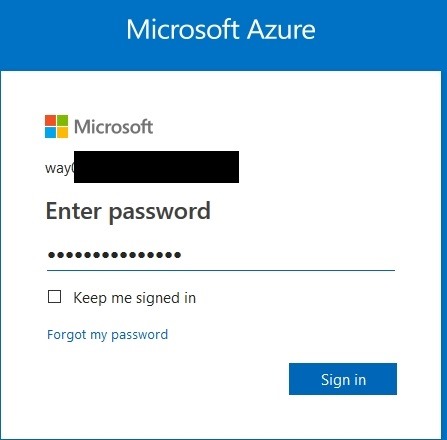
    2019-04-26 14_20_09-Sign in to Microsoft Azure

    However, this is a login for a personal account, not an organization account. As a result, as soon as I enter my password, I get:

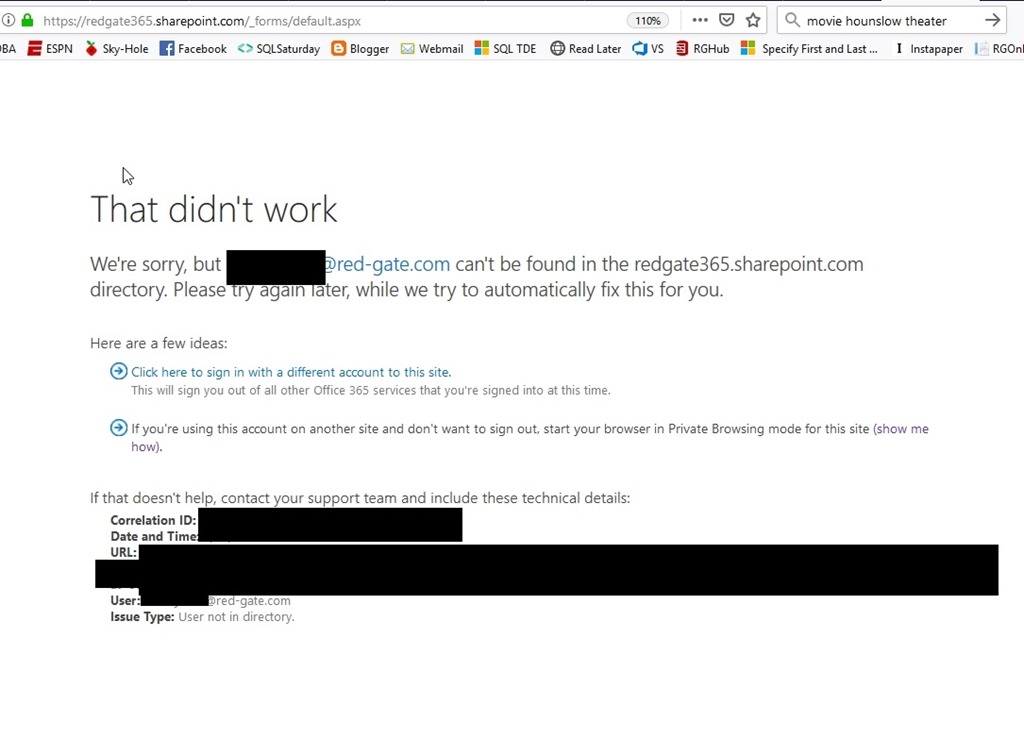
    2019-04-26 12_45_25-Sign in is not complete

    That’s true, but it’s also not true. I do have a valid @red-gate.com account that was entered, but this is apparently stuck thinking I’m using a personal account and doesn’t let me change to an organizational account.

    What’s weird is that if I go to a URL, like our info site, or the IT site, I get the option to enter an account. When I do, it goes to the organizational signin.

    The Fix

    I’ve let this go, mostly because I don’t do much document collaboration, but lately it’s been a problem. I finally pinged the IT staff and they gave me the fix.

    • Log into https://account.microsoft.com/profile with the problem personal account.
    • Click on “Contact info”
    • Click on “Manage this email address”
    • Click on “Add email”
    • Create a new email Address
    • Change the new email address to the primary
    • Now remove the old personal email from the account.

    I’d have probably been able to figure all of this out if I’d known about account.microsoft.com. I kept thinking Passport, Live, all the auth services I’ve used in the past.

    Hopefully now I’ll remember if this happens again, or perhaps this will help someone else.

  • Moving to Serverless for Azure SQL DB

    After the announcement of Serveless Azure SQL Datbase at //build/, I decided to give it a try. I have some Basic databases, so what would Serverless mean for me? I was wondering as the Basic dbs are cheap and moving to Serverless means moving to Gen 5, larger machines.

    Let’s try this.

    Reconfigure an Existing Database

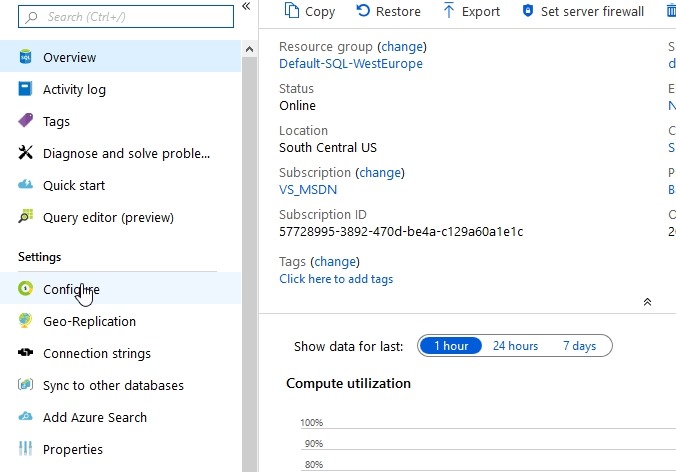
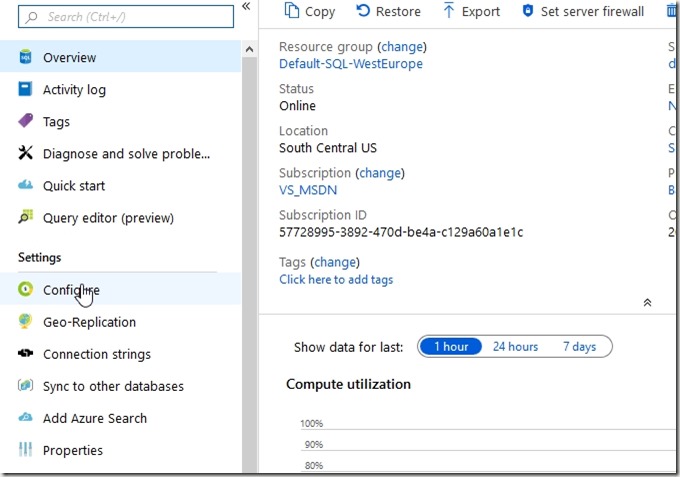
    I’ll pick one of the basic test databases I have and look for the sizing. It’s under Configure, which is where my mouse it in the image below.
    2019-05-06 16_07_02-SQLPatches - Microsoft Azure

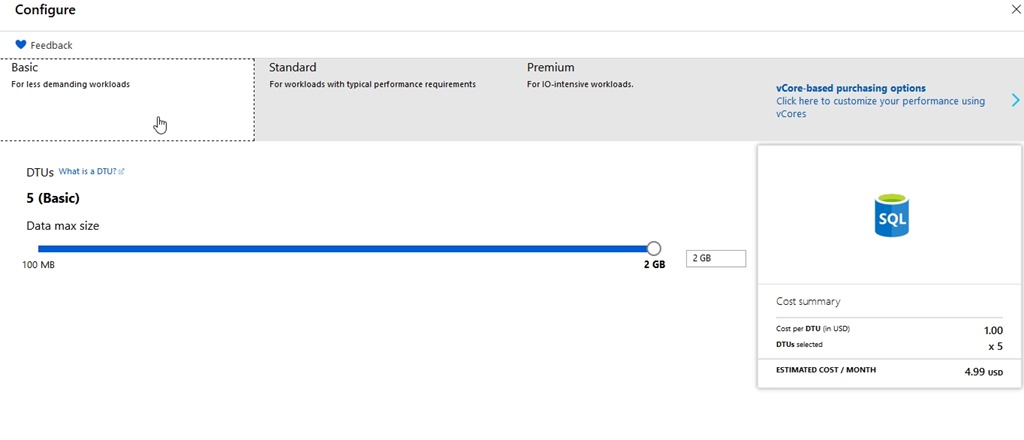
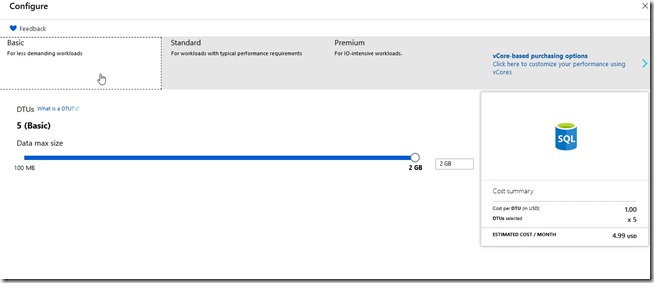
    Here’s my database config and cost. For my little dev/test environment, this makes perfect sense. I’m paying $4.99 a month in virtual cost. Since I get $150/month as part of my subscription as an MVP, I can afford to put up 5 or 6 of these test databases for different things without worry.
    2019-05-06 16_07_36-Configure - Microsoft Azure

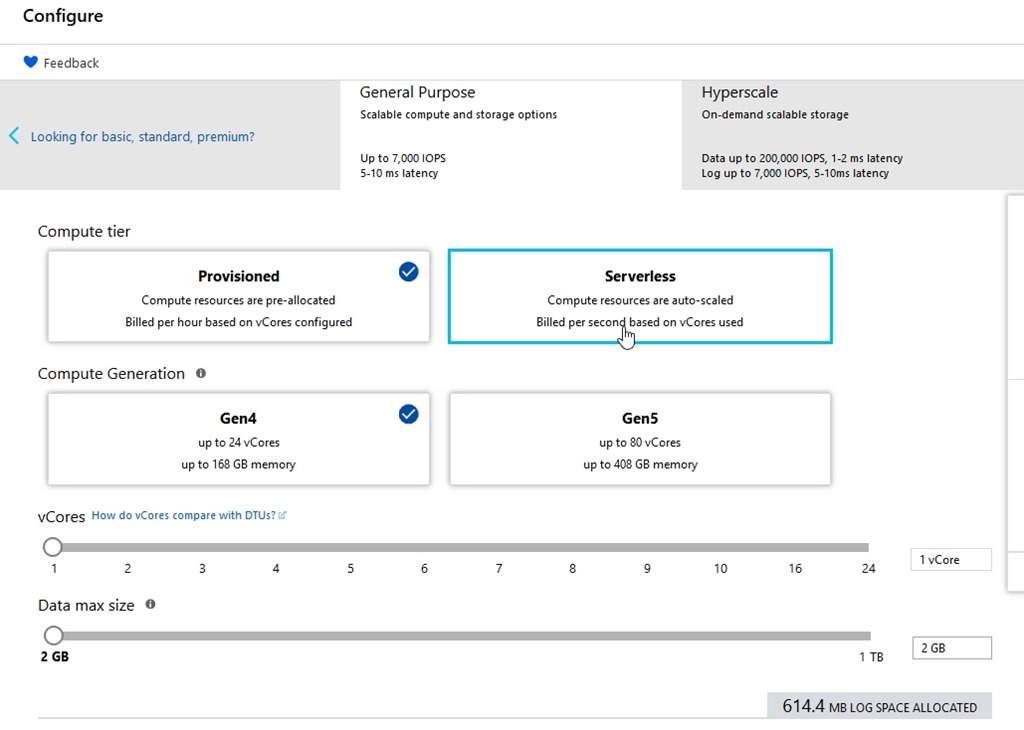
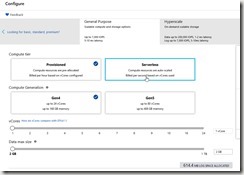
    After I click the vCore pricing, I get new options. I can see Serverless in here.
    2019-05-06 16_07_49-Configure - Microsoft Azure

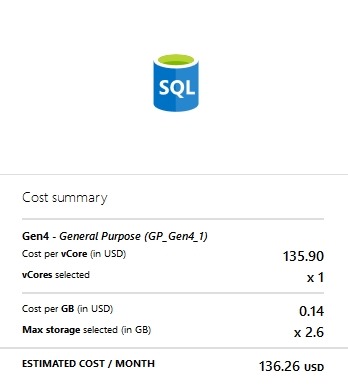
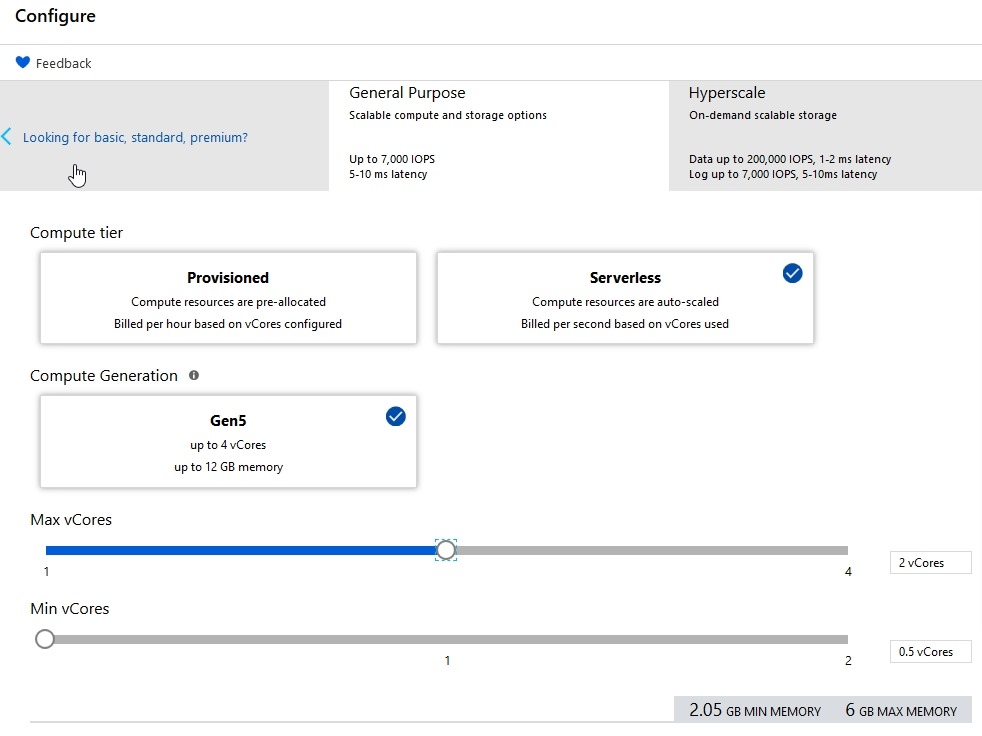
    For dev/test (for me), that’s a lot. I don’t want this kind of bill every month.
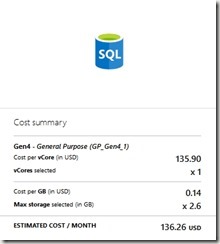
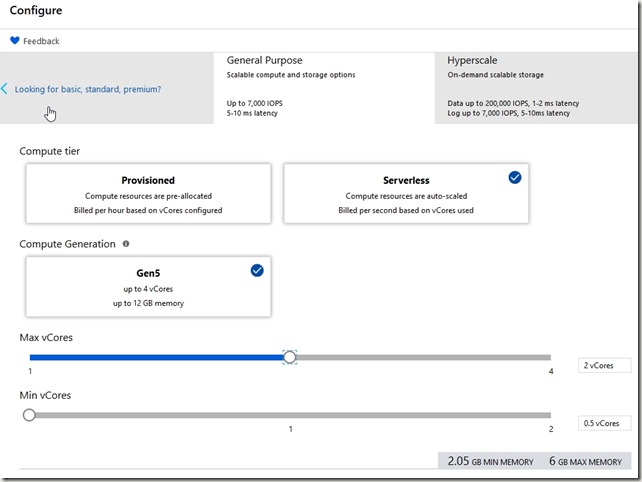
    2019-05-06 16_07_58-Configure - Microsoft Azure

    Let’s change to serverless.

    2019-05-06 16_08_14-Configure - Microsoft Azure

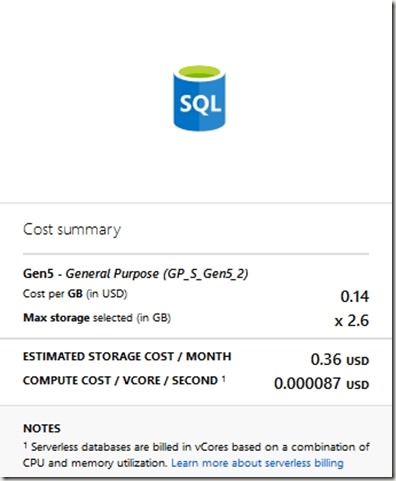
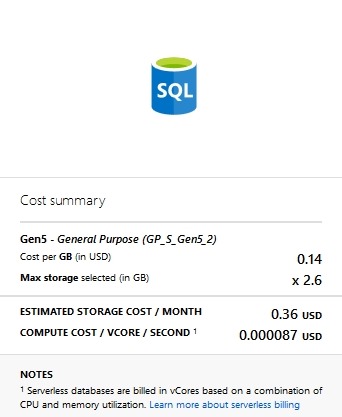
    That cost changes

    2019-05-06 16_08_19-Configure - Microsoft Azure

    That’s more affordable. I think that’s worth trying.

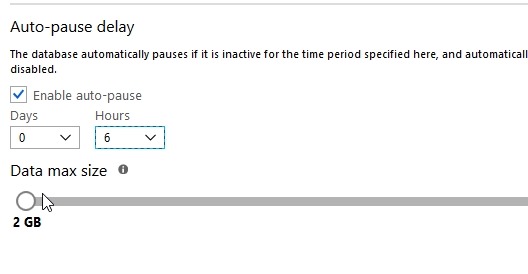
    The last thing to set is the Auto-pause delay. This is the amount of inactive time that we set before the db shuts down. We don’t want this shutting down after a few seconds of inactivity, presumably because there is overhead to shutting down and restarting. I’d expect that most people would want tens of minutes or hours before stopping.

    I hope so, because when you scroll down, you see this:
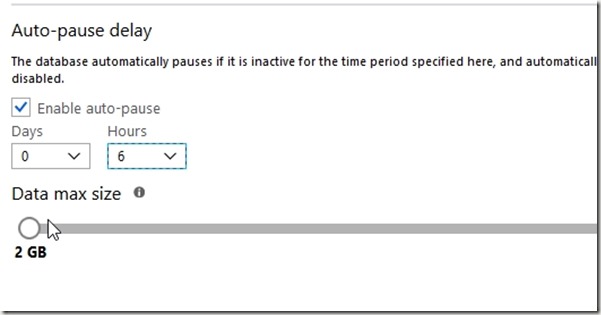
    2019-05-06 16_11_49-Configure - Microsoft Azure

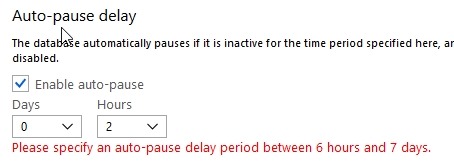
    However, that’s the minimum you can set.
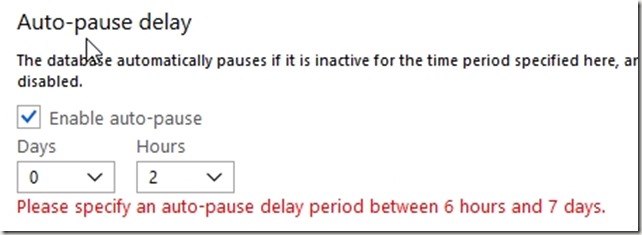
    2019-05-06 16_02_12-Configure - Microsoft Azure

    Six hours seems crazy, but still, it’s better than nothing. I hope this changes after the preview period to something more like 1 hour. Perhaps this is to gather additional telemetry during preview, but we’ll see.

    I click “Apply” and see this:
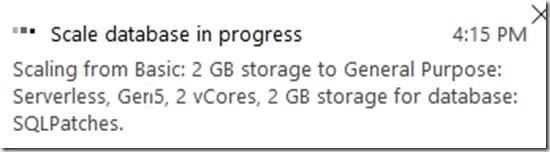
    2019-05-06 16_15_53-Configure - Microsoft Azure

    If I go back to the overview, I see one of the cool things about Azure.

    2019-05-06 16_16_37-SQLPatches - Microsoft Azure

    I can still use the system as I’m making changes. That’s not normally what happens with IaaS or my own systems.

    Is It Worth it?

    We’ll see. I’ll check the bill next month, while making it a point to access this database and do some work. I’m guessing my bill will go down, which is good, but I’d also expect that this database will perform better than my previous one because it’s much larger.

    This is an interesting idea, but we’ll see how it goes.