Tag: syndicated

  • Pro SQL Server on Linux–Getting Started

    As part of my learning goals for 2018, I wanted to work through various books. This is part of my series on Pro SQL Server on Linux from Bob Ward.

    I purchased Pro SQL Server on Linux and started reading it in December. I’ve been playing with the Linux version of SQL Server 2017 for a few years, but very lightly. Mostly I’ve just tested stuff I do on Windows to see what works on Linux. After talking to Bob Ward at our SQL in the City Summit events, I decided to dive in deeper and work through some basics as my knowledge here is spotty.

    I didn’t have a Linux machine handy in December while traveling, but I started to read anyway. This is a first look at what I got through.

    Why SQL Server on Linux?

    The opening chapter describes some of the history of SQL Server and how the version was built on Linux. Between MVP sessions, some online reading, and some other presentations, I’ve seen a lot of this, but it’s still neat to review it.

    To me, this is one of the more impressive software ports I’ve seen, especially since the core engine really is the same, with the code being shared between Windows and Linux. Microsoft is easily maintaining two platforms here in a way that they couldn’t do with Windows.

    Interesting to read.

    Install and Config

    I’ve done this a few times, but it’s good to go through. Bob covers some common Linux commands you’ll use, and it’s good to see these. While I read this without a VM, I vaguely remember some of this. Need to go through this when I get in front of a setup.

    The install of SQL Server is done a few times, a very high level, and then a more detailed look. There are also some troubleshooting references to review with lots of links. We’ll check this later.

    Chapter 3, 4, 5

    I bundled these as they are SQL Server basics that aren’t really related to Linux. Chapter 3 is about building a database and some T-SQL fundamentals. I know most of these, so I skimmed this one.

    Chapter 4 lets you build a basic Node.js app and connect. This also covers some advanted T-SQL structures. Again, for someone that’s used SQL Server for any length of time and tried new features, you’ll want to skip this.

    Chapter 5 is tools. I know most of the tools, though I’ll review the linux variants later.

    The First Half

    This is what I got done before the end of the year, reading on planes and during downtime. This is almost the first half of the book, but it’s a lot of pages. I’m looking forward to digging into more parts of the book during the rest of January.

  • A New PiHole in the Sky

    Last year I set up a PiHole server on my RaspberryPi to help block some ads and malicious stuff (tracking, malware, etc) on my home network. It’s not perfect, but it’s a layer.

    Unfortunately the Raspberry Pi was unstable and would die or lag or restart fairly often. I’d end up with poor performance and that drove me crazy. Eventually I gave up and started to just run normal DNS again. However, I was frustrated with Netflix overseas and decided to set up a cloud version and see if that helps.

    I started the project by looking at a blog post that covers the general cloud setup.

    Creating a VM

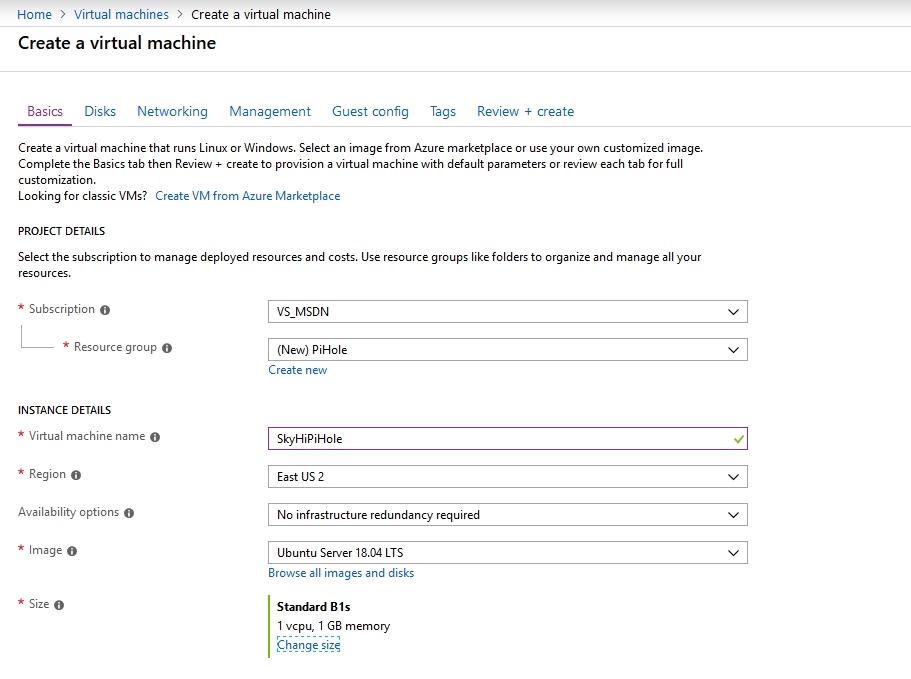
    I started by going to the Azure Portal and clicking on a new Virtual Machine. The default I got was actually Ubuntu 18.04 LTS, which is what I’d like.

    2018-12-27 12_04_11-Create a virtual machine - Microsoft Azure

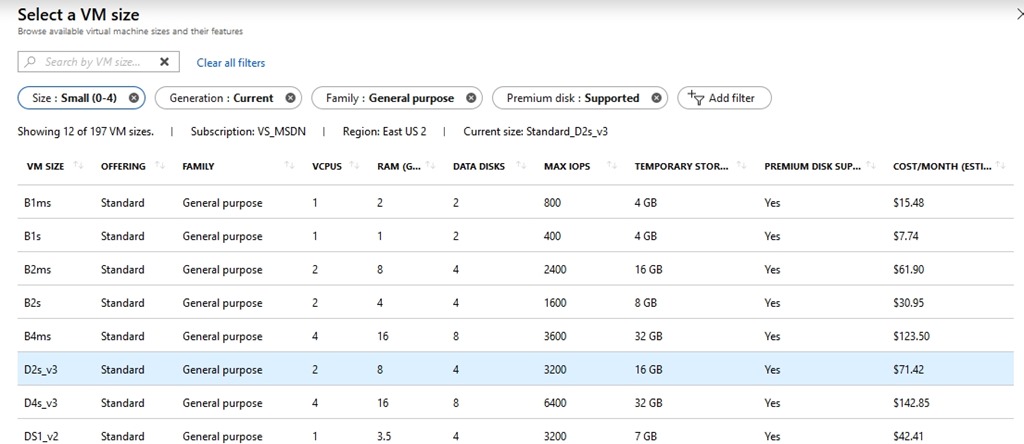
    I went with it, giving my new machine the wonderful anme of SkiHiPiHole. I wanted this to be inexpensive, as it uses minimal processing power. I decided to check the various sizes, and if you look to the right, you’ll see that you don’t want to just blindly click the top item. The sizes aren’t ordered by cost.

    2018-12-27 12_03_58-Select a VM size - Microsoft Azure

    I picked the B1s, which should eat up about US$8/month. I can spare that as I usually have about $50 credit from MSDN left every month.

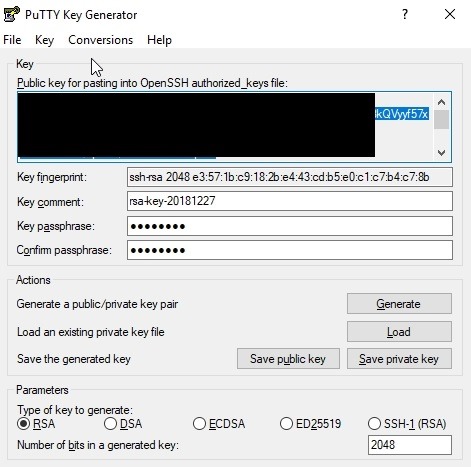
    I picked this, and then had to generate an SSH key. I tried this with sshkeygen on Windows, but had issues. I won’t document what I did, but I have PuTTy installed, so I used puttykeygen instead.

    2018-12-27 12_16_54-PuTTY Key Generator

    I copied and pasted this file into the Portal and then created the VM.

    2018-12-27 12_09_12-CreateVm-Canonical.UbuntuServer-18.04-LTS-20181227120251 - Microsoft Azure

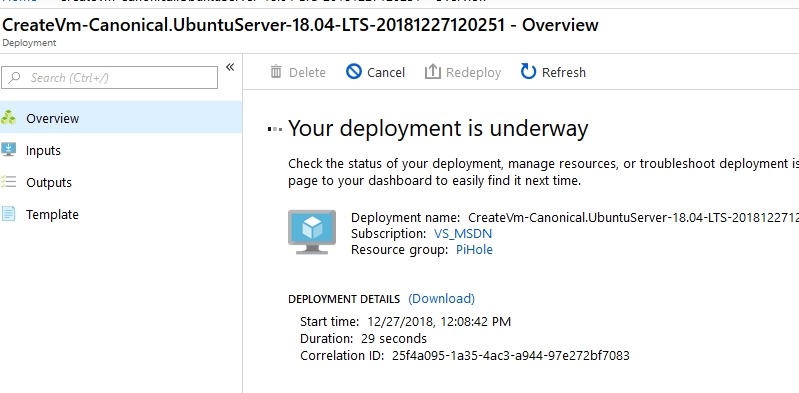
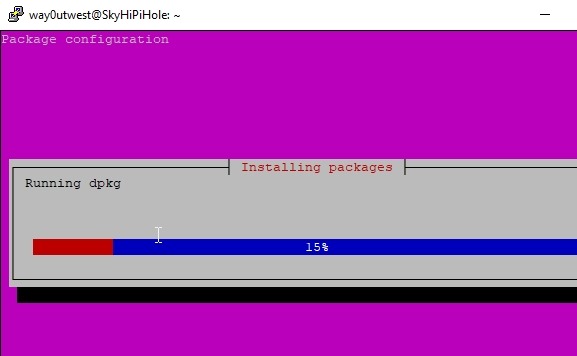
    Once this was done, which was minutes, I connected with PuTTy to complete the install. I updated the OS and ran the Pi-Hole install, according to the blog above. I accepted defaults and then the system ran.

    2018-12-27 12_28_34-way0utwest@SkyHiPiHole_ ~

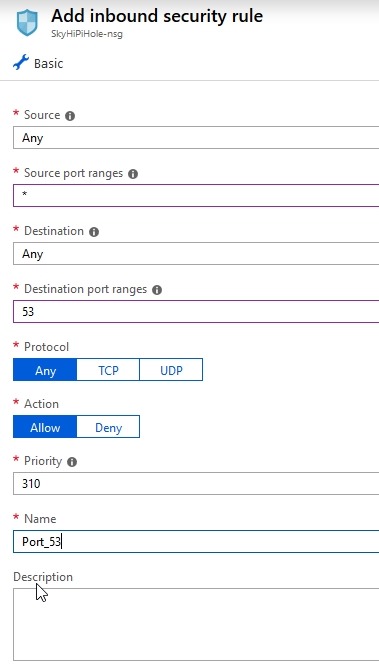
    Once this was done, I went into the Azure Portal for my VM and added firewall rules to let me connect with DNS (53) and for the admin console that’s web based. I limited the latter to my home network, but I can change it on the road if needed.

    2018-12-27 12_38_23-Add inbound security rule - Microsoft Azure

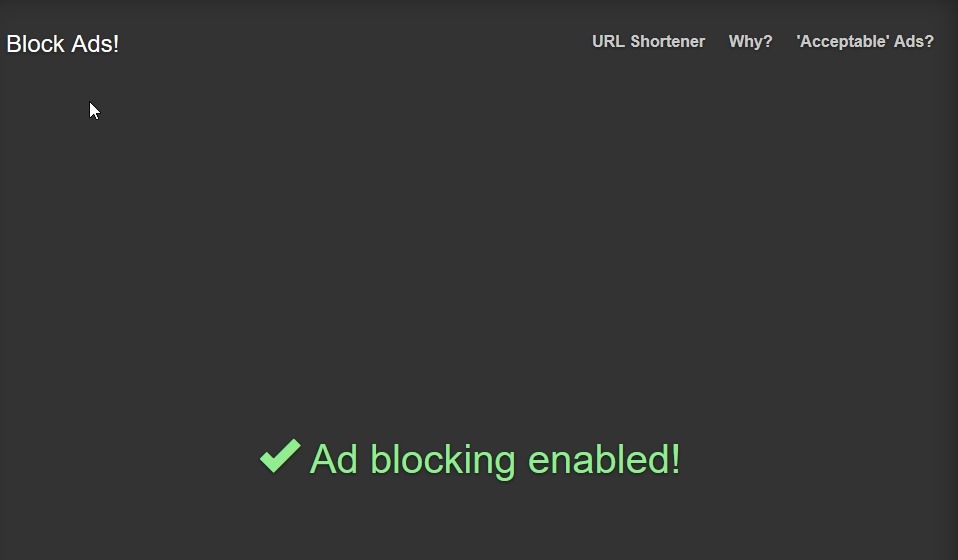
    With all that done, I changed my local DNS settings to use this server and tested it on a few pages.

    2018-12-27 12_56_09-Block Ads!

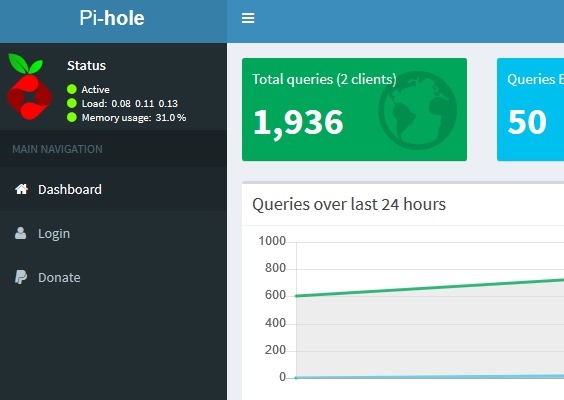
    I could also see the admin panel. Success!

    2018-12-27 12_52_31-Pi-hole Admin Console

    Now we’ll see if this works overseas.

  • Versions and Patches in SQL Monitor

    SQL Monitor has grown from a basic alerting system to an amazing product over the years. From it’s early days as SQL Response, where Brad and I weren’t sure this was a good idea to the current version that has two teams and releases change almost every week. In fact, new features often come out before we bundle them into a major release.

    Not that the other teams aren’t doing well at Redgate Software, but across the last 3-4 years the SQL Monitor group has been the best development team in the company. First under Daniel and now under Ben, they’ve done amazing work and it’s hard to put into words how proud and impressed I am with their results. Lots of kudos to Adam as well, who helps with UX. I enjoy our monthly chats about the progress they’ve made and future directions they’re considering.

    This post covers one of those areas.

    The SQL Estate

    There’s a new tab that’s appeared at monitor.red-gate.com:Estate. Awhile ago we started talking about the idea of scale and how do fewer DBA resources manage all their instances easily. With pressure to be more efficient and still provide rapid responses when there are issues, there has been quite a bit of work over time to help users keep track of all their database resources.

    The Estate tab is one of those areas, which has grown to 4 areas: Installed Versions, Disk Usage, Backups, and SQL Agent Jobs. Some of these are in preview, with more work planned in the future.

    2018-12-20 11_03_16-Installed Versions

    If you have ideas or requests for features, let us know. Our goal is to find ways to better ensure you get alerted to issues, can solve problems, and keep track of work that needs to be done on all your databases, no matter where they are located.

    Installed Versions

    One of the tasks I’ve often had as a DBA or sysadmin is patching systems. It’s a hassle to keep track of versions and current patches, even with resources like the SQLServerCentral Build Lists. I’ve heard similar challenges from other DBAs.

    I made a suggestion to the SQL Monitor team and they came up with the Installed Versions on the Estate tab. This let’s you easily see which versions you have installed in your monitored environment. At a quick view, you can see which SQL Server versions are installed and are up to date.

    2018-12-20 11_05_41-Installed Versions

    You can play with filters to get a quick look at your estate, which is helpful when planning your patching resources.

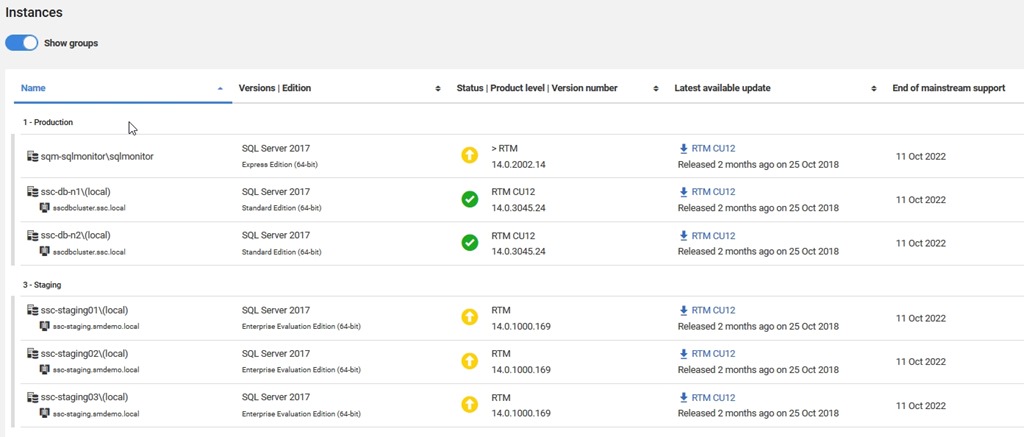
    If you look below here, you’ll see more details on the instances, broken out into the groups you’ve configured. What’s nice here is that you see each database, as well as the version and an icon to let you know if you are behind in patching.

    2018-12-20 11_05_52-Installed Versions

    Perhaps even more helpful, there’s a link to the download for the latest patch. Makes it easy for you to find the files you need to update an instance. Perhaps even nicer, you can easily see when support ends, and use that to make plans for upgrades if you need to do so.

    This is one of the simpler, but amazingly handy features to have in a monitoring system. I’ve built scripts and tools to do this in the past, and while it’s not hard, it’s also not something that is necessarily a good use of my time. This is a task that’s tedious with limited value add for my salary. Much better to have a tool that gathers and manages this for me.

    If you haven’t tried SQL Monitor, run over to monitor.red-gate.com and give it a run, or even better, download an eval and try it in your environment.

  • Testing SQL in the Advent of Code

    I like participating in the Advent of Code each year, though my participation often varies wildly as life gets in the way. Still, trying to solve some programming challenges is a good way of practicing your skills. If you’re competitive, you can try and see how quickly you can solve things and get onto the leaderboard.

    One note, if you enjoy the challenges, support the cost of running the site. Sending $5 would make a difference to what I’m sure is a decent amount of effort and some costs. Plus, I’d certainly be happy to buy the author some sushi if I were sitting next to him, so why not send something during the holidays.

    This year’s challenge is over, but you can still work through the challenges. In my case, I’ve gone through a few and hope to get to more in a few spare moments.

    Testing Day 2

    One of the things I’ve done in the past is see a challenge and then start to write some code. I’ve worked through the puzzles in PoSh, Python, and SQL, sometimes all three. When I think I’ve solved it, I often enter a result, which is wrong, and then code some more, repeating as needed.

    This isn’t different from what I’ve done as an employee for a company, but I’ve also realized that the subtle design specification is sometimes mis-interpreted by me. In that case, I’ve essentially been bothering the “QA” people for no reason. It’s an application in this case, but still.

    It would be better to have inputs and outputs specified and checked by the computer, which is way better at checking than I am. I decided to set up test harnesses after Day 1 (which was really easy) for the problems. Here’s Day 2.

    Puzzle A

    The first part of Day 2 is a puzzle about letters, asking you to compute a checksum based on whether any letters are repeated. This isn’t a complex set of instructions, but it would be easy to make a mistake. Across any number of sets, a human might have problems verifying the actual results.

    Since the answer here is a single value, this lends itself to a test. I decided to start by creating a table and then loading the input data into the table. That’s something I often do, so the basics here were:

    CREATE TABLE dbo.Day2
    ( Boxnumber INT
    , boxid VARCHAR(100)
    )
    GO
    INSERT dbo.Day2 (boxnumber,boxid)
    SELECT  ca1.ItemNumber,
             ca2.Item
    FROM    OPENROWSET(BULK 'e:\Documents\GitHub\AdventofCode\2018\Day2\input.txt', SINGLE_CLOB) dt(FileData)
    CROSS APPLY dbo.Split(dt.FileData, CHAR(10)) ca1
    CROSS APPLY (VALUES(REPLACE(ca1.Item, CHAR(13), ''))) ca2(Item);

    Now that I had data, I can write a test. I like to use tsqlt, so I started there. Since I want something to test, I decided to start with a procedure that will hold my solution. Since I’ll code here, I can stub this out.

    CREATE OR ALTER PROCEDURE Day2a
    AS
    BEGIN
         DECLARE @i INT = 1;

    -- Solution goes here
     
    RETURN @i
    END

    With this set up, we can now build a test. The basic outline for a test is Assemble an environment, Act on your code, Assert your results. Let’s follow this template.

    The Assemble is easy. I’ll fake out my table of values and insert the test section from the calendar. I’ll also add the expected result, which is given in the puzzle as 12.

    CREATE OR ALTER PROCEDURE tsqltests.[test Day2a]
    AS
    BEGIN
         ---------------
         -- Assemble
         ---------------
         DECLARE
             @expected INT = 12
           , @actual INT;
         EXEC tsqlt.faketable @TableName = 'Day2', @SchemaName = 'dbo';
         INSERT dbo.Day2
             (
                 Boxnumber
               , boxid
             )
         VALUES
             (1, 'abcdef')
           , (2, 'bababc')
           , (3, 'abbcde')
           , (4, 'abcccd')
           , (5, 'aabcdd')
           , (6, 'abcdee')
           , (7, 'ababab');

    The Act part is easy. I’ll call my procedure and get the result back.

    ---------------
    -- Act
    ---------------
    EXEC @actual = dbo.Day2a;

    The Assert part is also easy. I’ll just compare my actual result to what I expected.

    ---------------
    -- Assert   
    ---------------
    EXEC tSQLt.AssertEquals
         @Expected = @expected
       , @Actual = @actual
       , @Message = N'An incorrect checksum calculation occurred.';

    Once this is done, I’ll run it and it fails because my stub proc returns 1. Now to code the solution, which I can easily check by running my test. I can verify things work with a first change to my procedure.

    CREATE OR ALTER PROCEDURE Day2a
    AS
    BEGIN
         DECLARE @i INT = 1;
    SELECT @i = 12
    RETURN @i

    GO

    EXEC tsqlt.run 'tsqltests.[test Day2a]';

    That’s it, and the solution is to split out the box IDs, count the letters, and where there are repeats, tally those up.

    Puzzle B

    The second part of the puzzle is always a nice twist on the first part. In this case, I get a new set of IDs, which vary by a single character.I need to pick those two box IDs and return the common ones. A new solution needed, but only a slight change to the test.

    First, we change the Assemble section because we have new results and inputs.

        ---------------
         -- Assemble
         ---------------
         DECLARE
             @expected VARCHAR(26) = 'fgij',
             @actual   VARCHAR(26);

        EXEC tsqlt.faketable @TableName = 'Day2', @SchemaName = 'dbo';
         INSERT dbo.Day2 (Boxnumber, boxid) VALUES
    (1, 'abcde'),
    (2, 'fghij'),
    (3, 'klmno'),
    (4, 'pqrst'),
    (5, 'fguij'),
    (6, 'axcye'),
    (7, 'wvxyz')

    Next, I need to change the ACT section. Since I can’t return a string from a procedure, I could use a function, but I’ll just add an OUTPUT parameter to my Act.

    ---------------
    -- Act
    ---------------
    EXEC dbo.Day2a @actual OUTPUT;

    Lastly, I change the proc.

    CREATE OR ALTER PROCEDURE Day2b
       @r VARCHAR(50) out
    AS

    That’s it.

    Good luck solving the puzzles.