Tag: syndicated

  • Getting Parameters Out From a Stored Procedure–#SQLNewBlogger

    Another post for me that is simple and hopefully serves as an example for people trying to get blogging as #SQLNewBloggers.

    One of the lesser used and known features of T-SQL are the output parameters from a stored procedure. I used one of these recently, so I wanted to blog about it.

    Getting a String

    I was working on part of the 2018 Advent of Code, which is a great set of programming exercises for anyone. I typically build a procedure to solve each puzzle, since that’s a common way of capturing code. If there’s a single numeric result, a RETURN code works fine.

    In one puzzle, I needed to return a string. If you try this in a procedure, it won’t work.

    2018-12-27 10_04_01-SQLQuery6.sql - Plato_SQL2016.sandbox (PLATO_Steve (58))_ - Microsoft SQL Server

    Instead, I need another solution. I could certainly SELECT back my string, but in this case, I wanted to have this assigned to a variable. I could do that in a few ways, but decided the easiest was an OUTPUT parameter.

    To add an output parameter to my procedure, I first add my variable as a regular parameter.

    CREATE OR ALTER PROCEDURE dbo.StringTest
       @s VARCHAR(10)
    AS
    BEGIN
         SELECT @s = 'Some Code'
    END
    GO

    Next, I add the OUTPUT keyword after the type.

    CREATE OR ALTER PROCEDURE dbo.StringTest
       @s VARCHAR(10) = '' OUTPUT
    AS
    BEGIN
         SELECT @s = 'Some Code'
    END
    GO

    My call to the procedure should also include the OUTPUT keyword.

    DECLARE @result VARCHAR(10);
    EXEC dbo.StringTest @s = @result OUTPUT;
    SELECT @result;

    This works fine, allowing me to pass some value back to the caller.

    2018-12-27 10_08_40-SQLQuery6.sql - Plato_SQL2016.sandbox (PLATO_Steve (58))_ - Microsoft SQL Server

    Not something I use often, but if I need to get some singular value back, this works.

    SQLNewBlogger

    This post was started at 10:00am one morning. I got back to this sentence at 10:09. That was the entire setup of the code, capturing screen shots, and writing the post. Easy for you to do as well.

    Give this a try. How would you use an OUTPUT parameter?

  • Pro SQL Server on Linux- More Installs

    As part of my learning goals for 2018, I wanted to work through various books. This is part of my series on Pro SQL Server on Linux from Bob Ward.

    After my last post, I decided to try and install the SQL Server 2019 preview version and see how that worked. I followed the instructions from Books Online.

    Adding a new Repo

    At first, I used curl to get the new repo file and then run the install. When looking at the install (sudo yum install –y mssql-server), I wondered if this would know I wanted 2019 instead of 2017. At this point,  my system has two repos, so how does it know?

    No idea, but it worked.

    2018-12-20 14_32_09-RHEL74 Bob - VMware Workstation

    Or did it?

    2018-12-20 14_35_41-RHEL74 Bob - VMware Workstation

    I think I upgraded my instance, which is fine. This is testing, so it works fine for me.

  • Sorting Values in a Column

    Another post for me that is simple and hopefully serves as an example for people trying to get blogging as #SQLNewBloggers.

    This was a post that caught my eye, since I’d just written a piece on STRING_SPLIT(). Someone had this data:

    DECLARE @Names VARCHAR(8000) = 'Steve, Grant, Kathi, Kendra';

    They wanted this returned as a string that was sorted, so that the values would be:

    Grant, Kathi, Kendra, Steve

    String manipulation isn’t the strength of SQL Server, but we can do this with STRING_SPLIT(). If we use STRING_SPLIT(), we get a list of values. We want to remove the spaces after the comma, so we use REPLACE to remove that.

    SELECT *
    FROM STRING_SPLIT(REPLACE(@Names, ' ', ''), ',')
    ORDER BY value;

    We can then aggregate these back together in a variable assignment, adding the comma for each row.

    SELECT @newtext = @newtext + Value + ', '
    FROM STRING_SPLIT(REPLACE(@Names, ' ', ''), ',')
    ORDER BY value;

    This gives us:

    2018-12-21 15_05_08-SQLQuery1.sql - Plato_SQL2017.sandbox (PLATO_Steve (55))_ - Microsoft SQL Server

    SQLNewBlogger

    A quick T-SQL application of some skills I learned. Can you do something similar? Maybe order dates or numbers that are in a string in the wrong order?

    That should be a 10-15 minute post.

  • Pro SQL Server on Linux–Install

    As part of my learning goals for 2018, I wanted to work through various books. This is part of my series on Pro SQL Server on Linux from Bob Ward.

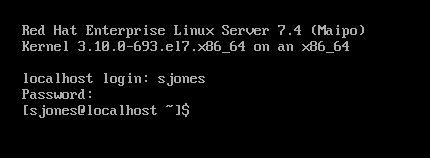
    I had an Ubuntu VM setup at home, but it started to flake and eventually stopped responding as a desktop. Since I’m not a Linux expert, I wasn’t sure what to do and really didn’t think it was worth debugging a broken Linux OS. Instead, I moved on.

    In the book, Bob uses Red Hat Linux, so I downloaded RHEL and installed it, after going through the process of joining the Red Hat Developer network. If I don’t do this, I only get a 30 day trial, which I didn’t want. I get the process, and understand them making money.

    For a lab, it was a pain. This made me want to go back and just get Ubuntu.

    2018-12-20 09_15_22-RHEL74 Bob - VMware Workstation

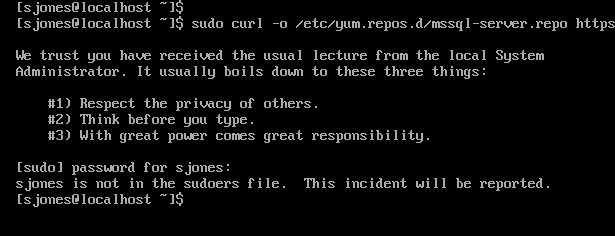
    In following the install instructions, I started with getting the Microsoft registry set up. I got an error when downloading the repo file.

    2018-12-20 12_34_30-RHEL74 Bob - VMware Workstation

    From this link, I added my user with

    usermod –aG wheel sjones

    2018-12-20 12_37_49-RHEL74 Bob - VMware Workstation

    Had to change the network to bridged in VMWare. Not sure why, but this is how I have a few VMs set, so I just matched this.

    Subscription

    I needed to attach my subscription. I started by registering, which was fun. I had to go back to the Red Hat portal, log off and back on.

    2018-12-20 12_48_12-RHEL74 Bob - VMware Workstation

    Then dependency errors. Isn’t yum supposed to resolve this?

    2018-12-20 12_45_08-RHEL74 Bob - VMware Workstation

    The key is that I wasn’t getting updates. I had to run

    subscription-manager attach –auto

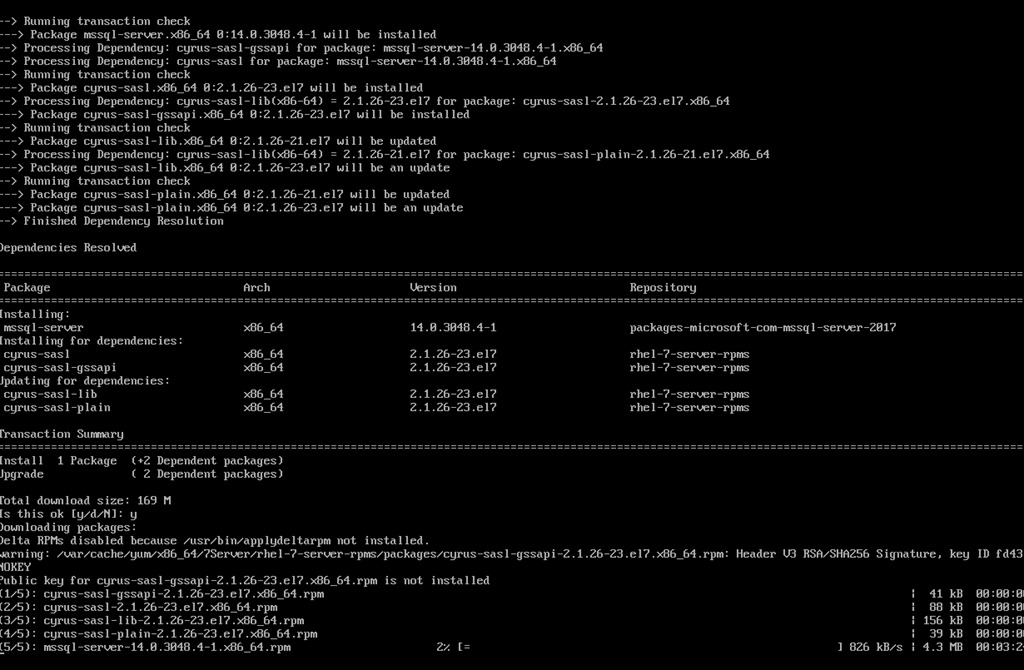
    which linked my system to the update system. I can see how Red Hat makes money. This feels as onerous as Windows for management and product key matching. In any case, this allowed the install to proceed:

    2018-12-20 12_58_20-RHEL74 Bob - VMware Workstation

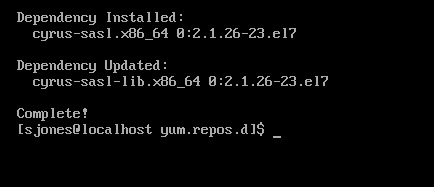
    Eventually this completes, which is a welcome sight.

    2018-12-20 13_02_00-RHEL74 Bob - VMware Workstation

    One note, when trying to get the dependencies, I removed the –y option for the install. Once things worked, I had to answer “y” to a lot of questions, so you’ll want that enabled.

    Configuration

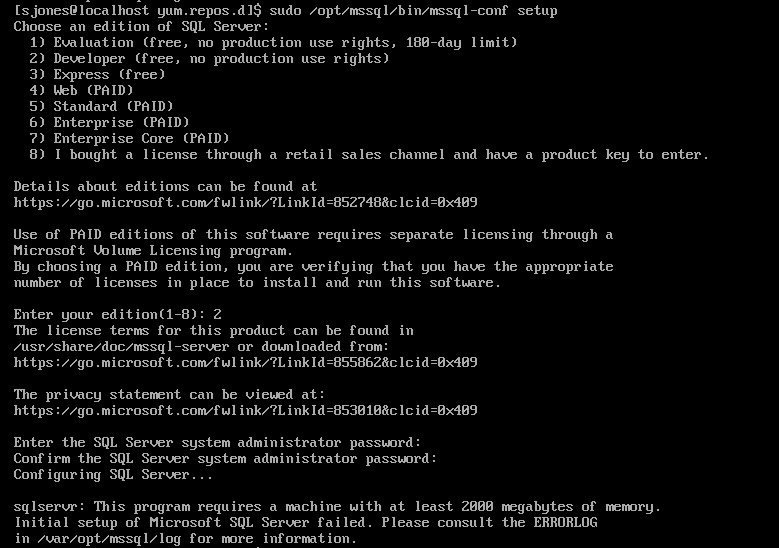
    The next step is to configure your instance. I started this, but it didn’t quite work.

    2018-12-20 13_04_13-RHEL74 Bob - VMware Workstation

    If you look, you’ll see the failure message is that we need 2000MB (2GB) of memory. The VM has 2048, but that’s not enough. I reset this to 3072MB and the config worked.

    2018-12-20 13_07_57-RHEL74 Bob - VMware Workstation

    Validating the Install

    From the book, the first step is to check the service.

    2018-12-20 13_12_04-RHEL74 Bob - VMware Workstation

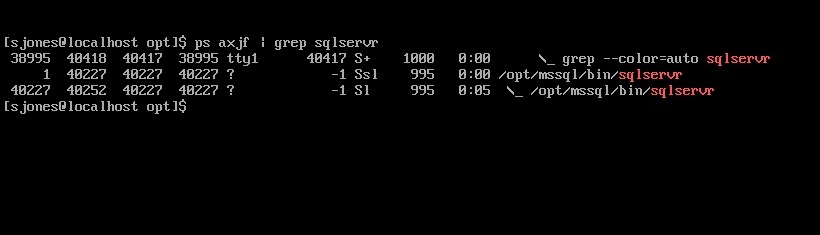
    The the process.

    2018-12-20 13_12_33-RHEL74 Bob - VMware Workstation

    That’s good, so I followed instructions to install tools. This ran off the screen, so I didn’t bother capturing a screenshot, but it worked according to instructions.

    Next, connect to SQL Server and check the version.

    2018-12-20 13_54_05-RHEL74 Bob - VMware Workstation

    Tada. Well, not that exciting. The process was more annoying than I expected or remembered, but most of that appears to be RHEL more than SQL Server.

    However, this was a nice test and project, with no GUI on the system. Looking forward to doing more with this across the month.