Tag: syndicated

  • Updating to SQL Change Automation

    The SQL Change Automation release was early this week.  This is replacing ReadyRoll and our DLM Automation products, rolling them into a single product and is the first stage of unifying our state and migration based solutions.

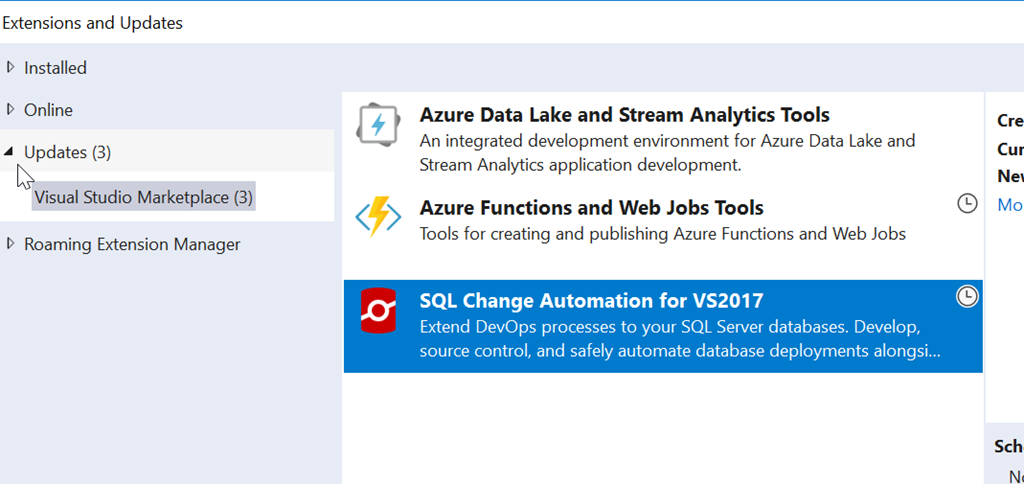
    When I logged into Visual Studio and checked updates this week, I found a new item:

    2018-06-20 16_45_32-Extensions and Updates

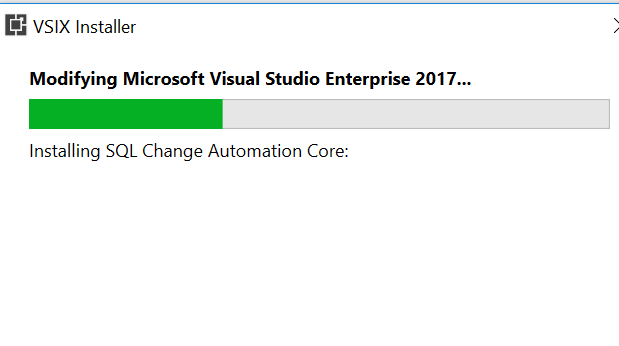
    I selected this for upgrade, which replaces my ReadyRoll installation. Once I did this, it downloaded and I had to exit Visual Studio. That triggers the install.

    2018-06-20 16_47_12-VSIX Installer

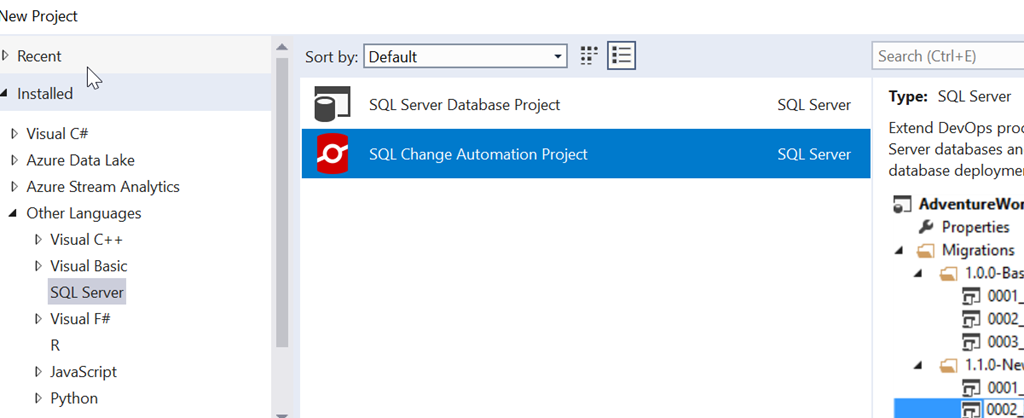
    It’s a painless process, and when complete, I see the change in my projects.

    2018-06-20 17_08_14-New Project

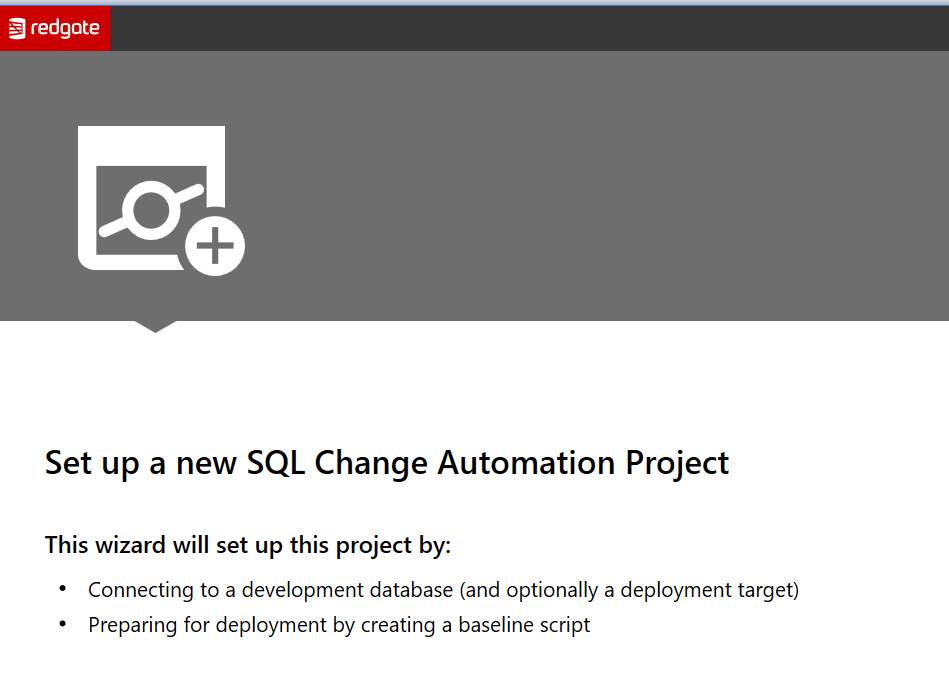
    This works the same as the old ReadyRoll system, though there have been lots of updates to the product this year. The setup is a little better, giving you some help getting started. We have the obligatory welcome screen:

    2018-06-20 17_09_16-

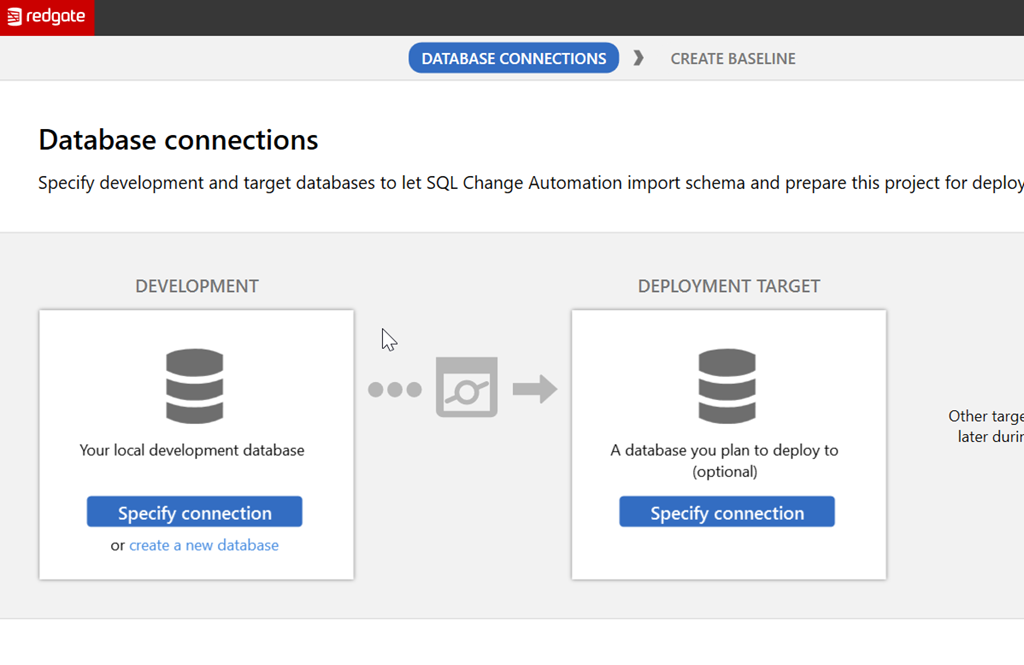
    But after this, we help you understand a bit about what to configure. The next screen lets you see there is a development and deployment target that are needed, and these are used to try and ensure you realize you’re building a flow here.

    2018-06-20 17_09_22-

    There’s more work to be done, and certainly more information I can provide. Look for me to build some PoC type projects here soon to help you learn to get started.

  • Docker Challenges

    I’ve been trying to get time to play with Docker more. I had it setup on my old laptop and was experimenting with different ways of working with containers and databases before I switched. Since then I’ve been slightly hamstrung as I’ve been a VMWare person for some time. I have demos and various machines setup, so I haven’t gotten this working on my desktop.

    On the new laptop, I decided to get this moving on my last trip. I installed the Docker msi, rebooted, and …

    Nothing. I saw a service, but none of the “docker …” commands would work. I’d get errors and when I tried to run Docker for Windows, nothing happened. No app, nothing in the task bar, just a big fat nada. I’d get an error about Virtualbox, and despite some bcedit and other commands, I couldn’t get this to work.

    This has been a  low priority, despite the fact that I’d like to do a database container presentation and Redgate is doing some work here. On a recent trip, I had some time to play, so I sat down and started debugging. I went back and found the Windows 10 Quick Start on Microsoft’s site and went from there.

    A few things on this. First, I uninstalled the old Docker for Windows and rebooted the machine. I made sure virtualization was enabled in BIOS and then went through the Docker instructions. I downloaded the new Community Edition .exe for 64 bit Windows and installed it. Another restart and I was amazed to see the Docker icon in the status bar. I made progress.

    I tried a “docker run hello-world”, but got an error. Before I could start swearing, I got the Docker popup that I needed to log into the Docker Cloud. That necessitated creating a DockerID (way0utwest, of course), which was fun since I couldn’t minimize the Docker popup and I was afraid to close it. Once I registered and confirmed my email, I could run the Hello World container.

    Docker is interesting and I’ll do some more work and writing about it, especially the basics. If you’ve never tried a container, it’s one of those technologies to put on your list.

  • DevOps Debugs the Demo

    I had my 24 Hours of Pass session today, Database DevOps to Ensure Compliance, and my demo broke. At least, it broke for me. I kept going and talked over things, but I hate that. It would have been impressive if it had worked.

    Debugging

    In a live session, I might have debugged this a bit more. I’ve had things fail a few times over the years, but before I was doing the DevOps thing, I couldn’t usually figure things out until I got back to a desk. With DevOps, I’ve solved a few things with the instrumentation.

    In this case, I was cognizant of time, as another session was starting after mine, without the break that usually comes. Plus since it’s online, I can’t tell if anyone really wants to know what happened.

    I do, and as soon as the webinar ended, I looked at the release and realized what happened.

    The Error

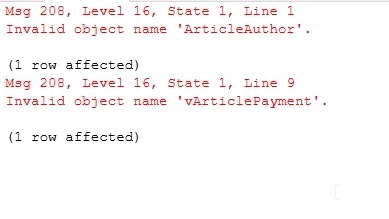
    I had this error.

    2018-06-12 16_11_47-Window

    I’d made four changes in Development that were supposed to deploy through to Production. I know they do because I’d done this not 15 minutes before the webinar, so the process was working. No errors, so what was wrong?

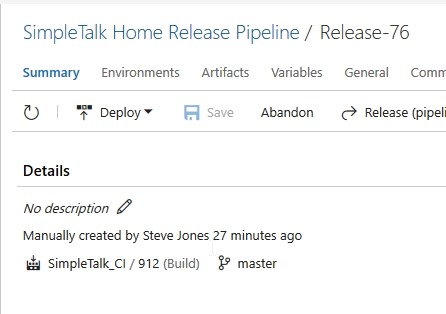
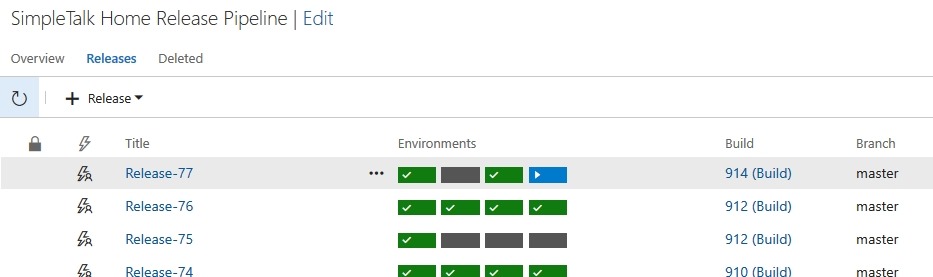
    One thing I’d done was to practice a change, which created a build. I didn’t deploy this forward, so it was essentially sitting in the VCS, but wasn’t in downstream environments. When I looked at my release, I saw this:

    2018-06-12 15_55_38-Window

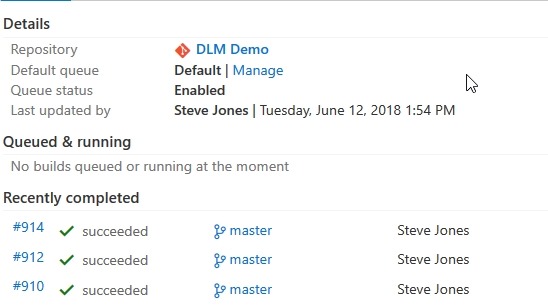
    Note the build number above, 912. This was my previous build. As soon as I clicked to the CI process, I saw that my last build was 914.

    2018-06-12 16_14_09-Window

    I’d been in such a hurry to kick off the release that I clicked too soon. The build completed, but the release page hadn’t gotten an update and picked build 912. Since I hadn’t deployed this, I didn’t get the warning that I was re-deploying a build that had already gotten to the QA database.

    I created a new release after the webinar, and it went. With ultimate confidence in myself, I just sent it to Production from QA.

    2018-06-12 16_17_29-Window

    And it worked:

    2018-06-12 16_17_53-Window

    Apologies for the issues. I’m not sure why Visualstudio.com was so slow here. Apparently the audio worked, so I’m guessing it was their site.

    In any case, I’ll be hosting a webinar doing DevOps in a slightly different way on June 28. Register and join us if you want to see something similar but different.

  • It’s Azure T-SQL Tuesday #103

    tsqltuesdayI’m slightly surprised that there haven’t been more invitations about Azure, with the main development branch of SQL Server being in the Azure cloud, but I’m glad this one came along.

    The invitation is from Björn Peters, and he asks us to write about Azure SQL Database or Managed Instances. We can really write anything that’s a part of the platform, which gives us lots of choices.

    I’ve got two quick items.

    T-SQL Tuesday

    Did you know tsqltuesday.com is hosted on Azure? It’s actually at http://tsqltuesday.azurewebsites.net. When Brent gave me to the domain, and Adam wanted a quick site, I provisioned a WordPress site on Azure in a few minutes. It actually took longer to square away the initial DNS and domain name movement than getting the site up and configured. Templates and known configuration settings help to ensure that you can build a new version of xxx, very quickly.

    The cost was low as well, about $3.60/month and initially $5/month for the hosted MySQL database.

    This changed last year, when the MySQL hosting option was discontinued. I could have upgraded to $15/month, but decided to experiment. Azure has a MySQL as a Service PaaS offering for the same $15/mo, so I moved to that. I was somewhat amazed how easy it was to provision this database on my own and get things running. While the site costs me a little money, it’s a donation to the community, and I’m happy to see so many people participating in the monthly event.

    Quick Labs

    One of the things that I needed to do last year was setup a new cluster and Availability Group for a proof of concept. I have typically done this by getting some VMs ready on my desktop, making connections, etc. However, in this case, I decided to use Azure instead. I was curious about whether this was faster or easier.

    It was.

    Across a few days, as I learned a bit about provisioning new machines and connecting them with networking, I was able to get my set up with 3 machines, a load balancer, storage, etc. I had a working set of Availability Groups, that I could access from anywhere.

    Then I tore it down and started again.

    One of the great things about Azure is that you can use the Azure Resource Manager to provision new services fairly quickly. It’s not as instantaneous as you would like, though it’s not bad. I think the fact that you request actions and then wait until you are notified of something completing in the portal makes the process seem slow.

    In my case, the few days became < 1 hour the second time around.

    Plus, I didn’t use resources on my local machine, where I might have to balance the load with other tasks. I could also shut down my system and reduce costs. With ARM, I could even get rid of the lab and rebuild it in an hour in the future.

    To me, this is the place where the cloud makes lots of sense. If you have a load that is sporadic and can be up or down on demand, then the cloud is helpful. You can remove resources you don’t need, only paying as you go.

    If I were using this every day, I’d probably stick with the local system, but for a periodic use item, it makes sense to fire up the lab when I need it, rather than keeping it alive all the time.

    I look forward to doing more with Azure in the future and learning even more about how to build up the resources I need, when I need them.