Tag: syndicated

  • Learning is Hard–March Goals Update

    This is the third update for my goals for 2018. This is about 3 weeks after the last update, and it’s too soon. Not in time, but because I haven’t done a great job.

    This was a busy month. March and April are prime volleyball season, so I’ve had some longer weekends and time off to coach and watch my daughter play. Add to that some ski time and I haven’t had a lot of work or free time. As a result, my days at work are busy with catching up and ensuring I’m getting things done for work.

    Learning has suffered, and like the Oct/Nov conference season, learning is suffering here.

    My two appointments, Tues afternoon just after work and Friday afternoon, have been busy with other events, or with the need to do more work. As a result, not enough learning. Here’s an update in my two areas.

    Extended Events

    Very little here. This is Tuesday learning, and I’ve gotten myself jammed up for time every week. I’m considering moving this to another day, but not sure which one is better. I’m tempting to try and get through ski season and see if Tues then lightens a bit at work.

    I did watch more of Jonathan Kehayias’ Pluralsight course while on the bike, but not practical work.

    Python

    I spent a couple of hours working through some basics on lists and dictionaries. I realized that I haven’t been doing this enough and I needed a refresher. That was good, and it helped me build a few Questions of the Day, as well as get some practice.

    The one upside is that I was struggling with a puzzle in T-SQL and decided to try Python. I solved it in about 10 minutes, and my solution worked the first time. I was proud of that, and spent another 10-15 minutes solving another problem. So, I know a few things.

    No real formal learning, but I feel like I should race through a Pluralsight course and try to be sure I have a good grounding. Plans for next month as I’m traveling a bit.

    Too Busy

    A few things with family and then volleyball affected me more than I thought, but that’s part of a busy life and it challenges my focus on learning. I’m also letting myself get distracted with the shiny things, reading a bit on various other technologies, which is part of my job. However, CosmosDB and other items aren’t what I planned for this year.

    I’m putting pressure on myself to get through some XE and Python learning and then move into other areas. We’ll see if I can pick things up next month.

  • Moving to AWS EC2

    SQLServerCentral has been stuck in the past for some time, but we’ve finally decided to move. I’ve been asking for this, and it’s usually a resource issue. However, earlier this year we started to debate and examine the costs, and decided to pursue a move to EC2. We have other infrastructure there, VPNs setup to connect, and this made the most sense.

    I was excited. The last time we upgraded, we left SQL Server 2000 for SQL Server 2008 R2. That was a long time ago, and at the time, I wasn’t sure that 2008 R2 was a big change. We used the core engine only, and it didn’t seem that this was that cost effective a move for us. Now I wish we’d delayed another year and moved to 2012.

    We’re moving into the current era, choosing to run on SQL Server 2017. I’ll have access to lots of the latest and greatest T-SQL, which will help with some of our complex reporting tasks.

    Cutover

    I didn’t do the work, but one of our engineers practiced a backup and restore, and then setup log shipping to limit the downtime. After a few days of testing, and a few of us running the new site through our own tests, we made the cutover.

    Total downtime, about 35 minutes to quiesce the old system, get the last logs copied over, and then move networking.

    And we’re live.

    2018-03-28 10_14_07-ssc-db-n1 - Remote Desktop Connection

    We have six Basic Availability Groups setup. We could potentially have issues with a failover in that it’s possible that a user does something in one BAG that doesn’t make it to the other side, but in practice, it’s not a concern. We don’t deal with sensitive information, and likely any data lots can be manually moved.

    This was the most cost effective move for us, roughly equivalent hardware, though we moved from physical db servers at Rackspace to VMs in EC2. However, we’re now on modern versions of Windows, SQL, and more importantly, .NET. That last item was slowing some development items, so we can now start to move forward with future development.

  • The 700 Milestone for SQL Saturday

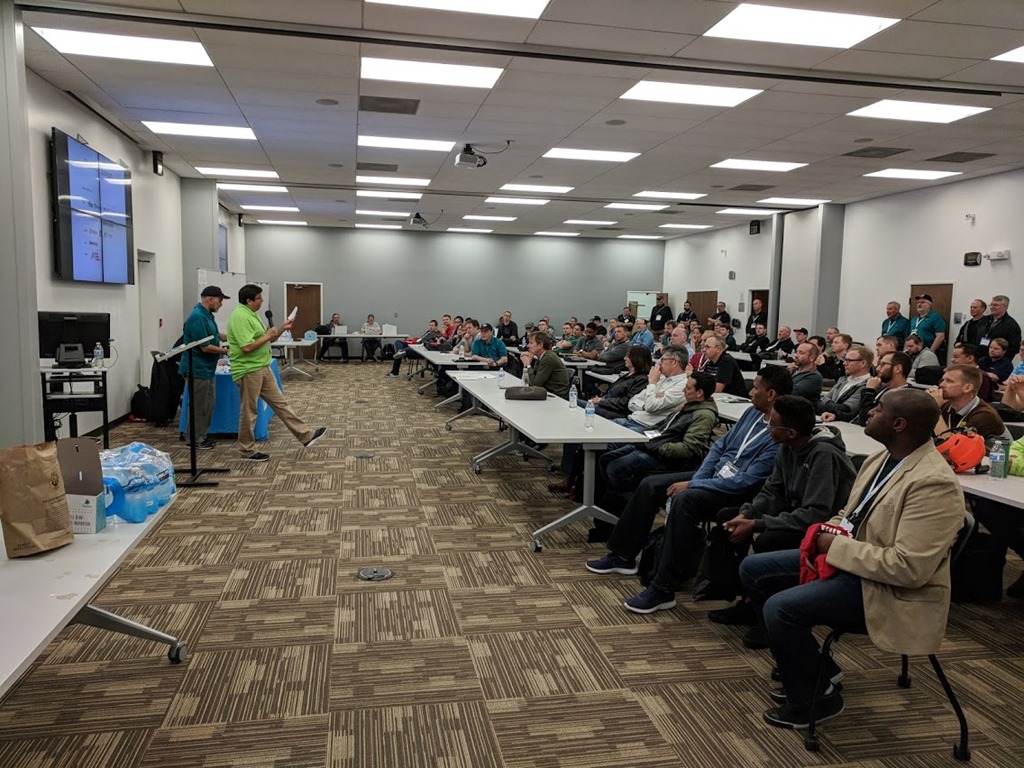
    This past weekend was SQL Saturday #700. Another milestone in the franchise of events, and I was glad to attend. This is my fifth or sixth Colorado Springs event, and everything ran great. The leadership has changed over the years, as has the structure and format, but attendance continues to be strong and reliable.

    This year I was late, coming down after coaching youth volleyball. I arrived just as people were outside at the food trucks. That was a great idea, one that I think they took from our “no lunch”, bare-bones SQL Saturday in Denver. A few trucks pulled up and attendees could go outside and choose during a long break for lunch.

    IMG_20180324_154235

    This is a smaller event, but consistently draws over 100. Many of them were still around for the end of day raffles, as you can see above.

    I’m glad to see the changing of leadership over the years hasn’t prevented this event from continuing. I always worry about sustainability as organizers grow through life and become busy or change careers. As many of us age, retirement is also an issue, and it’s important that we continue to find ways to hand off responsibilities and knowledge, as well as enthusiasm to others.

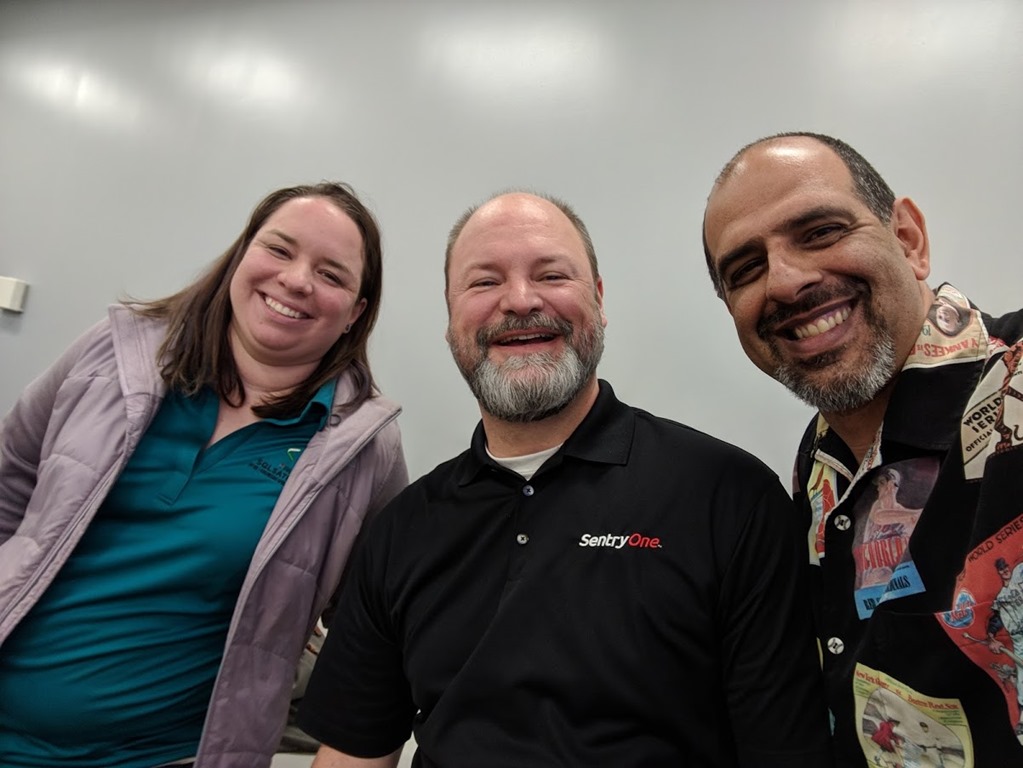
    I was only around for a couple sessions, including my own, but I did get a chance to hang out and chat with friends, even getting a selfie with a few.

    IMG_20180324_154246

    I’d love to see more of you at the next Colorado Springs, but really more of you make an effort to attend, speak, volunteer, or organize for future SQL Saturdays. Fingers crossed we’ll meet at 800 (which should be coming soon).

  • Scripting Tables with dbatools

    I really like the dbatools project. This is a series of PowerShell cmdlets that are built by the community and incredibly useful for migrations between SQL Servers, but also for various administrative actions. I have a short series on these items.

    I’ve been experimenting with scripting some tables, and I wanted to check to see if dbatools made that easier. I was amazed by the number of new cmdlets in the project, and after hunting around, I found a couple cmdlets: Get-DbaTable and Export-DbaScript. I decided to see how these work.

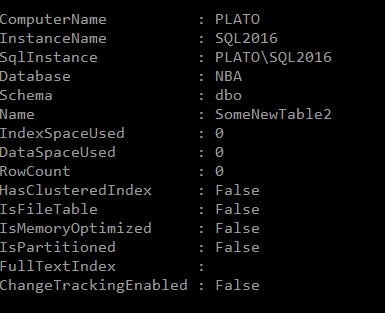
    My first experiment was to run Get-DbaTable. This takes an instance and database as parameters and returns a set of table objects. I get space and size information and some metadata. As a short look, here’s one table.

    2018-03-22 14_26_18-cmd - powershell (Admin)

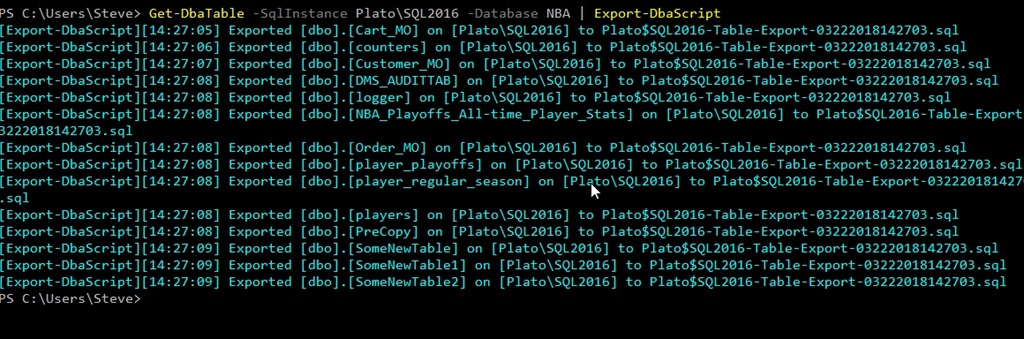
    I decided to use this as input to Export-DbaScript to see what happened. I used this command:

    Get-DbaTable -SqlInstance Plato\SQL2016 -Database NBA | Export-DbaScript

    This gave me some output. It wasn’t quite what I wanted, but it worked.

    2018-03-22 14_27_38-cmd - powershell (Admin)

    Note that all of the tables were exported to the same file. If I opened that file, here’s a snippet of the code. I get a header, and then each table’s code put together as single batch.

    2018-03-22 14_29_06-Plato$SQL2016-Table-Export-03222018142703.sql - (local)_SQL2016.WideWorldImporte

    Not quite what I wanted.

    I can determine the file, using the –Path parameter. This still gets me one file, but I can make this better. I’ll make a folder and change to that folder in my PoSh window. Now I can run this, using ForEach-Object to iterate over the tables, outputting each to a file.

    Get-DbaTable -SqlInstance Plato\SQL2016 -Database NBA | ForEach-Object { Export-DbaScript -InputObject $_ -Path ($_.Name + “.sql”) }

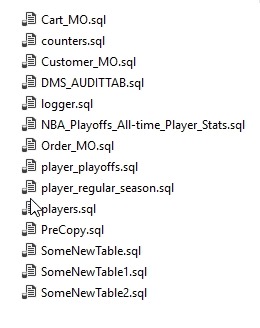
    When I do that, I get this:

    2018-03-22 14_50_27-Tables

    Each table’s code is now in a separate file.

    That’s nice, and with filtering, I could have this generate scripts for specific objects, or types of objects and update them from PoSh, likely a job or task, relatively easily.

    Certainly the Generate Scripts process in SSMS is easier than writing this script, but that’s not programmable. This wraps around the SMO scripting objects and makes the process much easier.

    If you haven’t tried dbatools, give it a go. You’ll appreciate the ease of scripting and might start to enjoy working with SQL Server in PoSh.