Tag: syndicated

  • Loading All CSV Files with PowerShell

    I ran across Denis Gobo’s post about working with names from Social Security cards and wanted to play with the dataset. However, rather than use xp_cmdshell, which I might have, I decided to use PowerShell. I need to repeat this with Python, but for now, this worked.

    There is a file you can download that has a lot of .txt files, each one with a CSV. You can read about this in more detail in Denis’ post. Essentially there were three fields, and the year of the file in the name. I downloaded and unzipped the files into a folder.

    Here was my process:

    1. Loop through the files
    2. Extract the year from the file name
    3. bcp in the file into a staging table
    4. call a proc that takes the year as a parameter and moves all data

    With that in mind, here’s how I set things up.

    The SQL Server Side

    I started by creating two tables.

    CREATE TABLE Names
    (   FirstName  VARCHAR(500),
         Gender     CHAR(1),
         NameCount  INT,
         YearInFile INT
    );
    CREATE TABLE Names2
    (   FirstName VARCHAR(500),
         Gender    CHAR(1),
         NameCount INT
    );

    With these in place, I created a procedure:

    CREATE PROCEDURE MoveNames @year INT
    AS
    INSERT Names SELECT FirstName, Gender, NameCount, @year FROM Names2;
    TRUNCATE TABLE Names2;
    GO

    I tested these and they worked fine for my process. I want to load into Names2, then to get the year, I move the data to the other table, adding the year. There are probably better ways, but this worked fine for a relatively small load (few million rows).

    PowerShell

    With PoSh, I started with a simple loop. I tend to set variables first since this makes this easier to turn into a function.

    $sourcefolder = “E:\Downloads\names”

    $sourcefiles = Get-ChildItem $sourcefolder -Filter “*.txt”

    foreach($file in $sourcefiles ){
       $yearinfile = $file.Name.Substring(3, 4)
       write-host “Loading File:” $file.Name ” year: ” $yearinfile

    }

    Running this gets me a list of all files along with the  years. That’s what I want, since I’m going to process each file and load it in with bcp. Thanks to Mike Fal for the outline of how I’ll do this.

    Next, I set more variables at the top:

    $InstanceName = “.\SQL2016”
    $DatabaseName = “Sandbox”
    $StagingTableName = “Names2”
    $StagingProc = “MoveNames”

    I’ll use these in this code. I call Invoke-Expression to run bcp and then Invoke-Sqlcmd to run my proc.

    $cmd = “bcp ‘$DatabaseName.dbo.[$StagingTableName]’ in ‘$file’ -S’$InstanceName’ -T -c -t’,’”

    Invoke-Expression $cmd
    Invoke-Sqlcmd -ServerInstance $InstanceName -Database $DatabaseName -Query “$StagingProc $yearinfile”

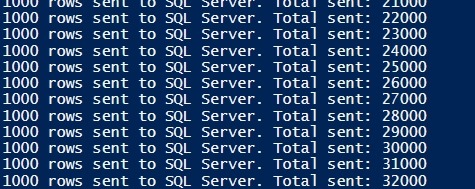
    From here, I put this in a file and ran it from my download location. The result:
    2017-06-16 12_41_08-Windows PowerShell ISE

    and from SQL Server:

    2017-06-16 12_41_50-SQLQuery7.sql - (local)_SQL2016.sandbox (PLATO_Steve (56))_ - Microsoft SQL Serv

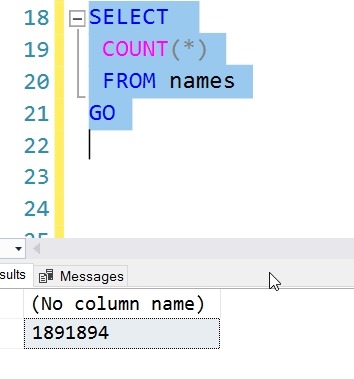
    Now I can run some queries, and find out where I stand. #26, it turns out.

    2017-06-16 12_43_35-SQLQuery7.sql - (local)_SQL2016.sandbox (PLATO_Steve (56))_ - Microsoft SQL Serv

  • Move a Stored Procedure to a New Schema–SQLNewBlogger

    Another post for me that is simple and hopefully serves as an example for people trying to get blogging as #SQLNewBloggers.

    One of the things I needed to do recently was move an object. I was testing the WideWorldImporters database and created an object in the dbo schema. That’s the default for me, which is fine. However, in this case I wanted it in a different schema.

    The way to do this is with the ALTER SCHEMA command. There is a TRANSFER option, which takes the original schema and object name.

    In my case, I had the dbo.GetOpenPurchaseOrderCount procedure in my database.

    2017-06-07 14_40_29-SQLQuery1.sql - (local)_SQL2016.WideWorldImporters-RR (PLATO_Steve (53))_ - Micr

    I used this command to move it.

    ALTER SCHEMA Website
    TRANSFER dbo.GetOpenPurchaseOrderCount

    And then verified things moved.

    2017-06-07 14_40_37-SQLQuery1.sql - (local)_SQL2016.WideWorldImporters-RR (PLATO_Steve (53))_ - Micr


    SQLNewBlogger

    This was one of those quick items where I checked the ALTER commands, thinking it was in there. I didn’t see a changeobjectschema procedure, and since this was a new skill, it was a 5 minute blog.

  • Using OPENROWSET in SQL Server on Linux

    I wanted to import the million song dataset in SQL Server on Linux. There’s a github repo that has the SQL to allow you to use this with the graph database features. However, it’s built for Windows.

    Linux is a slightly different beast. Once I started down this path, I had memories of working on SunOS in college, messing with permissions and moving files.

    I run Ubuntu in VMWare, so I first downloaded the files to my Documents folder. That’s pretty easy. However, once there, the mssql user can’t read them. Rather than mess with permissions for my home, I decided to move these to a location where the mssql user could read them.

    First, I need to use mv to move the files. However, the default location for SQL Server (/var/opt/mssql) doesn’t let me drop files in there. Instead, I need to sudo the mv.

    sudo mv unique_tracks.txt /var/opt/mssql/unique_tracks.txt

    I repeated this for each file.

    However, I still had permissions errors. Files have their own permissions in Linux, so I needed to alter those. I decided to use chown since these are temp files the SQL Server will use and once imported, I’ll delete them.

    chown mssql unique_tracks.txt

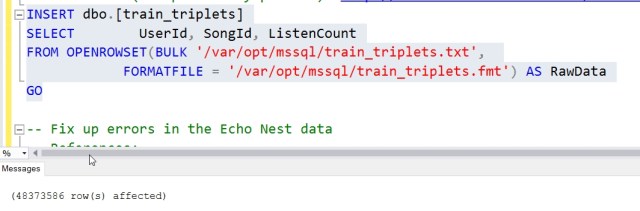
    From here, I could easily run the OPENROWSET commands and get the data loaded. Now to play around with a graph.

  • Speaking at the Data Platform Summit 2017

    I am honored to be speaking at the Data Platform Summit 2017. The event takes place August 17-19, 2017 in Bangalore, India. This will be my first trip to India, and I’m excited to be traveling halfway around the world (literally 12:30 hours difference) to speak at this event.

    I’ve got a pre-con on Aug 16, and then a few sessions during the main conference.  If you have the chance, register and come. I’ve heard good things about the event and I look forward to seeing some of you there.

    See if you can pick me out of the Teaser Video: