Tag: syndicated

  • SQL in the City Prep

    I’m at the Redgate Software offices this week. I come over to visit the company, my boss and our department, and talk to product development groups a few times a year.

    IMG_0185

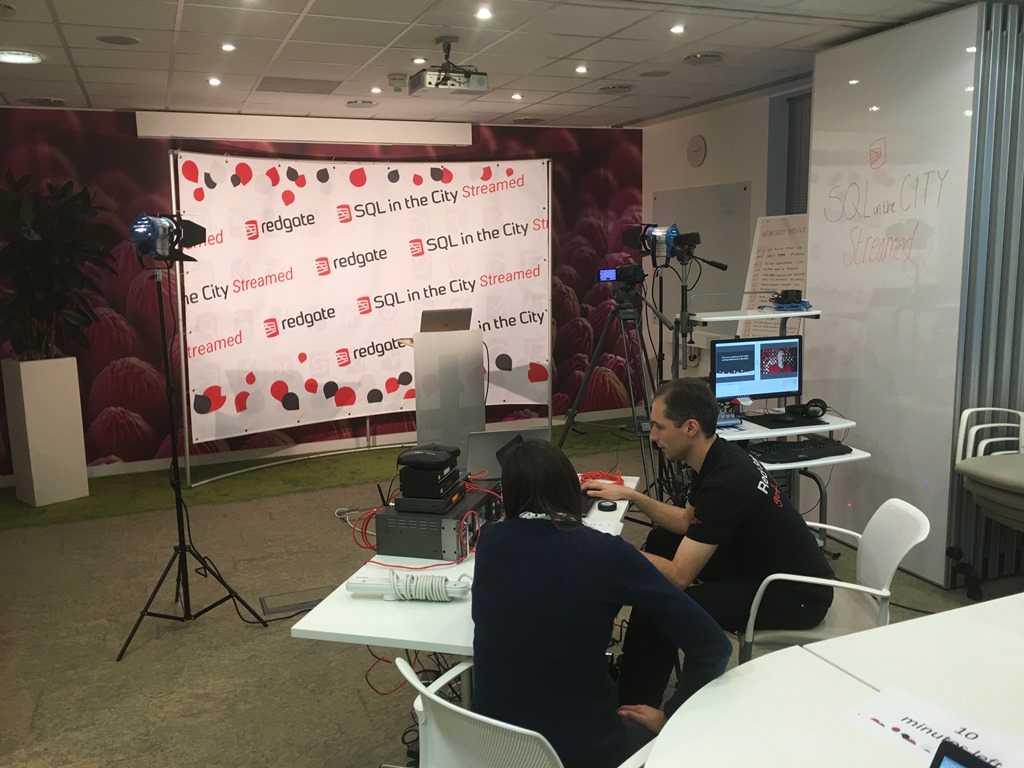
    This time I’ve been mostly focused on the SQL in the City 2016, which is being streamed this year from the office. A room has been set up with a variety of equipment to broadcast our presentations.

    IMG_0173

    We’ve been shooting some pre-recorded fillers this week as well as practicing our live sessions. I’ve got two tomorrow, one with a co-presenter. Today was practice time, working on timing, delivery, and remembering there’s a camera.

    rehearse

    I’m excited for tomorrow, and things seem to be coming together. Now it’s time to call it a day at the office, get some dinner, and then rehearse a bit more.

    See you tomorrow or Thursday. The content is the same, so you can tune in either day.

  • T-SQL Tuesday #85–Cross Version Restores

    tsqltuesdayIt’s T-SQL Tuesday time, and this month Ken Fisher hosts. His topic is backups, and while I’m sure there will be plenty of views on backups, I wanted to touch base on a relatively simple item.

    This is the monthly blog party started by Adam Machanic. Whether you want to write today or at some point in the future, this is a good chance to showcase your knowledge and test yourself on a topic.

    Cross Version Restores

    I would hope that most people know that a SQL Server database backup has a version. This version corresponds to a version of SQL Server, and for the most part, we can’t restore a database backup to an earlier version of SQL Server. Some exceptions might be a similar CU version there the database format hasn’t changed, but certainly not to any prior Service Pack.

    However, can you restore to a later version? Can I take a SQL Server 2012 database backup and restore it to a SQL Server 2016 instance? Sure I can. In fact, lots of people upgrade their systems this way. Install a new SQL Server instance, take a backup on the old version and bring it forward. In fact, you can restore (or attach) a SQL Server 2005 database backup on SQL Server 2016.

    There is a caveat, however. You cannot restore a backup of master, model, or msdb on a newer version. This is called out in the RESTORE command ( https://msdn.microsoft.com/en-us/library/ms186858.aspx).

    That’s interesting, and it means a few things. First, if you really need to upgrade msdb, then you need to upgrade the instance. Does this mean you can’t do a side by side upgrade? No, because you could do this (for 2012 to 2016):

    • Install a new SQL Server 2012 instance.
    • Restore master and msdb.
    • Upgrade to SQL Server 2016.
    • Now attach or restore your SQL Server 2012 databases.

    I wasn’t aware of this fact until browsing BOL. I had assumed I would be able to move msdb and model, though perhaps not master, to a new version.

    That’s a handy piece of information to keep around, and it means that you should always be aware of those objects outside of user databases when you upgrade. Keep scripts handy in a VCS in case you need to create them on a newer version.

  • Using ReadyRoll to Automate Database Migrations

    I like ReadyRoll, and this week at SQL in the City 2017, I get to show some of the product off. I’ll be doing mostly demos and coding, live, with ReadyRoll, sending my code through from development to QA to production.

    Despite the power and ease with which I use SQL Compare, SQL Source Control and the DLM Automation tools, I really like the ReadyRoll paradigm. It’s not better or worse, but it’s a method I’ve been more comfortable using to deploy code to databases. It’s the type of process I’ve had to manually build in the past, but now it’s much easier with the ReadyRoll project and plugin for Visual Studio.

    Join me and see how I use ReadyRoll to write code, track it, and then deploy it to various other environments.

    We’re broadcasting a virtual SQL in the City this year, on December 14/15. The same content is both days, spread out to cover different time zones on each day. I hope you’ll join us and see what Redgate has in store for 2017.

  • Manual v Automation

    I’ve got my work cut out for me. This week is SQL in the City 2017. One of the sessions I need to present is a Manual DBA database deployment against an automated CI/CD process with the Redgate tools.

    To give our automated DBA a chance, I’ll be playing the role of the manual DBA, which means I’ll need all my typing skills and experience to try and quickly get code moved from one instance to the next.

    I don’t have a lot of confidence I’ll be faster, but I do know I can do the deployment. Or at least, I know I have done plenty of manual deployments in my career that have worked. I know how to script out changes, check them, and be sure they get executed in the right order on the next instance.

    However.

    I’ve also made plenty of mistakes, even with simple changes. I’ve learned that while I know what to do, I don’t always do what I should. Fortunately I know how to fix things quickly. Patching live in production. Always a good idea, right?

    We’ll see.

    We’re broadcasting a virtual SQL in the City this year, on December 14/15. The same content is both days, spread out to cover different time zones on each day. I hope you’ll join us and see what Redgate has in store for 2017.