Tag: syndicated

  • The Jarvis–Standing Desk Update

    I started using a standing desk a few years back. While visiting the Redgate Software office, I saw one of my coworkers standing and using boxes of books to lift their keyboard and mouse. I tried that.
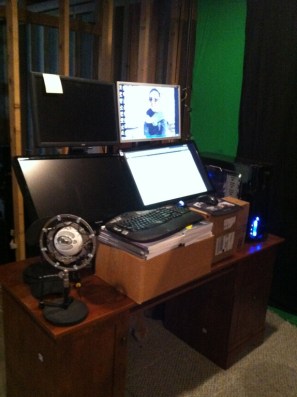
    My first desk from 2012.

    It worked OK, and I found myself adding and removing books to experiment with the process. I first moved upstairs, swapping the desk in the basement for the one upstairs. I added flooring to make things easier on my legs.

    Things were fine for a few years, and then last year, I upgraded the platform to a piece of furniture. This was really to give me stability, a place for coffee ( probably the most important) and just a bit more space. That worked OK.
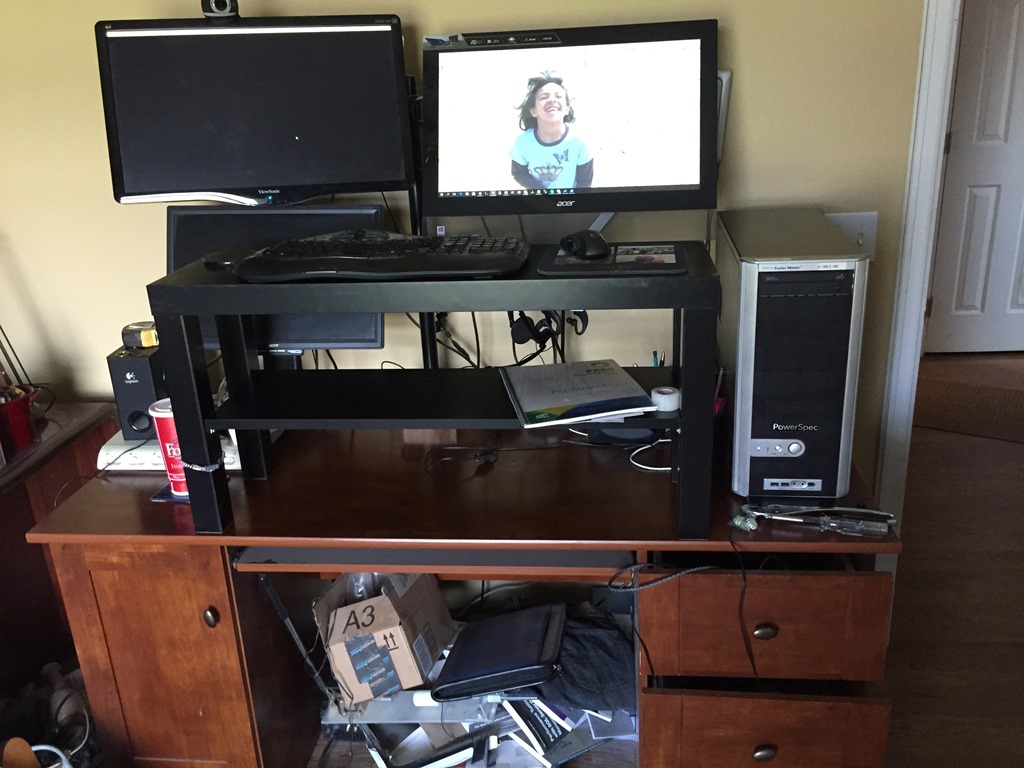
    Photo Aug 24, 10 43 42 AM

    However I’ve found myself getting a bit worn out at times. I often work most of the day standing, and there are certainly days my knees or back will ache. I do switch over and sit at the kitchen counter, or on a couch with my laptop, but those aren’t ideal. What I’d really like is a desk that’s a desk. I could also use space for my laptop, as I’ll use two machines at times.

    With that in mind, I started looking at motorized desks. I saw Tim Mitchell get one for his home office, and found someone that rated desks. The Jarvis was well rated, and it wasn’t too expensive. An IKEA desk is around $500, so this wasn’t much more.

    Fortunately I work for a company that values employees, and they do allow for some work related infrastructure. Redgate agreed to buy my desk, and I ordered it immediately. Of course, it wouldn’t ship and arrive until I was gone, but I came home to find boxes in my office. I began unpacking and assembling.

    Well, actually I started clearing a space in the office. I needed room to assemble, while I continued to work during the couple days I put things together.
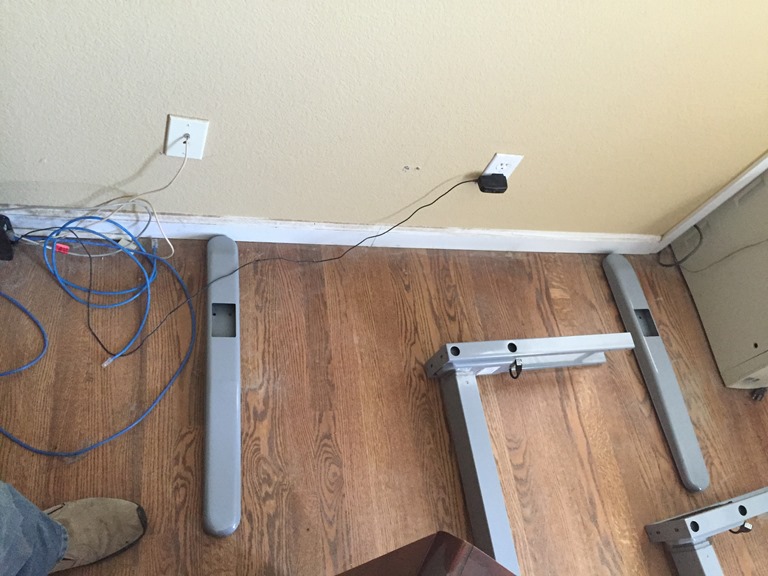
    Photo Jan 26, 1 35 01 PM

    I’m somewhat handy, but this assembly was easy. There are feet (to the right and left) and then two legs (middle) with a brace (top middle) that connect together. Lots of Allen screws, but no real tools needed.
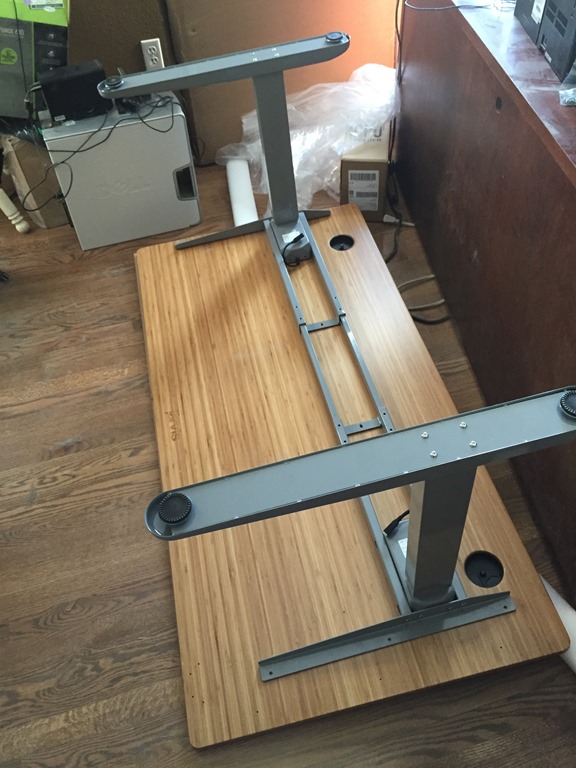
    Photo Jan 26, 2 01 17 PM

    I got the bamboo top you see above, with grommets in it for wires. I wasn’t sure about the grommets, and haven’t used them a lot, but they are nice for a few things.
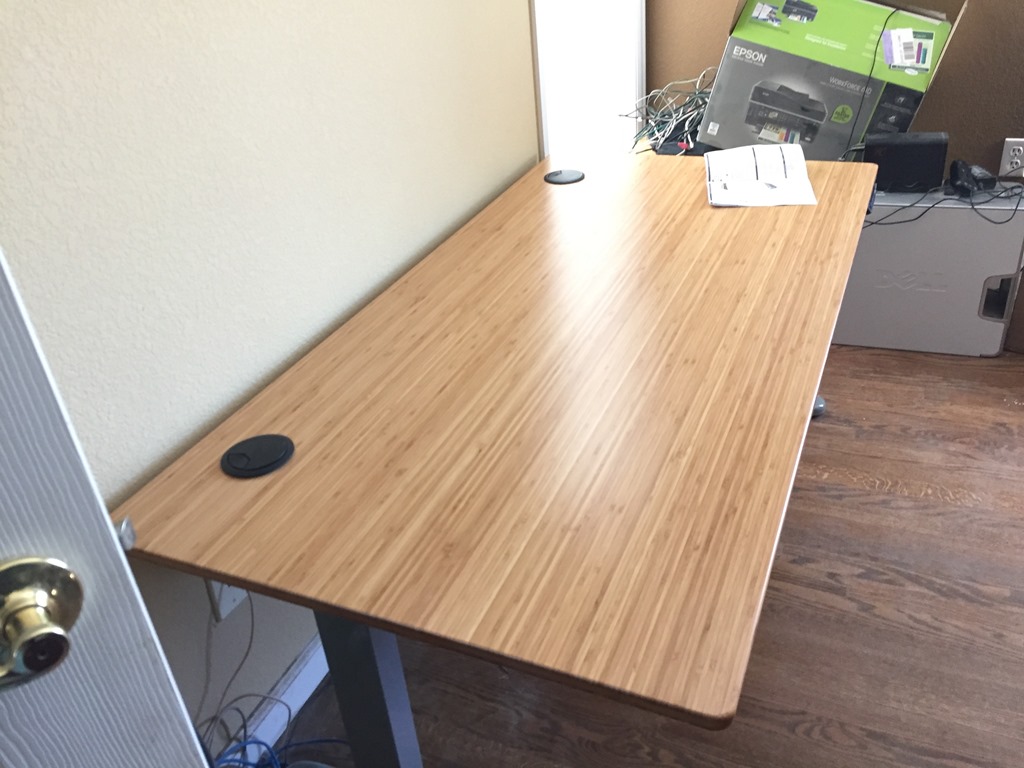
    Photo Jan 26, 2 30 27 PM

    Getting things together felt good, and once I installed the lift, I was ready to try things.
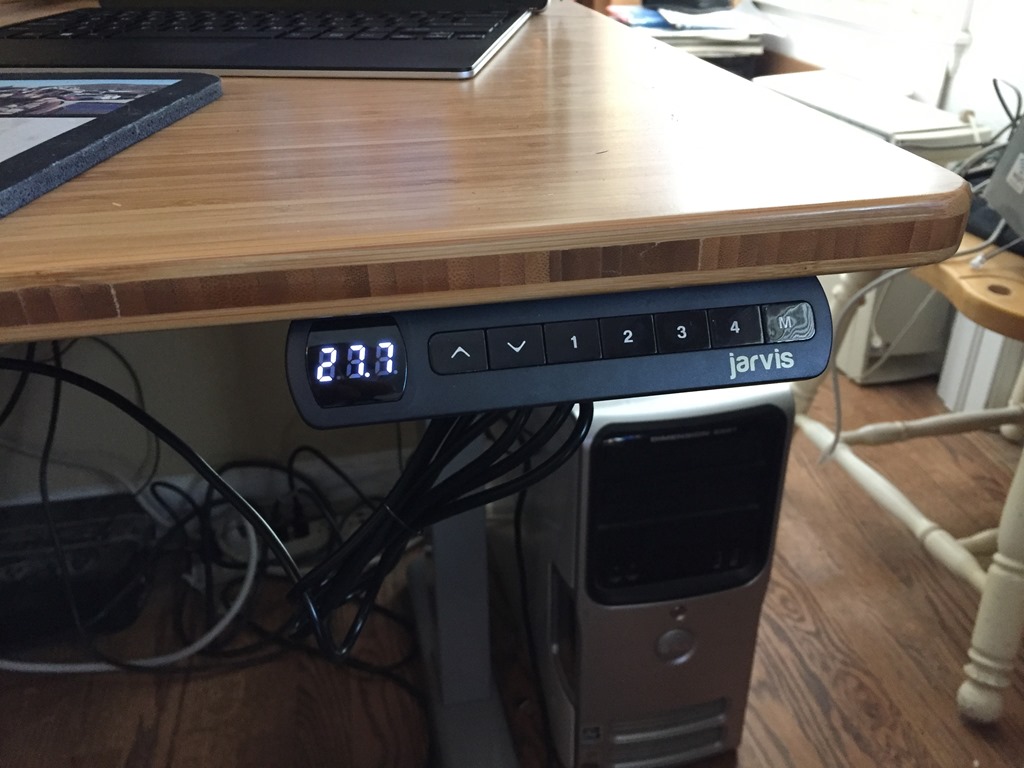
    Photo Feb 25, 11 29 56 AM

    Unfortunately, one of my legs didn’t work. The desk lowered, but wouldn’t reset or go back up. A quick call to Ergo Depot got me support, a few things to try, and then a replacement shipped the next day. Once again, I left town, not having a desk to use.

    However the leg arrived and was ready for me when I returned. I managed to swap out the leg with minimal hassles, and without taking everything apart. Once back together, the lift mechanism worked great. I started moving things over and getting setup late one night.
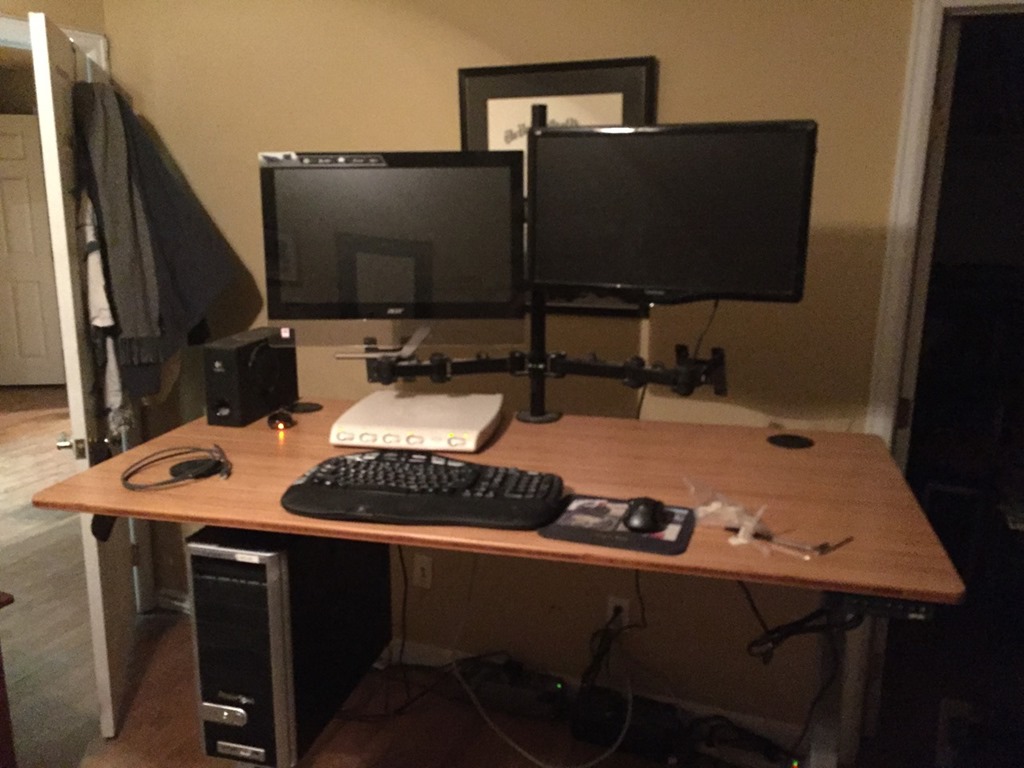
    Photo Feb 06, 6 57 40 PM

    I really just duplicated my existing setup, with the exception that I’d ordered a CPU holder to store and lift my desktop with the desk itself. It’s below the desk to the left.

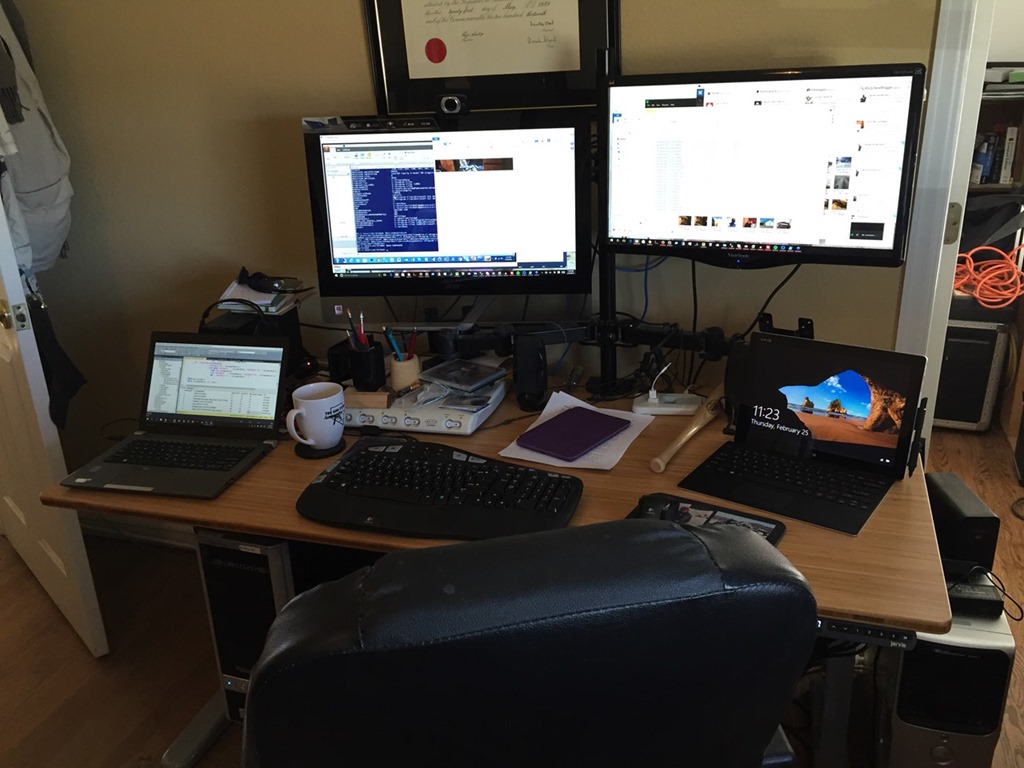
    Here we have the current setup, raised:
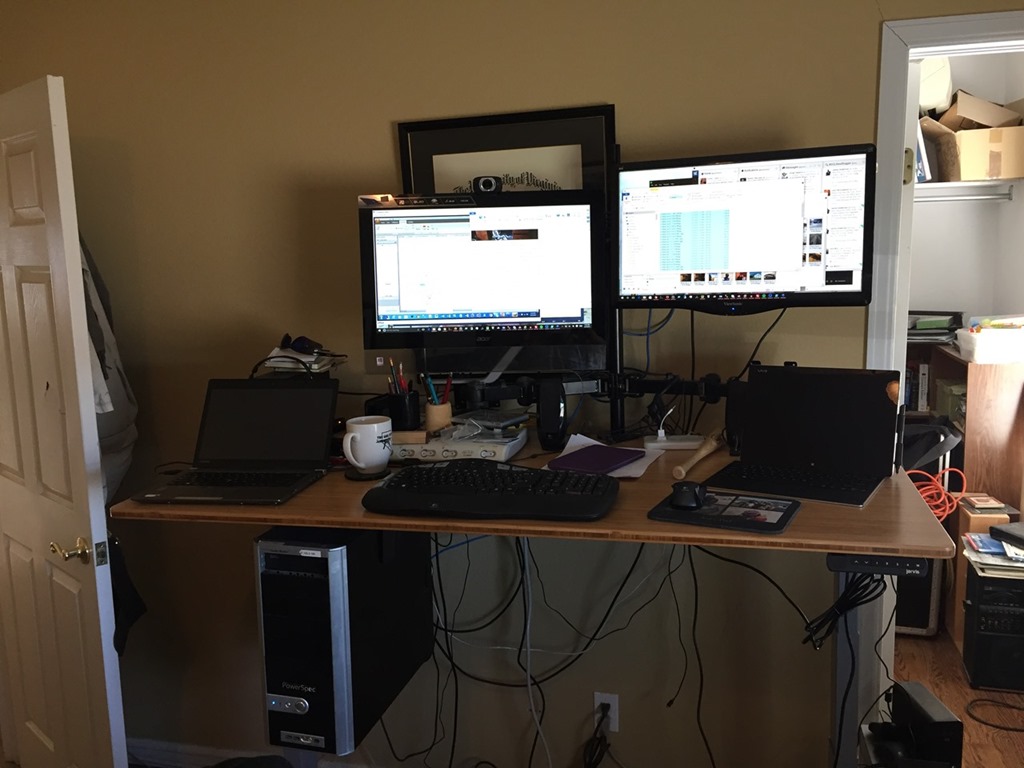
    Photo Feb 25, 11 23 30 AM

    and lowered:

    Photo Feb 25, 11 24 11 AM

    I did find that I wanted my monitors offset to the right, which took a few days to determine. I’ve moved the monitors up and down a bit, trying to find a good height relative to the desk.

    I’m also still torn on whether I want the keyboard at desk height. I can change the height, and I use a few different settings, but I think I may get a keyboard tray that lets me lower the keyboard slightly and also get more desk space to use.

    I’ve moved over my mat, which is a bit of a pain when I switch back to the chair. I still have to work out some sort of process to make this easier.

    However overall I like the setup. I usually raise the desk if I check things at night, and start the next day standing. If I have webinars or calls, I often lower the desk and sit, and usually after lunch (often yoga or running), I’ll eat at my desk and lower it for the afternoon.

    I think I’ve benefitted from not sitting for long periods of time, and plenty of people see my at events, where I often avoid sitting, even in sessions. However I also know I need a balance, and a motorized, standing desk has helped me feel better.

    If you can afford it, I’d urge you to get one. However I’d suggest you start with boxes of books, and see what works for you.


  • Grabbing Fitbit Data

    Recently the T-SQL Tuesday topic was Power BI. A cool topic, and an interesting application.

    I saw Rob Farley build a dashboard based on his Fitbit data. That was intriguing, so I went to get my data. I’ve worn a Fitbit for a couple years, recently having lost it. However, when I went to export my data from Fitbit, I found this.

    2016-02-17 10_46_02-Fitbit Data Raw Export

    Notice two things. One is the top announcement that my data belongs to me. Then notice the bottom left note that I can get 31 days of data.

    Jerks, but feel free to substitute another word yourself.

    Then I found this Fitbit Data Export site. I connected and ran this, which grabbed my data. I appreciate there’s a Github link with the source code, though I have no idea of what’s in Github corresponds to what’s running in Azure. After reading The God’s Eye View, it’s a little nerve wracking to use a service to connect somewhere that I have data stored, but Fitbit exposes some of this publically anyways, and besides, it’s not critical data for me.

    In any case, I had a CSV of my data, which I am now going to upload into Power BI and play with it. Adding a CSV is straightforward.

  • SQL Saturday Headshots

    This past weekend was SQL Saturday #478 – Albuquerque, and I was happy to have the chance to attend again. I was at the first two, missing last year with another event. It was good to go back, and carpool down to Taos for a day of skiing beforehand. Three of us from Colorado went down( myself, Jason Horner, and Reeves Smith), meeting Tim Mitchell, Ginger Grant, and Amy Herold at Taos for a warm day of skiing. Not the best, but good company and a lot of fun.

    Taos2016

    Saturday was another well run event. Thanks to @keith_tate, @coffegrl, @ChrisHyde325 for all the work they put in. The event went off without a hitch, and it seemed that people really enjoyed the day of learning.

    Jamey Johnston was there again, which I was glad to see. Jamey and I were at the Austin event a few weeks ago, and Jamey was taking pictures of the speakers. I got distracted and missed my chance, which I regretted. Fortunately, Jamey set up his equipment in Albuquerque and I got my chance again.

    I took advantage of it.

    funheadshot

    Representing the Denver Broncos, US football champions, and having fun. However, I was serious at least for a few minutes.

    newheadshot

    All in all, a fun weekend and a good time.

    Now I just need to get back to work and tackle a few of the things I learned while watching some Machine Learning, Power BI, Always Encrypted, and more. It’s a good time to be a SQL Server pro.

  • Adding Minutes in Excel

    A short one, but I found myself wasting time recently. I use an Excel sheet to schedule some items out each day. It’s not my choice to do this, but the service I use requires this to not manually set time for each event.

    Tl;dr: Add minutes/1440 to the date.

    The format looks like this:

    2016-02-05 09_42_25-Settings

    I’ve been changing the dates each day to the next day, which involves picking the cell, hitting F2 (or clicking the mouse), moving to the day and editing it to increment. In this case, I’d go to the 10th for the next set of scheduled items.

    Manual, time consuming, and when I saw this cartoon, I knew I needed to do something else. It’s a few minutes of my day, and really, it’s 12 hours over 5 years.

    is_it_worth_the_time

    But it’s incredibly annoying and tedious. It makes my blood pressure rise, and I delay the work because of it.

    I spent 5 minutes considering a few things. I knew I could do any of these, but some would require more work than others, and perhaps not be worth the time.

    • Use a macro to change each entry
    • Get my source system to generate an Excel sheet in this format
    • Write OLE automation to generate a new sheet

    In the end, the simple solution was just learn to add time to a base date. If I take the first entry, I can see that I’m really adding minutes (or hours) to this one. So I decided to do that. In this way, I still need to edit the first cell, but then all the rest will work.

    However I needed to add minutes to an Excel entry. I wasn’t sure how, but a quick Google search gave me the answer from Superuser. Because of how Excel stores dates, I really need to add minutes divided by 1440 to the date.

    So my first date is: 02/09/16 14:05. To get my next entry, which is 02/09/16 14:22, I need to add 17 minutes, but the forumla looks like this:

    2016-02-05 09_50_19-Settings

    As you can see, that’s the right time. I now had to spend about 10 minutes setting the formula for each time, which is a matter of calculating the minutes for each new time. It’s not too hard, and my ten minutes spent here won’t pay off in time for a long time, especially after this blog post, but it will reduce my stress quite a bit.

    Every day.