Tag: T-SQL

  • 2020 Advent of Code–Day 2

    This series looks at the Advent of Code challenges.

    As one of my goals, I’m working through challenges. This post looks at day 2.

    Part 1

    This problem is really a string processing issue. We get a long string that needs splitting into different parts. We have two numbers, a digit to check, and a password. In this part, we are looking to see if our check digit appears x number of times.

    For T-SQL, we can use Substring and charindex to split things. I had code like this:

    SELECT
                 SUBSTRING(datavalue, 1, CHARINDEX('-', datavalue) - 1) AS lowerbound
               , SUBSTRING(datavalue, CHARINDEX('-', datavalue) + 1, CHARINDEX(' ', datavalue) - CHARINDEX('-', datavalue) - 1) AS upperbound
               , SUBSTRING(datavalue, CHARINDEX(' ', datavalue) + 1, 1)
               , SUBSTRING(datavalue, CHARINDEX(':', datavalue) + 2, 50)
            FROM dbo.Day2 AS d

    From here, I can do some counting to determine if we have the correct number of check digits.

    For Python and PowerShell, I used split functions. The PowerShell one I did in two routines, one to break the numbers off into $counters, after everything is split.

    $values = $line.Split(' ')
    $counters = $values.split('-')

    From here, I could then break everything up into the 4 parts.

    $min = $counters[0]
    $max = $counters[1]
    $checkvalue = $values[1].Substring(0, $values[1].Length - 1)
    $pwd = $values[2]

    Now I get a count, and then an IF statement that can clean this up.

    if (($count -ge $min) -and ($count -le $max)) { $part1 += 1}
    if (($checkvalue -eq $pwd[$min-1]) -ne ($checkvalue -eq $pwd[$max-1])) { $part2 += 1}

    This worked right away.

    Part 2

    In Part 2, rather than counting, we are deciding if the check digit is in the positions specified by the numbers.  The trick here is to check if that substring is equal to the digit. Again, in PoSh, the trick is to see if we have one or the other, which is the requirement.

    if (($checkvalue -eq $pwd[$min-1]) -ne ($checkvalue -eq $pwd[$max-1])) { $part2 += 1}

    This code looks if the digit matches first, then the second digit matches, and if these are both a 0 or 1, it’s not valid. If only one is valid, we increment the counter.

    The python code is very similar.

  • 2020 Advent of Code–Day 1

    This series looks at the Advent of Code challenges.

    I started the Advent of Code at the beginning of December 2020, but life quickly got in the way. Weekends especially, where I try to get away from the computer, so I fell behind. However, I did work through a few, and one of my goals in 2021 is to get through all of them.

    I’m going to document my solutions on my blog.

    Day 1

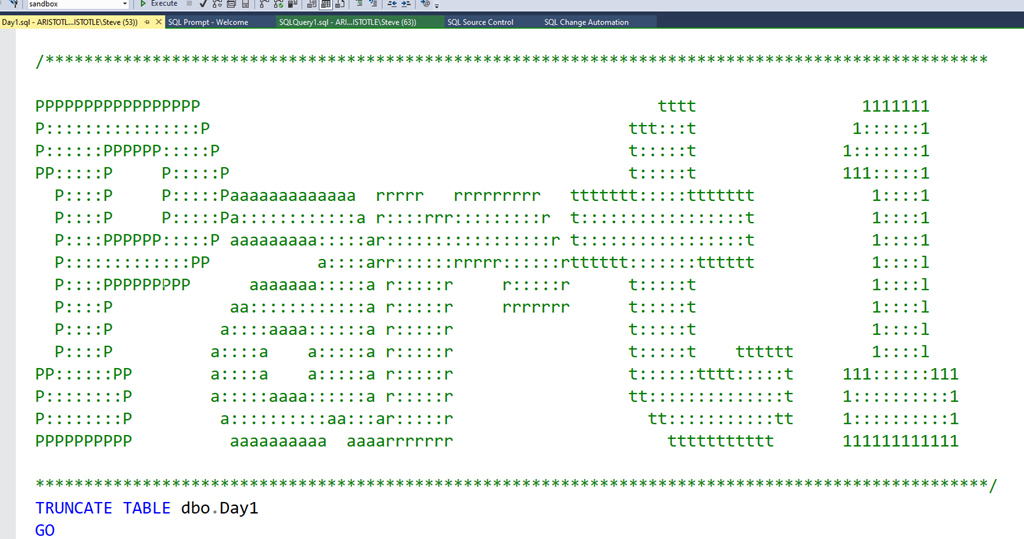
    The first thing I did was set up a template for the solutions. This is clearly important, and I used some basic ASCII art.

    2021-01-22 12_23_37-Day1.sql - ARISTOTLE.sandbox (ARISTOTLE_Steve (53)) - Microsoft SQL Server Manag

    From here, I tackled the challenge. This is one suited for databases, as there is the need to take a list of numbers and find two that add up to 2020. I created a simple table that contained a single column to store numbers.

    CREATE TABLE Day1
    (  datavalue INT)
    GO

    In here I inserted the test data from the challenge.

    The easy way for me to tackle this quickly was cross join the numbers with a sum. I put this in a CTE, which gives me the sum of all individual numbers.

    WITH cteCalc (a, b, sumab)
    AS (   SELECT
                           a.datavalue, b.datavalue, a.datavalue + b.datavalue AS sumoftwo
            FROM
                           Day1 a
                CROSS JOIN day1 b)

    Once I had this, in the outer query I added a WHERE that limited the results to the sum being equal to 2020, and for the column list, I produced the product.

    WITH cteCalc (a, b, sumab)
    AS (   SELECT
                           a.datavalue, b.datavalue, a.datavalue + b.datavalue AS sumoftwo
            FROM
                           Day1 a
                CROSS JOIN day1 b)
    SELECT a, b, a * b AS solution
    FROM cteCalc WHERE sumab = 2020;
    go

    This gave me the result.

    As a hint, I used BULK INSERT to load the complete data from the test file into my table.

    Part 2

    Each challenge has two parts, with the same data. In this one, I had to find 3 entries that summed to 2020. I just added another cross join and this was solved.

    WITH cteCalc (a, b, c, sumabc)
    AS (   SELECT
                           a.datavalue, b.datavalue, c.datavalue,
                           a.datavalue + b.datavalue + c.datavalue AS sumoftthree
            FROM
                           Day1 a
                CROSS JOIN day1 b
                CROSS JOIN day1 c
        )
    SELECT a, b, c, a * b * c AS solution
    FROM cteCalc WHERE sumabc = 2020;
    GO

    All in all, an easy day. Now I need to solve this in Python.

  • Changing Values in T-SQL–#SQLNewBlogger

    Another post for me that is simple and hopefully serves as an example for people trying to get blogging as #SQLNewBloggers.

    Recently I ran across a question posted by a beginner on the Internet and thought this would be a good, basic topic to cover. The question was: how can I replace a value in a comma separated string in a table?

    This post covers the basics of this task.

    Scenario

    Suppose you have some strings in a table, and they contain multiple values. I see this often when application developers serialize some data. For example, I might create a table like this:

    CREATE TABLE mytable
    (   mykey INT NOT NULL CONSTRAINT mytablepk PRIMARY KEY
       , myval VARCHAR(100));
    GO
    
    INSERT dbo.mytable
         (mykey, myval)
    VALUES
         (1, 'apple,pear,banana')
       , (2, 'pear,peach,melon');
    GO
    
    SELECT * FROM dbo.mytable AS m;

    This has a few rows of multiple values in a field.

    2021-01-04 12_09_31-SQLQuery17.sql - ARISTOTLE.sandbox (ARISTOTLE_Steve (84))_ - Microsoft SQL Serve

    Imagine now I need to change pear to grape in all rows. I want a simple solution to do this.

    Solution

    I have seen some people try to use complex substring calls paired with other functions to do this, but T-SQL gives you a really simple solution. We have a REPLACE() function that allows us to change a string without parsing it.

    The simple way to do this is like this:

    SELECT
          m.mykey
        , m.myval
        , REPLACE(m.myval, 'pear', 'grape') AS newstring
    FROM dbo.mytable AS m;

    Always run a SELECT before an UPDATE, but in this case, I can see that pear has been removed and grape is in its place.

    2021-01-04 12_17_05-SQLQuery17.sql - ARISTOTLE.sandbox (ARISTOTLE_Steve (84))_ - Microsoft SQL Serve

    REPLACE() works by passing in a string as the first parameter, then a second string to search for, pear in this case, and finally a replacement. I could then put together an UPDATE statement to change my table.

    UPDATE dbo.mytable
      SET myval = REPLACE(myval, 'pear', 'grape')
    FROM dbo.mytable AS m;

    If I run this, the results shown above for newstring will replace the myval string for all rows.

    SQLNewBlogger

    This is an example of a basic type of T-SQL solution that is simple, with a quick explanation. I answered this for someone and then spent 10 minutes writing this up.

    A good story to have ready for an interview.

  • Basic Cursors in T-SQL–#SQLNewBlogger

    Another post for me that is simple and hopefully serves as an example for people trying to get blogging as #SQLNewBloggers.

    Cursors are not efficient, and not recommended for use in SQL Server/T-SQL. This is different from other platforms, so be sure you know how things work.

    There are places where cursors are useful, especially in one-off type situations. I recently had a situation, and typed “CREATE CURSOR”, which resulted in an error. This isn’t valid syntax, so I decided to write a quick post to remind myself what is valid.

    The Basic Syntax

    Instead of CREATE, a cursor uses DECLARE. The structure is unlike other DDL statements, which are action type name, as CREATE TABLE dbo.MyTable. Instead we have this:

    DECLARE cursorname CURSOR

    as in

    DECLARE myCursor CURSOR

    There is more that is needed here. This is just the opening. The rest of the structure is

    DECLARE cursorname CURSOR [options] FOR select_statement

    You can see this in the docs, but essentially what we are doing is loading the result of a select statement into an object that we can then process row by row. We give the object a name and structure this with the DECLARE CURSOR FOR.

    I was recently working on the Advent of Code and Day 4 asks for some processing across  rows. As a result, I decided to try a cursor like this:

    DECLARE pcurs CURSOR FOR SELECT lineval FROM day4 ORDER BY linekey;

    The next steps are to now process the data in the cursor. We do this by fetching data from the cursor as required. I’ll build up the structure here starting with some housekeeping.

    In order to use the cursor, we need to open it. It’s good practice to then deallocate the objet at the end, so let’s set up this code:

    DECLARE pcurs CURSOR FOR SELECT lineval FROM day4 ORDER BY linekey;
    OPEN pcurs
    ...
    DEALLOCATE pcurs

    This gets us a clean structure if the code is re-run multiple times. Now, after the cursor is open, we fetch data from the cursor. Each column in the SELECT statement can be fetched from the cursor into a variable. Therefore, we also need to declare a variable.

    DECLARE pcurs CURSOR FOR SELECT lineval FROM day4 ORDER BY linekey;
    OPEN pcurs
    DECLARE @val varchar(1000);
    FETCH NEXT FROM pcurs into @val
    ...
    DEALLOCATE pcurs

    Usually we want to process all rows, so we loop through them. I’ll add a WHILE loop, and use the @@FETCH_STATUS variable. If this is 0, there are still rows in the cursor. If I hit the end of the cursor, a –1 is returned.

    DECLARE pcurs CURSOR FOR SELECT lineval FROM day4 ORDER BY linekey;
    OPEN pcurs
    DECLARE @val varchar(1000);
    FETCH NEXT FROM pcurs into @val
    WHILE @@FETCH_STATUS = 0
    BEGIN
    ...
    FETCH NEXT FROM pcurs into @val
    END
    DEALLOCATE pcurs

    Where the ellipsis is is where I can do other work, process the value, change it, anything I want to do in T-SQL. I do need to remember to get the next row in the loop.

    As I mentioned, cursors aren’t efficient and you should avoid them, but there are times when row processing is needed, and a cursor is a good solution to understand.

    SQLNewBlogger

    As soon as I realized my mistake in setting up the cursor, I knew some of my knowledge had deteriorated. I decided to take a few minutes and describe cursors and document syntax, mostly for myself.

    However, this is a way to show why you know something might not be used. You could write a post on replacing a cursor with a set based solution, or even show where performance is poor from a cursor.