Recently a customer was asking about how they could move data with SQL Data Compare from one server to another. In this case, the customer had a complex join and WHERE clause they wanted to use with SQL Data Compare. This post will show a simple way to do this.
The Source Data
I can’t show customer data, but here is a mock up using the AdventureWorksDW sample database. I have this query that contains some information I want to sync from one database to another:
SELECT c.FirstName,
        c.LastName,
        dd.FiscalQuarter,
        dd.CalendarYear,
        fis.OrderQuantity,
        fis.SalesAmount,
        fis.PromotionKey
        fis.SalesOrderNumber

FROM dbo.FactInternetSales fis
     INNER JOIN dbo.DimDate dd
         ON dd.DateKey = fis.OrderDateKey
     INNER JOIN dbo.DimCustomer c
         ON c.CustomerKey = fis.CustomerKey

WHERE ProductKey = 310
       AND dd.CalendarYear = 2011;
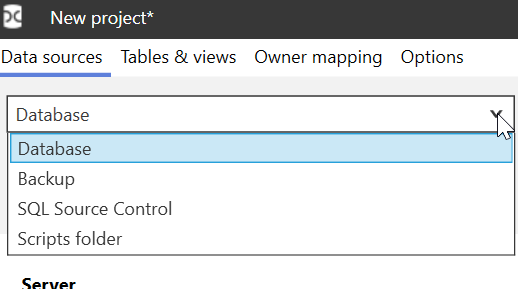
This query includes multiple tables and a WHERE clause. In SQL Data Compare, there is no place to enter a query to use as a source for data. None of these sources allow for a query.

I can, however, simulate this query in a view. I add a line above the code and I have a view.
CREATE VIEW aDemoView AS

SELECT c.FirstName,
        c.LastName,
        dd.FiscalQuarter,
        dd.CalendarYear,
        fis.OrderQuantity,
        fis.SalesAmount,
        fis.PromotionKey
        fis.SalesOrderNumber

FROM dbo.FactInternetSales fis
     INNER JOIN dbo.DimDate dd
         ON dd.DateKey = fis.OrderDateKey
     INNER JOIN dbo.DimCustomer c
         ON c.CustomerKey = fis.CustomerKey

WHERE ProductKey = 310
       AND dd.CalendarYear = 2011;
I then need to check the option in the SQL Data Compare project to include views.
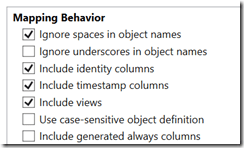
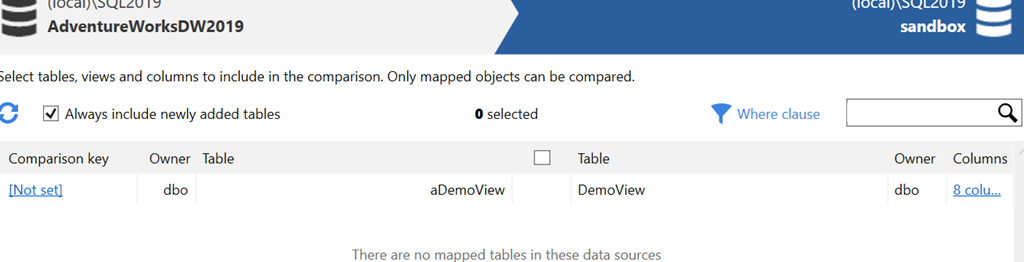
Once I do this, I see my view, although it is unmapped. Note views are at the bottom of the dialog.

Now I need a target.
Make a Table From the View
In the destination database, I need a comparison target. In this case, what I would do is take the definition of the view and use that to create a table. In this case, I’d start with the SELECT column list. I replace SELECT with CREATE TABLE, as shown here:
CREATE TABLE DemoView

(
        c.FirstName,
        c.LastName,
        dd.FiscalQuarter,
        dd.CalendarYear,
        fis.OrderQuantity,
        fis.SalesAmount,
        fis.PromotionKey,
        fis.SalesOrderNumber
Next, I need to remove the aliases and round out the data types.
CREATE TABLE DemoView

(
        FirstName varchar(100),
        LastName varchar(100),
        FiscalQuarter tinyint,
        CalendarYear int,
        OrderQuantity int,
        SalesAmount NUMERIC(10,4),
        PromotionKey TINYINT,
        SalesOrderNumber VARCHAR(20)
        )
Last, I will need a comparison key, so I’ll add the SalesOrderNumber as a PK.
CREATE TABLE DemoView
(
FirstName varchar(100),
LastName varchar(100),
FiscalQuarter tinyint,
CalendarYear int,
OrderQuantity int,
SalesAmount NUMERIC(10,4),
PromotionKey TINYINT,
SalesOrderNumber VARCHAR(20) CONSTRAINT DemoViewPK PRIMARY KEY
)
GO
I execute this in my target database and this gives me a destination for the data.
The SQL Data Compare Map
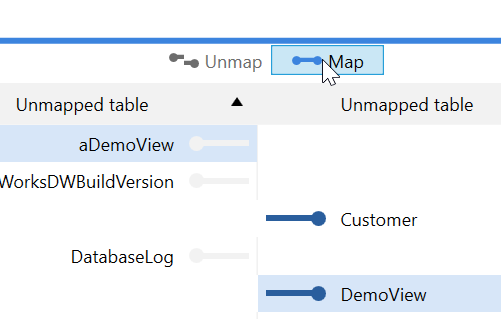
Once I have a source and target, I can map them in SQL Data Compare. First, I select both objects in the Tables and Views tab and then click Map.

This moves the two items up to the top pane.
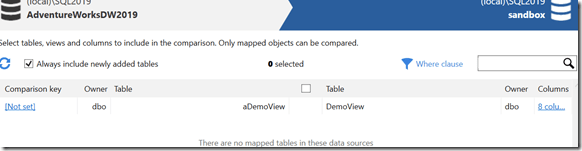
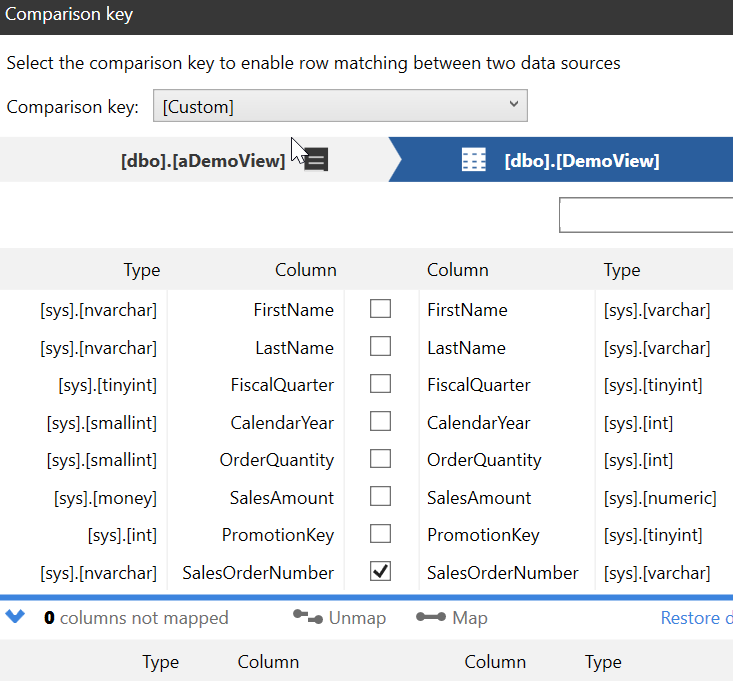
I need a comparison key in order to move data, and I select the “Not Set” on the left side. This gives me a place to set the comparison key. We need to know how to determine which rows are different from which other rows.
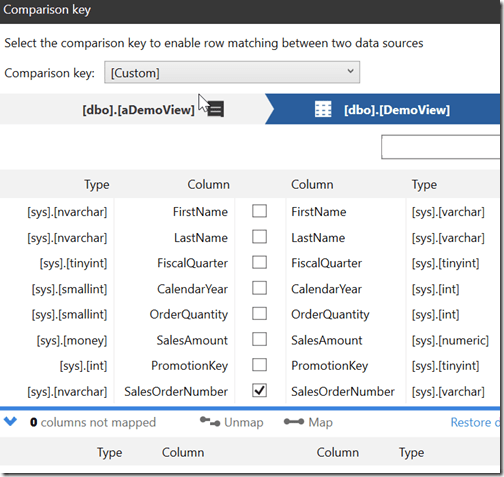
Once this is done, I click the item in the main pane and click “Compare”.

When this completes, I see my results. This table is shown as different, and I see the rows below.
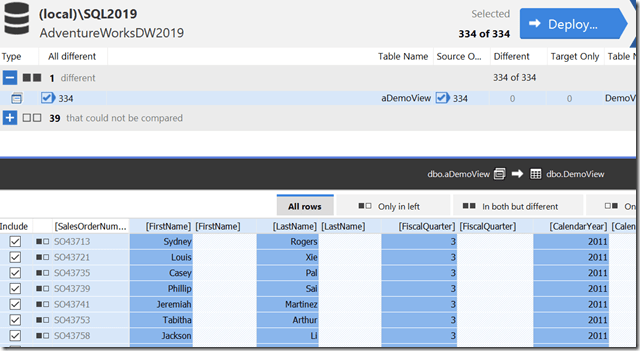
All of these rows are only in the source, which is the left side. I can click “Deploy” and get a script to move all this data to the other server.
Options
In this case I had a fairly specific set of data in the view with a WHERE clause. If I wanted to keep this more generic, I could always use the WHERE clause in SQL Data Compare to select a set of data to move here.
The other option would be to SELECT .. INTO this data into a table on the source. I could load this into a table that I used for a comparison with the target. If I repeated this in the future, I could either truncate and reload this table, or just add to it, potentially with a different SELECT.
In general, I prefer to bulk move information and control the data to move outside of SQL Data Compare. It’s easy to forget to change a WHERE clause somehow in a project. Much easier to control what I load into the source and then move everything to the destination.
Summary
The easy way to move complex data from source to destination is by putting the complex data into a source location. Either a table of some sort or a view. Then we can use SQL Data Compare to easily move this to a destination in another database.
SQL Data Compare is an amazing product for syncing sections of data between databases. It might not work for all situations and can be slower with very large sets, but it’s a fantastic tool for DBAs.