Tag: Azure Devops

  • Database DevOps Deployment to Azure–Webinar

    You can register now, but on Dec 3, I have a webinar with Microsoft on database devops and Azure. This is a joint effort with Redgate, so I’ll be showing some of our tools.

    In the webinar, which I recorded last week, I walk through the idea of Database DevOps in general, showing how we evolve our database development to incorporate automation, use Azure DevOps, and deploy code to an Azure database.

    Register today, and I’ll be ready for questions on Dec 3.

  • Scaling Serverless Azure

    I enjoy reading articles and blogs about how people solve technical issues. The
    Trainline blog has had some good posts over the years, and the Netflix tech blog always gets me to think, even thought I don’t use many of their technology choices. There are others of course, but for the Microsoft tech, I run into some neat posts at the Microsoft Devblogs.

    Recently I saw one from Davide Mauri on streaming at scale using Azure SQL Database. I really like the platform, but it still feels like something that needs maturity. Seeing this post with metrics, testing, and evaluation of how the system works with data gives me more confidence that this might work for a scenario I hadn’t considered.

    I love that the post includes lots of references to code and other explanations, making me think I could set this up and test it. Certainly I’d like to know more about the actual costs of the test, which is something missing from too many discussions of cloud implementations, especially PaaS ones.

    An exception might be Troy Hunt’s series on Azure and how he’s built HaveIBeenPwned. This is a scaling post, though you can find others if you search around. He’s disclosed the costs of things in some of his posts, which help me to understand how important choices are to both performance and your budget.

    If you are looking to build systems in the cloud, I urge you to search out and read as many experiences as you can. Most of them boil down to write for the cloud, write good code, and test, but do so in a way that takes advantage of the cloud. Don’t expect to just have things work for you, no matter how good a developer you are. You need to understand your tools, and the cloud is just another tool.

    Steve Jones

  • Azure DevOps–Using Variable Groups

    I was in a webinar recently and saw a note about variable groups. That looked interesting, as I’ve started to find that I may have lots of variables in some pipelines, and I thought this would keep me organized. However, these are better than that.

    When I go to the variable screen for a pipeline, I see this my variables, but on the left side, I see “Variable groups”. If I click this, I see some info.:

    2020-10-21 14_54_57-Release SimpleTalkDB - Pipelines

    The top link takes me to a doc page, where I see this sentence: “Use a variable group to store values that you want to control and make available across multiple pipelines.

    Now that is interesting. I have been thinking about different pipelines, so having variables that work across them is good.

    To create a variable group, I need to go to the Library, which is another menu item under the Pipelines area. I get a list of groups, of which I have none right now.
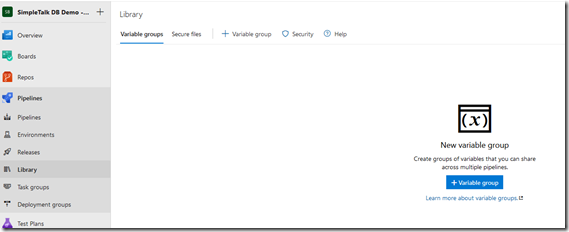
    2020-10-21 14_58_23-Library - Pipelines

    When I click the blue button, I get a form with the group properties, and then a variables section below.
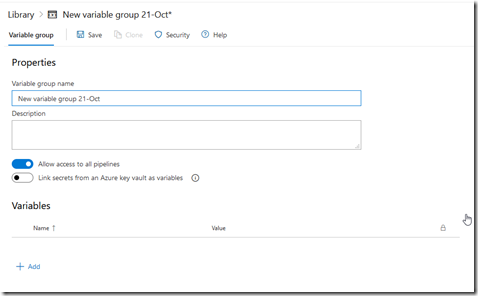
    2020-10-21 14_59_06-Library - Pipelines

    I add a couple variables and add some group info. In this case, I want some secret values that are useful across different pipelines.
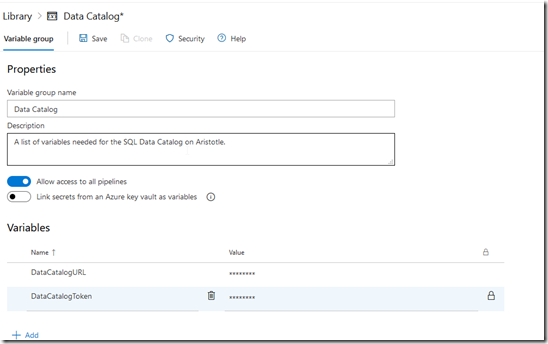
    2020-10-21 15_01_38-Library - Pipelines

    You do need to click Save at the end of this.

    In my pipeline, I see I have some variables. On the left, again, is a Variable groups item.
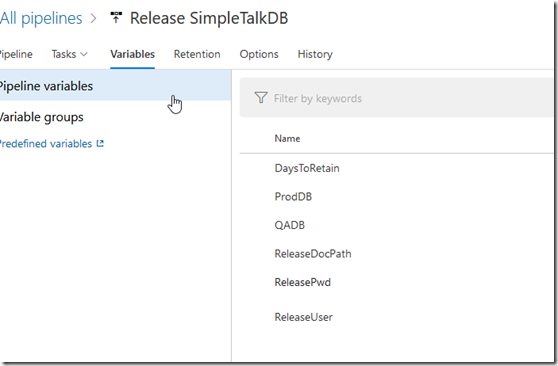
    2020-10-21 15_02_52-Release SimpleTalkDB - Pipelines

    When I click that, I don’t see any, but I haven’t linked any. Here I need to link my group.
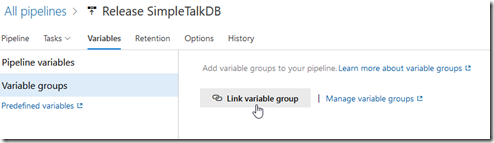
    2020-10-21 15_03_26-Release SimpleTalkDB - Pipelines

    When I click this, I get a blade on the right. I can then see my group(s), and I can set a scope. I do need to click the group and then I can click link at the bottom.
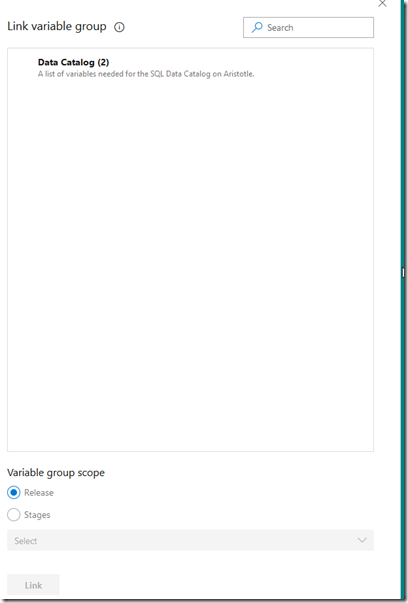
    2020-10-21 15_04_23-Window

    Now I see the variables available in my pipeline.
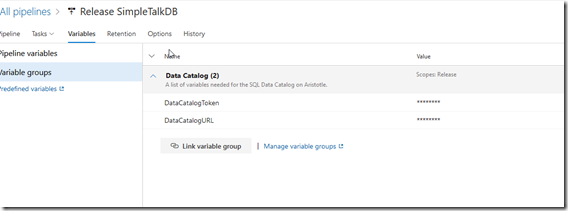
    2020-10-21 15_05_06-Release SimpleTalkDB - Pipelines

    That’s pretty cool, especially as I am starting to see separate pipelines for different downstream environments becoming more popular.

  • Azure DevOps–Reconfiguring an Agent

    This post looks at how to re-configure a local Azure DevOps agent when you need to change to a new pool or organization.

    PAT Expired

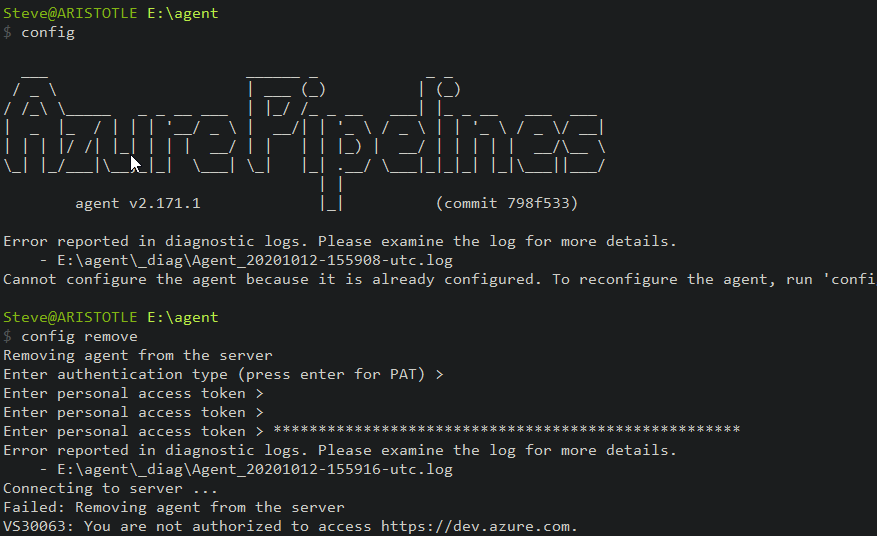
    I got a note that one of my personal access tokens (PAT) had expired, and I wanted to update the agent. I ran config, but saw this, I need to remove the config first.

    However, when I ran “config remove”, which is how you can reconfigure an agent, I got this:

    2020-10-12 10_04_34-cmd

    In the image, the agent config asks for the PAT to allow it to authenticate to be removed. Since the agent doesn’t store this, and I don’t have it anymore, I can’t enter this. I can remove the agent from the portal, but there’s an easier way.

    The Local Config

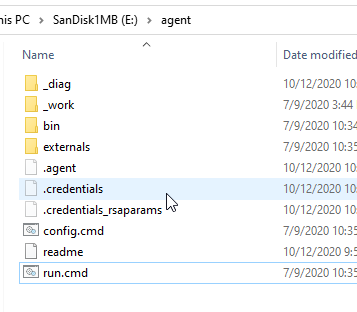
    If you show hidden files, and if you are in tech, you always ought to do this, you will see a few in the agent folder. I name mine Agent, and inside, you can see there are .agent, .credentials, and .credentials_rsaparams files.

    2020-10-12 10_17_22-agent

    If I remove these three files, the agent doesn’t know where or how to connect. I can then run the config and re-set up the agent.