Tag: car update

  • Tesla Accessories

    This is part of a series that covers my experience with a Tesla Model Y.

    The car is amazing, but like most cars I’ve purchased, I wanted to add a few things to it. This post looks at the things I purchased.

    License Plate

    I wanted to be legal in Colorado. I don’t need the hassle or reasons to get stopped, especially being a brown man in a very rural county. I ordered the Slipstream Bracket for 2022-2020 Tesla Model Y by ThatGrin LLC. It clips onto the front air dam bracket, and then has screws that prevent it from coming loose. I think it’s quite a neat design, made of metal, and seems very secure.

    I made a specific installation video for this one.

    Sunglasses

    I usually want sunglasses around in the strong Colorado sun, and I like to keep a spare pair or two in the car. In my X5, I had no good place to keep them, but did buy a cheap visor clip that worked OK. Actually, it didn’t and broke. I think I bought 4 or 5 of them across the last 8 years.

    For the Model Y, I went on Etsy and tried a couple of clips. I don’t know exactly who I got them from, but they are like this one, a 3D printed item. I used a trim tool to get them above the visor, and I ordered 3. I keep two pairs of my glasses in here and then an open holder for the passenger.

    So far they work great, though only for sunglasses with thick arms.

    Organization

    Inside the car are some big spaces for things. Two large console buckets. The front one also has the USB-C plugs, so I did two things here.

    First, a USB adapter that plugs into the 2 “C” plugs and gives me two Cs and two A (3.0) plugs. It works well, and so far it’s just holding a short A->microB cord for my headphones to charge. Once in awhile, like two times in three months, I get a notice on the car to unplug and replug it back in. Not sure why, but it hasn’t been a big issue.

    I also got a console organizer for the front space. It slides on brackets and is hidden most of the time, but I have the registration, some change, and a few pens in there. It’s handy, and nice to have.

    I got cupholder inserts as well. I often have water, soda, or coffee, and these are easier to clean than anything else. They work OK, but larger cups slip them out, so I have to remember to twist and pull out the cup. I had a couple coffee leaks, so I’m glad I have these. I should have something like this for the BMW.

    I got a trunk organizer, which is something I’ve needed in other cars for years. Works great and keeps groceries from falling into the deep rear wells.

    Interior Protection

    I got a large sunshade, barely used. Too cool in the fall in CO, but it fits nice and folds up. So far, no complaints. The front window is huge, so you need a large screen.

    I got some floor mats that are supposedly cut for the Model Y. I think this is a generic process now, and these were a lot less expensive than WeatherTechs. It shows. They work fine, they’ve protected from some water spills, but they don’t fit great, at least not on the driver’s side. Wouldn’t recommend.

    I did get a Spigen screen protector for the display. It’s matte, and it definitely darkens things. It works fine with my sunglasses, and not sure it’s worse in direct sun. Might be better. Really, in bright sun, nothing works well.

    I also got the lifting pads, though the Tesla service guy said these weren’t needed for most mechanics. I likely want them if I change tires or need to lift the car.

    I also got the Basenor Mud Flaps. Two months in, they work great.

    We got a pet cover for the backseat, since we like our dogs with us. It’s ok. Covers the seat, keeps dog hair off things. We somewhat wish we had the hammock style, but not sure as we use it more and 3 of us are in the car.

    That’s about it. Right now we’re still thrilled with the car, nothing I’d worry about adding, so no purchases coming anytime soon.

    A video of the accessories if you want to see what the items look like.

  • Tesla Service Challenges and the Paradigm Change

    This is part of a series that covers my experience with a Tesla Model Y.

    I had to bring my car into the service center to get the tire fixed. While I was there, doing a little work, I had the chance to interact with service personnel, but more fascinating was watching others do the same thing.

    I saw some older people that were happy with the cars, but struggling to use the technology. Maybe some of the car reviewers have a point here with the paradigm change.

    One older gentleman was struggling to get his new phone to sync as a key. He struggled with getting email logged in, a general problem with older people. He couldn’t figure out his email, and I mentally applauded the rep that was trying to help him get logged into email on his phone so that he could authorize it as a key.

    Another lady had come in for service, which she’d called to schedule. When the tech asked her to check her mobile app for instructions and approvals, she said she never looked at the app. In fact, she wasn’t carrying her phone in her purse. They worked with her to look up her account and get her car in for service.

    What was more interesting to me was that this was an integrated system, with one rep handling the walk-ins for both service and car pickup. I saw 6 people processed in the first 30 minutes by one person. At other dealerships, I’d see 10 or more people wandering around, with about the same level of inefficiency.

    My Service Experience

    When I realized my tire was leaking air slowly, I knew I’d need to do something. I reached out to the roadside service group, but they only offered a tow to the service center or a tire shop. Since I’d paid for a repair, I was looking for some credit. A tow to the repair center is less useful to me than just driving over and waiting.

    The roadside people were too busy to schedule anything in the next few days, so I decided to try the service center. I tried to schedule through the app, but I couldn’t find appointments this week in Denver. I could have driven to the Colorado Springs location, and I was tempted, but I decided to call the Denver location first. I talked with a tech who told me to come in early one day and they’d fit me in.

    I arrived and since I didn’t have an appointment, was told to call them. The only person outside at opening time was busy with a customer. I called and was told a tech would be outside in a few minutes. About 3-4 minutes later a  rep walked outside and grabbed me. I explained the issue and he checked for tires. He told me if the patch didn’t work they wouldn’t re-patch it. I needed a new tire, but he said he’d credit the patch cost.

    He scheduled me and said it would likely be about an hour as they slipped me into the schedule. I sat down with my laptop, worked about 40 minutes, and my car was done. I approved the charge in the app and paid and was on my way.

    All in all, a good service experience, and in general, faster than I’ve had in the past if I just show up.

  • A Tesla Flat Tire and Mobile Service

    This is part of a series that covers my experience with a Tesla Model Y.

    Earlier this week my wife and I got in the Model Y to head out to coach volleyball. We left the house and started down our road. I noticed a new icon on the display, right below the gear selector. It looked just like the low tire pressure icon in the BMW.

    I swiped over to check the tires, as usually this is cold weather changing pressure in one tire that might have a very slight leak. In this case, 3 tires showed 37psi and 1 was at 32psi.

    Hmmm, I drove a little further, but was worried. I stopped at the next stop sign and my wife got out to check. She said it was flat, and this time I saw the reading at 25psi. We turned around and crept home.

    We could hear some air leaking, so we grabbed our stuff and jumped in another car. I figured I’d deal with it later.

    UPDATE: The tire was leaking air slowly, about 3-4PSI overnight, so the patch didn’t hold. Another post looks at what I had to do.

    Roadside Service

    When I got to the gym, I had a few minutes, so I opened a flat tire roadside assistance call with Tesla. I figured that the tires must be under warranty, but realized later that was silly. I had to talk with a parent and athlete, so I missed Tesla texting me right back. They pinged me within 2 minutes, and then when I didn’t respond, actually called about 10 minutes later. I couldn’t talk and they didn’t have an estimate for a cost, so I closed the call and said I’d call later.

    When I got home, I looked online and most people noted the tires aren’t under warranty from Tesla, as they wouldn’t be from Toyota, but the tire company might do something. Lots of people seem to look to Discount Tire or a local company, but I didn’t want to mess with things. It seems Tesla is in the $50-100 range from previous reports, so I opened a new service call.

    This time I responded to the text, and the agent had me confirm which tire, the size, and the model of tire. They said no loaners we available, but they could tow it to a shop the next day (or the Tesla service center). Or I could wait two days for mobile service.  We have other cars, so I did the 2 day thing. Plus, I didn’t want to spend a bunch of my day at a tire shop.

    They gave me an $80 estimate for repair or a little under $300 for replacement. I figured we just try and see.

    The Mobile Service Experience

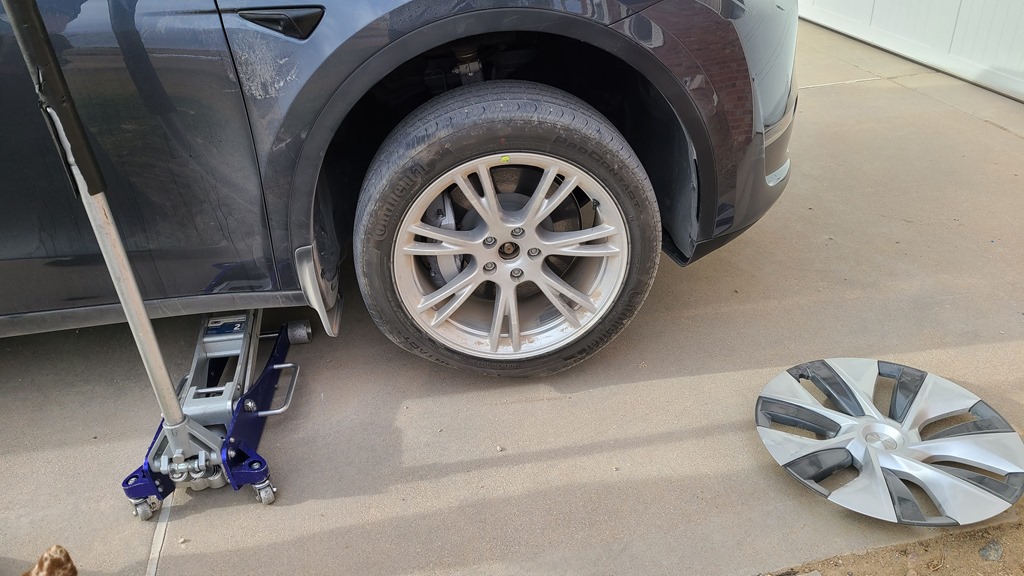
    The next morning I got a text from the tech that said they could come out that day. We arranged for an early afternoon meeting. He texted again when he was about 30 minutes away and then when he pulled up. I walked outside and he had started to jack up the car.

    20211123_135654

    He added some air and then got the tire off and he could see where a hole was in the tire. The hole is right in the left middle channel below, and he thought this could be fixed.

    20211123_135817

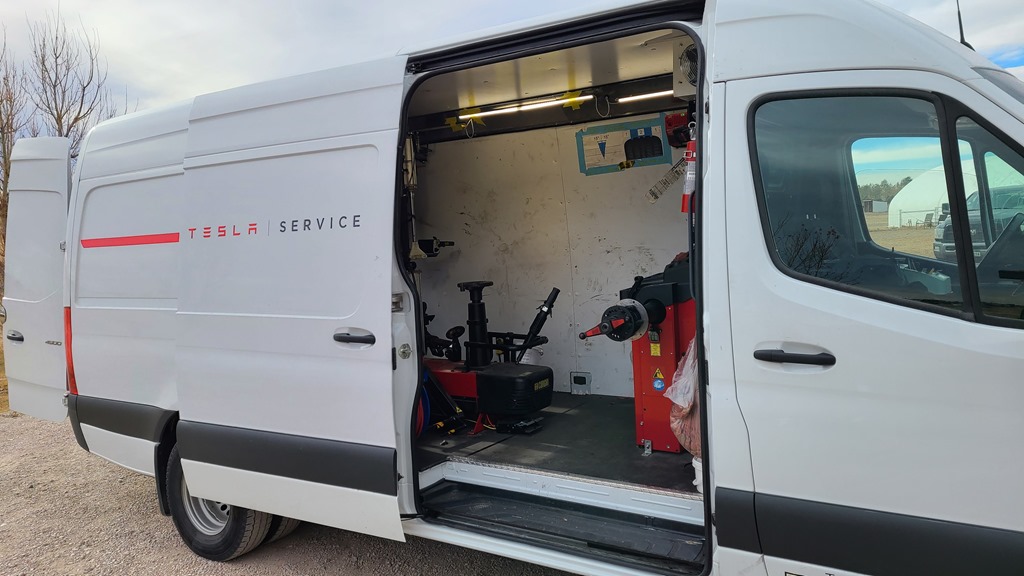
    What was neat for me was that the mobile van came equipped to fix things. This is a tire shop on wheels, able to dismount and mount tires on wheels, as well as balance them as needed. He didn’t even turn off his engine, and completed the job in about 20 minutes.

    20211123_135706

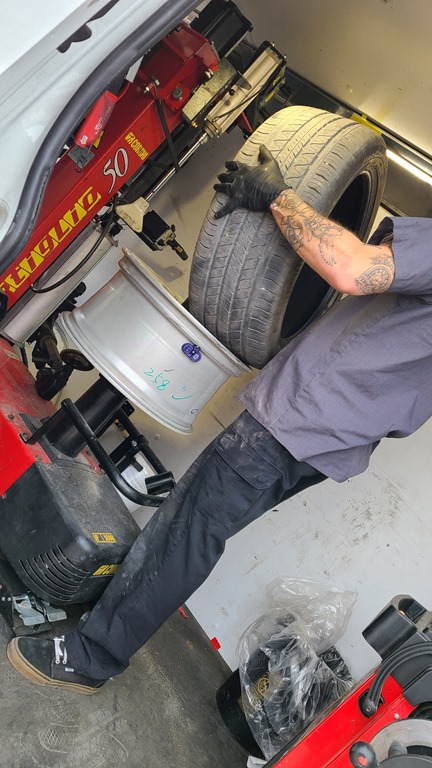
    He put the tire up and removed it from the wheel. He talked me through the process, noting that the patch goes on the inside for Tesla, not a plug like some places do. I’ve had tires plugged, so I was surprised.

    20211123_140011

    He was hustling, so I couldn’t get a great picture, but there is an inner liner of foam around the middle of the tire inside. This reduces noise. He removed some, and then added a patch with a plug that pushes through from the inside. It was neat to see, and he then cleaned things up and added back a little foam.0

    20211123_140232

    The tire was remounted, balanced, and dropped on the car. He filled out paperwork on his laptop, measured the wear on all tires, and then set things up. He also told me that if I get winter tires, he could come out and do the tire swap across wheels for about $100-150. I need to check what the local shop might charger, but that might be worth it to me. Especially to not have to drag tires to another place.

    Not the cheapest way to get a tire fixed, but quick and convenient. I was happy to pay $80 instead of the $50 I’ve had a shop charge, or even a no cost repair but losing time traveling and waiting.

    I’m surprised more places don’t do mobile service.

  • Tesla Bug Reports

    This is part of a series that covers my experience with a Tesla Model Y.

    I can’t remember where I learned this, but I saw someone that explained how to report bugs to Tesla in their software, or I guess, the hardware. I didn’t think a lot of it initially, but the last few weeks I’ve been using this every time something weird happens.

    The way this works is you activate the voice control by pressing the right steering wheel button. When the software responds, say “Bug report” followed by the issue.

    For example, the other day I was returning home and going down the country road that leads to my neighborhood. This road has a lot of hills, some steep, and I use cruise control sometimes to keep a steady rate. Sometimes, not always, as I go up a hill, the car will brake before cresting the hill. At times it’s light braking, going from 45 to 43. At times it’s heavy, and has slowed to 35 or slower.

    That’s not fun.

    I immediately hit the right hand button on the steering wheel and said, “Bug report phantom braking on hill”. I click the button again and it acknowledges the bug report submitted to Tesla. It also says I can schedule service if something is wrong.

    I have started to make this report as often as I get phantom braking. What I’m hoping is that every one of these reports includes the telemetry from the car. Knowing when the model is not appropriately managing car functions should help with better training.

    If it gets used.

    I’m taking a leap of faith that Tesla is looking at this feedback. Not each report, but in aggregate. Certainly test experiences with Autosteer years ago and now show an improvement. I’m hoping that giving them more data points will continue to improve things.

    There’s a quick video of my showing this.