Tag: powershell

  • PowerShell $env Variables

    I was playing with containers the other day, reading a Simple Talk article on the topic, and noticed the code in PowerShell (PoSh) used the $env:xx syntax for variables. I know I’ve seen this before, but for some reason this struck me as something I knew little about.

    I decided to search a bit. One of the first links was from WindowsITPro, and they had some great code: Get-ChildItem ENV:. When I run that, I get lots of information:

    2017-06-14 14_59_52-powershell

    There are more items, but there are some interesting ones that I think could be useful for me, especially with automation. I have a OneDrive path, my home path, the Username, and more.

    I know I’ll never remember most of these, but really I just need to remember one: Get-ChildItem ENV:

  • Loading All CSV Files with PowerShell

    I ran across Denis Gobo’s post about working with names from Social Security cards and wanted to play with the dataset. However, rather than use xp_cmdshell, which I might have, I decided to use PowerShell. I need to repeat this with Python, but for now, this worked.

    There is a file you can download that has a lot of .txt files, each one with a CSV. You can read about this in more detail in Denis’ post. Essentially there were three fields, and the year of the file in the name. I downloaded and unzipped the files into a folder.

    Here was my process:

    1. Loop through the files
    2. Extract the year from the file name
    3. bcp in the file into a staging table
    4. call a proc that takes the year as a parameter and moves all data

    With that in mind, here’s how I set things up.

    The SQL Server Side

    I started by creating two tables.

    CREATE TABLE Names
    (   FirstName  VARCHAR(500),
         Gender     CHAR(1),
         NameCount  INT,
         YearInFile INT
    );
    CREATE TABLE Names2
    (   FirstName VARCHAR(500),
         Gender    CHAR(1),
         NameCount INT
    );

    With these in place, I created a procedure:

    CREATE PROCEDURE MoveNames @year INT
    AS
    INSERT Names SELECT FirstName, Gender, NameCount, @year FROM Names2;
    TRUNCATE TABLE Names2;
    GO

    I tested these and they worked fine for my process. I want to load into Names2, then to get the year, I move the data to the other table, adding the year. There are probably better ways, but this worked fine for a relatively small load (few million rows).

    PowerShell

    With PoSh, I started with a simple loop. I tend to set variables first since this makes this easier to turn into a function.

    $sourcefolder = “E:\Downloads\names”

    $sourcefiles = Get-ChildItem $sourcefolder -Filter “*.txt”

    foreach($file in $sourcefiles ){
       $yearinfile = $file.Name.Substring(3, 4)
       write-host “Loading File:” $file.Name ” year: ” $yearinfile

    }

    Running this gets me a list of all files along with the  years. That’s what I want, since I’m going to process each file and load it in with bcp. Thanks to Mike Fal for the outline of how I’ll do this.

    Next, I set more variables at the top:

    $InstanceName = “.\SQL2016”
    $DatabaseName = “Sandbox”
    $StagingTableName = “Names2”
    $StagingProc = “MoveNames”

    I’ll use these in this code. I call Invoke-Expression to run bcp and then Invoke-Sqlcmd to run my proc.

    $cmd = “bcp ‘$DatabaseName.dbo.[$StagingTableName]’ in ‘$file’ -S’$InstanceName’ -T -c -t’,’”

    Invoke-Expression $cmd
    Invoke-Sqlcmd -ServerInstance $InstanceName -Database $DatabaseName -Query “$StagingProc $yearinfile”

    From here, I put this in a file and ran it from my download location. The result:

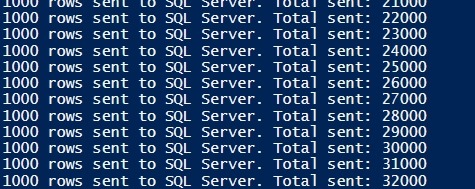
    2017-06-16 12_41_08-Windows PowerShell ISE

    and from SQL Server:

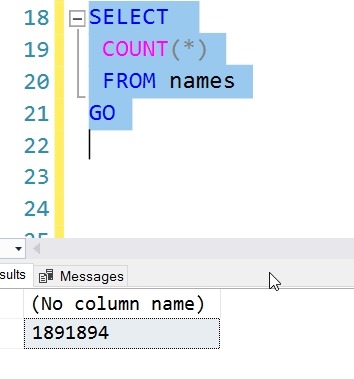
    2017-06-16 12_41_50-SQLQuery7.sql - (local)_SQL2016.sandbox (PLATO_Steve (56))_ - Microsoft SQL Serv

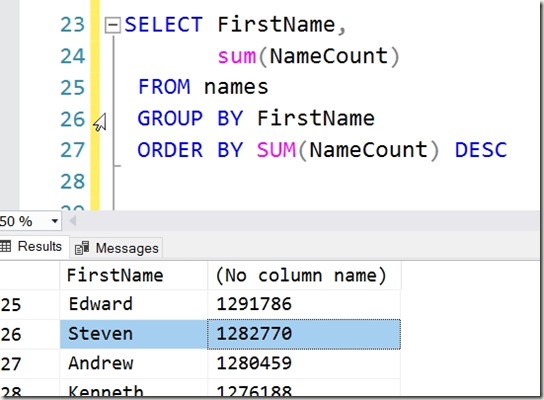
    Now I can run some queries, and find out where I stand. #26, it turns out.
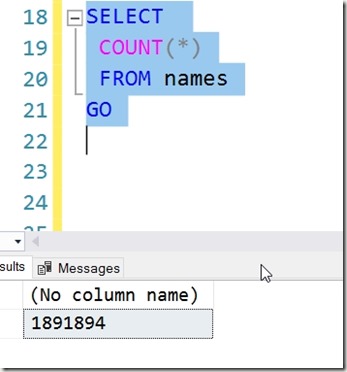
    2017-06-16 12_43_35-SQLQuery7.sql - (local)_SQL2016.sandbox (PLATO_Steve (56))_ - Microsoft SQL Serv

  • Copy-SqlJob, a handy dbatools cmdlet

    I really like the dbatools project. This is a series of PowerShell cmdlets that are built by the community and incredibly useful for migrations between SQL Servers, but also for various administrative actions. I have a short series on these items.

    One of the things I’ve often needed to do is move jobs around between instances of SQL Server. I’ll often test a job on one instance, maybe run it for awhile to see if it’s a useful addition to my instance, and then deploy the same job to other instances.

    I do this often with jobs that help each instance manage itself independently. While each new build often includes some standard settings and jobs, I do find that I’ll adjust jobs over time, fix bugs, enhance them, and I’ll need to move the job over. This has usually involved scripting the job on one instance, adding delete code, and then running the script on other instances.

    No longer.

    Enter Copy-SqlJob

    One of the cmdlets in dbatools is Copy-SqlJob, which does what you’d expect. It copies jobs from instance to instance. If you look at the docs, but default it copies all jobs, but I rarely need that. Though I might start using that for new builds along with Copy-SqlDatabase to move my DBA database from machine to machine.

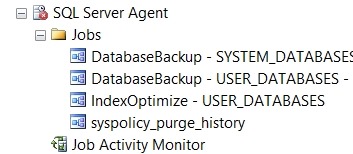
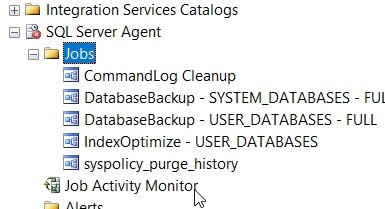
    However, I can copy specific jobs, which is perfect for my purposes. Just put a list of jobs to be copied in a script and run that. Let’s see how this works. On one instance  I have a number of jobs.

    2017-05-01 13_58_50-SQLQuery2.sql - (local)_SQL2016.master (sa (82))_ - Microsoft SQL Server Managem

    Another instance has fewer jobs.

    2017-05-01 13_58_55-SQLQuery2.sql - (local)_SQL2016.master (sa (82))_ - Microsoft SQL Server Managem

    Let’s move just the CommandLog Cleanup and Output File Cleanup jobs over. I can fire up a PowerShell and go from there. I’ll start with the –WhatIf parameter, which lets me test without moving anything.

    2017-05-01 14_06_19-powershell

    That’s easy enough. Let’s just move one job for now, the CommandLog Cleanup job.

    2017-05-01 14_07_08-powershell

    And refreshing the second instance:

    2017-05-01 14_07_18-SQLQuery2.sql - (local)_SQL2016.master (sa (82))_ - Microsoft SQL Server Managem

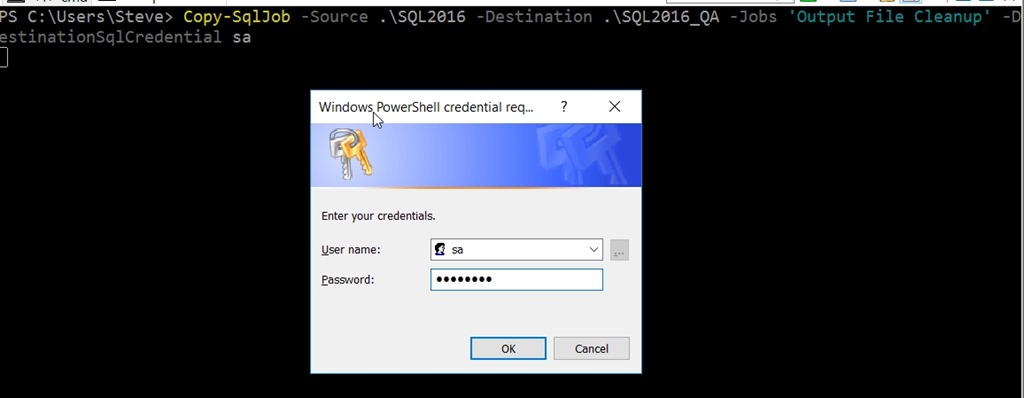
    That’s useful, and it works easily across these instances with Windows Auth. What if I need SQL Auth? I can use SourceSqlCredential and DestinationSqlCredential to specify accounts. I can even have this prompt me for the password:

    2017-05-01 14_09_06-SQLQuery2.sql - (local)_SQL2016.master (sa (82))_ - Microsoft SQL Server Managem

    Once I type it in, the copy works.

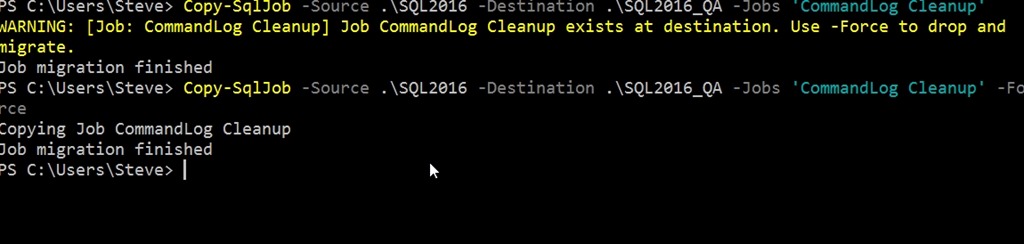
    What if I update a job on the source server, and need to ensure the changes get copied to the destination? I can use –Force. If I don’t, I’ll get a message that the job exists. With the Force parameter, the job gets copied.

    2017-05-01 14_12_10-powershell

    This is a simple, but handy way to move jobs between servers. Many of the dbatools cmdlets are designed for migrations, and this is no exception. You can migrate jobs easily if that’s your requirement.

    I’d urge you to download dbatools and see which of these cmdlets might make your administration of SQL Server easier than you ever expected.

  • I’m on dbatools!

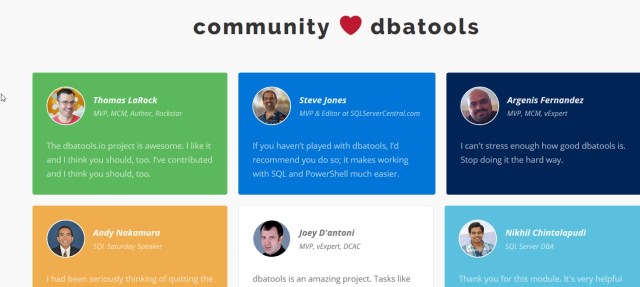
    I made the front page of dbatools, as a part of the community that is supporting this project. Along with quite a few others, I’m happy to be there and doing my part to make SQL Server administration and scripting easier.


    Maybe I’ll even write a cmdlet some day.  Since I keep working on my PoSh skills and playing with the various cmdlets.