Tag: Redgate

  • Starting a Proof of Concept with SQL Change Automation

    One of the ways that you can more easily perform database development tasks is with SQL Change Automation (SCA). This is a plug-in from Redgate that works with Visual Studio, and while there are tutorials on Setting up SCA and starting in VS, I wanted to add my own take that might make this a little easier for some people.

    This is a short Proof of Concept (PoC) that gets you started, and I’ll add in more features over time in future articles. I’ll use the idea of a database of builds for SQL Server, which is a project that you might find useful in your organization.

    Starting in Visual Studio

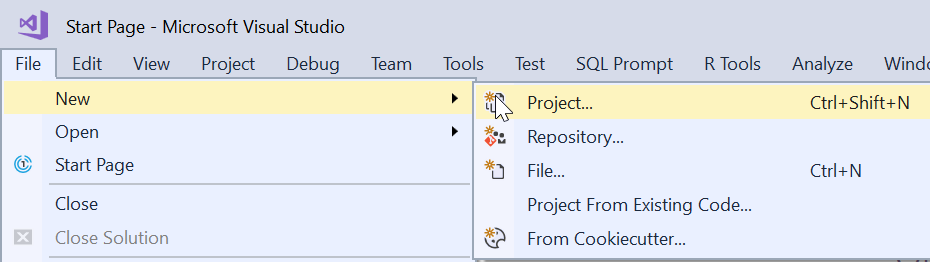
    If you’re an application developer, you are familiar with building new projects. If you’re not, you can probably figure this out, but I’ll just describe and explain the process. In the File Menu, we start our PoC with a File New.

    2018-09-18 20_17_49-

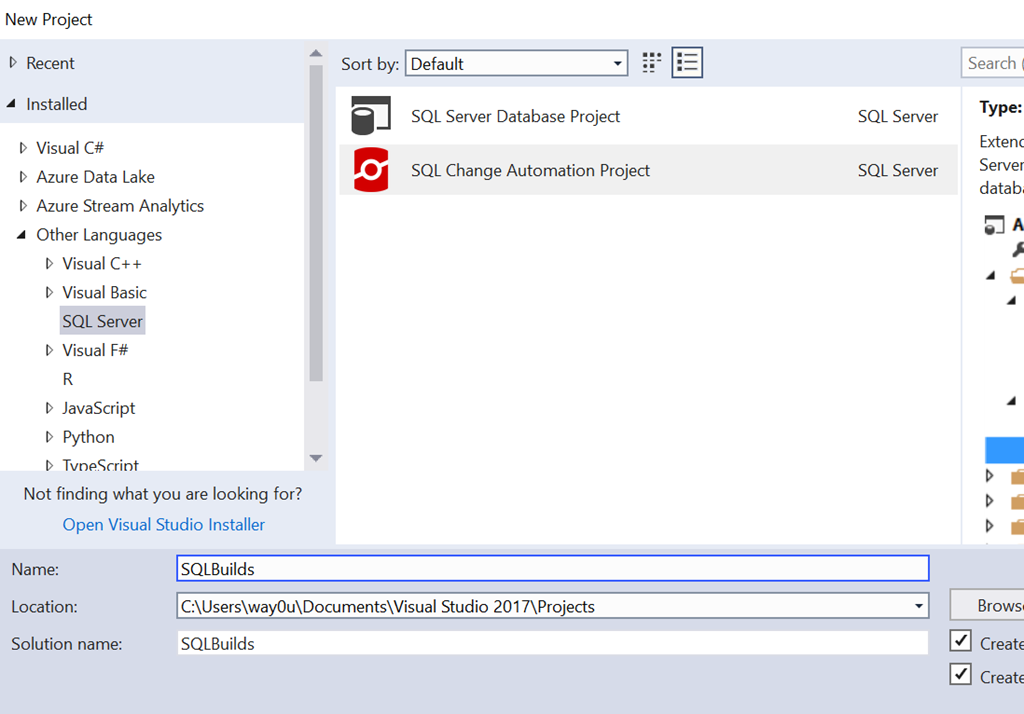
    Once you do this, you’ll see a large list of project templates or types. You can see the recent, installed, or even online types. These are broken into a weird mix of languages and target platforms, but in any case, SQL Server is relegated to the “Other”. Along with SSDT projects, if SCA (or ReadyRoll) is installed, you can choose this type.

    2018-09-18 20_19_14-New Project

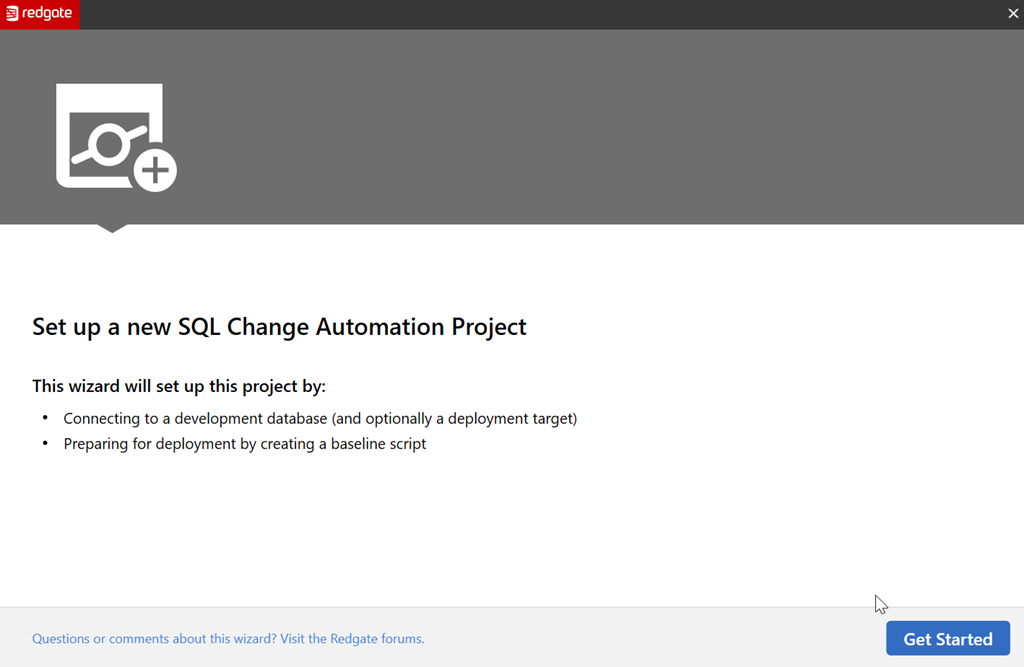
    Once we do this, the project is created, and an outline appears in the Solution Explorer. Before you can go there, SCA pops up a Getting Started dialog. This is designed to help you get moving since the project doesn’t necessarily lend itself to an intuitive flow.
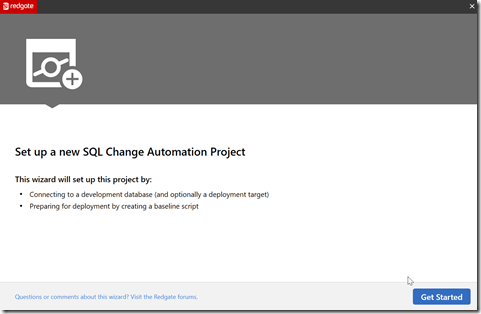
    2018-09-18 20_19_30-

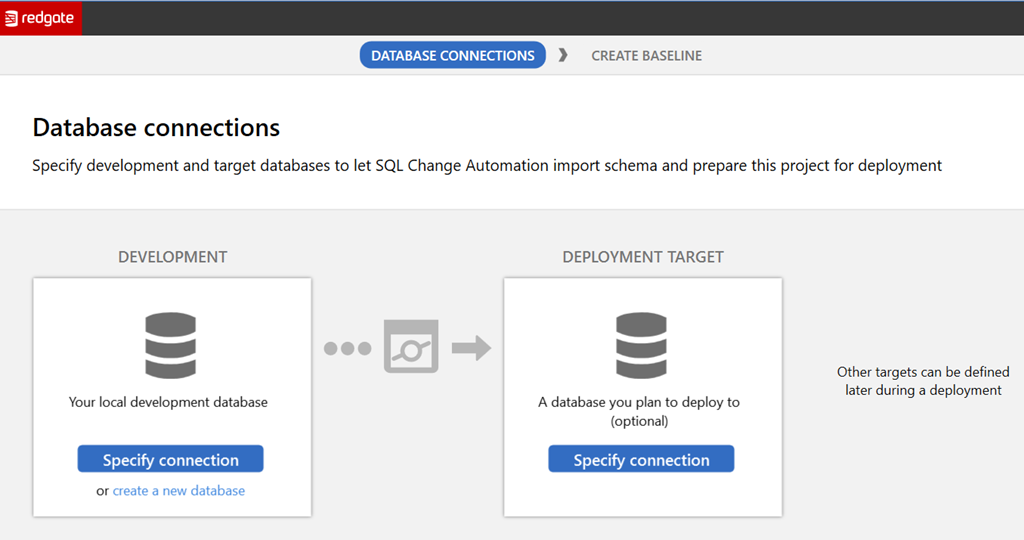
    Let’s get started, as it says. The next screen you see is the database connection. This is a slightly confusing dialog to some, but it makes sense once you understand the purpose. We have two connections with buttons and some links, as shown here.
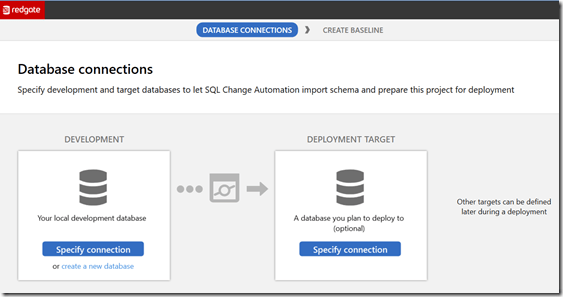
    2018-09-18 20_19_40-

    The left side is the development database. The instance chosen is also going to be the place where your shadow database is created. You can pick an existing database here by picking the instance and database in the connection dialog. Alternatively you can create a new database, where you’ll specify the details.

    The right side is the target database, which is the downstream target you’ll use for deploying code. This could be production, or it could be a QA database. Either way, this is a default target, and this can be overridden with parameters in the SCA PowerShell cmdlets.

    For now, let’s ignore the left and leave it blank. For the right, let’s create a new database. Once we click the link, we get this.
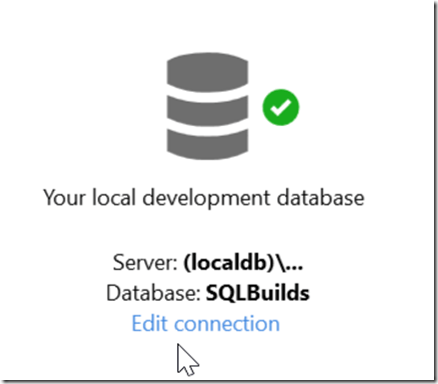
    2018-09-18 20_20_04-

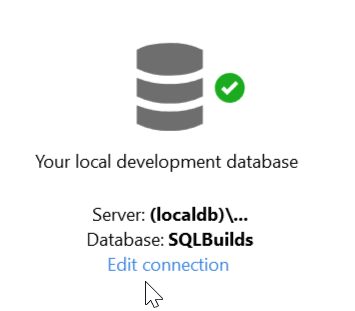
    The default database is the name of the project. The default instance is a LocalDB instance, which is an in process SQL Server. This is named (loadldb)\Projectsv13 in the  current (Aug 2018) versions of SCA. I’ll leave this alone, but the Edit Connection link would allow you to pick a new instance and database.

    Once this is created, we return to the dialog, seeing the dev database and the target, which we left blank. When we move forward, we see this dialog.
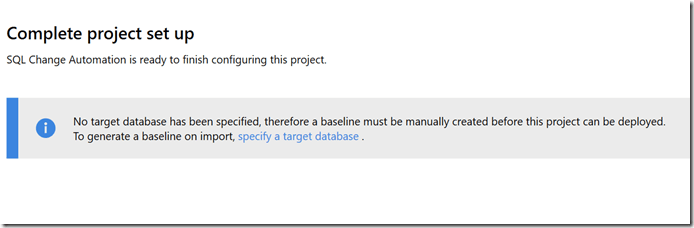
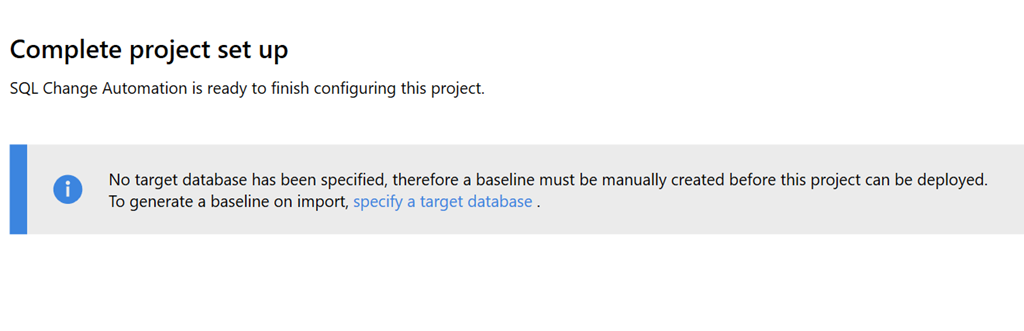
    2018-09-18 20_20_16-

    This is a reminder that we didn’t create a target, but that’s OK. We can do that later, especially since this is a new project. There is no baseline, which would be an initial script to rebuild the database to its current state. Right now our baseline is nothing.

    I’ll create the project and go back to VS. Once I go that, I can see the database on the LocaDB instance in the Object Explorer. I also see the Shadow database here.

    2018-09-18 20_27_51-SQLBuilds - Microsoft Visual Studio

    If I click Refresh in the SCA pane, I’ll get no results since there are no objects in the database.
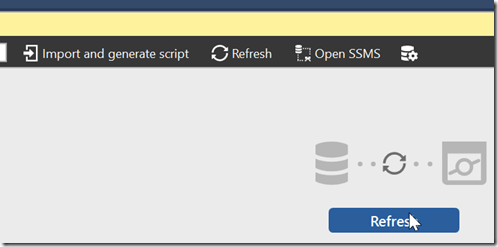
    2018-09-18 20_27_35-SQLBuilds - Microsoft Visual Studio

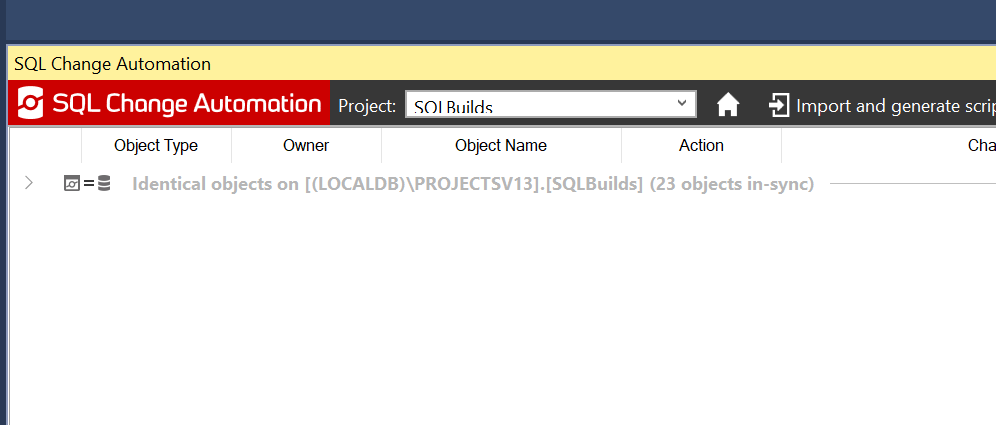
    Once this runs, I see that all objects are identical. This means the dev database and the shadow database have verified each other.

    2018-09-19 00_43_59-SQLBuilds - Microsoft Visual Studio

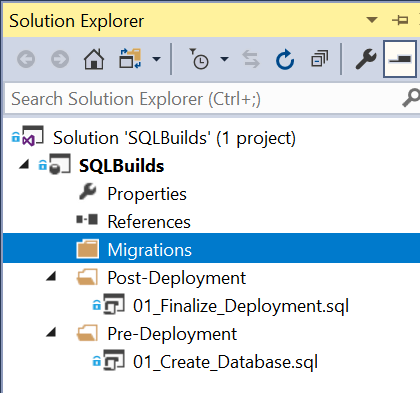
    My project is similarly blank. In solution explorer, I see the outline of the project.
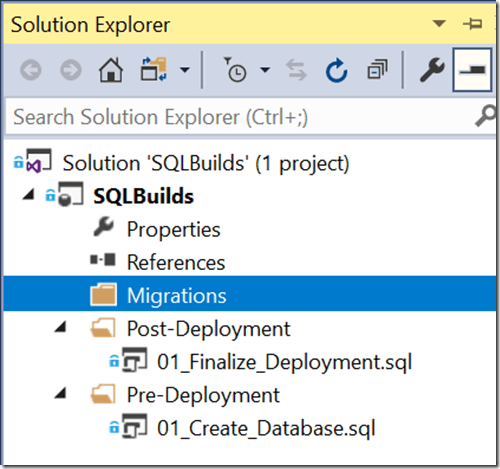
    2018-09-19 00_46_24-SQLBuilds - Microsoft Visual Studio

    At this point, I can begin development. Migrations scripts I create will appear under the Migrations folder and if necessary, I can edit the pre and post scripts. Or add more scripts here. The default scripts are in place already, but I can change them as needed.

    In the next post, we’ll start development.

  • Versions and Patches in SQL Monitor

    SQL Monitor has grown from a basic alerting system to an amazing product over the years. From it’s early days as SQL Response, where Brad and I weren’t sure this was a good idea to the current version that has two teams and releases change almost every week. In fact, new features often come out before we bundle them into a major release.

    Not that the other teams aren’t doing well at Redgate Software, but across the last 3-4 years the SQL Monitor group has been the best development team in the company. First under Daniel and now under Ben, they’ve done amazing work and it’s hard to put into words how proud and impressed I am with their results. Lots of kudos to Adam as well, who helps with UX. I enjoy our monthly chats about the progress they’ve made and future directions they’re considering.

    This post covers one of those areas.

    The SQL Estate

    There’s a new tab that’s appeared at monitor.red-gate.com:Estate. Awhile ago we started talking about the idea of scale and how do fewer DBA resources manage all their instances easily. With pressure to be more efficient and still provide rapid responses when there are issues, there has been quite a bit of work over time to help users keep track of all their database resources.

    The Estate tab is one of those areas, which has grown to 4 areas: Installed Versions, Disk Usage, Backups, and SQL Agent Jobs. Some of these are in preview, with more work planned in the future.

    2018-12-20 11_03_16-Installed Versions

    If you have ideas or requests for features, let us know. Our goal is to find ways to better ensure you get alerted to issues, can solve problems, and keep track of work that needs to be done on all your databases, no matter where they are located.

    Installed Versions

    One of the tasks I’ve often had as a DBA or sysadmin is patching systems. It’s a hassle to keep track of versions and current patches, even with resources like the SQLServerCentral Build Lists. I’ve heard similar challenges from other DBAs.

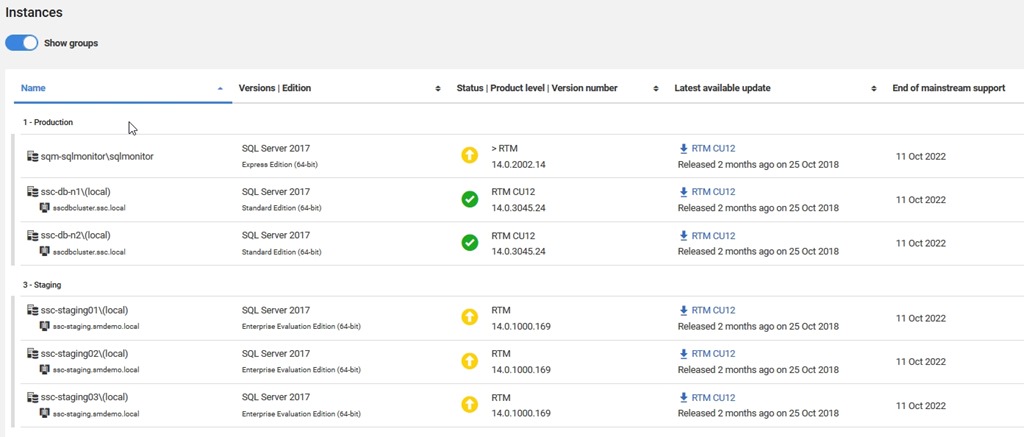
    I made a suggestion to the SQL Monitor team and they came up with the Installed Versions on the Estate tab. This let’s you easily see which versions you have installed in your monitored environment. At a quick view, you can see which SQL Server versions are installed and are up to date.

    2018-12-20 11_05_41-Installed Versions

    You can play with filters to get a quick look at your estate, which is helpful when planning your patching resources.

    If you look below here, you’ll see more details on the instances, broken out into the groups you’ve configured. What’s nice here is that you see each database, as well as the version and an icon to let you know if you are behind in patching.

    2018-12-20 11_05_52-Installed Versions

    Perhaps even more helpful, there’s a link to the download for the latest patch. Makes it easy for you to find the files you need to update an instance. Perhaps even nicer, you can easily see when support ends, and use that to make plans for upgrades if you need to do so.

    This is one of the simpler, but amazingly handy features to have in a monitoring system. I’ve built scripts and tools to do this in the past, and while it’s not hard, it’s also not something that is necessarily a good use of my time. This is a task that’s tedious with limited value add for my salary. Much better to have a tool that gathers and manages this for me.

    If you haven’t tried SQL Monitor, run over to monitor.red-gate.com and give it a run, or even better, download an eval and try it in your environment.

  • The Data Catalog from Redgate

    One of the important tasks that is needed for any organization that wants to better protect their sensitive data is some sort of list of what data is sensitive. Often we might assume all data matters, in which case we embark upon projects to over protect everything. That leads to high costs, and often a decision to stop trying to over protect everything. Which means often we stop protecting some sensitive data.

    The idea of a data catalog that has some metadata or information about all the data in your organization has been around for some time, but often the task is handled by a spreadsheet of some sort, filled out as a project and then forgotten, never maintained and perpetually out of date.

    The early versions of a data catalog from Microsoft, and a few other companies, involved essentially a web form that filled out a spreadsheet for you. Not a good way of managing this data.

    We’re giving this a try. Redgate has launched a beta of our Data Catalog utility. I’ve watched this work for almost a year now as engineers have been trying to understand the problem space and find a better way. Customers want it, and in the case of the GDPR, need it.

    Our first cut integrates with other products, such as our SQL Provision, which should help you find places where you might not be in compliance with regulations such as GDPR, HIPAA, and PCI. You’ll see when a new copy of a database has data that should be masked, and you can ensure that you mask it when making copies for development and test environments.

    Give it a try, and let us know what you think.

  • SQL Census–From the Redgate Foundry

    The Foundry at Redgate Software is our version of Microsoft Research. Kind of. We tackle some projects that are interesting and might make good products at some point, but we’re looking at the in the investigative phase. You can read about the Foundry here.

    Some interesting work is taking place in the Foundry and there’s one project that I think is interesting and solves a problem that many of us have had, but I’m not sure how commercially viable this is in the real world.

    Maybe you can help us learn more.

    SQL Census

    SQL Census started as investigation into the area of security, something that is both very simple in SQL Server, but can also become a cumbersome, complex, nightmare.

    The work has progressed well, and there’s a product available. Sort of. It’s in the stage where we are trying to decide how to move forward with both future development and starting to sell this. For now, you can get a look at the tool and give us some feedback. We’re really looking for more information about

    • Do you need this for compliance purposes?
    • Will this help you better secure your environment
    • Does this meet permission management needs?
    • Something else?

    We’re like to get more users, especially those that have larger environments where there isn’t a single user or role that everyone has.

    If you’re interested, read a little about the product and give it a try.