Tag: syndicated

  • The Game Night Poll

    This year we’ve handed off Game Night to the PASS organization and it’s an official event. Volunteers from the community will help setup, manage, and tear down the event. Kevin Hill is taking the lead, but if you’re willing to help run the night, let he or I know.

    Kevin has a poll up, asking what games he should invest in for PASS. If there’s something you’d like to play, think others will enjoy, and don’t want to bring your copy, let him know.

    Also, don’t forget to purchase a ticket if you are coming to the Summit and want to attend this party on Thursday night. There isn’t a party this night, so Game Night is a low-key, fun, competitive space to enjoy with fellow gaming attendees.

    Purchase a Ticket

  • The World of MySQL

    I had two different people ping me on the same day with MySQL questions. One was a former co-worker, asking for some query help, and one was from the Boy Scouts of America, also asking for some query help for a few reports. Strange that both requests came on the same day.

    I didn’t have a MySQL install on the latest incarnation of my desktop or laptop. I did pop MySQL Workbench on a laptop last year, playing with Azure deployments, but no server. I deployed a MySQL instance on an Azure VM, but I had trouble connecting. Either the Ubuntu instance didn’t have the MySQL ports open (should have in the template), or I typed the password wrong. Either way, I just decided to delete that resource group (I love resource groups) and download the MariaDB server.

    It’s a standard download from Mariadb.org and it’s not too large. In fact, it took longer to download than install.  The install was a standard msi installer, and ran in a minute or two.
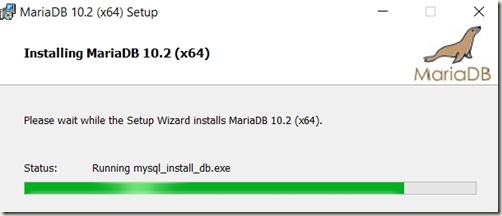
    2017-07-26 19_56_54-MariaDB 10.2 (x64) Setup

    From there, I started up MySQL Workbench, which I’d downloaded and installed. I entered my user and password, using the default ports for the server.
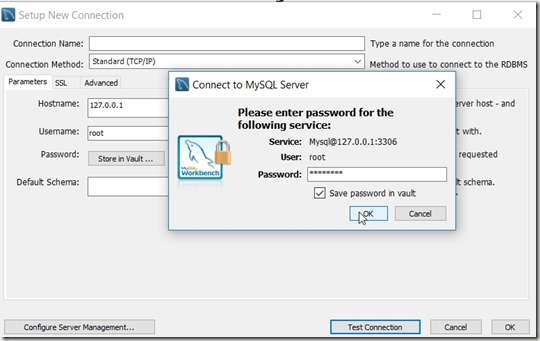
    2017-07-26 19_57_13-Setup New Connection

    And things worked, as they should in 2017.

    2017-07-26 19_57_29-MySQL Workbench

    From there, I selected the data import and chose the file I’d been sent. It was (supposedly) a MariaDB dump, but listed as a .sql file. Looking through it, it has SQL and data inserts, so I ran it with the Data Import.

    2017-07-26 19_59_06-MySQL Workbench

    This ran for less than a minute and things were complete.
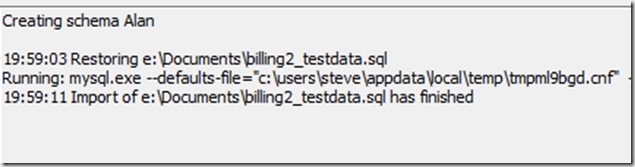
    2017-07-26 20_03_19-MySQL Workbench

    And sure enough, some MySQL syntax (googled to remember) works.

    2017-07-26 20_04_53-MySQL Workbench

    Now to debug some queries for a friend.

  • Responsible Log Growth with dbatools

    I really like the dbatools project. This is a series of PowerShell cmdlets that are built by the community and incredibly useful for migrations between SQL Servers, but also for various administrative actions. I have a short series on these items.

    I love dbatools, and I’ve been trying to explore the various cmdlets over time, both to practice my PoSh and see if there are easier ways of accomplishing some tasks.

    Recently I was browsing the dbatools.io site to see what’s changed and noticed a new cmdlet, Expand-DbaLogResponsibly and just had to check this one out.

    Often I’ve considered proactive space management a part of my DBA responsibilities that is core to a well run system. I don’t look at storage every day, but I usually try to look monthly, with an eye towards keeping about 3 months worth of data growth as a pad in most systems. That’s a general guideline that varies by system.

    However, logs can be different. They are sized based on workload and backup schedule, which usually works. However, sometimes there are issues and I want to grow my log quickly. If you’ve read about growing log space (like this piece), you’ll realize that there are a variety of things to consider. And the rules change by version, or even patch level, of SQL Server. A lot to consider.

    Fortunately, this cmdlet wraps those things up into a command. Just call it with the server, database, target size, and optionally log FileID. It will capture the rules for growth and take appropriate actions.

    NOTE: This does not look at the current number of VLFs. You need to be sure you’ve managed your log file.

    If you wonder how this works, or if the rules are appropriate for your system, check out the code at Github. I’m sure you’ll find that this is the easiest way to manage a log file.

  • Adding a New Default to a Column

    Another post for me that is simple and hopefully serves as an example for people trying to get blogging as #SQLNewBloggers. This is also a part of a basic series on git and how to use it.

    This is a fairly simple process, but I bet more than a few people don’t know how to do it. I had to double check some syntax the other day, and I thought this is a perfect SQLNewBlogger post, based on something I had to (re)learn.

    If I have a table, there are existing columns and I want to add a constraint to one, I need to alter it. To do that, I’ll use the ALTER TABLE x ADD CONSTRAINT syntax.

    One of the common use cases is to add a default date to a date column. For example, I have a Blogs table and want to ensure the CreatedDate column is always populated. I’d do that with

    ALTER TABLE dbo.Blogs
    ADD CONSTRAINT df_SysUTCDate DEFAULT SYSDATETIME() FOR createdate;

    In this case, I use ADD CONSTRAINT and then name the constraint. Using specific names is always good since this means I can be sure that I have matches between development, QA, and production.

    I then use the DEFAULT keyword and follow this with a function name. I then use the FOR and the column name. This means I’ve added a default constraint to the CreateDate column and if no value is included in an insert statement, sysdatetime() used.

    This is a basic idea, but one that few developers think about or include in their design. Learn to use defaults and add them when you start building or adding columns.