I wish this were the mantra of all people, but certainly those in technology:

One of the goals early on with SQL Saturday was to spread them far and wide. Andy Warren and I used to chat about how long it would be before we had 12 events in a year, or one event a month, or an event in every state. Karla Landrum (b | t) has made many of those milestones come true and is working hard to try and get an event in every state in the US, as well as in as many countries around the world as possible.
SQL Saturday #175 comes to Fargo, North Dakota, on Saturday, April 27, 2013. The first event in this state, and also my first time visiting the state. I’ll be heading out Friday morning, and seeing what Fargo has to offer that day before talking on Saturday. I may just have to see the Wood Chipper.
My talk is The Encryption Primer, but there are some other great choices if you’re looking to increase your SQL Server knowledge. The schedule is up and includes these:
Lots of great sessions, and it should be fun.
If you’re close to Fargo, consider registering and joining us at the first North Dakota SQL Saturday.
This is a short series on some customizations in SSMS to make it visually more appealing.
As a presenter, I’ve learned how to change the way Management Studio (SSMS) looks to make it easier for people to see the screen on a projector. I had wrongly assumed that so many people knew many of these tricks, which is a poor attitude on my part. That should be especially apparent as I saw a presentation recently where the speaker didn’t know how to make things easier to see.
In a previous post I talked about changing the query font size. In this post we’ll look at result sizes.
This is what I see, and it’s not easy to read.
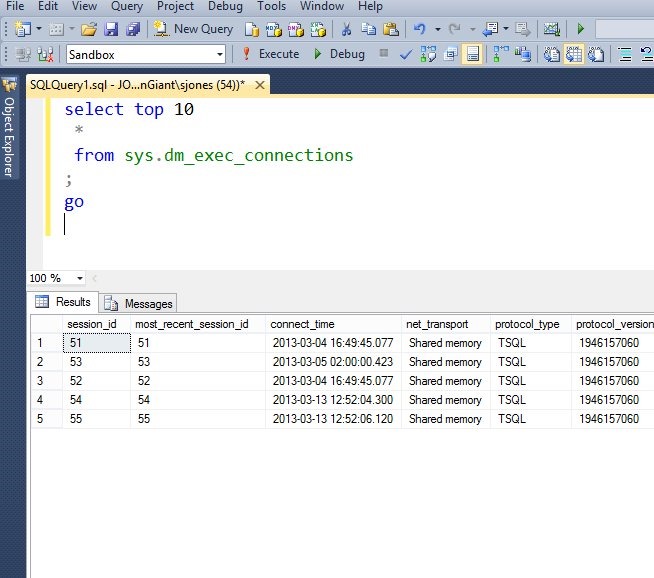
The results are much smaller than the query itself. How can we change this and make things easier to read?
I wrote about one way: using results to text. This works well, but it isn’t the best solution for everyone, and you still want to change the size of your results. The technique I’ll show you works for that as well.
If you go to the Tools | Options menu, in the Fonts tab as I showed in the last post, you’ll find there’s a drop down titled “Show settings for:” at the top. If you select Grid results, you can change the font settings.
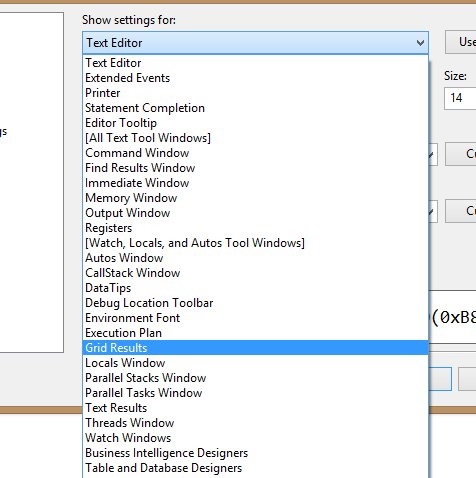
The default is 8, and I usually up that a bit.
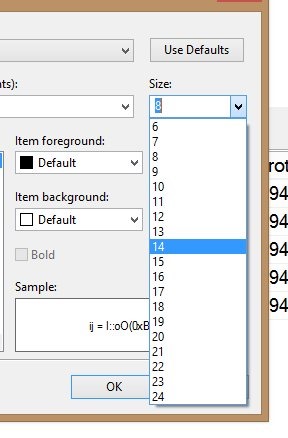
Once that is done, you click OK, and get this note:
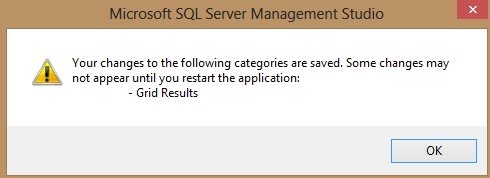
Make sure your tabs are saved, since you need to restart SSMS. Once you do, your results will be much easier to read.
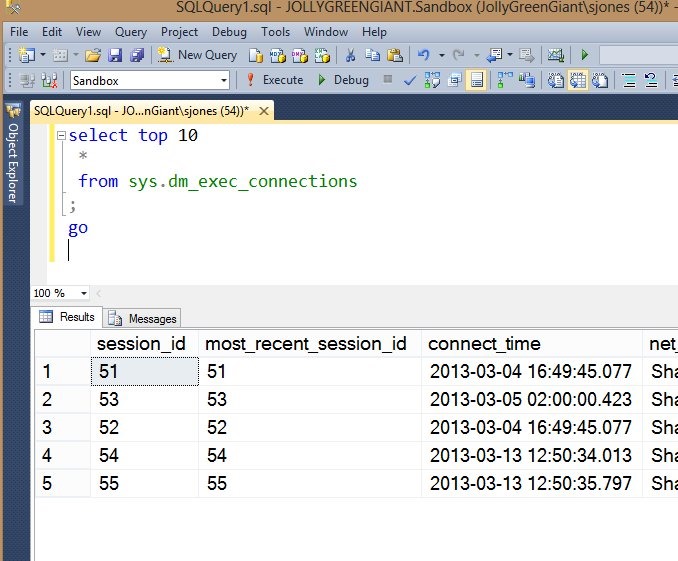
Note that in the drop down for settings, there is an item for “Results to text”. If you change that, your text results will be larger.
I had known that the Resource Governor is always running in modern versions of SQL Server. It’s core to the operation of the SQLOS, though it can’t be used to do anything unless it is enabled.
You can read more about it if you have Enterprise Edition, and I’ve thought it was a good start to controlling and throttling the resources inside SQL Server. I’d like to see it expanded, and I do like the CAP addition in 2012.
However I wasn’t aware you could prevent someone from enabling Resource Governor. Apparently you can, as shown in this blog: Disabling Resource Governor permanently (somewhat). Amit Bansal shows that if you set trace flag 8040, the Resource Governor cannot be enabled. This prevents changes by junior administrators, developers, etc. that might not be aware of the consequences of their actions.
Personally for me, I’m not sure I like this. To me this is a case where you don’t have trust among your staff, or good communication, or perhaps something else. None of those are good situations.
I don’t know that I’d ever use this, but you can read Amit’s post for more details.
Note that this doesn’t remove Resource Governor, and your DAC still resides in the internal pool, which always has guaranteed resources.
 Voice of the DBA