Another post for me that is simple and hopefully serves as an example for people trying to get blogging as #SQLNewBloggers.
I like the FizzBuzz test. It’s cute and fun, and I’ve had my kids solve it, just to think about what it means to structure a simple problem. It’s not a great test of whether you’re a good programmer, but if you can’t solve this, you probably aren’t.
Ken Fisher set up a challenge to solve FizzBuzz with SQL, but in a 3D manner. He added a few challenge to this, like no modulus operator. I don’t know why you’d deliberately avoid using this, but it’s a programming exercise, so why not. I took the challenges because, well, Ken asked me do.
SQLNewBlogger
I’m putting this part first, because this is a good exercise, and a great post for your blog. Solve this yourself first, and write about it. Then you can read my code.
The coding part of this probably took me 20-25 minutes to do. I worked on it in a few stages, pausing to do other work and let the solution simmer a bit. I realized a few times that I was making it harder, so the breaks were helpful.
Writing this up was about 30 minutes, but it made me think about what I’d done.
Building a Solution
My first thought with this is I need a tally table. Of course, I’m building a set of coordinates from 1 to 100. I started here.
WITH myTally (n)

AS

-- SQL Prompt formatting off

(SELECT n = ROW_NUMBER() OVER (ORDER BY (SELECT null))
  FROM (VALUES (1), (2), (3), (4), (5), (6), (7), (8), (9), (10)) a(n)
   CROSS JOIN (VALUES (1), (2), (3), (4), (5), (6), (7), (8), (9), (10)) b(n)

)

, cteCoordinates (x, y, z)

-- SQL Prompt formatting on

AS

(

SELECT a.n ,
        b.n ,
        c.n

FROM myTally AS a
     CROSS JOIN myTally AS b
     CROSS JOIN myTally AS c

)

SELECT x, y, z

FROM cteCoordinates;
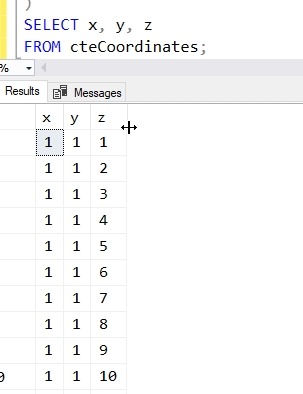
This gave me my list of numbers.

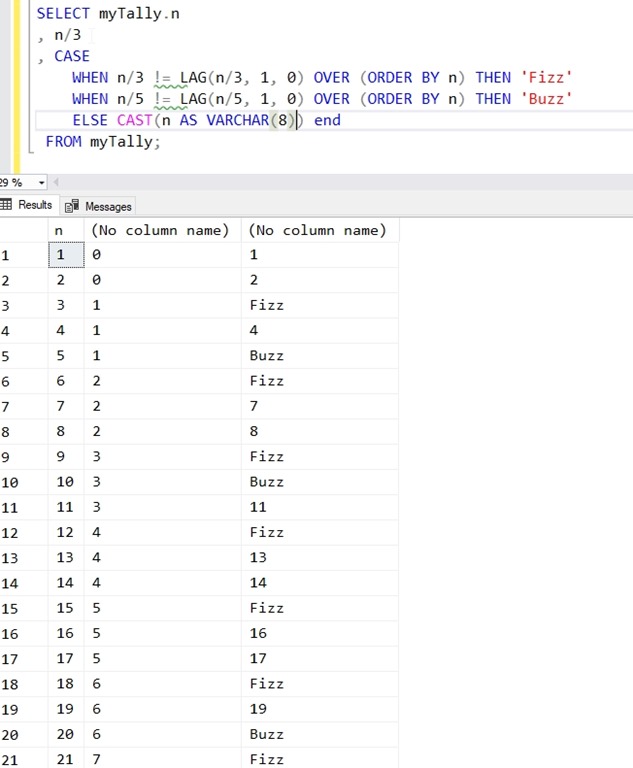
My next step was to think about the FizzBuzz test. I can’t use Modulo, so how can I determine if I am evenly divisible by 3? I decided to look at the simple division operator. I got these results, but notice anything?
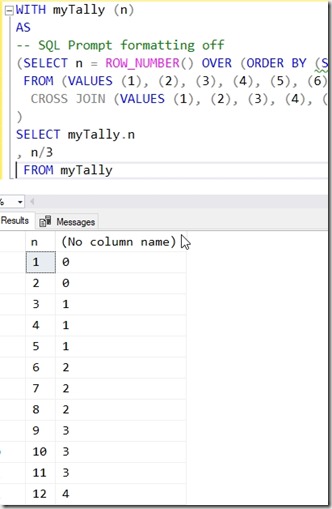
I get a new number every time the division changes. Immediately I think of window functions here. So I decided to do some checking here. Since I’m looking for a change, I went with a LAG function.
If the LAG isn’t equal to the current value, I’ve had a change. Therefore, a Fizz.
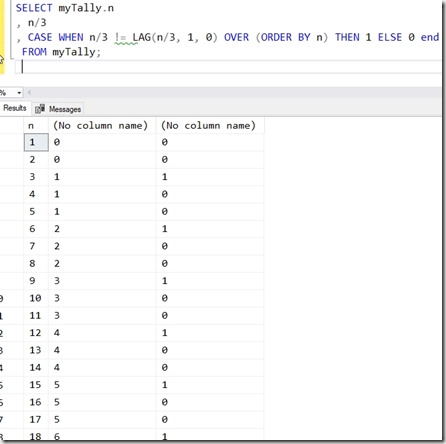
Let’s clean this up to show Fizz and add the Buzz with a 5.
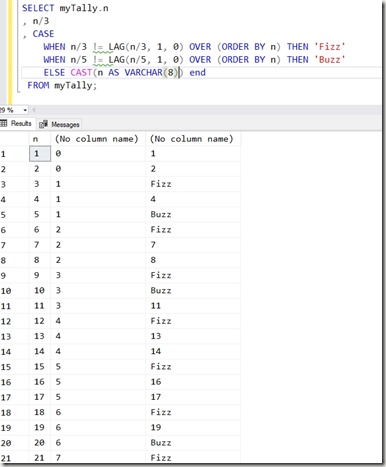
I’m getting there, but what about FizzBuzz? Well, the CASE will execute in order, so let’s add that one at the top.
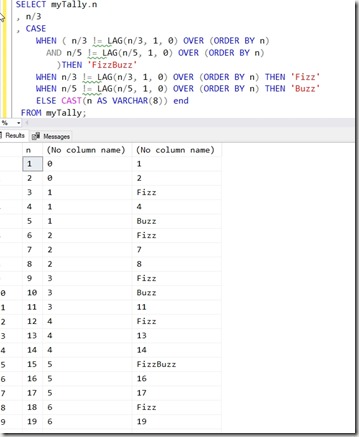
I’ve mostly solved this, so let’s put this in my query. I’ll substitute the CASE in for each item of the cross join. I get this:
WITH myTally (n)

AS

-- SQL Prompt formatting off

(SELECT n = ROW_NUMBER() OVER (ORDER BY (SELECT null))
  FROM (VALUES (1), (2), (3), (4), (5), (6), (7), (8), (9), (10)) a(n)
   CROSS JOIN (VALUES (1), (2), (3), (4), (5), (6), (7), (8), (9), (10)) b(n)

),

cteCoordinates (x, y, z)

AS

( SELECT

CASE
     WHEN ( a.n/3 != LAG(a.n/3, 1, 0) OVER (ORDER BY a.n)
       AND  a.n/5 != LAG(a.n/5, 1, 0) OVER (ORDER BY a.n)
         )THEN 'FizzBuzz'
     WHEN a.n/3 != LAG(a.n/3, 1, 0) OVER (ORDER BY a.n) THEN 'Fizz'
     WHEN a.n/5 != LAG(a.n/5, 1, 0) OVER (ORDER BY a.n) THEN 'Buzz'
     ELSE CAST(a.n AS VARCHAR(8)) END,

case WHEN ( b.n/3 != LAG(b.n/3, 1, 0) OVER (ORDER BY b.n)
       AND   b.n/5 != LAG(b.n/5, 1, 0) OVER (ORDER BY b.n)
         )THEN 'FizzBuzz'
     WHEN b.n/3 != LAG(b.n/3, 1, 0) OVER (ORDER BY b.n) THEN 'Fizz'
     WHEN b.n/5 != LAG(b.n/5, 1, 0) OVER (ORDER BY b.n) THEN 'Buzz'
     ELSE CAST(b.n AS VARCHAR(8)) END,

case WHEN ( c.n/3 != LAG(c.n/3, 1, 0) OVER (ORDER BY c.n)
       AND  c.n/5 != LAG(c.n/5, 1, 0) OVER (ORDER BY c.n)
         )THEN 'FizzBuzz'
     WHEN c.n/3 != LAG(c.n/3, 1, 0) OVER (ORDER BY c.n) THEN 'Fizz'
     WHEN c.n/5 != LAG(c.n/5, 1, 0) OVER (ORDER BY c.n) THEN 'Buzz'
     ELSE CAST(c.n AS VARCHAR(8)) END
    FROM mytally a
    CROSS JOIN mytally b
    CROSS JOIN mytally c

)

SELECT *
  FROM cteCoordinates
  ORDER BY cteCoordinates.x, cteCoordinates.y, cteCoordinates.z
That doesn’t seem to work. Even forgetting the ordering, I have a mess.

At this point I took a break. Clearly I’m overlooking something in my five minutes of work.
Debugging
Let’s move the items around and get some ideas here. I’ll get the actual numbers and then the FizzBuzz results. When I print the coordinate values along with the decodes, I see this.

What’s my error? I’m not thinking of LAG() correctly. This is by row, and the lagging for the x and y coordinates (the first two columns), aren’t changing at the same rate.
Aha.
Let’s change this. I’ll setup a simpler CTE first, one that takes the values from 1-100 and returns the value as well as the FizzBuzz calculation. This gives me this code:
WITH myTally (n)

AS

(

SELECT n = ROW_NUMBER() OVER (ORDER BY (SELECT NULL))

FROM

-- SQL Prompt formatting off

(    VALUES (1) ,(2) ,(3) ,(4) ,(5) ,(6) ,(7) ,(8) ,(9) ,(10)) AS a (n)
     CROSS JOIN    ( VALUES (1), (2), (3), (4), (5), (6), (7), (8), (9), (10) ) AS b (n)
     CROSS JOIN    ( VALUES (1), (2), (3), (4), (5), (6), (7), (8), (9), (10) ) AS c (n)

-- SQL Prompt formatting on

) ,
      cteFizzBuzz (x, n)

AS

(

SELECT CASE
            WHEN (n / 3 != LAG(n / 3, 1, 0) OVER (ORDER BY n)) AND (n / 5 != LAG(n / 5, 1, 0) OVER (ORDER BY n))
               THEN 'FizzBuzz'
            WHEN n / 3 != LAG(n / 3, 1, 0) OVER (ORDER BY n) THEN
                'Fizz'
            WHEN n / 5 != LAG(n / 5, 1, 0) OVER (ORDER BY n) THEN
                'Buzz'
            ELSE
                CAST(n AS VARCHAR(8))
        END, n

FROM myTally

) ,    cteCoordinates (x, y, z)
Now that I have this, let’s build the coordinates now. I’ll use the first set of code above as an example, and cross join the cteFizzBuzz with itself. I’ll make this the third CTE.
) ,    cteFinal (x, y, z, a, b, c)

AS

(

SELECT a.n, b.n, c.n, a.x, b.x, c.x

FROM           cteFizzBuzz AS a
     CROSS JOIN cteFizzBuzz AS b
     CROSS JOIN cteFizzBuzz AS c

)
Note that I’m returning the original values (for sorting) and the calculated FizzBuzz values, which are characters. If I didn’t care about this, I could ignore the first few columns.
In my outer query, I display the words, but order by the numbers.
SELECT
    c.a, c.b, c.c
  FROM cteFinal c
  ORDER BY c.x, c.y, c.z
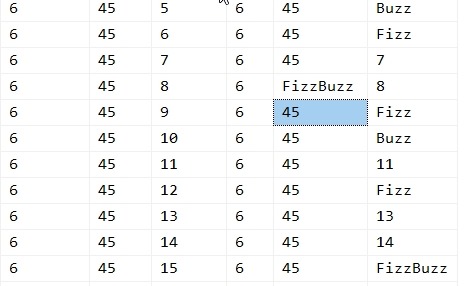
This gives me the answer (scrolled down to show a few cases).
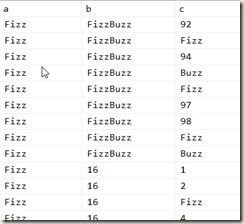
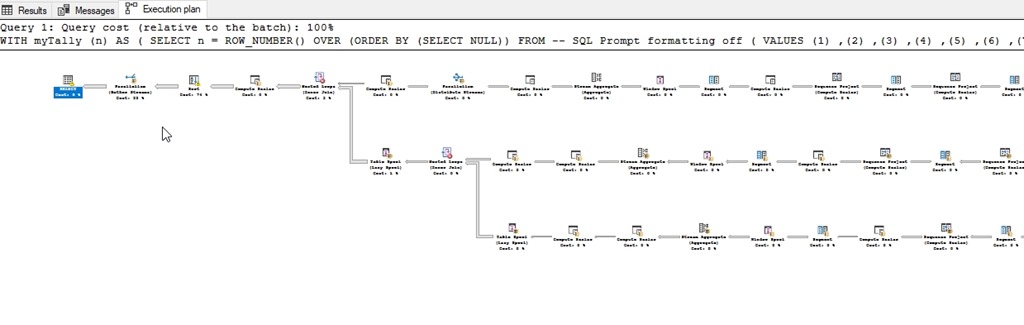
On my machine, this takes about 4s to run. Not bad, and probably not optimal. The query plan is a mess, but this is for fun in a quick run, so let’s leave this for now.
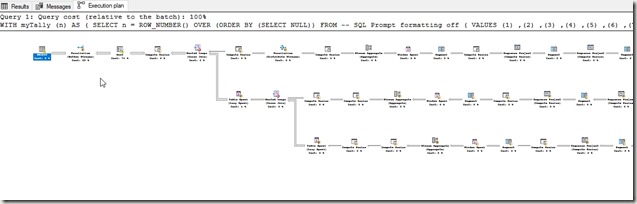
There are likely better solutions. I’m not an optimization guy out of the box. I get things done first, then I’ll go back and evaluate some time to tune things. In this case, adding in 3 more values (to 300) takes 1:58s. Going to 500 rows caused an SSMS out of memory error.
If I send the results to a temp table, things are better:
- 100x100x100 (1,000,000 rows) – 00:01
- 300x300x300 (27,000,000 rows) – 00:06
- 500 x 500 x 500 (125,000,000 rows) – 00:29
- 1000x1000x1000 (1,000,000,000 rows) – 6:48
Note, don’t send results to the client if you don’t need to.





 .
.
