Tag: syndicated

  • SQL Prompt Prevents Stupidity

    I work for Redgate and write about products. I’ve got a series of SQL Prompt posts here on little things I like. SQL Prompt might be my favorite tool.  SQL Prompt will be yours as well if you give it a try.

    I upgraded my SQL Prompt recently, mostly as a habit. The team led by David and Aaron are always adding cool new features, and have almost never broken my flow, so I usually take the changes they’ve made whenever they appear. In this case, I got an unexpected surprise.

    While demoing some tSQLt stuff, I wanted to show how to install the framework. I loaded the tsqlt.class.sql file and clicked Execute. What I saw was this:
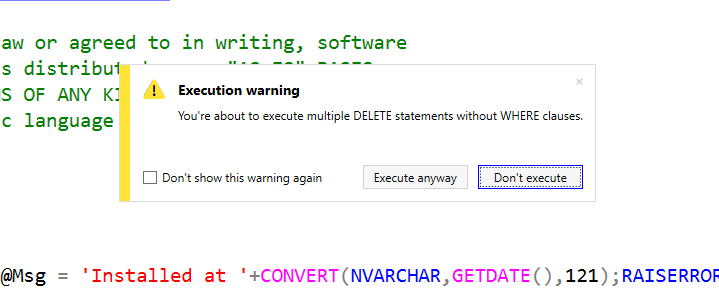
    2016-06-01 19_09_49-06_testingtsql_install_tSQLt.class.sql - JOLLYGREENGIANT_SQL2014.SimpleTalkDev_S

    In the middle of my SSMS window was a warning. I’ve got multiple items without WHERE clauses in the script. There are deletes, and in this case they don’t matter. However I got a warning. I could stop execution or execute.

    This made me pause in front of the audience for 10 seconds while I read it, but I clicked “Execute anyway”, things worked, and I went on.

    However, that was cool.

    I tried this in other ways. Suppose I had an UPDATE without a WHERE.
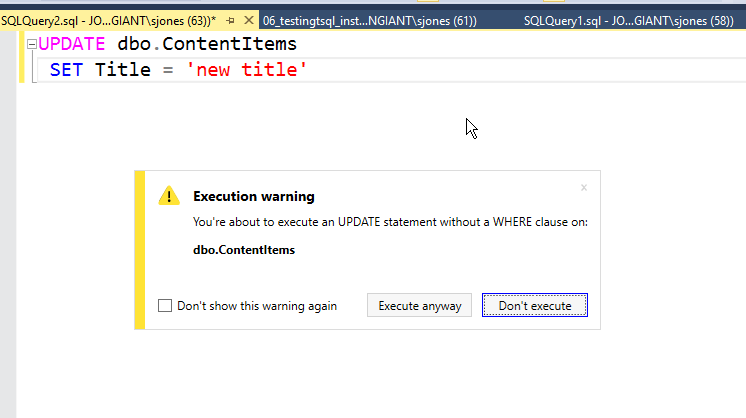
    2016-06-01 19_11_06-SQLQuery2.sql - JOLLYGREENGIANT_SQL2014.TestingTSQL (JOLLYGREENGIANT_sjones (63)

    Same warning. That’s a good one. What if I highlighted just part of a script?
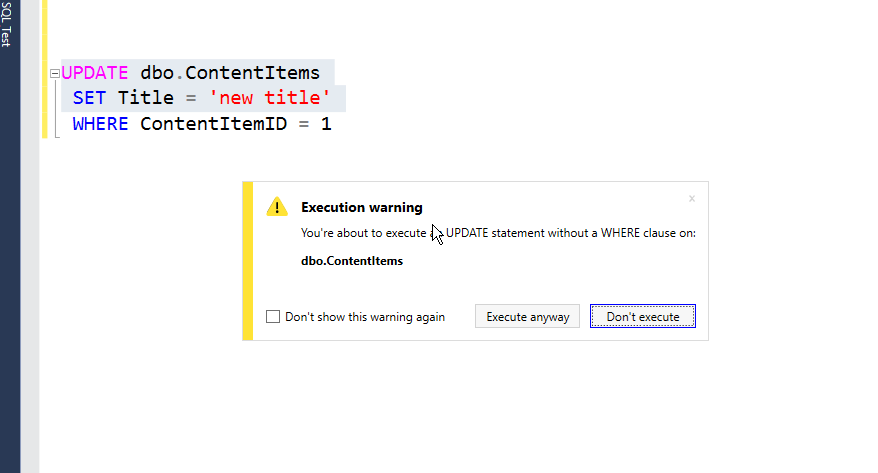
    2016-06-01 19_13_21-SQLQuery2.sql - JOLLYGREENGIANT_SQL2014.TestingTSQL (JOLLYGREENGIANT_sjones (63)

    I can’t tell you how many times I’ve done this in a presentation. Or in production, where it’s happened a few times. I could turn off the warning, but I love it. This is exactly what I need to prevent me from doing something stupid that I didn’t mean to do.

    If I want to clear a table, and sometimes I do in demos, I click “Execute”. However, if I’ve made a mistake, I just hit enter, take the default, and then fix things.

    I love SQL Prompt, and it’s one of my favorite tools from Redgate. I also love the development process, with the team working against submissions and requests from users, and responding with small releases hundreds of times a year.

    If you’ve got SQL Prompt, be sure you update to v7.2. If not, then download it and give it a try. I think if you spend a good two weeks working with it, customizing snippets, and practicing some of they keystrokes, you’ll love it as well.

    You can see a complete list of SQL Prompt tips at Redgate.

  • OBJECT_ID()–#SQLNewBlogger


    One of the things that is needed in quite a few functions is the object_id of a particular table/view/procedure/function in SQL Server. For example, I was looking at STATS_DATE recently, and it has this definition.

    STATS_DATE (object_id, stats_id)

    In the past, I’d run something like this:

    DECLARE @i INT
    SELECT @i = object_id
     FROM sys.objects 
     WHERE name = 'SalesOrderHeader'
    SELECT STATS_DATE ( @i , 2)

    Actually, I’d really do this as two batches.

    SELECT * FROM sys.objects WHERE name = 'SalesOrderHeader'
    SELECT STATS_DATE ( 1266103551 , 2)  
    

    I’d run the first, get the ID, and paste it into the second. However I’ve learned that isn’t the best way to do this. In fact, when I started doing  a lot of encryption testing and research, I started to take advantage of functions like OBJECT_ID.

    Now, here’s what I’d do:

    SELECT STATS_DATE ( OBJECT_ID(‘Sales.SalesOrderHeader’) , 2) 

    Simple, easy, and I can do this inline. With SQL Prompt, I’m also pretty quick getting this out. Of course, I do need to remember to include the schema, because this won’t work:

    SELECT STATS_DATE ( OBJECT_ID(‘SalesOrderHeader’) , 2) 

    Three warnings. First, qualify your objects. In this case, I should have used Sales.SalesOrderHeader to be sure I get the correct object. There are people that use schemas with the same object in multiple schemas (etl.SalesOrderHeader, audit.SalesOrderHeaders, etc.).

    Second, the object_id() isn’t guaranteed to be unique across databases. I should have pointed that out.

    SQLNewBlogger

    When I find quick tricks or techniques I use often, I try to make a note and then write about them later. It helps me remember, but it also lets me share things with others.

    Perhaps most important, it shows I’m doing and learning things in my career. Winking smile

  • InsideSQL–The Deep Dive

    There’s a new conference in London next week, the InsideSQL conference on June 14th. It’s at the CodeNode venue, near Liverpool Stree and the Moorgate stations.

    And I want to go.

    I can’t. I’m a bit traveled out, my family is a bit tired of travel overall, and I need a few weeks off. However I’m sad I’ll miss this, a deep dive into lots of topics with some great speakers that write at SQLServerCentral. You can go listen to

    • Gail Shaw
    • Gianluca Sartori
    • Hugo Kornelis
    • and more.

    We’ve even got Alex Yates from Redgate Software talking about the complex ins and outs of deployment, which we’ve been trying to make easier for years.

    It’s a small event, but it looks like a good one. If you can convince the boss to give you a day off and get to London, you can use the code “Redgate” for a discount on admission. I think the discount is £70 off, so that’s a cheap day of training from some experts.

    Go, and let me know how much you enjoyed the event.

  • SQL Compare 12 Beta

    SQL Compare is a core product from Redgate and I’ve got a series on some of the interesting things I’ve found. Download a trial today if you haven’t tried it.

    The Beta is out. I’ve been waiting for this, and was glad to see Carly’s post on the product. I’ve been involved in looking at some early designs and functionality, and have been waiting for the product to get to the point I could play with it more.

    Be sure you grab the beta if you like Compare, give it a try, and send us feedback. We really try to be responsive as a company, and certainly want Compare and Data Compare to be the best products out there.

    New Look and Feel

    Redgate has been looking to get a new look and simpler designs as a company. You can see that with the SQL Compare installer.

    2016-06-03 16_49_37-SQL Compare

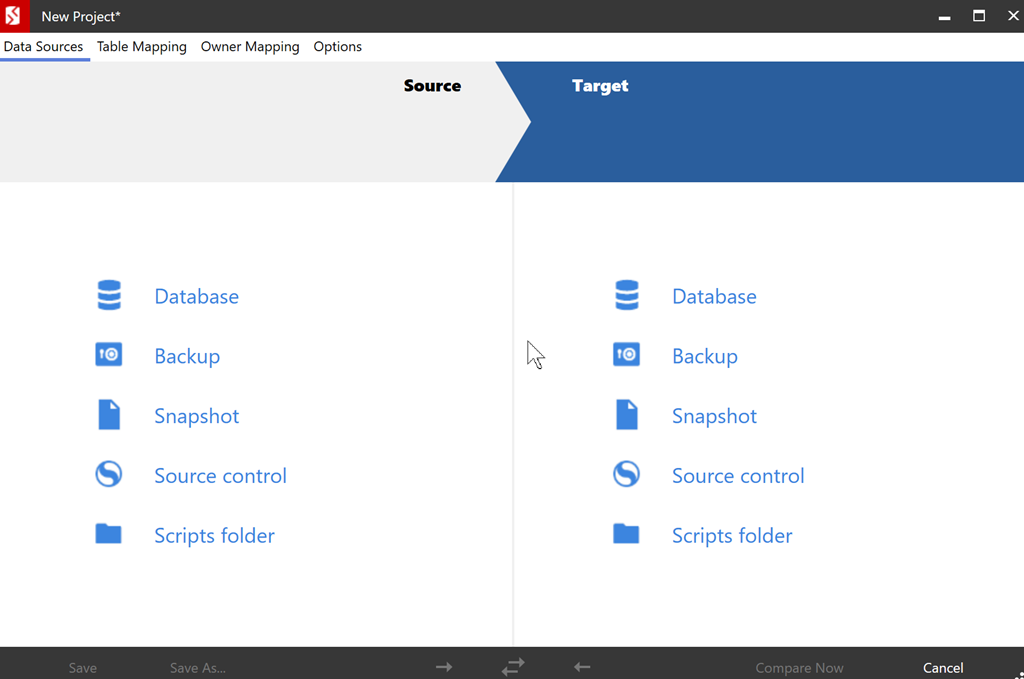
    The icons have changed, but that’s not all. When you run SQL Compare, you notice this right away.

    2016-06-03 17_41_23-New Project_

    Once you select the items to compare, you see a familiar connection dialog.

    2016-06-03 17_41_57-New Project_

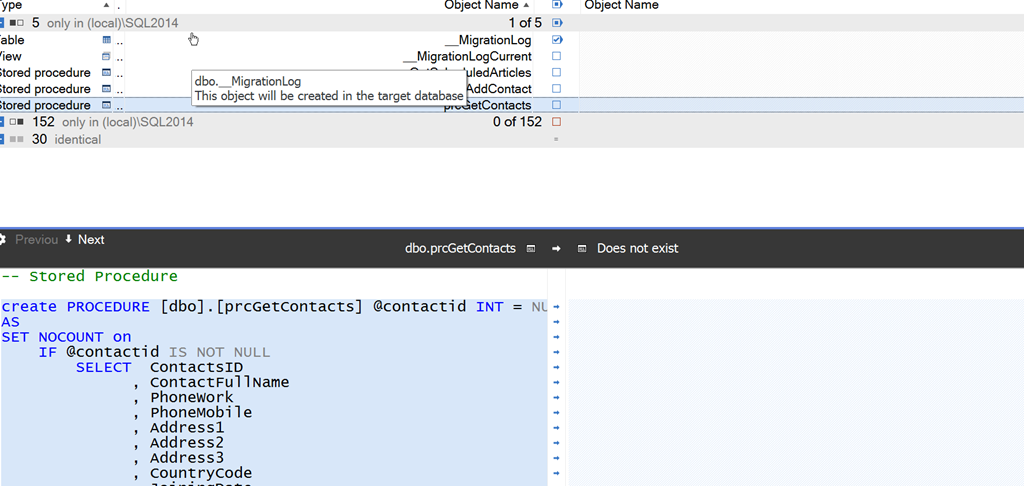
    If I compare, I see various results. In this case, I’ve got two demo databases in two different stages. Each has objects the other doesn’t, and I can get a cleaner (IMHO) view of the objects.

    2016-06-03 17_45_27-SQL Compare - C__Users_way0u_Documents_SQL Compare_SharedProjects_(local)_SQL201

    There are plenty of SQL Server 2016 enhancements, a few bug fixes, and lots of look and feel changes. There’s still some work to do, but we’re confident this version is ready to show. Let us know how the product works for you and what you’d like to see changed.