

After the MVP Summit, I was excited to check out more code and features in all aspects of SQL Server, but since I’d had a quick conversation with Aaron Nelson and Chrissy LeMaire, I decided to tackle another part of dbatools.
BTW, they gave me a cool sticker.

I like using PoSh for some tasks, especially when I don’t have an easy way to do something in SSMS or want to run a task across a variety of instances. In this case, as I glanced through the September updates, I found a good one.
Get-DbaTcpPort
I don’t love the mixed naming, and I’ll get used to it, but I do love the autocomplete in PoSh. I can type this:
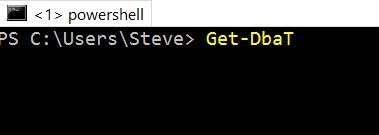
When I hit tab, I get this:
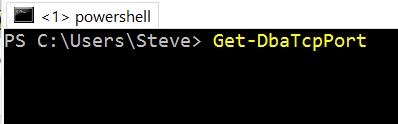
So I don’t need to worry about the case, but I can easily use Get-DbaTcpPort. This is one of those quick things I’ve done more than a few times as I troubleshoot connectivity with VMs or new instances. I have learned I can get this from the error log, but that’s a pain.
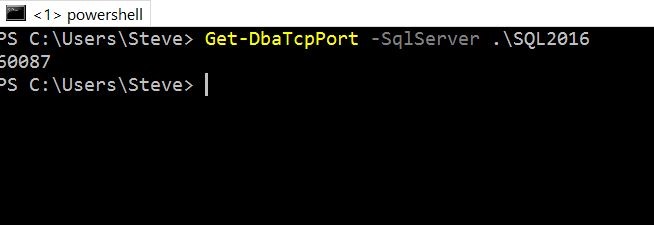
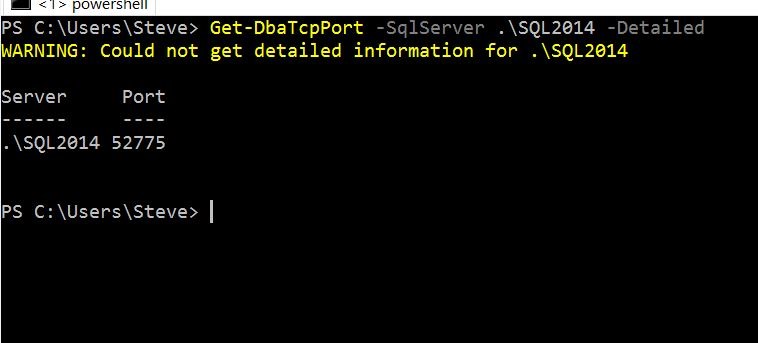
The main thing I can do here is pass in the SqlServer parameter and get a port. Here’s the ports for an instance on this machine:
There is a –Detailed option, which gives me the server name and cleaner results.
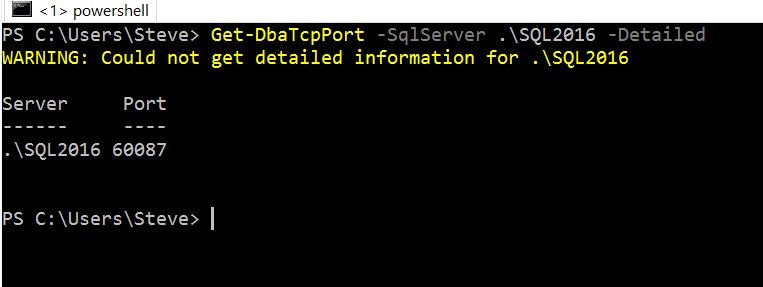
I was expecting the result of whether this was static or now, but it’s not appearing. I see the warning, but am not sure why this doesn’t work. Apparently this works with SqlWmi, but I’d like to know more to troubleshoot things.
When I hit one of my other instances, I got this:

At first I thought this was my remote admin connections setting, which was disabled, but that wasn’t it. I found instead that I’d left TCP disabled by default on this instance. Once I changed that and restarted the instance, it worked fine.
This isn’t something I’d use often, but it’s a really quick way to check on the status of an instance port if you need to. I’d urge you to give it a try and see what you think.


Comments
6 responses to “More dbatools–Get-DbaTcpPort”
Hey Steve,
Thanks for the write-up! SQL WMI is indeed a beast. When running this command against local instances, you need to Run As Administrator. Running as a regular user works well for remote servers.
Initially, an informative exception with the RunAs information was thrown but was subsequently replaced with a generic exception message. I have fixed this bug and it is scheduled for this weekend’s release 🙂
https://github.com/sqlcollaborative/dbatools/pull/318
LikeLike
Excellent, and thanks! Love these tools
LikeLike
There actually is an easy way to get this in SSMS (or any query tool).
select local_tcp_port
from sys.dm_exec_connections
where session_id = @@spid
LikeLike
Yep! That’s actually the exact query that’s executed for non-detailed port information. The benefit that I love about PowerShell is that you can execute this SQL easily on multiple machines at a time. Here’s how I get all the tcp port information across my estate (using Registered Servers)
Get-SqlRegisteredServerName -sqlserver sql2014 | Get-DbaTcpPort
The other benefit is that it’s easy to find corresponding commands, instead of having to search for the T-SQL on a regular basis. So you can do a Get-Command *dba*tcp* or a Get-Command *dba*port* (here’s hoping the asterisks work) and see all of the commands related to tcp or ports.
LikeLike
Ah, didn’t remember there was a query that could be used. Now that I see it, I’m sure I’ve seen that. However, if I’m not connected to the instance, I think the PoSh tool is a great way of finding the port quickly.
LikeLike
[…] wrote a post about finding the port number of a SQL instance using PowerShell. Almost immediately I was taken to task by someone that noted port scanners can easily find SQL […]
LikeLike