

Another post for me that is simple and hopefully serves as an example for people trying to get blogging as #SQLNewBloggers.
This isn’t a SQL post, per se, but since I’ve been using lots of PowerShell for SQL stuff at times, this is a handy trick I picked up.
I was reading the announcement on the Windows Insider build 14971, which will have a few new things. One of these is the default command shell won’t be cmd.exe any longer. It will be PowerShell.
Buried in the announcement was a tip I’d never heard. I don’t have any real cmd additions to my Windows machines, so to get to a particular folder in a command shell, I usually do lots of “cd”s or I right click in the address bar, and copy the path. Thankfully Windows 10 lets me paste this easily into a command prompt.

There’s another way.
I can click the address bar and type “cmd”.

When I do this, I get a new command prompt at that location, as shown here. I do install ConEmu on my machines, so that’s where the prompt opens.
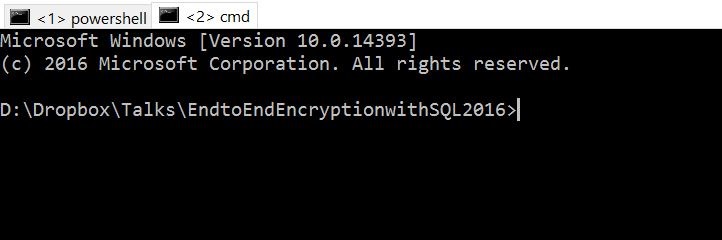
That’s super handy.
We’ll see how may workflow changes when PoSh is the default shell, but I’m looking forward to it.
#SQLNewBlogger
The quick tips that help me work more efficiently are what I’m writing in these posts. Here’s one that took my 5 minutes, and you can write this kind of post as well. Show off what you know, do, and have learned.


Comments
One response to “Quick Command Shells–#SQLNewBlogger”
A handy reverse of this is when you are in the cmd shell to type:
explorer .
which opens explorer to the current directory in the cmd shell
The open command window here on the explorer context menu is also a good way to navigate to a particular directory of a command prompt.
Here are some ways of doing that from stackoverflow: http://stackoverflow.com/questions/378319/windows-explorer-command-prompt-here/379804
LikeLike