

We keep adding new AI capabilities to Redgate Monitor, where it makes sense. Check out this new feature we’ve added for alerts. This is a great addition to help a busy Ops staff cope with a large database estate.
This is part of a series of posts on Redgate Monitor. Click to see the other posts.
Alert Index Analysis
One of the new things we’ve added in Redgate Monitor is an AI analysis of your alerts. This isn’t for every alert. Right now, we have three where this works in preview:
- Long-running query
- blocking process
- Deadlock
This is documented on its own page.
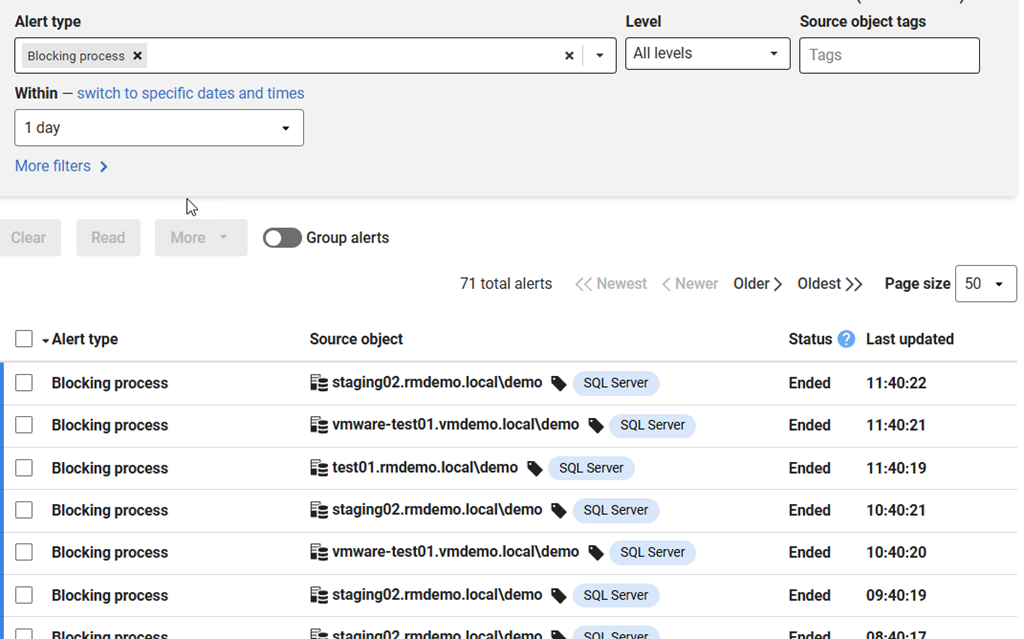
You can see this if you go to the Alerts page and look for a blocking process alert. Here’s a URL, but this repeats regularly, so just find the alert. You should see something like this:
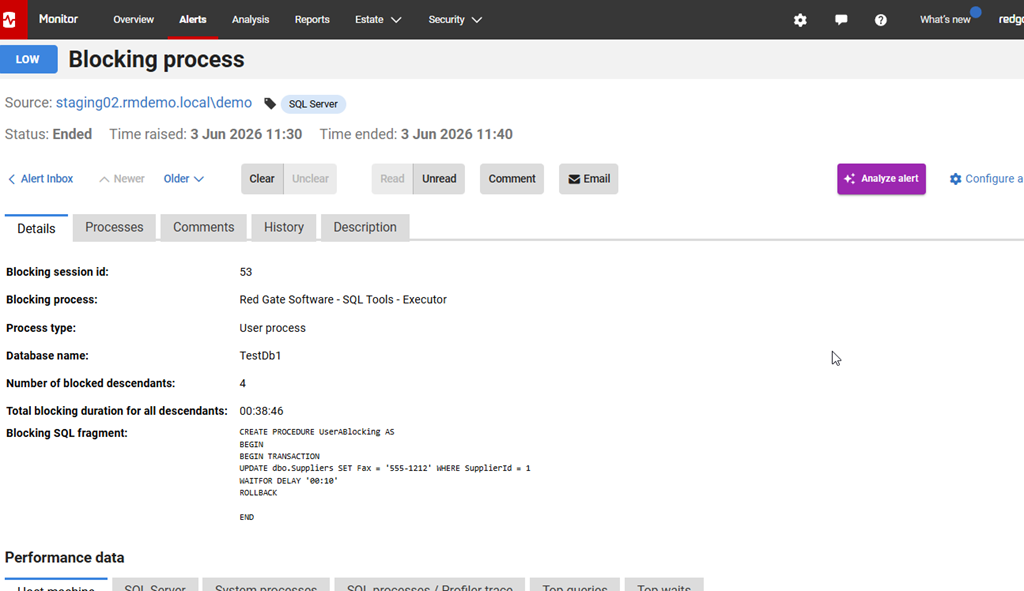
If you click on the alert, then you’ll see the details, as shown here. However, to the right is an “AI Analyze Alert” button.
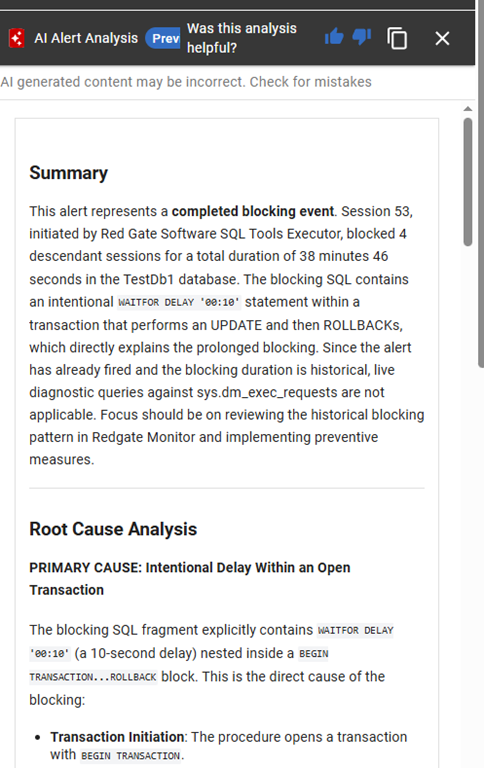
If you click that, a blade slides out from the right, and it has some analysis in it. This has a summary at the top. For my session, this had ended, so the summary is nice in that it gives me an overview with the time of the blocking and the statement. There is also a root cause analysis below this. This is something that would help me quickly answer questions from my boss.
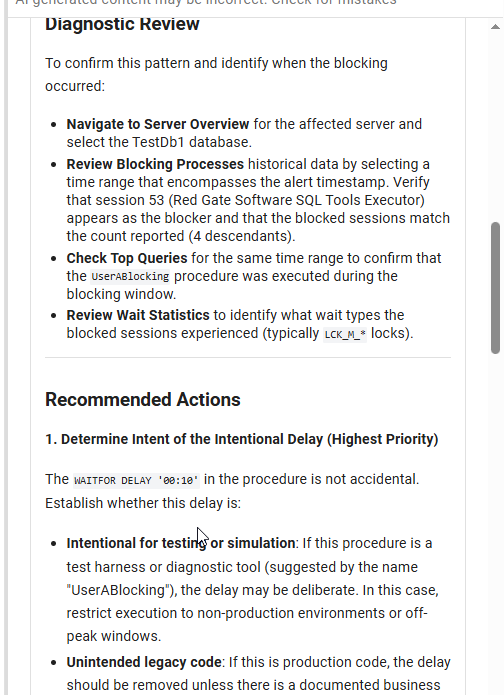
Further down there is a diagnostic review, which helps you navigate Redgate Monitor to verify things. You should use the AI to help you and still verify what it says. This is a good explanation, but worth double checking. There are also recommended actions below this.
It’s a good way to approach a series of alerts, especially in a busy environment where you might have lots of these alerts across different systems.
Summary
AI is a great tool in places, and this is one of those measured approaches from Redgate to use AI where it’s helpful and useful, and does some work for you. Looking across a bunch of similar data and getting patterns, getting some quick insight into timings, that’s useful. This might be especially great when someone calls you with a question and you need a summary.
As always, you should verify the diagnosis and recommendations before you do something, but this does give you a quick place to start fixing chronic issues in your system. I look forward to AI analysis coming to other alerts.
Redgate Monitor is a world-class monitoring solution for your database estate. Download a trial today and see how it can help you manage your estate more efficiently.


