

I recently started playing with the MCP Server for SQL Server, which is a part of the Data API Builder (DAB). I’m not sure why there wasn’t a separate piece of technology used, but I do think the DAB server is very useful, and I wish more people used it. Adding MCP to it makes some sense, as the REST and GRAPHQL endpoints can be disabled.
This post will look at a few things I did to get the MCP server working.
A Default for New Projects
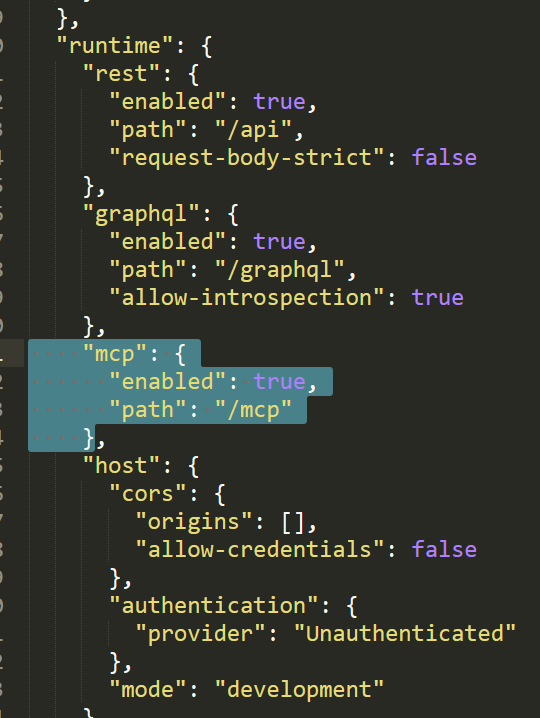
By default, if you have v2.xx of the Data API Builder, when you create a new project (with dab init), you get this section in your json config file with the mcp entry.:
"mcp": {
   "enabled": true,
   "path": "/mcp"
}
This is the enabling of the MCP server. In my files, this was added below the “rest” and “graphql” sections under the “runtime” key. You can see this in a larger view of the file.
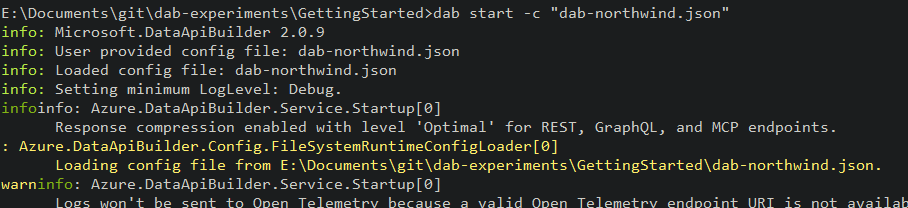
Once you add this, the MCP server should start up with DAB. The only indication I see in the logs is this message that the endpoints are enabled.
Adding an MCP Server to VS Code
My first experiment here was adding a server to VS Code. This isn’t a clear thing in the docs, to me, so I’ll tell you what worked for me. I already have some MCP servers in VS Code, so I really went through this process.
First, this is an http MCP server, and the URL is the DAB URL (for me: http://localhost:5000/mcp) that I’ll use to connect. I used the instructions in this VS Code article rather than the quickstart in the DAB docs.
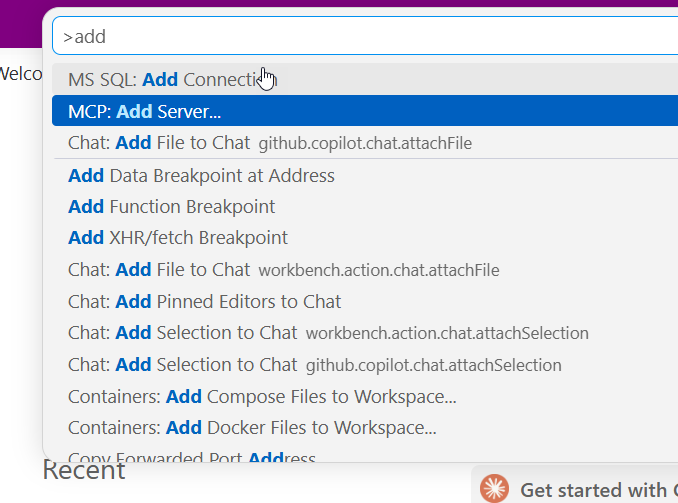
In the VSCode command palette, I looked for the “MCP: Add Server” entry, as shown.
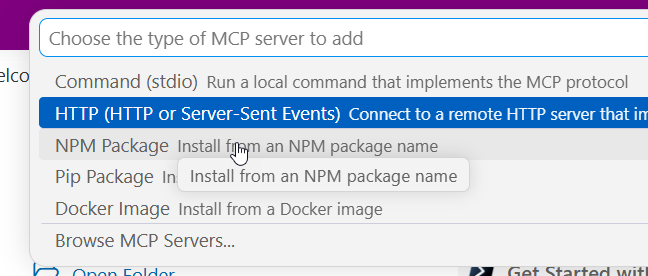
I then picked the http option:
Next, I enter the UL. I’ve pasted mine in here.

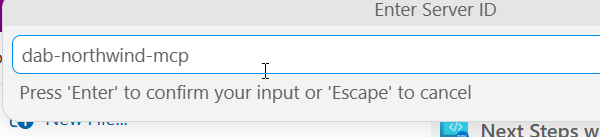
Give this a name. This isn’t clear in docs, but this is the name that you’ll use when starting this MCP server. I chose dab-northwind-mcp, which lets me know this corresponds to my config file and it’s a dab server.
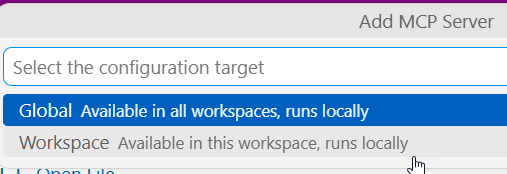
Next we decide where this is available. I usually choose workspace, but the setting depends on what you doing with this server. I tend to aim to keep things more tightly configured, so that if I need it elsewhere, I can learn how to adjust that, or add this as an item for another workspace.
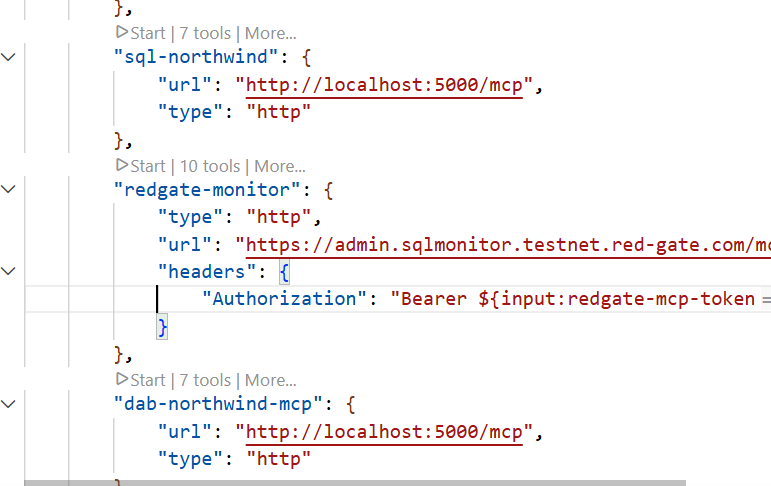
I then get my mcp.json file, which is the config file for the MCP servers in VS Code. These servers are a part of the “servers” key, as an sub-document below that. Each of these is a separate entry in JSOn. I essentially have two of the same here, the sql-northwind and dab-northwind-mcp point to the same server.
Starting the MCP Server
If you look at the image above, there’s a “start” link that VS Code adds as an annotation to the entry. You can click that. For me, I usually go back to the command palette and get to the “MCP: List Servers” entry.
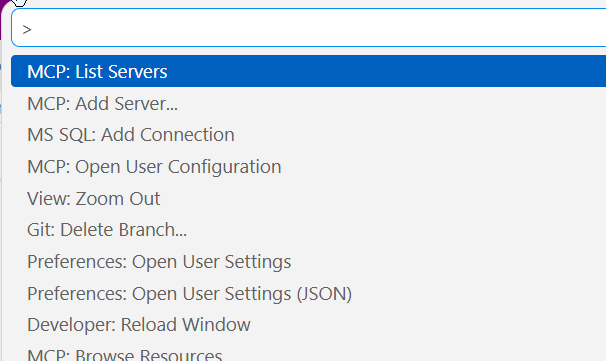
Then I see a list of servers and I’ll select the one I want. In this case, that’s the dab-northwind-mcp one.
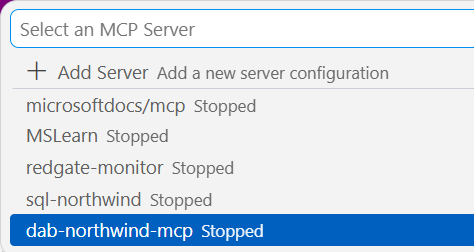
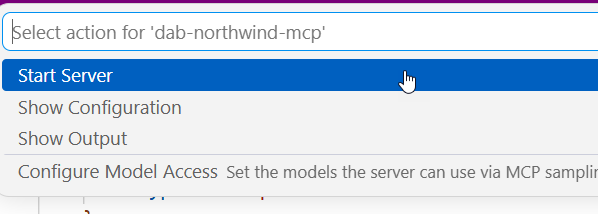
I see a few items. The configuration will open the mcp.json. It brings up output by default. I’ll pick “Start Server”
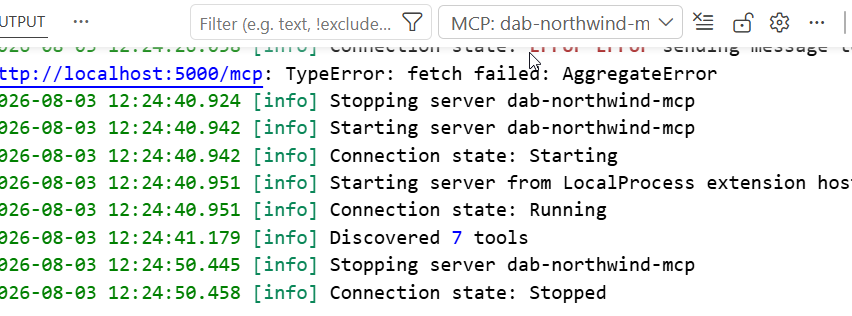
I can see in the output it starts. notice I have some errors, this is because the DAB server wasn’t running. I started it, and then went through the process above to get it restarted. You can see tools were discovered.
That’s it. The MCP server is active and running. I’ll do another post on how I can use this.


Leave a Reply