

I use ConEmu for my terminal interface. I’m still on Windows 10 at home, and for consistency’s sake, I run this on my Win11 laptop and the home machine. I love it, and it keeps my windows together, so that I can run multiple command prompts.
However.
Sometimes I find myself in this situation. I have a bunch of prompts open, and I’m not sure what is what. I know the current one is one of my Flyway projects, but what about the other 4?
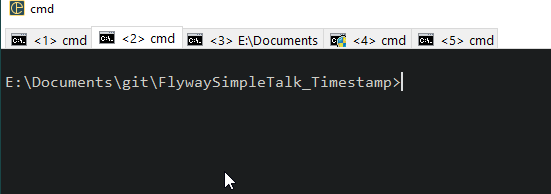
I was flipping through them recently and thought there has to be a better way. As you can see, some have a folder, but some don’t. What I really want is some organization.
I learned I can right click the header and get a menu. Notice the “rename” in here.
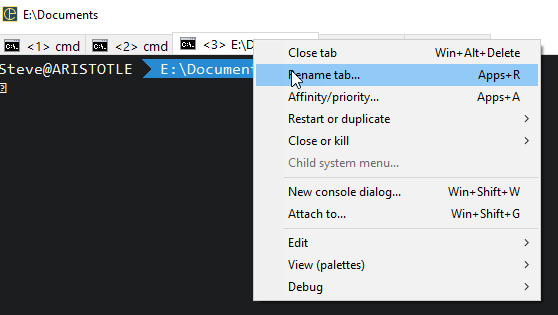
I can type a new name then for the tab. I did this for my last (right-most) tab below:
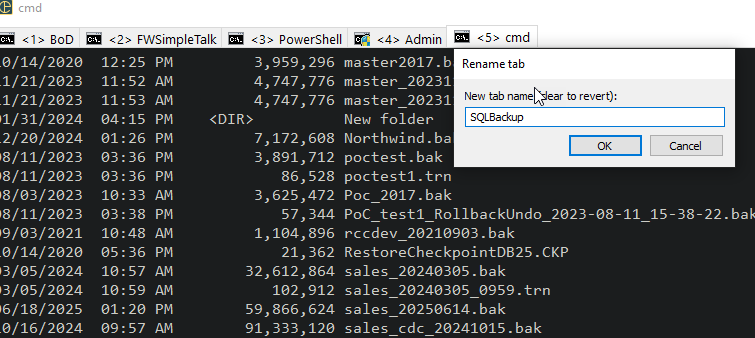
Now I can see where all my tabs are focused. I’ve had a tendency to pop a new tab for a new task, as I sometimes have different things going on as I multi-task, or really, as I wait for someone to respond so I can complete the task in a window.
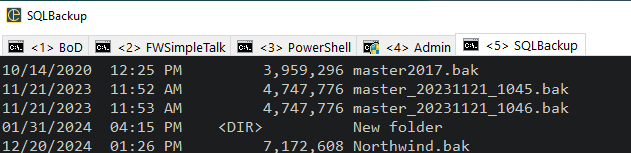
I wish I had an auto-mapping of some sort that might rename these for certain things, but this works well for now. I usually only have 4-5 open, and if I change the task, it’s easy to rename a tab. I tend to do that when I realize I’m looking for something and the name is wrong.
If you use the Windows 11 terminal, it can run multiple prompt and you can rename them as well, but if you’re still on W10 or lower, think about ConEmu. I’ve loved it for the last 5-6 years and it’s worked well. Plus I can have it slide down from the top if I want.


Leave a Reply