

I wrote about Flyway Desktop Object History in a previous tip. This feature has been enhanced, so I wanted to write an update.
More History
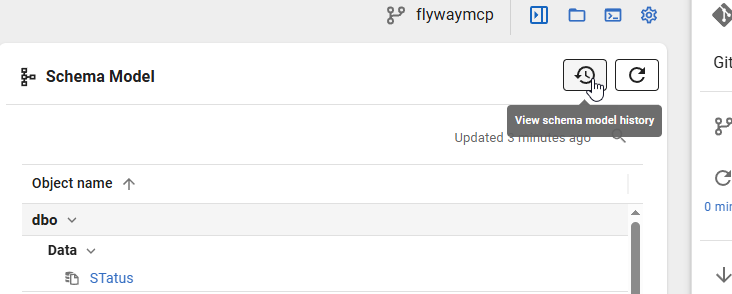
The changes now can be looked at from a project level. Note the new history button at the top of the schema mode. This didn’t exist in the previous post.
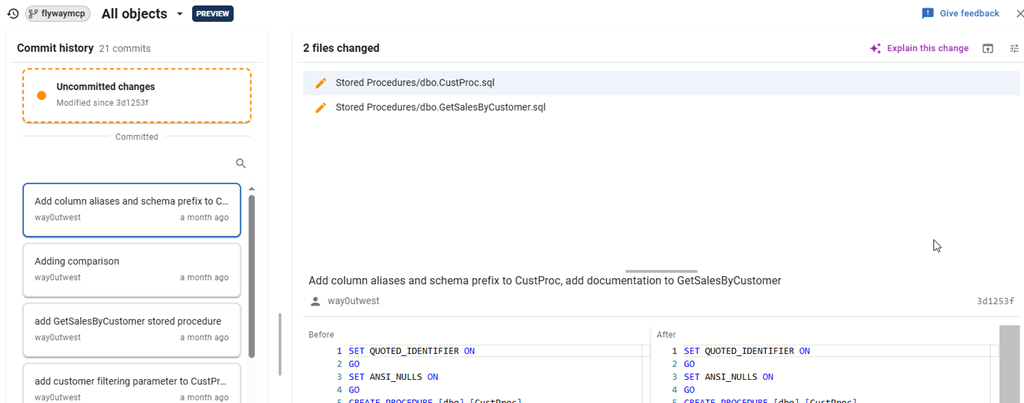
If I click this, I get the same view of committed and uncommitted changes, but from a project view. You can see there are two changes in this commit, whose hash is in the far right, a little hidden near the bottom of this image.
Some commits have a lot of changes, but I can click a change to see the diff. In this case, I can see in the 5th item, the Address table.
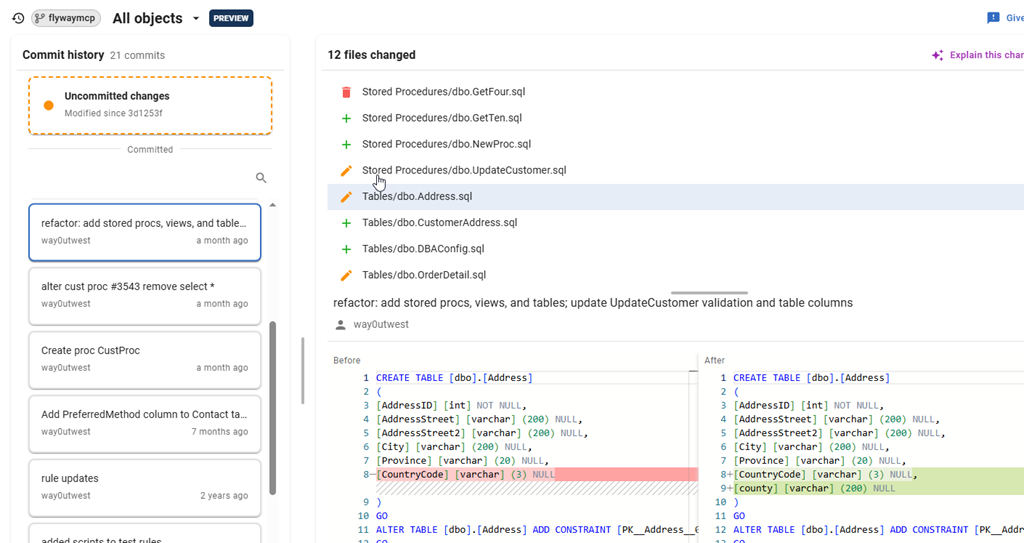
This is great for standups, or a quick look without searching in the repo for commits. Here I see some level of work done, by me and others, which is useful when coordinating a team.
Summary
This an improvement of an existing feature, and I like the direction. I’ve asked for the commit to move, so I can easily see it, but otherwise, this is a nice way of seeing how my repo has changed over time. The schema model is especially important here.
If you work with Flyway, update your desktop and give it a try. We would love to hear your feedback.
Flyway is an incredible way of deploying changes from one database to another, and now includes both migration-based and state-based deployments. You get the flexibility you need to control database changes in your environment. If you’ve never used it, give it a try today. It works for SQL Server, Oracle, PostgreSQL and nearly 50 other platforms.


Leave a Reply