

We added costing information awhile back to Monitor for your cloud VM estate. We’ve enhanced this with a cloud migration tab to help you decide how to provision resources in the cloud.
This is a preview feature, as of Nov 16, so feedback is wanted and encouraged.
This is part of a series of posts on Redgate Monitor. Click to see the other posts.
Cloud Migration
There is a “Cloud Costs” section in the Estate menu, which is listed as new for now. That’s the item you want to click on monitor.red-gate.com.
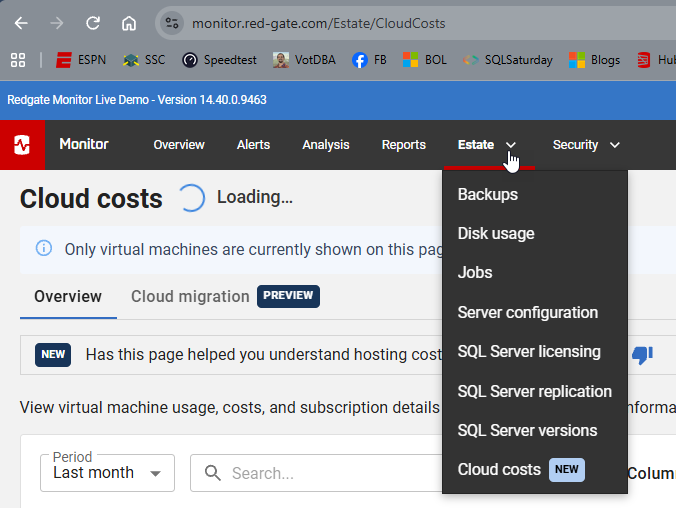
This brings you to the Cloud Costs tab, but there is a new Cloud Migration tab there (noted as preview) that you want to click.
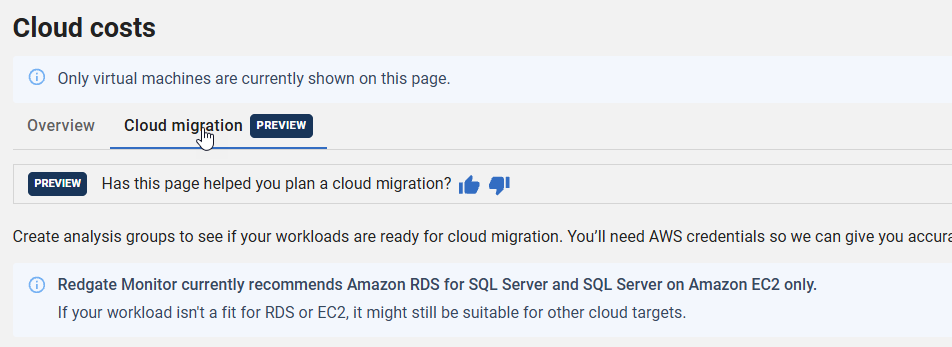
This notes that Redgate Monitor is trying to help you move to RDS, so we show the costs there. We’ll add more clouds over time, but from our research and from lots of customer discussions, this is where most people move.
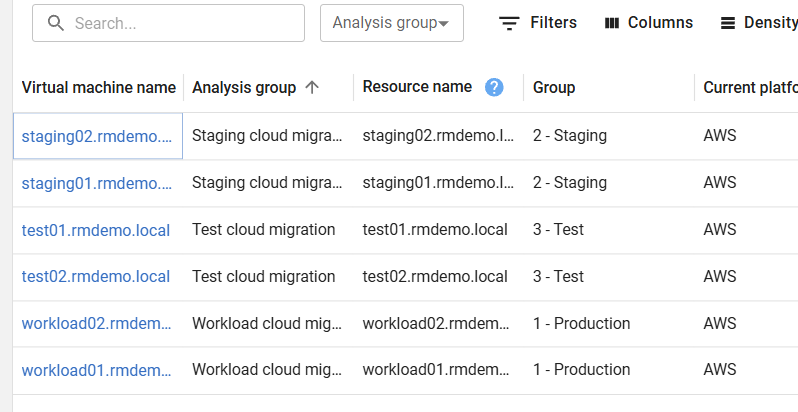
The screen shows your VMs at the bottom. I’ve split the images so they aren’t so wide and small, but here is a list of our test VMs. Each is listed with the name and grouping platforms.
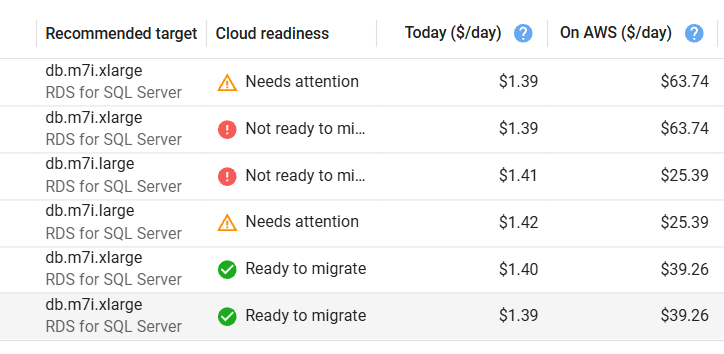
To the right of this, we have some recommendations and estimated costs. Ignore the current costs, as this is a demo system and we’re getting some anomalies here. These are already in AWS. We also see if the VMs are ready to migrate or not.
If I click one of the servers, I get a popup. There are arrows in the upper right to move between systems, but you can see that there are recommendations for RDS and EC2 given.
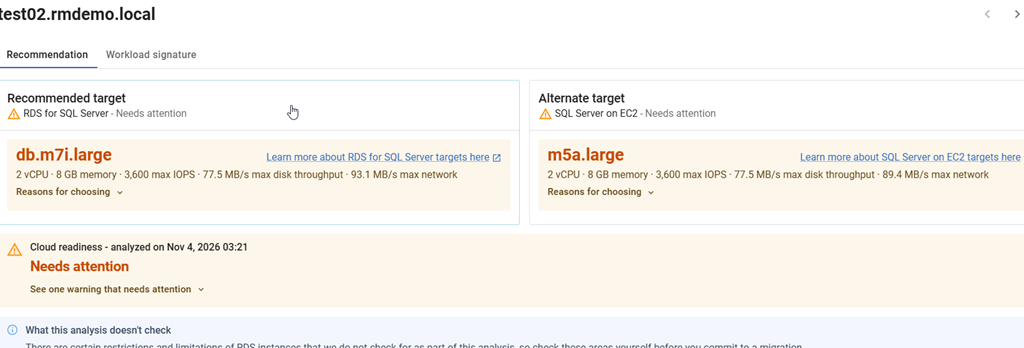
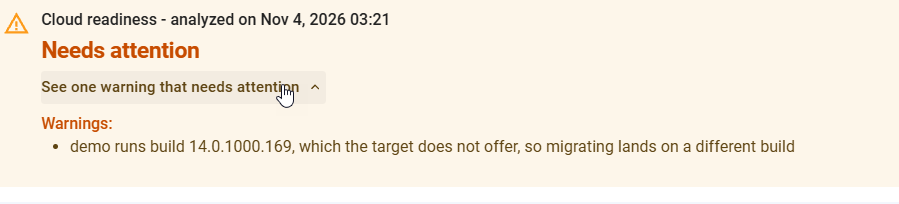
The page also shows potential issues that need to be addressed. In this case, a warning about versions.
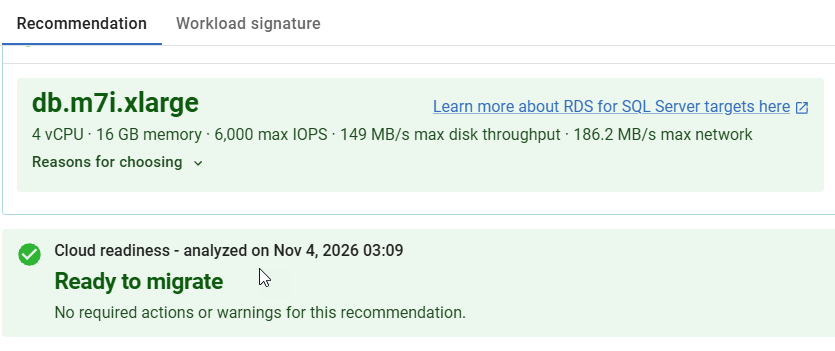
Checking another system, here’s the view when the VM is ready to move.
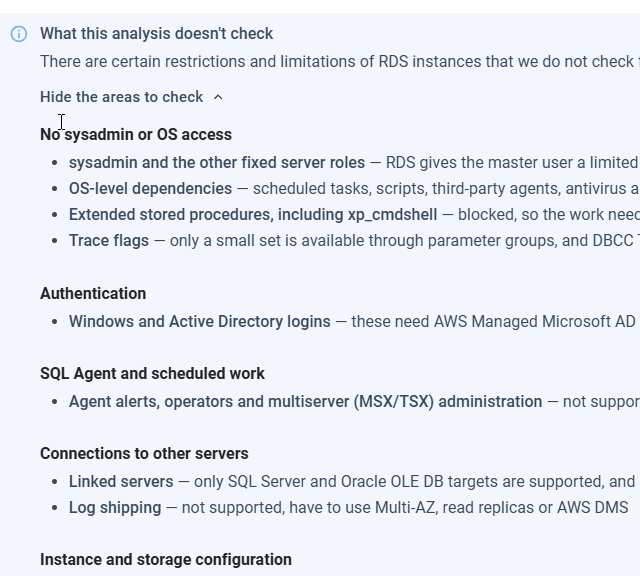
Below this, there are a list of things that Redgate Monitor hasn’t, or can’t check easily. These are items you need to verify before a cloud migration. We’ll likely get to checking some of these, but this is a good reminder to DBAs of the differences from on-premises VMs to cloud VMs.
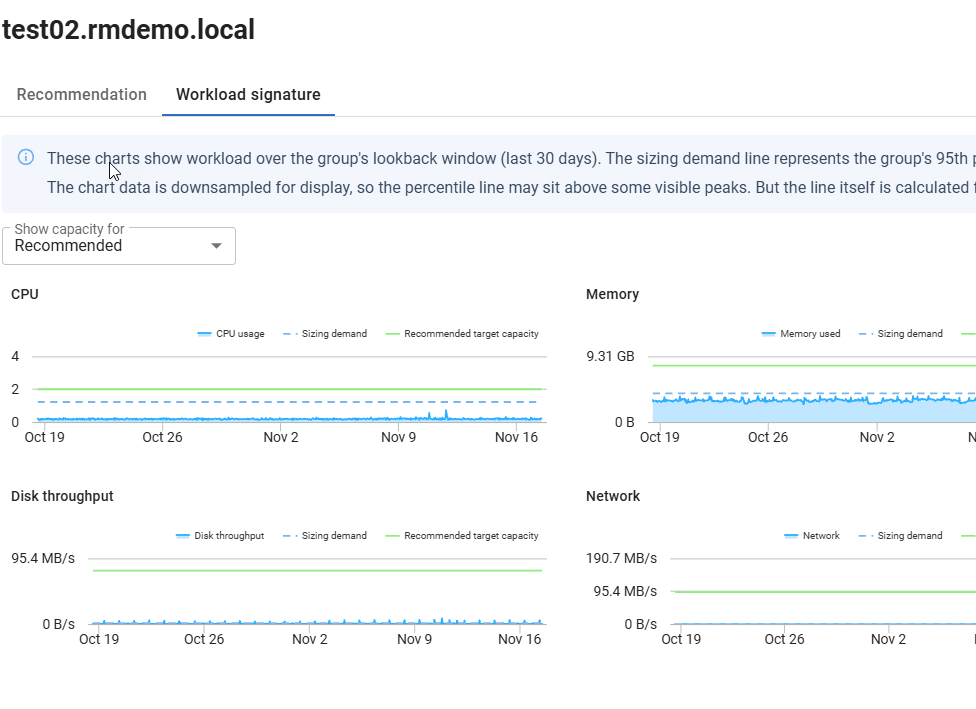
The workload signature tab shows you a number of metrics that are important for a cloud migration, looking back over the last 30 days. This helps you check the recommendation, or compare against the potential systems in Azure or GCP (or elsewhere).
Summary
This is a preview feature, but one we’ve spent a lot of time working on in conjunction with customers who are undertaking migrations. They’ve shared what worked, what didn’t, and what recommendations they wish they’d had. We’ve tried to build that into Redgate Monitor and will continue to evolve this feature through our monthly releases.
If you’re considering a cloud migration, or you’ve been told to undertake one, open the Cloud Costs tab on your Redgate Monitor installation and see what’s recommended. And if you don’t have Redgate Monitor, maybe you want to download an eval.
Redgate Monitor is a world-class monitoring solution for your database estate. Download a trial today and see how it can help you manage your estate more efficiently.


Leave a Reply