

One of the encryption options in SQL Server is symmetric key encryption. This is the type of encryption most people think about when they consider encrypting data. In symmetric key encryption, we use a key to encrypt data, and then also use a key to decrypt data.
The key used for encryption and decryption is the same in Symmetric Key Encryption. This is why we call this symmetric. Just like with a house lock,
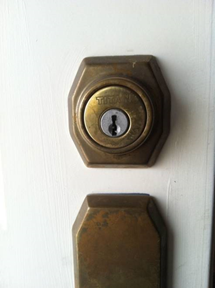
the key that locks (encrypts) also unlocks (decrypts). This is a picture of my front door and the lock uses a single key.
In SQL Server, we create a symmetric key and use that to encrypt data and also decrypt it. Here’s a simple example:
DECLARE @plain VARCHAR(200), @cipher VARBINARY(5000), @decrypt VARCHAR(200)

SELECT @plain = 'This is the plain text.'

-- encrypt
SELECT @cipher = ENCRYPTBYKEY(key_guid('MyFirstSymKey'),cast(@plain as NVARCHAR(200)));

SELECT 'Plain' = @plain
     , 'Cipher' = @cipher

-- decrypt
SELECT @decrypt = CAST( DECRYPTBYKEY(@cipher) AS nVARCHAR(200))

SELECT 'Plain' = @plain
     , 'Cipher' = @cipher
     , 'decrypt' = @decrypt
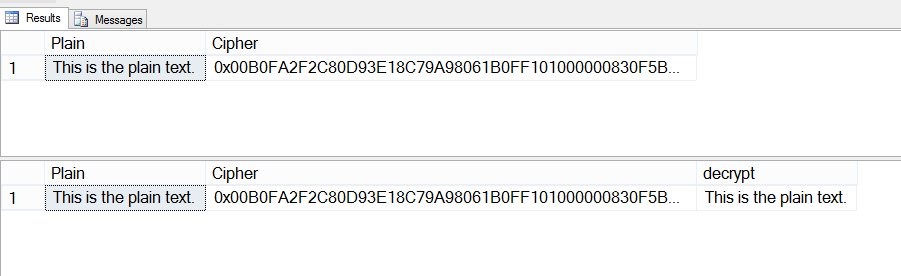
That’s it. If you run it, you see the original text, the encrypted text, and the decrypted text.
In another post, I’ll go into more options that are available for symmetric key encryption.


 Voice of the DBA
Comments
2 responses to “Symmetric Keys”
When i executed the script on my machine , i could not get the encrypted as well as decrypted output. It becomes null. Could you tell me why is this happening to me? should i need to enable something?
LikeLike
–You should first create the key
CREATE SYMMETRIC KEY MyFirstSymKey WITH ALGORITHM = AES_256
ENCRYPTION BY PASSWORD = ‘Password01’
–Then open it
OPEN SYMMETRIC KEY MyFirstSymKey
DECRYPTION BY PASSWORD = ‘Password01’;
…….–Do ENCRYP and DECRIPT
–Close the key when finished
Close SYMMETRIC KEY MyFirstSymKey
LikeLike