
I’m writing this post as a way to help motivate the #SQLNewBloggers out there. Read the bottom for a few notes on structuring a post.
I created a login for an Azure SQL Database, but couldn’t log in. I would get this message, which makes perfect sense.
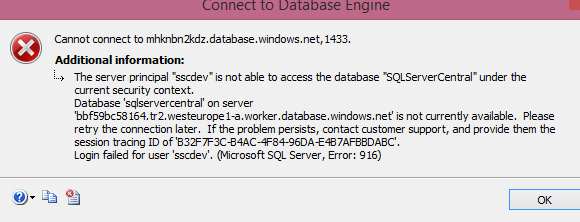
Just like an on-premises instance, I need to link a user to the login for access. However, unlike an on-premises SQL Server, I can’t willy-nilly change databases. If I do this:
I’ll get this message.

I can’t switch, I need to reconnect. In this case, I use the same login (an admin level) and reconnect to a different database. This certainly can make scripts more cumbersome, and imply that your work, whether through T-SQL or PoSh, needs to include the connection strings for the correct database. In fact, I might recommend PoSh over SSMS for this reason.
Once I’ve connected, I can use standard commands. In this case, I’ll use this code:
Now when I click connect with my user, I see this:
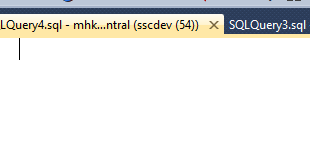
Just what I need.
SQLNewBlogger
This was a second post as part of the previous one. I was adding a user and login as part of a bit of work and when it didn’t work, I captured screen shots and split this part from the last one.
Five minutes writing this one, probably no more than five minutes slower in running the code to capture the images.
You can do this.
References
- Database-Level Roles – https://msdn.microsoft.com/en-us/library/ms189121.aspx




 Voice of the DBA