
I tend to try and get code on the screen quickly and then start to remove things. I’m a visual person, and it’s helpful for me to see some tables, joins, filters, and columns as I’m structuring a query.
One of the ways I work quickly is with SQL Prompt is that I’ll write a query, using the SELECT * to hold the place where columns will appear. Since I’m not always sure what columns exist in a table, using the asterisk allows me to complete a valid query.
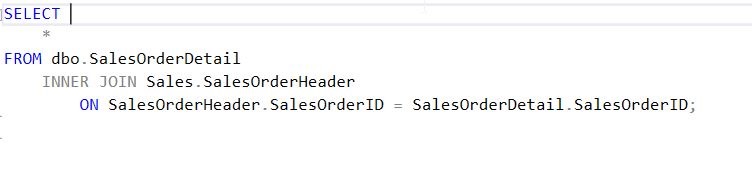
However, I don’t want to leave the asterisk there. Let’s put the cursor behind it. As you can see here, a tip pops up.

When we hit Tab (or your completion hotkey), the entire column list expands. All columns, from all tables, qualified if necessary, according to my SQL Prompt settings.

Now I have a well written query, or if I don’t need all columns, I can easily remove those that I no longer want to retrieve.
This is a quick tip, one that doesn’t do a lot, but has the potential to make developers really think about all the data being returned in large queries with a SELECT *.
Give this a try the next time you find yourself writing a SELECT * query and then remove the columns that you really don’t need. You might also check out a similar piece I wrote for the Redgate blog.
If you aren’t a SQL Prompt user, then think about downloading an evaluation and becoming a more efficient T-SQL developer.
You can see a complete list of SQL Prompt tips at Redgate.




 Voice of the DBA