
Another post for me that is simple and hopefully serves as an example for people trying to get blogging as #SQLNewBloggers.
Since SQL Server 2017 is now out, and Linux is an option, I thought I’d write a bit more about little Linux things that admins might want to know.
After installing an update, I neede to reboot my Ubuntu install. Apparently there was a dialog, but it was hidden. Unlike on Windows, I didn’t see an easy way to click a button and restart. However, since I had a terminal shell open, I was sure there was an easy way to do this.
I could have run a quick search, but I fell back to the old standby:
man shutdown
This showed that there is a shutdown, as on Windows, with the same –r parameter. This needs sudo to run, and by default it reboots after a minute. The command I ran was:
shutdown -r
Learned something, which I should have known. I almost typed shutdown, but I decided to double check.
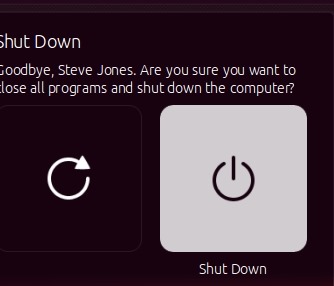
Note: I realized later that there is a small menu in the upper right. I had the VM in a window and didn’t notice the icon. Clicking the gear gives a menu.

This lets you then choose shutdown or restart.




 Voice of the DBA