
It’s been a little while since I’ve had time to relax a bit and try some AI help. This is another experiment I made.
A user on SSC asked about PowerShell to copy files with a date appended.
This is part of a series of experiments with the ChatGPT and other AI systems. Lots of Copilot lately.
I added some code to a new file and typed a prompt:
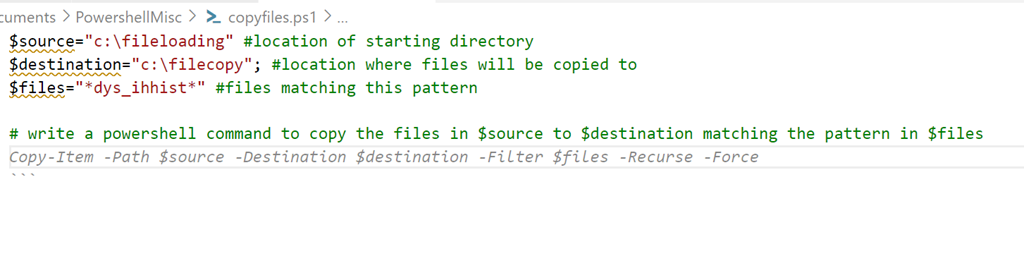
If I run this, it does work. Sort of.
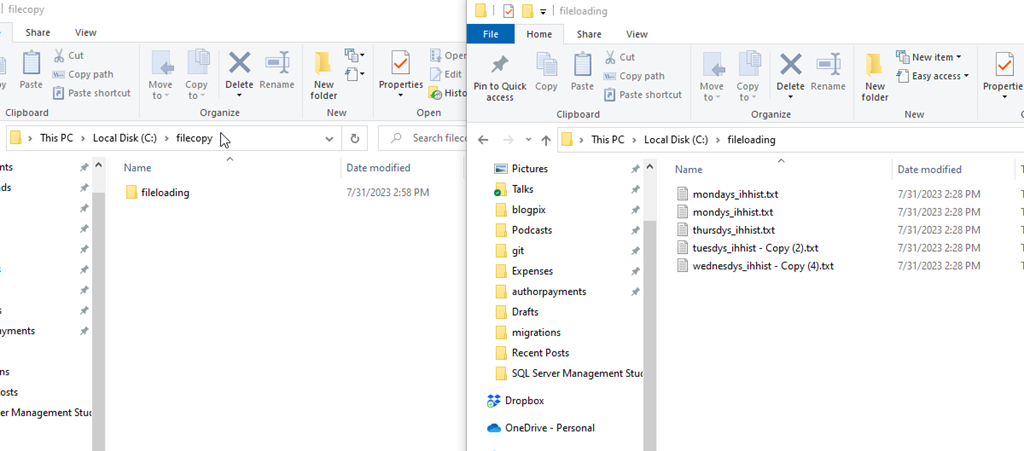
It made a folder copy, not a file copy. However, the filter worked.

Let’s try again. I’ll modify the prompt and get Copilot to explain what it’s doing in the code. I get this:
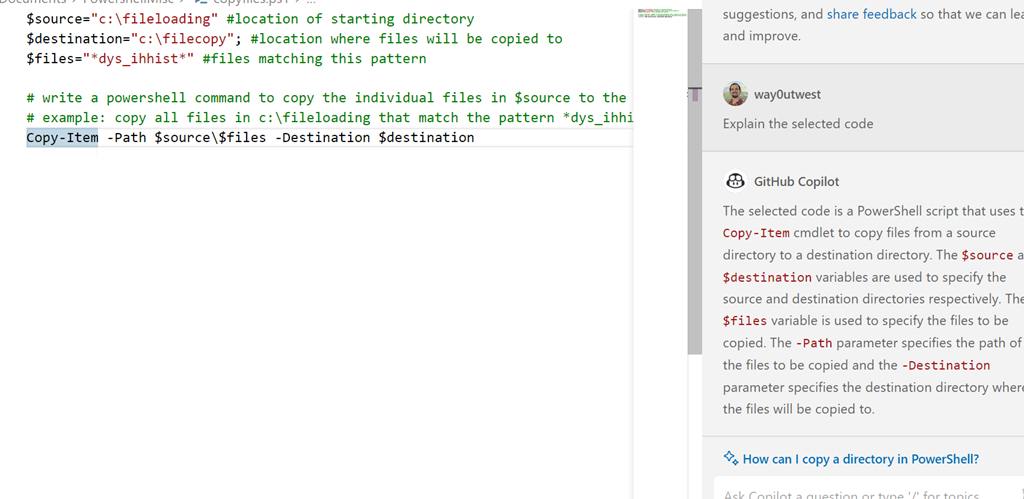
Which works:

Hmmm, can it do what I want.
I tried a few prompts in the code window, but I kept getting things that wouldn’t work, like call copyfiles.bat, or something that didn’t work.
Let’s move on.
Copilot Chat
I got access to the Copilot Chat as part of Redgate. There is a new chat extension to add to VS Code, which I did. I opened it and got this with my prompt:

Good, this code will copy the files, but does all of them.
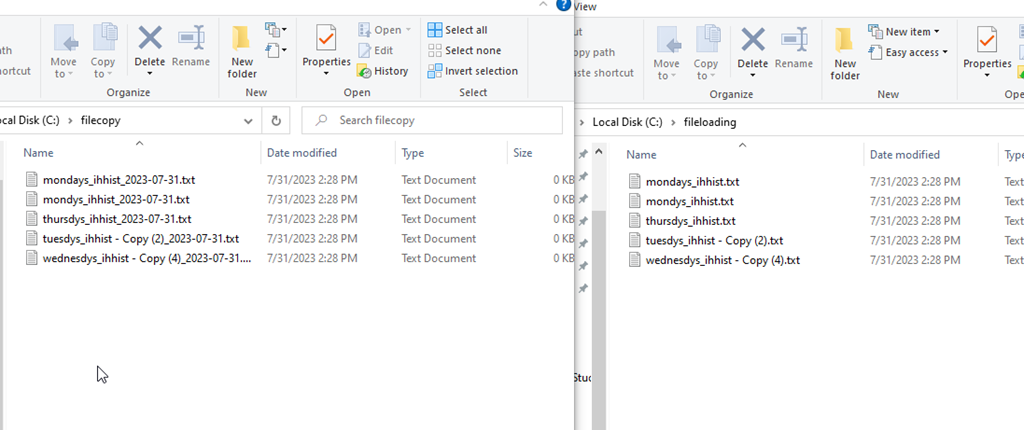
One advantage of AI bots is I don’t need to start over. I did this:
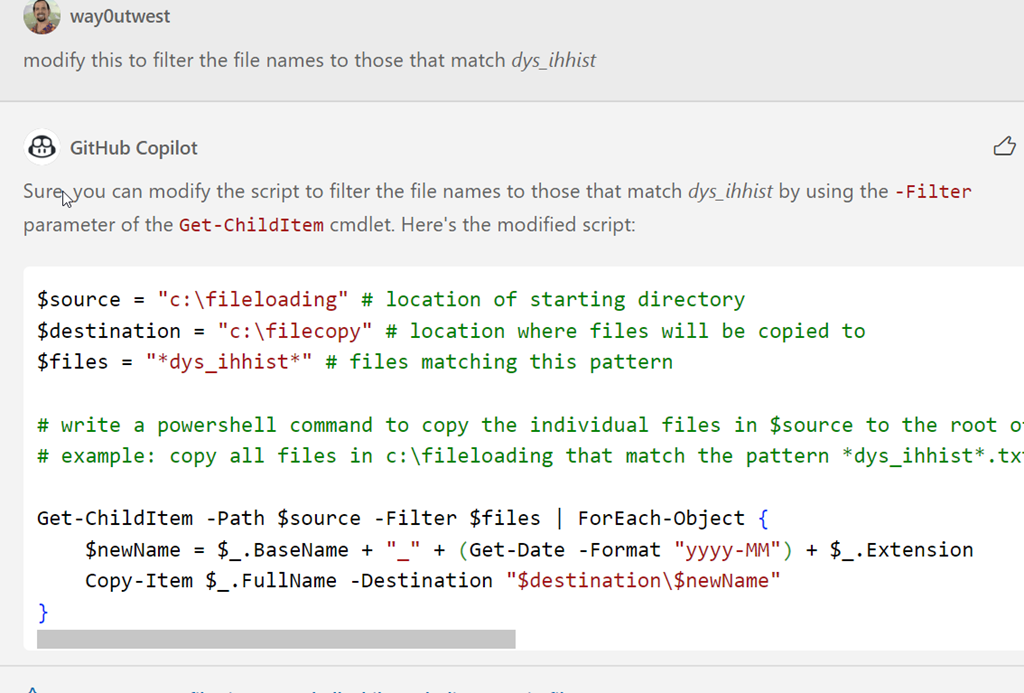
This worked correctly.

This was a simple example, but it produced about the same code as I did, albeit slightly cleaner. Mine was this:
$source="c:\fileloading" #location of starting directory
$destination="c:\filecopy"; #location where files will be copied to
$files="*dys_ihhist*" #files matching this pattern

# write a powershell command to get a list of files in $source matching the $files pattern
$a = get-childitem $source -filter $files
$a | foreach {write-host $($_.basename)-$(get-date -f yyyyMMdd)$($_.extension)}

# write a powershell command to copy files from source to destination appending the date to the filename
$a | foreach {copy-item $_.fullname $destination\$($_.basename)-$(get-date -f yyyyMMdd)$($_.extension)}
I don’t know enough PoSh to know which is really better. And honestly, I don’t feel like testing at scale. Let me know if you have knowledge here.
However, the chat window for copilot produced this quicker than I did, without me having to try and remember the PoSh parameters and structures of the functions. I had to dig around on SO to remember basename was what I needed and look up the parameter for get-date.
The code window isn’t great, and partially I think because I don’t know how to get prompts to work in the comments, but I do like the chat window. I’ll keep playing.




 Voice of the DBA