
I had someone ask me how to rename a SQL Server database recently. They were doing some development work and wanted to rename databases to test an application. I thought I remembered, but in this post, I show I learned something.
Another post for me that is simple and hopefully serves as an example for people trying to get blogging as #SQLNewBloggers.
Using sp_rename
I thought sp_rename would work, and sure enough, it did.
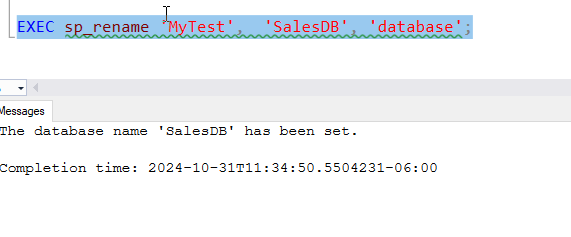
However, I need to object type. If I remove that parameter, it fails:

The command is looking for an object in the current database by default.
Technically, I ought to do this to be explicit, naming the parameters.
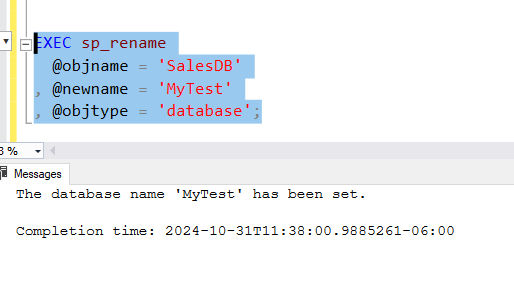
I have a better way, however. Note: it’s not sp_renamedb, which is marked for deprecation.
ALTER DATABASE
I don’t know when this changed, or if, but you can use ALTER DATABASE to change the database name. There is a MODIFY NAME option for this command that works well. You can see this below.

This is very clear and seems like better DDL For this process, which can easily be captured as code without worrying about parameters or ordering or anything else. I’d recommend using this.
SQL New Blogger
This post took me about 10 minutes to write. Easy. I had done a few experiments and I had code ready (which went to the customer), so I didn’t spend time there. Just rewrote what I did and learned in a few minutes.
You could do this, add to your blog, and maybe get an interviewer to ask you about this after they saw your post.




 Voice of the DBA
Pingback: Renaming a Database in SQL Server – Curated SQL