
AI is a big deal in 2026, and at Redgate, we’re experimenting with how AI can help developers and DBAs become better at their jobs. One of the areas we’ve started to add some AI is in Flyway Desktop (FWD), with a few features designed to help reduce the cognitive load and context switches needed while developing code, and help users better understand what changes they’re making in their systems.
I wrote about summaries of migrations scripts last week, which are helpful when you or your colleagues don’t generate good script names, or commit messages. This post looks at another of those changes, which is the generation of the script name.
I’ve been working with Flyway and Flyway Desktop for work more and more as we transition from older SSMS plugins to the standalone tool. This series looks at some tips I’ve gotten along the way.
Generating Complex Scripts
In Flyway, we call the deployment scripts “migration scripts”, but they are the same thing. These are scripts that are changing, altering, or evolving our database schema in some way. New or altered objects, various schema items, and more.
Our guidance for a lot of customers is to keep the migration scripts simple and easy. That can work, but sometimes we want to put a few things into a script to ensure that we deploy all the changes at once. In the last article, I had this list of changes in one script.
![2026-01_0168_thumb[1]](https://voiceofthedba.com/wp-content/uploads/2026/01/2026-01_0168_thumb1.png "2026-01_0168_thumb[1]")
I generated this in the last post with a poor name.

Let’s fix that.
Using the Power of AI
I’m going to delete that script and get my list of objects in the Generate tab. I’ll select a few, as shown below.
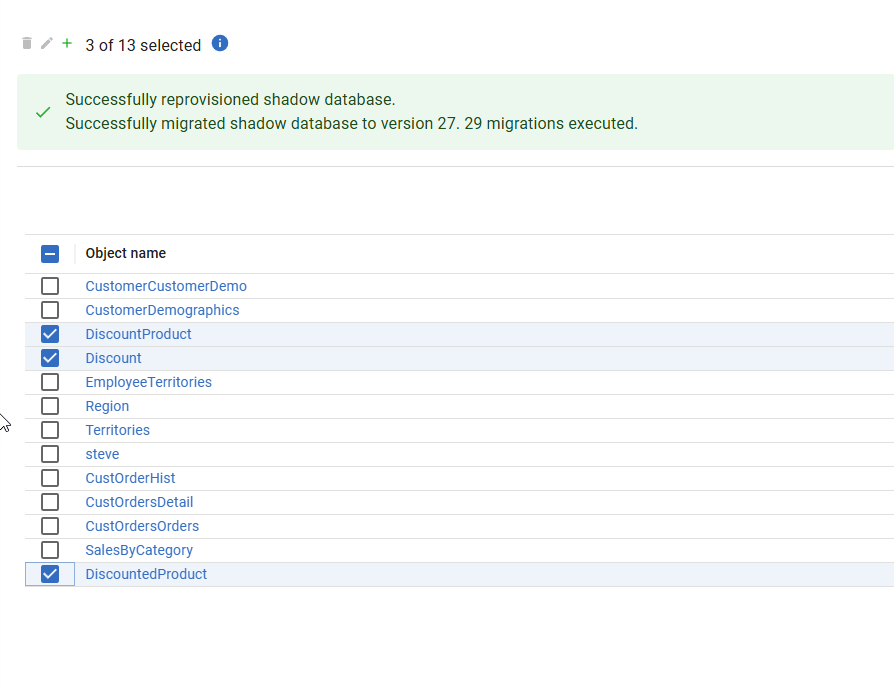
Now I’ll generate the script.When the script completes, I see my default “Steve” name for the description. However, look to the right. There’s a looping circle at the far right side of the Description box. I didn’t capture a good image, but it’s actually moving in a circle.
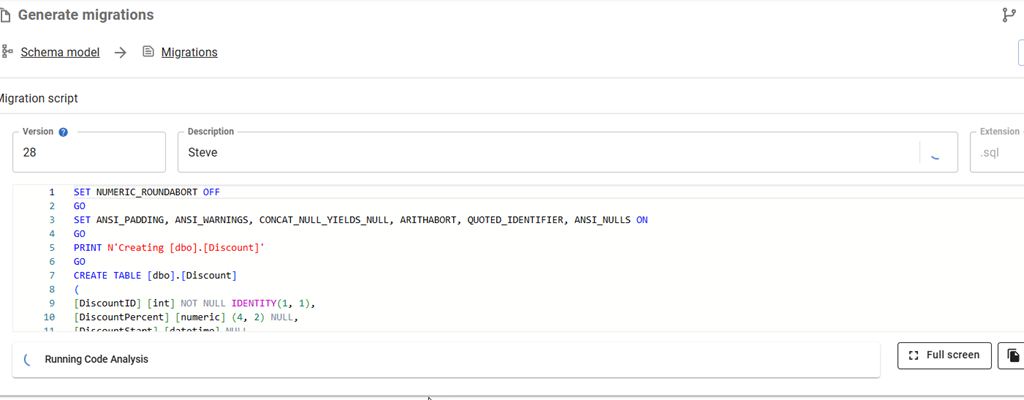
When it completes, I have a better description for my changes.
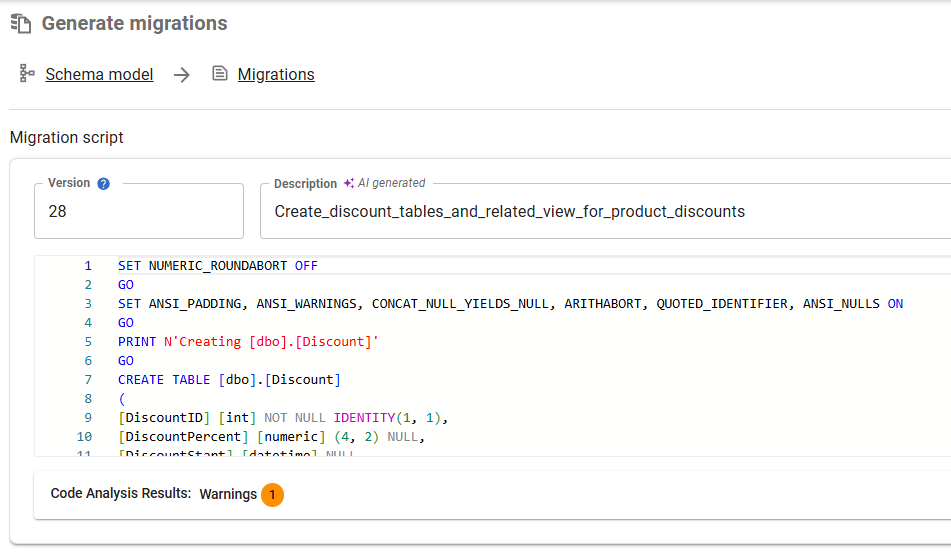
Let me save this and repeat it for the other changes to the customer tables.

That’s a way better description than I would typically write.
Enabling AI Features in Flyway
This is a preview feature as of Jan 5, 2026 as I write this. To get this in your FWD, your organization needs to have enabled AI features in your portal. I’m just a member, but whoever is an admin for your Redgate products would find it here.
![2026-01_0173_thumb[1]](https://voiceofthedba.com/wp-content/uploads/2026/01/2026-01_0173_thumb1.png "2026-01_0173_thumb[1]")
In FWD, you need to look at the Preview Features item under the config menu.
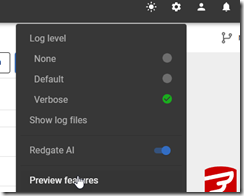
In this area, you can enable or disable features as needed. I see these marked as Red-gate only, but I think they are supposed to be released to some customers by this time. It’s likely I need to upgrade my FWD, which I’ll do when I have time.
![2026-01_0172_thumb[1]](https://voiceofthedba.com/wp-content/uploads/2026/01/2026-01_0172_thumb1.png "2026-01_0172_thumb[1]")
Once you do this, you should start seeing some AI stuff with the purple/pink shaded area and the sparkle icon that we’re all seeing everywhere.

Summary
Getting good migration script descriptions, or really any good descriptions, is hard. Developers get tired, they aren’t always creative, they forget things, and they sometimes just take the default.
Witness my repo.
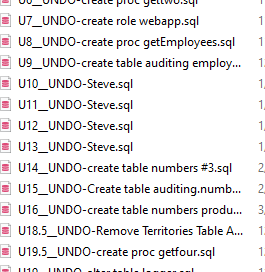
This feature reduces the burden on developers and auto-generates a name for the file. It can be edited and changed, but the dev doesn’t have to.
This feature is documented, but we are likely to enhance and change it a bit, so all feedback is welcome. If your organization doesn’t want you using AI, and you could share some schema from a migration script, I’d be happy to test it for you and see what summary is produced and send it back to you. Ping me on X/LinkedIn/BlueSky if you want.
Flyway is an incredible way of deploying changes from one database to another, and now includes both migration-based and state-based deployments. You get the flexibility you need to control database changes in your environment. If you’ve never used it, give it a try today. It works for SQL Server, Oracle, PostgreSQL and nearly 50 other platforms.
Video Walkthrough
See a video of me looking at this feature below.




 Voice of the DBA
Pingback: Flyway Tips: AI Helps with Commit Messages | Voice of the DBA