
I coach volleyball and I do a lot of stat stuff on paper. I decided recently to see if I could find a way to more easily automate things. I’ve tried a few apps on the iPad, but they all have too many restrictions and they are hard to use in the heat of the moment. Paper and pencil have been simple, reliable, and they let me fix something easily.
However.
Paper takes some focus, and it’s hard to quickly summarize things. I wanted to make my own app, and Claude convinced me not to do this.
Read on.
This is part of a series of experiments with AI systems.
A Simple Prompt
I’ve been kicking this around, but I never seem to have time. Listening to podcasts, reading articles, and seeing other experiments is slowly getting me to just try things. I started with this prompt, intending to give this 10 minutes out of my day.
how hard is it to build an app for an ipad
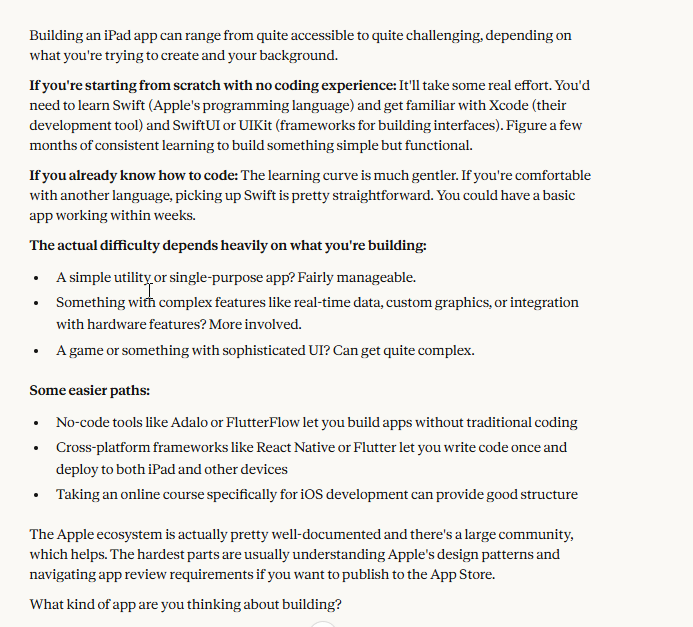
I know some of the answers, but you can look at the image below for what Claude gave me.
I like the conversational nature of this, so I answered with this:
a simple app to track some data entry. Can you build an app for an iPad?
I was just looking for help in my thought process here and trying to scope the work. I’m sure Claude Code could knock this out, but I’m experimenting. This was Claude’s response.
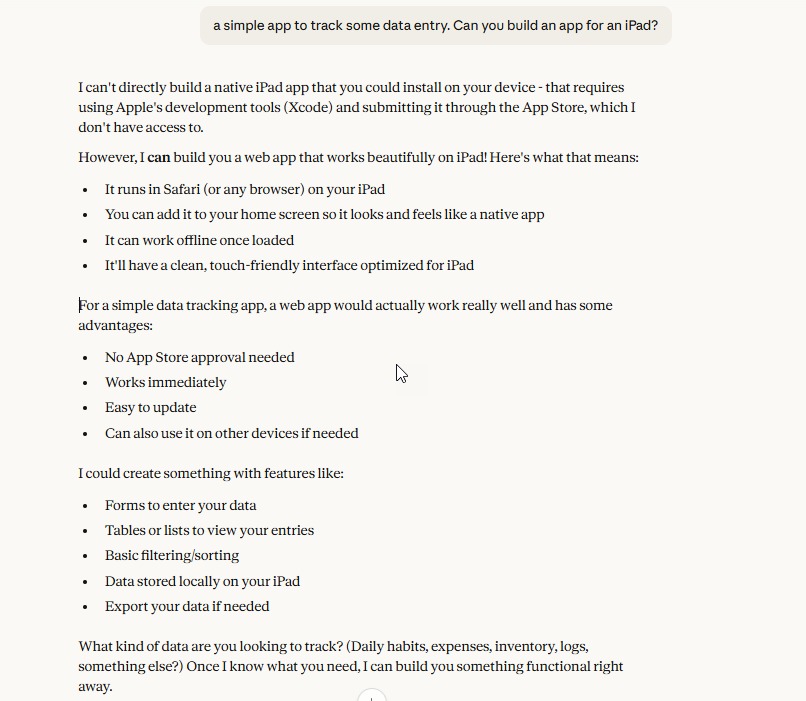
That’s great news. I don’t need a native app, and in fact, that’s likely a lot of overhead registering on a store or playing the sideload game, sending updates slowly, etc. With cloud file sync, I could easily have this data available elsewhere anyway.
This is the type of advice I’d get from some friends. Others would relish the chance to build an app and make this more complex. I’ve certainly seen some other Vb coaches on FB create complex systems.
My answer:
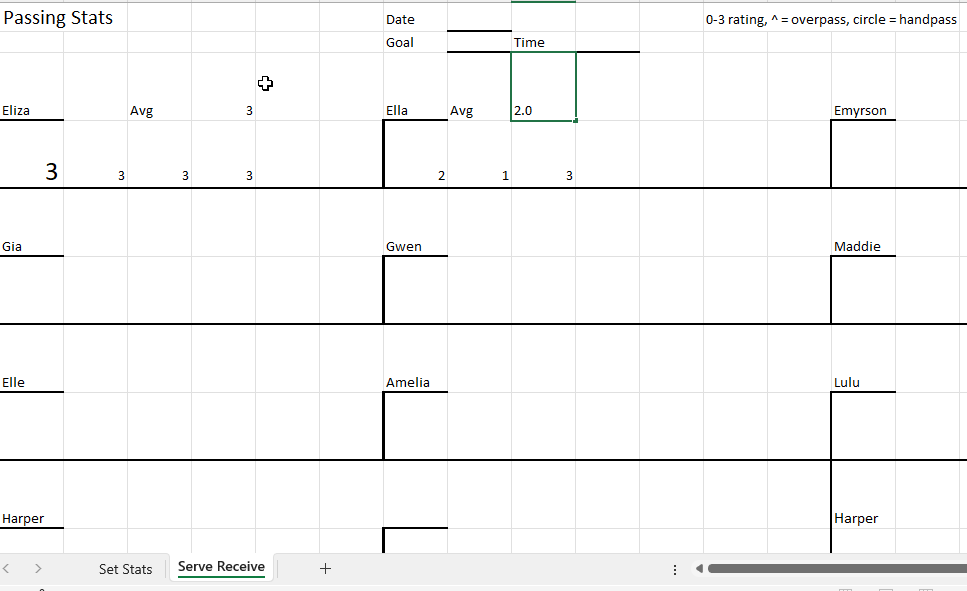
volleyball stats. Display a list of players in a 4×3 grid, like the image. Each player’s name is customizable. A date, goal, and time can be entered. For each player, display 4 buttons: 0,1,2,3 which are used to rate a pass. There should be a real time calculation of the average pass score for a player (sum of items/ attempts). Save this to a text file with the datetime data entry was completed.
I meant to upload the image below, but forgot. For context, I print this out and then as kids pass balls, I write 0, 1, 2, 3 for each pass. After we’re done (usually xx passes or time), I quickly compute an average. You can see below, Eliza gets a 3 and Ella gets a 2.
That takes time, so I wondered what Claude would say. This is the response, which took about 5 minutes.
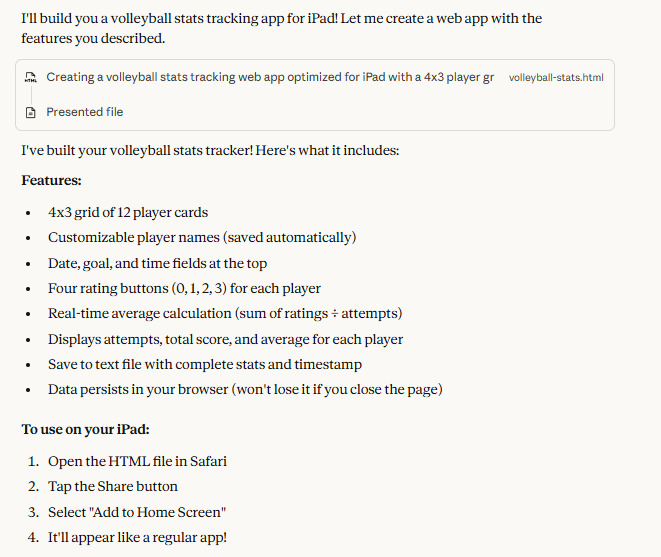
I downloaded the file and opened it and saw this, or most of this. I updated the player names and they’re saved in the HTML.
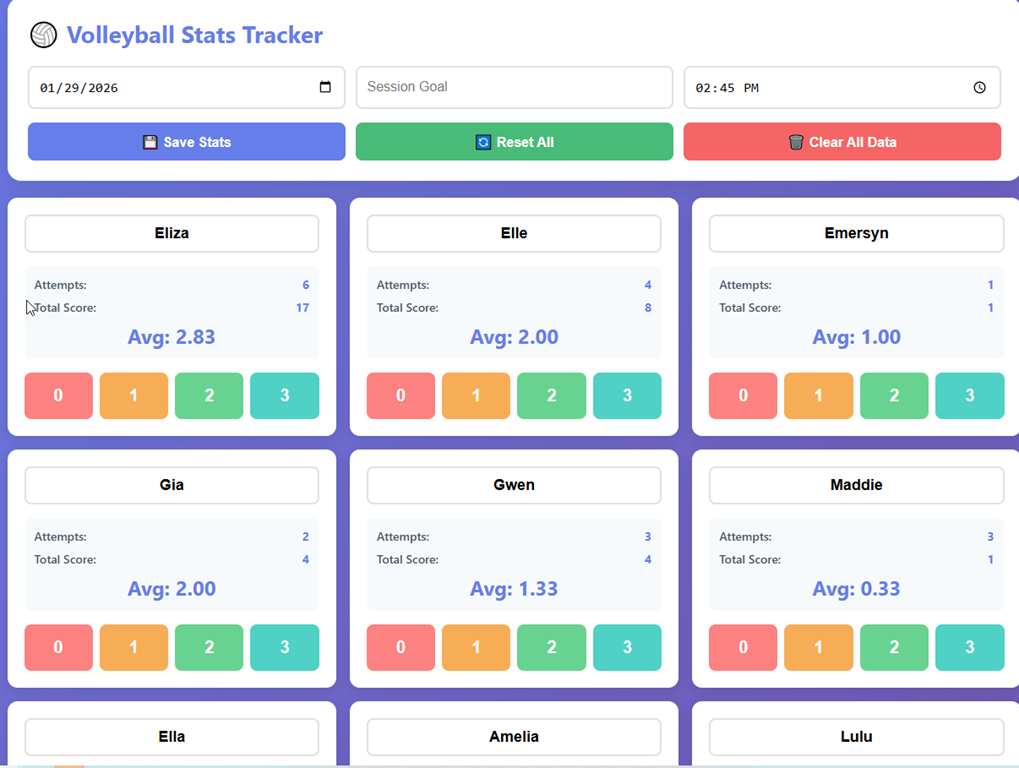
I can click around and it logs attempts and calculates an average in real time. If I download the data, I get a text report of what happened.
If you want to try it yourself, look in my repo: https://github.com/way0utwest/AIExperiments/tree/main/VolleyballPassingStats
I asked for a few changes, and then I asked for a log of the session. That’s the readme in the repo.
To me, this was something I’ve put off for a few years, not wanting to get caught up in a project like this when I could easily just use paper.
Now I have a new toy that I’ll use at the next practice. Plus, I’ve amazed myself at how easy this was.
Be curious, try things, ask for help on a task or project you’ve put off. GenAI is amazing.
Other AIs
I tried this on a local Gemma3 model and it was very slow and produced a single entry box. to me, this wasn’t worth the time or effort.
I tried this in Copilot (in VS Code) with the Sonnet model, and it wanted to make me an xCode app right away with a SwiftUI. I could get it to produce something like what I got below, but it wasn’t as helpful as Claude.
Video Walkthrough
You can see some of this live in this video.




 Voice of the DBA
The app looks good! I am working on two with CoPilot; I tried ChatGPT (free version) and it kept making mistakes. The first app I am working on is for my personal budget/credit card spending analysis and the second is for food tracking/menu planning. I am about 70% done with both. I like that I have my own app that I can tweak as I see fit and its fun building it.
LikeLike
Cool, I think there are a lot of small apps like this that AI is perfect for building
LikeLike