
AI is everywhere. It’s in the news, it’s being added to every product, management wants everyone to be more productive with AI.
Redgate Monitor isn’t immune from this wave. We have spent a lot of time over the last year trying to learn about AI tech, experiment with it, and find ways that it provides values to customers, not just becomes a marketing label.
The big area is query analysis, though this wasn’t the first area. I’ll discuss another area in a different post, but this one looks at AI assisted query analysis.
This feature is a part of Redgate Monitor Standard, which hopefully gives many of you confidence that we haven’t abandoned this edition for the Enterprise one. We still haves teams working on features for everyone in Redgate Monitor.
This is part of a series of posts on Redgate Monitor. Click to see the other posts.
Getting Help with Queries
If you find a problem area on your server and scroll down to look at queries, you can expend the query details with the arrow on the left. When you do this, you see something like this:
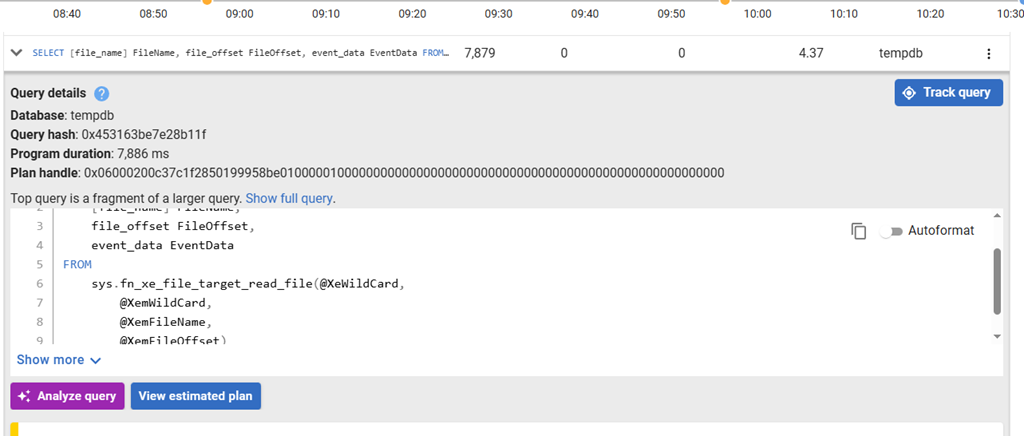
Lots of these details are familiar, but the AI sparkle and purple button is new. It says “Analyze Query” and what this does is send some query details and context to an AI LLM that Redgate runs in AWS for analysis.
When you click this, it takes a few seconds and then a response from the AI LLM comes back. You get a summary, which in this case tries to look at the query, infer some intent and then use details from the query to give a quick view of what this query is doing. You can see this in the image below.
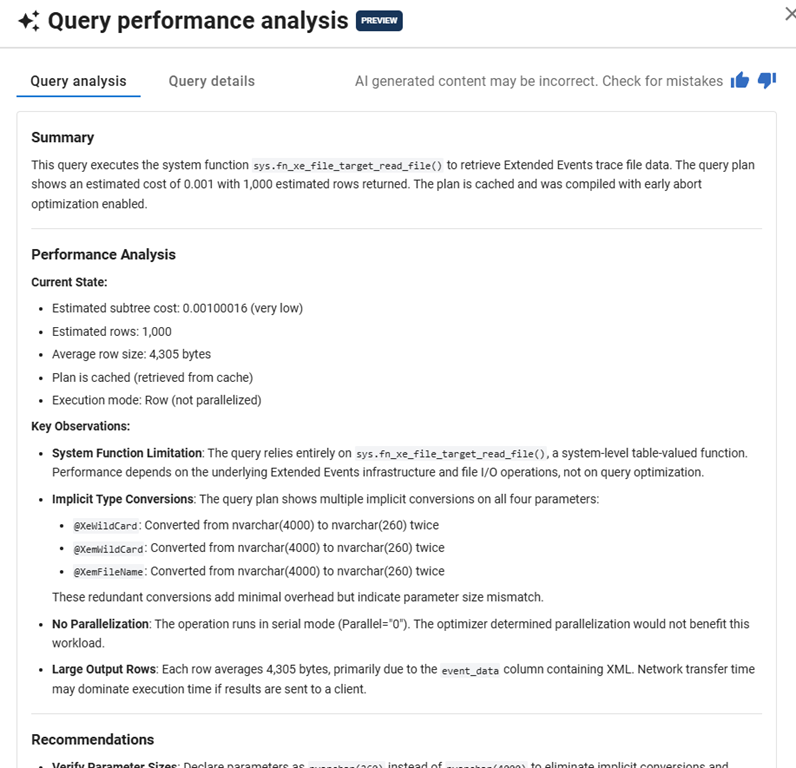
Below this, we give a performance analysis. In this case, we get the state and some observations about how this query plan looks. In this case, we see estimates of cost and rows, parallelism, etc. and then that this is a system function, there are implicit conversions, and large rows.
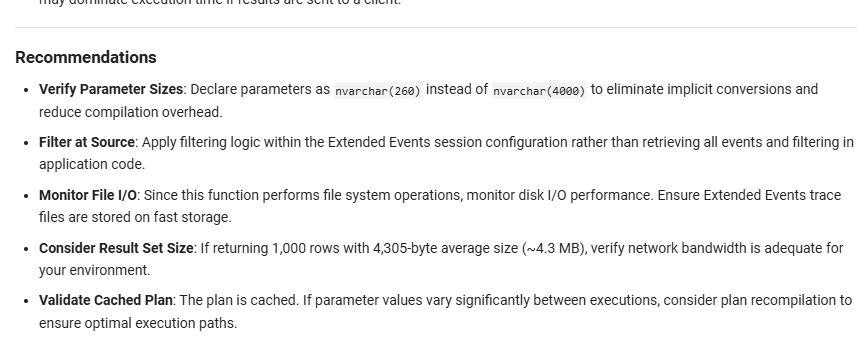
The section below this has recommendations. These are guesses at things that might help improve performance. In this case, there aren’t a lot of items, but some of these can help, like the implicit conversions.
Here is another plan, in this case, there are three items noted from the query. There is some detail and ordering. The implicit conversions here are critical as these can dramatically slow the query. The second item, noting over 1 million rows, is another thing to look at and lastly, SELECT *.
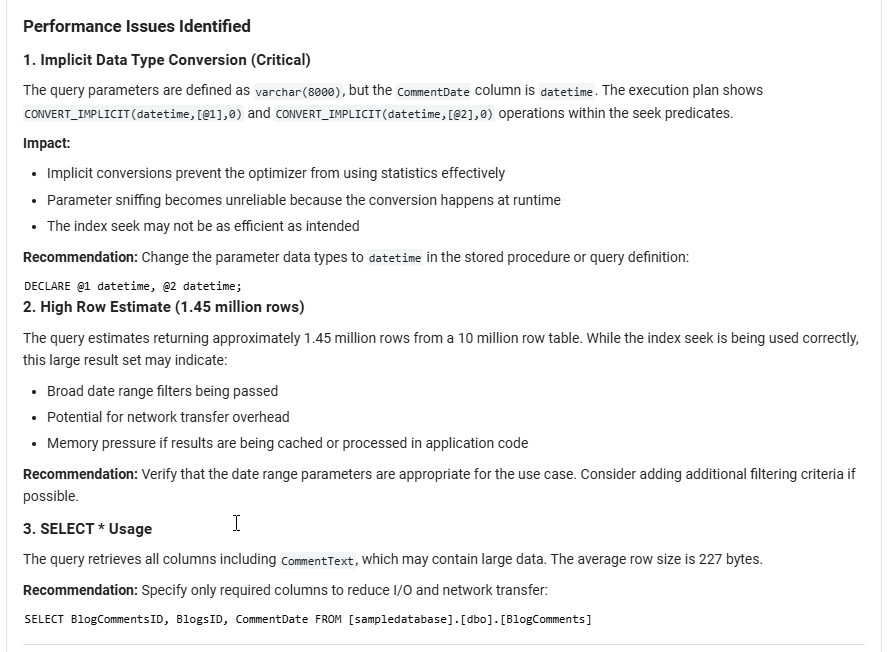
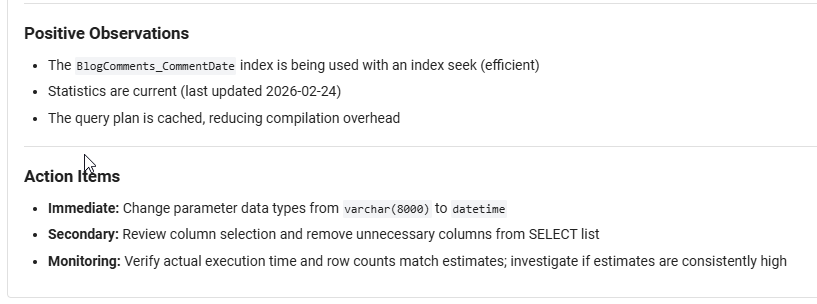
Below this are positives and action items. You shouldn’t blindly follow these items, but rather evaluate and test if they make a difference. In this case, these would help.
We try to intelligently pass through context to the AI LLM, but we are not custom training LLMs. We are hosting the models, so no data is being saved. We send context, get a response, and then that session closes with none of your data kept. You can read more in our AI FAQ.
Note the upper right corner of the first image, where we tell you that this content might have mistakes and you should check. You can also click thumbs up/down and provide feedback if you wish.
Summary
This post looks at the AI query analysis, which is in preview as of Feb 2026. This is intended to help you more quickly analyze what’s happening on your servers. This should help your team have a consistent view of what is going on and help share knowledge among team members.
If you find issues, or value, in this feature, please send us feedback as we are looking to improve this feature over time.
If you have feedback, please let us know as we value your opinions and comments on how we shape the future of Redgate Monitor.
Redgate Monitor is a world class monitoring solution for your database estate. Download a trial today and see how it can help you manage your estate more efficiently.




 Voice of the DBA