
At the recent Redgate Summit in Chicago, I demo’d (lightly) the ML based Alert thresholds in Redgate Monitor and decided to write a little about this.
This is part of a series of posts on Redgate Monitor. Click to see the other posts.
Noisy Alerts
When people used to setup Redgate Monitor in the 2015 timeframe (formerly SQL Monitor) they sometimes complained about the noisiness of the alerts. Just too many alerts were sent out.
I felt this way about other products I’d used in the past, and our dev teams worked hard with support to enhance the produce and tune our defaults to make them less noisy. Many customers appreciate this, though a new install can take a little tuning to customize to what is helpful and actionable vs what is noise for each customer.
A Better Way
As the AI-LLM rise started in 2024, we started to work on different ways to use this tech in Monitor. One of our first ideas was an ML based alert that didn’t work on a set level to trigger, but rather would look at historical data and adjust the threshold for alerts. In this way you would
We released this in v 14.0.37, so you need to be on that version or higher to use this. This is in a documentation page that describes how this work. Basically we take 14 days worth of history (the min required) and run that through a machine learning algorithm to decide what a predicted level should be. There is a pad added, and you can still set a min threshold and a duration.
If the value exceeds the predicted value + pad, an alert is sent out.
This is intended to reduce the amount of alerting from a system that might have a variable workload, but one that repeats and is predictable.
Enabling Alerts
This is available for the following alerts so far:
- Processor (CPU) utilization
- Server waits
- DTU utilization
- Query throughput
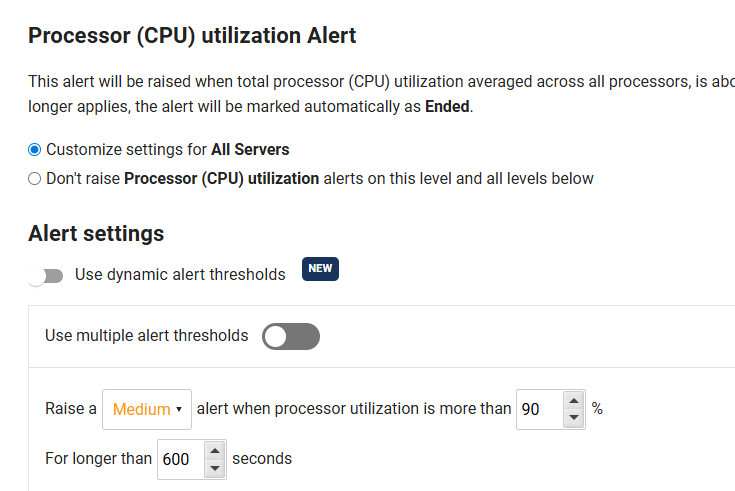
If you go into the configuration for any of these alerts, you wil see a “dynamic alert” toggle that can be enabled. You can see this below where is says “Use dynamic alert thresholds”.
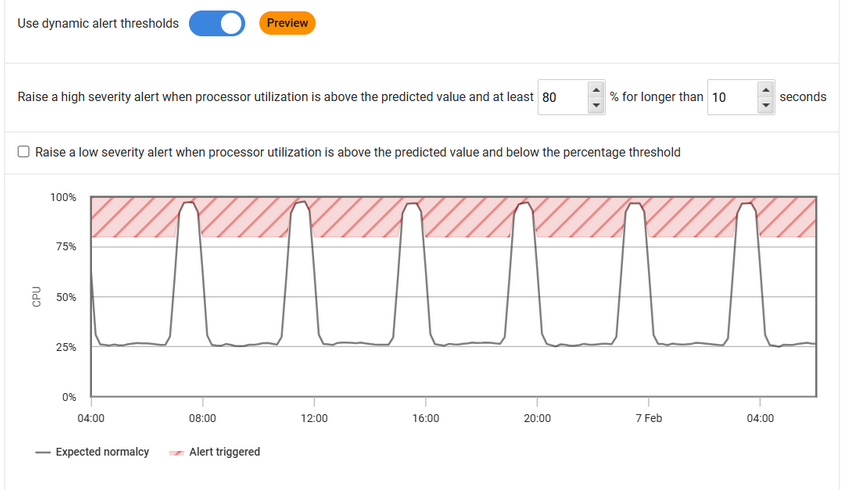
When you do that, you can still set the levels, and as shown below (from the doc page), you get an idea of how the threshold works. The predicted values are shown as the line. If the line gets into the red areas, an alert is raised.
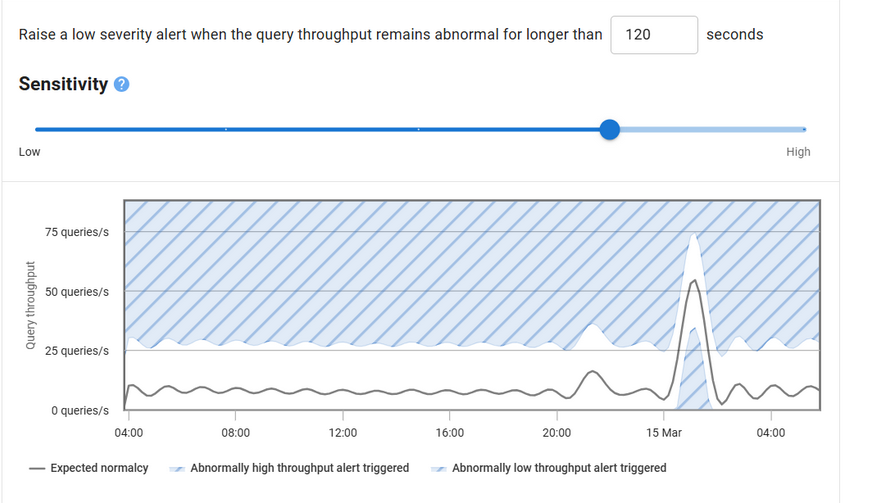
The time limit works as shown for sensitivity. The value would have to get into the blue area, so you can see a pad around the predicted value alerts are not raised.
That’s it. Set the alert and if there is 14 days worth of data, each machine gets its own custom alert levels.
Seeing the Expected Values
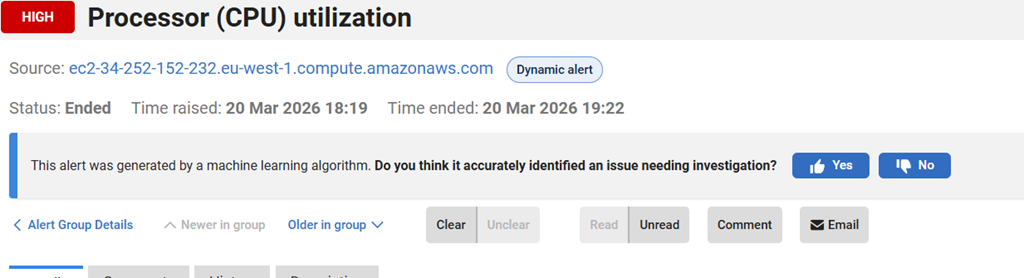
When an alert fires, the alert includes the predicted values as well as the values recorded. You can see below in this alert that CPU was expected to decay, but hadn’t, so an alert is fired where the green line is shown.
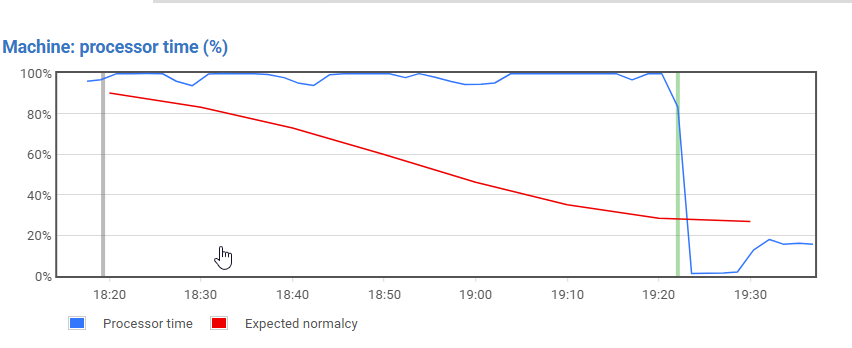
At the top of the alert, you can see that this was generated by an ML process.
Summary
This dynamic levels should reduce the amount of alerts you get from variable workloads, since the predictions are made based on each machine’s history. You can set some threshold and sensitivity over time, but the actual values used for alerts are predicted.
There is also a feedback place in the alert so that you can let us know if this is helpful or not. We use feedback from you to help better tune our the ML works.
If you have feedback in general, please let us know as we value your opinions and comments on how we shape the future of Redgate Monitor.
Redgate Monitor is a world class monitoring solution for your database estate. Download a trial today and see how it can help you manage your estate more efficiently.
Video Walk-through
You can see me check this out in the video below.




 Voice of the DBA