T-SQL Tuesday #178–A Recent Technical Problem

tsqltuesdayThis month we have a good invitation from Deepthi Goguri, where she asks us about a technical problem. I think most of are technical people and we solve problems regularly. This is the same type of thing I ask people to blog on regularly, documenting their career.

It’s a great way to prepare for future interviews as well.

If you don’t blog, this is a good chance to start. Go to WordPress.com and get a free one. Then post on this topic.

If you want to host, ping me.

A Recent Technical Issue

My blog is full of stuff I run into, or my customers run into. I try to post short pieces on the things I’ve been dealing with. Quite a few of my posts are on Redgate products, sometimes me digging into a technical problem and finding a way to accomplish the requirement.

One of the more interesting ones recently was getting my Docker Desktop setup on a new machine. While installed the system was easy, I had to dig around and research a bit to try and understand how to use volumes. The documentation can be sparse, and it took some experimenting to decide that mapping specific folders in my compose file rather than trying to create permanent volumes was a better solution.

I also had to experiment a bit with a few settings and paths to decide that I needed a specific place on my disk to hold all my data, which makes it easy to manage over time. I also had to make the decision on naming the containers. It’s easy to lose track of ports, and it’s sometimes hard to remember how to get the port, so to keep it simple, I used naming that has the port name in the container name.

I wrote about the final process, which you can check out if you want to learn more.

Posted in Blog | Tagged , | Comments Off on T-SQL Tuesday #178–A Recent Technical Problem

The Invisible Disk

I saw a post recently about the incredible shrinking computer, where a software consultant had written down his predictions for the future. In this case, he writes about a computer shrinking smaller than today, essentially to one chip, with docking stations wherever you need them. We’re already at the place where many of us have an extremely powerful computer in our pockets in the form of a mobile phone. I’m still amazed that I bought a phone recently with half a terabyte of storage.

A few years ago I gave a keynote where I looked at the changes in disk storage, starting with an IBM hard drive being loaded onto a plane. The capacity was 5MB. I remember working with KB floppy disks and MB hard drives, and lots of different connection technologies: IDE, ESDI, SCSI, and more. I’ve seen disks shrink from a 5 1/4″ form factor to mere wafers with today’s NVMe drives.

However, what might be even more interesting is that I don’t even think about drives anymore as being a physical thing. Certainly, my mobile, my laptop, and my desktop have physical drives, but they’re all connected together, essentially giving me invisible disks. I can take a picture on my phone and it shows up on my laptop or desktop in seconds. The disk might as well be invisible.

As I left full-time Operations work, we were starting to see this in our servers, which were essentially invisible VMs stored in some location, on storage that we never laid eyes on. We never saw disks fail because the storage arrays had redundant disks. There were people replacing failed drives every week to ensure that service wasn’t interrupted.

These days we rent storage in the cloud without ever working with the hardware. Most of us who specify the configuration in the cloud don’t think about disks. We think about the total capacity and the IOPs that we need for our system. We care about the results, not the hardware.

Most of us. Some of us care and worry about it, but a lot of the people I know in data work, even as operational DBAs, don’t worry about hardware. They need a high level of service and low latency to ensure clients can retrieve data. Even when requesting more hardware, most of us are asking for more capacity or throughput, not specific models of hardware.

I find myself rarely caring about disks anymore, though recently I was glad I had a flash drive in my bag. I needed to transfer a file to some air-gapped computers, and a quick copy on an old 2019 PASS Summit recording flash drive worked well. That drive was certainly visible, and full of memories.

Steve Jones

Listen to the podcast at Libsyn, Spotify, or iTunes.

Note, podcasts are only available for a limited time online.

Posted in Editorial | Tagged | Comments Off on The Invisible Disk

Redgate Clone Graduating Images

I wanted my own custom image in our internal Redgate Clone cluster, so I decided to make one. This is an overview of how this works.

This is a series of posts on Redgate Clone, which is a way of quickly and easily creating ephemeral developer images of databases.

Overview

Usually a custom image comes from production, which is masked and subsetted, then available for devs. However, if you are working in greenfield development or want to experiment, you want to start somewhere. I decided to start with an empty instance and customize it.

The process I followed is this:

  • create a blank container  (create)
  • make changes to the container
  • save the changes (save)
  • create an image from the container (graduate)

I’ve added the RGClone commands in parenthesis after each of these steps.

Creating a New Container

We have an internal Redgate Clone cluster that many of our developers and teams use for spinning up database environments. I connected to this and created a data container using this command.

rgclone create data-container –image empty-sql-current

This is a blank image we have that contains SQL Server 2019 on it (current was a poor choice for naming) and no databases installed. As you can see below, this created the container and then returned the endpoint in a connection string, including credentials.

2024- 08_ 0032

When I then listed out the containers running, I could see mine below. It’s the last one, where the container name is the image with a random set of characters appended.

2024- 08_ 0033

Once this was done, I decided to connect to this instance and then customize things. This container is just a plain SQL Server instance, and appears like that on the network, so I connected to it in SSMS.

Customizing things

Once I connected, I could see this was a standard SQL Server instance, just as if I’d installed SQL Server on a VM.

2024- 08_ 0038

I had a script to create a database, so I ran that and created a new database and added some data. When I was satisfied with my changes, I decided to save this as a new image.

Graduating the Image

I don’t know why graduate was chosen as the verb, but it was. This means we’ll take an existing container and use it as the source for a brand new image. To do this, we follow a two step process: we save the container state and then create a new image.

The first step is saving, and we use the save verb with the container who’s state we are saving. This creates a revision of this particular moment in time of what the container looks like. I didn’t include a version, since I was learning. The default is rev.x, where x is the next numeric version.

Here’s the command and output.

rgclone save data-container empty-sql-current-wyzpthav

2024- 08_ 0034

Now that I have a saved state, let’s use that to create a new image. I used the graduate verb here, but this didn’t work. There is an error that ran off to the side, which noted there was no revision number 1. That’s because the docs didn’t quite explain this, and I wasn’t sure.

2024- 08_ 0035

The better command is:

rgclone graduate data-container empty-sql-curent-wyzpthav –revision rev.1 –name sql-2019-cu22-Northwind

where we give the contained and the actual revision used (or returned from the save command. In this case, rev.1 is the revision. I also gave this a better name, which reflects the actual version of SQL Server.

2024- 08_ 0036

Once this was done, I could see my sql-2019-cu22-Northwind image in the list of data images. I could easily create a new container instance from this, which would be my starting point for more development work.

Summary

This is a basic look at how to use Redgate Clone to create custom images based on your work. Ideally, a bunch of this work would be automated, so we could get updated images of the current state of our development systems as we evolve and change our schema and data.

There are ways to automate things, often starting with a backup, but if you have developers that might want or need to customize a container and want to deploy that to others, this is a way to do that.

Redgate Clone is a part of our Test Data Manager solution, which includes the ability to also mask and subset your data.

Posted in Blog | Tagged , , | Comments Off on Redgate Clone Graduating Images

Branding Yourself for a Dream Job Slides

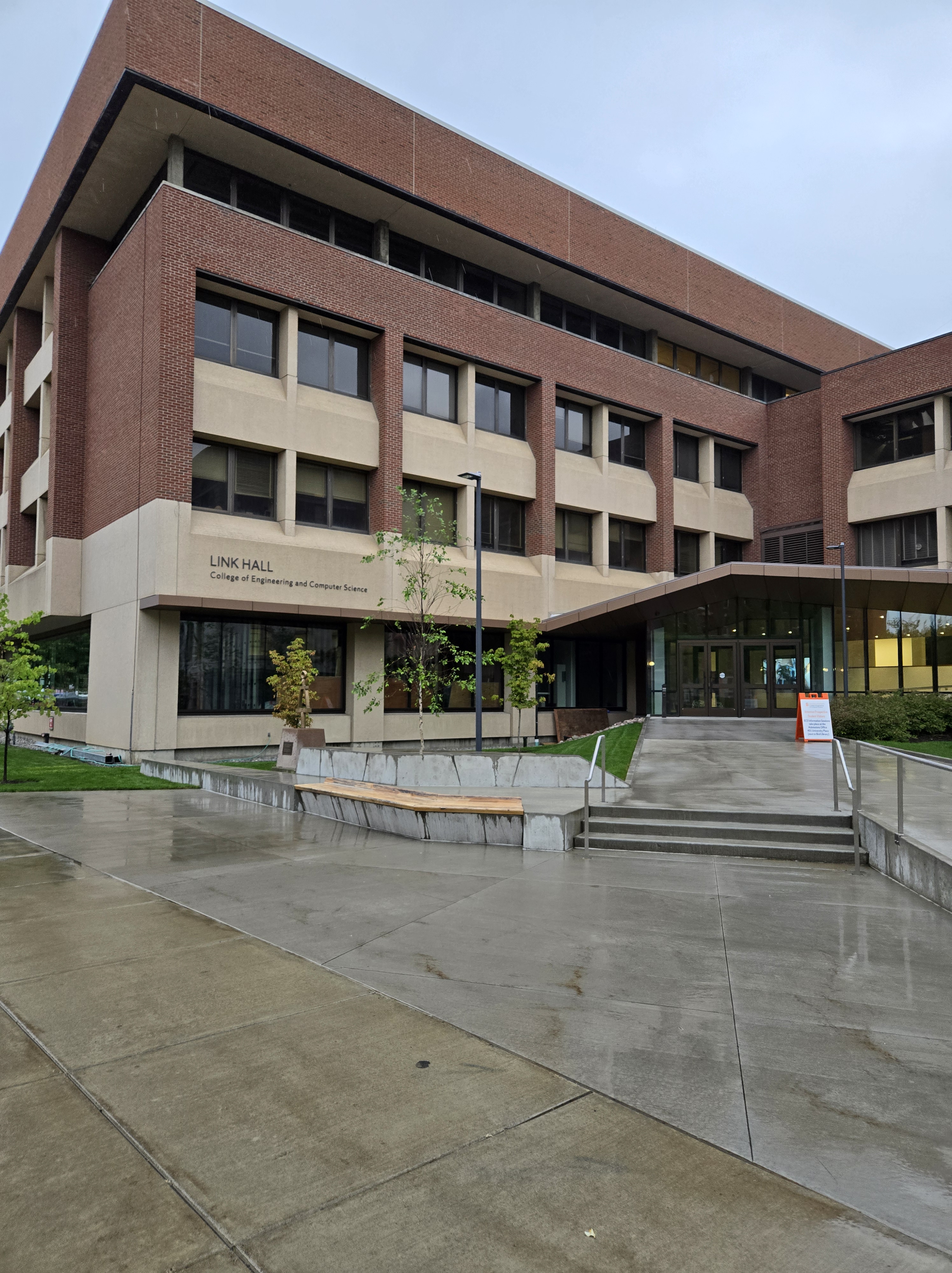
It was very cool to come back to Syracuse for the first SQL Saturday. It was neat for me, since I used to live here, Shaw Residence Hall at Syracuse University:

Shaw Hall at Syracuse

In any case, the slides for my talk are here: Branding Yourself for a Dream Job.pptx

If you have questions, please reach out to me or leave a comment below.

Posted in Blog, Presentations | Tagged , , , , | Comments Off on Branding Yourself for a Dream Job Slides