The Redgate Summit 2024

The Redgate Summit tour is coming in 2024 to a number of cities. You can see the list here and register for events, but register soon. I know the tickets are going quickly.

Years ago we started SQL in the City, and I was thrilled to speak at those events. We had a number of them in the US and UK, and I enjoyed going to some amazing venues to speak. It was a treat, and I think customers really enjoyed these small conferences.

With our move beyond SQL Server, and beyond SQL as well, we’ve decided to launch new events called Redgate Summits. We also host the annual PASS Data Community Summit, so I’m glad these events are all somewhat themed.

The 2024 Tour

In 2024 we have four events scheduled (so far) in these cities:

  • Atlanta (Mar 13)
  • London (Apr 17)
  • Chicago (May 29)
  • NYC (Aug 21)

I’m also scheduled for some Australian events in early May, but still waiting on them to be announced.

I’m excited as we’ve set different tracks with a lot of Redgate specific, and general content. We have product specific sessions, thought leadership on trends (cloud, ai, devops, etc.) and deep-dives. I don’t have a final session list, though I’m busy working on content in a few areas. Hopefully more news soon.

In the meantime, your best bet to secure a ticket is to reach out to your account representative. If you don’t know them, ping sales@red-gate.com and ask who’s assigned. I know they have more pull for tickets than I do Winking smile

Hope to see you there and watch for more details soon.

Posted in Blog | Tagged , , | Comments Off on The Redgate Summit 2024

Serious Software Glitches

Recently Robert Sterbal pointed out a podcast to me. This link is for Apple Podcasts, but it’s for the Journal, which is on other platforms (I listened on Spotify). It’s the story of a computer glitch in UK post office software, which resulted in quite a few local postmasters being criminally prosecuted, many convicted, and even a few committing suicide. It’s a sad story, and it’s complex, but there are some technology-related elements.

First, the overall story is Fujitsu sold the UK a point-of-sale system for post offices. There was a computer glitch here, which incorrectly calculated lots of totals and showed postmasters owing more money than they should. They were upset, called support, got nowhere and many were liable for paying money they didn’t owe. The UK postal management hid information about the widespread nature of the problem, while prosecuting many local postmasters. Fujitsu support didn’t disclose to callers how others were experiencing this same issue. This also coincided with a (an unrelated) law that changed saying computer systems were presumed correct and anyone accused of a crime had to prove the computer was wrong.

Without a doubt, there are human failings here with support people, management, a vendor, and likely others. I don’t want to minimize those, and I do think quite a few people involved, especially management, should face charges. However, since this is a database-related site, I wanted to focus on the code quality here. I don’t know the exact nature of the calculation issue, but there is clearly a bug somewhere in the system. Do we, as technologists, think we’re better developers or database people than those at Fujitsu? Would we not produce calculation bugs that might be hidden in aggregations? I have to say that I see this stuff all the time and not just in development. I run into these bugs in production, and I think this is often because we don’t embrace enough testing. I see this in all sorts of systems, with developers of many different experiences.

While application developers have gotten very good at unit testing, that same habit hasn’t gotten as widely deployed among database developers. What’s more, I often find that people writing aggregation queries for reports often use lots of live data, and they don’t write tests or even perform calculations to ensure complex formulas are correct. If you’ve ever done complex aggregations in SQL or DAX, you might find there can be strange effects from filters, from NULLs, and even from the way a window or range of rows is processed. It’s easy to say that a report on 1,000 rows of data out of 100,000 is roughly correct with some total, when you haven’t actually verified that calculation manually.

I certainly think Fujitsu deserves a lot of blame in this case. Ultimately, they are the source of issues. Those that covered up the problems, both at the UK government organization and at Fujitsu should be prosecuted and held liable, but the programmers and testers are also at fault. They didn’t do a good job testing their software, and worse, didn’t do the job of tracking down the bugs, finding issues, and correcting them. I hope those issues are fixed now, but they weren’t addressed promptly as this situation took place across years.

I often work with companies trying to build software better, but I find it hard to get them to test database software. I know the testing frameworks are immature, the tooling is poor, and honestly, too few of us have a good test data management process in place. However, we can start to learn to add unit tests to our code. At the very least, we ought to write some repeatable, automated test when a bug is reported. Clearly, in that situation, we (as a team) didn’t write good code if a bug was found. Either because of tech skills or we didn’t get the specification correct. In either case, we need to improve and automated tests to ensure we don’t make this mistake again are a way to start getting better.

Much of the software I’ve worked on isn’t directly related to affecting human lives. That’s probably true for most of you unless you write software that controls some sort of vehicle movement or medical device that dispenses care or drugs. My son works on rocket flight software, and he takes that seriously since people will be riding those, but for most of us, the work we do isn’t critical to anyone living or dying.

However, this story shows that we might still affect human lives. We ought to take that responsibility seriously and ensure we are doing the best job we can to produce quality software. Having some testing (and good test data), is a way to double-check ourselves and our team. It’s worked well to raise the quality level of mobile software dramatically. We database people ought to learn from that and adopt better testing.

Steve Jones

Listen to the podcast at Libsyn, Spotify, or iTunes.

Posted in Editorial | Tagged | Comments Off on Serious Software Glitches

The DevOps Airways Roadshow

I love this logo.

2024-01-31 14_25_43-Window

Our marketing people were very creative. After the van tour last year, we decided to go with a plane this year. I wrote about the photoshoot last week, and you can compare which of these you think looks better.

20230805_102836

20240123_134308

We have more photos and promos cmming soon and I’m interested to see what the artists come up with.

Our tour is starting this month. We have quite a list of places, though I’m not doing too many. I’ve been trying to better manage travel, and since we have others that can share the load, I’m only doing a few dates.

So far, I’m only in San Jose and Australia (not listed yet), but there are some other Redgate events I’m doing. It’s possible in Q2/Q3 I’ll do a few more, but not many.

If you want to come talk DevOps, register today and either Grant, Ryan, or myself will see you somewhere.

Posted in Blog | Tagged , , , | Comments Off on The DevOps Airways Roadshow

Friday Flyway Tips–Navigating in Flyway Desktop

Flyway Desktop changed the navigation and a few people were surprised. I was as well, so I decided to do a short tip on the changes.

This is part of a series of posts on Flyway.

The Old Flyway Desktop

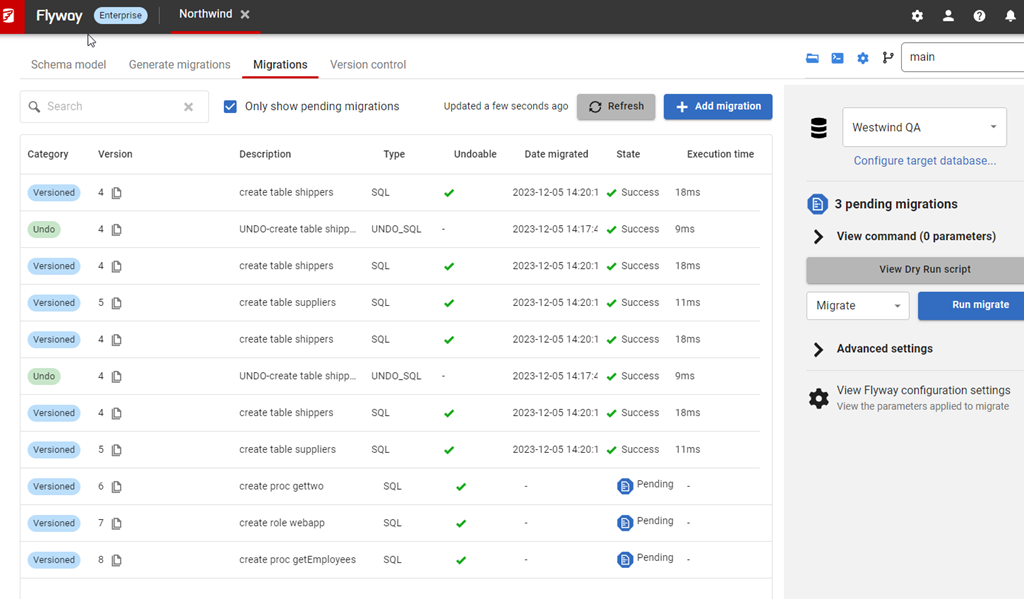
If you’ve been following these tips, or worked with the Flyway Enterprise system, you’ve encountered Flyway Desktop, and you might have seen something that looked like this, with the navigation across the top of the screen. We see four “tabs”, called Schema model,
Generate Migrations, Migrations, and Version Control:

2023-12-05 15_07_27-Flyway Desktop

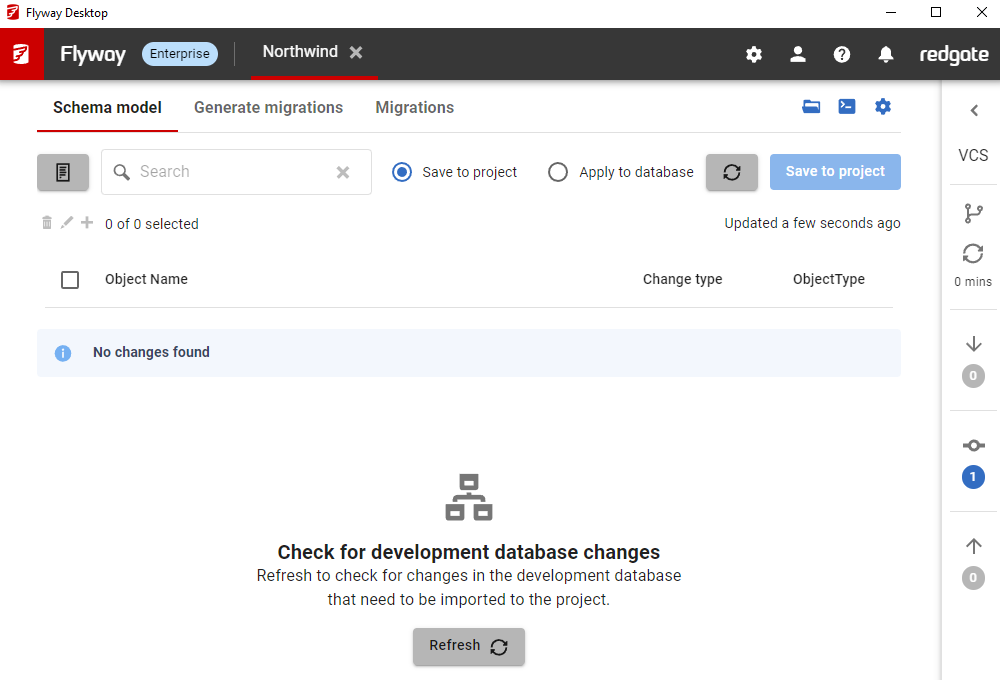
As part of a design refresh, we moved the version control tab to the right side as a bar, which shrinks it, but also gives information while a developer is working. I covered this in a previous tip. You can see that design below.

2024-01-05 16_41_53-Flyway Desktop

We weren’t done and I was surprised how quickly we made another change.

Flyway Desktop v7

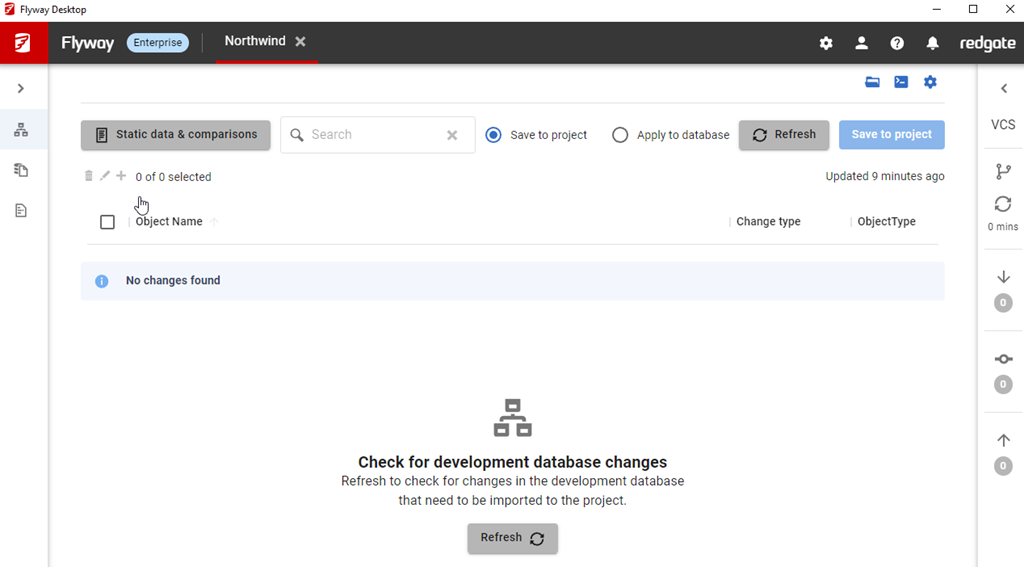
This was actually in v7.0.5, which released Jan 11. We moved all the tabs to the side, though this time the first three moved to the left. As you can see below, I have the migrations tab selected and the nav is on the side panel.

2024-02-01 16_08_17-Flyway Desktop

The same three tabs are there, but now on the left, and what’s more, I can shrink this panel to a bar, which gives me more room in which to see code and work with my changes. The VCS tab is still on the right, with icons to let me know when I have changes to push, pull, or fetch.

2024-02-01 16_09_48-Project Llama Assistant Window

Summary

This might not seem like much, but it’s a nice visual change and it gives us the ability to add more features in tabs, without running out of room or squeezing things at the top. Over time, a few more pieces of functionality will appear here as we continue to expand the capabilities of the tool.

Try Flyway Desktop out today. If you haven’t worked with Flyway Desktop, download it today. There is a free version that organizes migrations and paid versions with many more features.

Video Walkthrough

I made a quick video showing this as well. You can watch it below, or check out all the Flyway videos I’ve added:

Posted in Blog | Tagged , , , | Comments Off on Friday Flyway Tips–Navigating in Flyway Desktop