Focus on Growth in Your Career

I find there to be a lot of value in actively managing your career. This is part of a series of editorials based on advice I’ve read from Raylene Yung (Facebook and Stripe) on your engineering career.

I write a lot about growing your career. I think it’s important to find a good career, but also learn to be good at whatever you choose to do for employment. While I do think that learning is a skill and each of us ought to sharpen our saws, I sometimes find people chasing new things all the time. In this interview, I saw a great quote:

“… while it’s important to be informed about the latest frameworks and best practices, learning this at the cost of developing fundamental skills is a bad tradeoff.”

That’s something I imagine Jeff Moden saying about all the new technologies that get incorporated into database work. Often I find there are a lot of DBAs and database developers that want to implement PowerShell or MDX or Python because they can and not because it’s a good choice. Or perhaps more often because they aren’t as skilled in SQL as they should be.

I am a fan of experimenting with different methods and determining if there is a better way to solve a problem. However, I am only a fan of using new techniques when they are better. Either they have to perform better (less resources or a lot less time to run), simplify the situation, or they save a ton of developer time. And not just your time, but for all other developers.

One of the things noted in the interview above, as well as something I’ve seen, is that many younger people want to constantly try something new, without developing deep skills in any area. They often move in new directions because they can. I also see intermediate or senior engineers getting bored with their work or excited by something they read about and looking to shift everyone to a new platform/language/framework/etc.

New can be better, but isn’t necessarily better. Instead, I might try to answer these questions from the article:

  • how can I make every code change great?
  • how can I be as good at X as someone on my team – For SQL, can you be as good as Jeff Moden or Itzik Ben-Gan? Or maybe closer to their level?

The goal is to become better at your craft. Like the woodworker who improves their skills in shaping wood, or the chef becoming better at creating more tasty recipes, or maybe the weekend race car driver who learns to shave seconds off their lap times with improved driving technique.

If it isn’t important to you to become the best in your team, maybe this will help. The cloud, AI, and competition from younger people will ensure that if you don’t improve your skills at all, you’ll slowly fall behind and your current manager, or the one that takes their place, might find a way to replace you with someone that does the job better, faster, and cheaper.

Steve Jones

Listen to the podcast at Libsyn, Spotify, or iTunes.
Posted in Editorial | Tagged | Comments Off on Focus on Growth in Your Career

Friday Flyway Tips–Comparison Options

Recently a customer asked how they could get index changes to be captured in Flyway Desktop. In their case, they wanted a different fill factor, but I decided to investigate a bit more how things work.

This post looks at how to control the comparison options in Flyway Desktop (FWD).

I’ve been working with Flyway Desktop for work more and more as we transition from older SSMS plugins to the standalone tool. This series looks at some tips I’ve gotten along the way.

The Setup

I’ve got a table and an index, which I created with this script.

CREATE TABLE [dbo].[Customer]
(
[CustomerID] [int] NULL,
[CustomerName] [varchar] (75) NULL,
[PrimaryContact] [int] NULL,
[PrimaryAddress] [int] NULL,
[PurchaseLimit] [numeric] (10, 2) NULL,
[Status] [tinyint] NULL
)
GO
CREATE NONCLUSTERED INDEX [nci_customer_custname] ON [dbo].[Customer] ([CustomerName], [Status])
GO

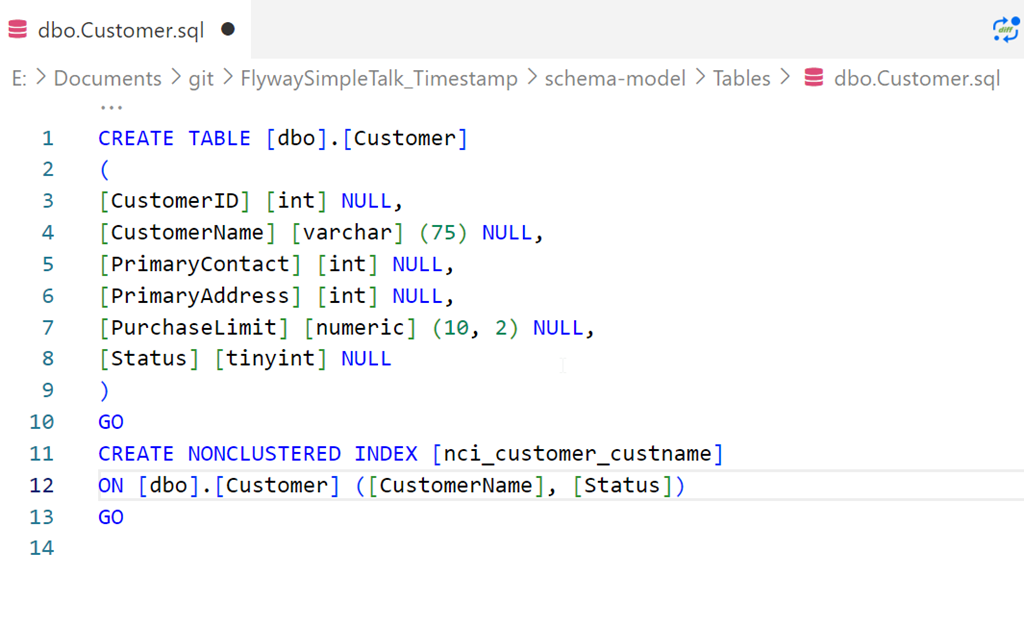
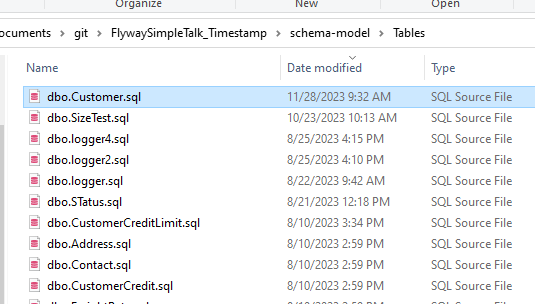
I saved this in Flyway Desktop, which we can see here in the filesystem:

2023-11-28 09_48_55-Window

and here in VS Code.

2023-11-28 09_52_32-Window

If I refresh the schema model tab in FWD, there are no changes.

Making Index Changes

I’m going to alter this index. Specifically, I’m changing the pad index, fill factor, and statistics options. Here’s the script I’ll run.

ALTER INDEX [nci_customer_custname] ON [dbo].[Customer] 
REBUILD PARTITION = ALL 
WITH (PAD_INDEX = ON, STATISTICS_NORECOMPUTE = ON, SORT_IN_TEMPDB = ON, ONLINE = OFF, 
       ALLOW_ROW_LOCKS = ON, ALLOW_PAGE_LOCKS = ON, FILLFACTOR = 80)

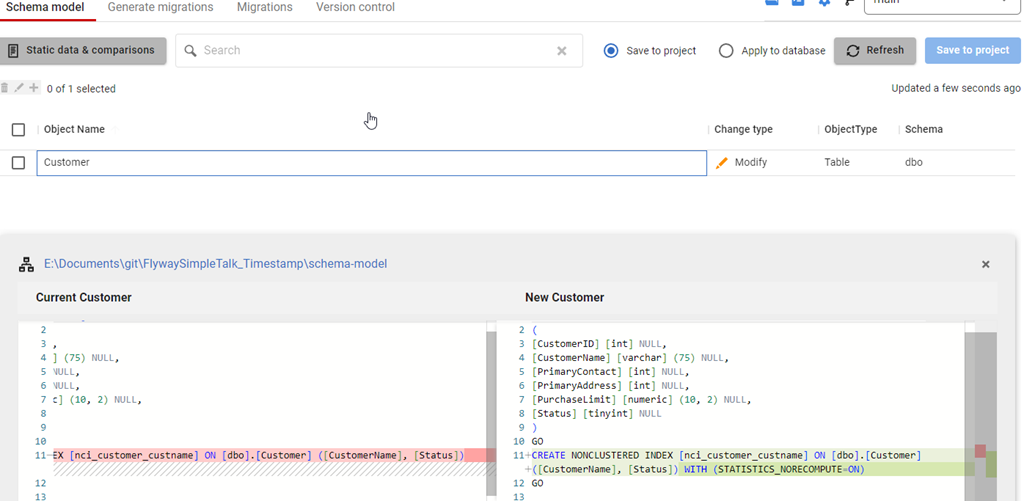
Once this runs, I’ll refresh FWD and I see this. Note that I see an index change, but only one option is captured: STATISTICS_NORECOMPUTE.

2023-11-28 09_54_21-Window

What’s happening is that FWD is using the SQL Compare engine and the default options set in the engine. Among these are to ignore fill factor and pad index. However, I can change this.

Changing Configuration

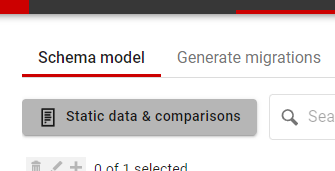
In the past, I would need to edit a config file to make this change, but the team has enhanced FWD to add new options. In this case, notice the button near the top of the Schema model tab: Static data & comparisons. Not a great name, but it’s there:

2023-11-28 09_56_31-Window

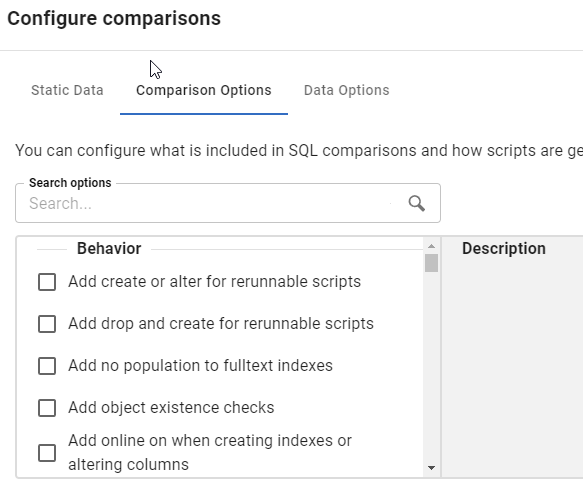
Once I click that, I get a new dialog. This starts with static data, but I’ll click the second tab, which is Configure comparisons. This shows all the options available in the Compare engine

2023-11-28 09_56_37-Window

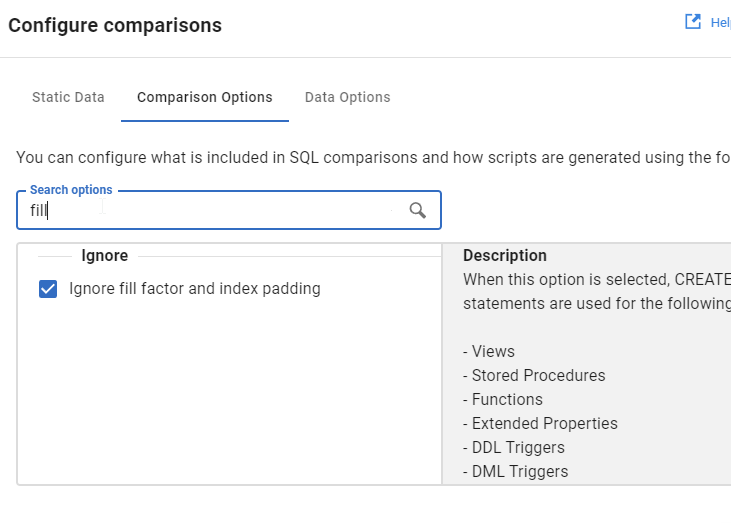
Rather than scroll, I’ll type in the search box, and I see fill gets me the “Ignore fill factor and index padding” option.

2023-11-28 09_56_42-Window

I’ll uncheck this and click OK.

Once I do that, I’ll refresh the comparison, and now I see my options.

2023-11-28 09_58_46-Window

Try it out today. If you haven’t worked with Flyway Desktop, download it today. There is a free version that organizes migrations and paid versions with many more features.

Video Walkthrough

I made a quick video showing this as well. You can watch it below, or check out all the Flyway videos I’ve added:

Posted in Blog | Tagged , , , | Comments Off on Friday Flyway Tips–Comparison Options

A New Word: Guiltwrights

giltwrights  – n. the imaginary committee of elders that keeps a running log of your mistakes, steadily building their case that you’re secretly a fraud, a coward, a doofus, and a douche – who would’ve revoked your good fortune years ago had they not been hampered by their own bitter squabblings over proper grammar and spelling.

I have anxiety at times about the mistakes I make. I tend not to dwell for too long, but I do sometimes find myself wondering if there are others who’d find me lacking, fire me, stop being a friend, etc. if they knew how many times I’ve made mistakes.

Across my career, and across decades, I’ve learned to admit mistakes often and expect them. I’ve learned that I am frail and faulty, and I have to accept that. I also need to try to not make easily-preventable mistakes, or big ones, but accept that those might happen.

I don’t think I’m often concerned about the guiltwrights at my age, but I did feel they were watching me often in my teens and 20s.

From the Dictionary of Obscure Sorrows

Posted in Blog | Tagged , | Comments Off on A New Word: Guiltwrights

TryHackMe Advent of Cyber

I posted that I was thinking about the AdventOfCode this year, but wasn’t sure I’d spend the time. Someone then posted a link to the TryHackMe advent calendar.

I decided to give it a try.

There’s a fairly long (10min) video intro and then you sign up.

Day 1

One of the good things was that the video has some spoilers to help you solve the challenge. If you skipped the video, watch it now. Or try.

There are three questions we need answered, and we then have to fool the AI/ML chatbot. The video shows how, but essentially you need an email address, a server room password and a project name.

The interesting thing is this shows how a poorly secured and trained chatbot might disclose this information. For the email address, you just ask. For the password, you need to find an employee’s name and then tell the chatbot you’re that person and need the password. It seems silly, but I bet this works on some chatbots people have created with wizards or templates and not secured or limited the training data.

The last one is interesting, you ask the machine to go into maintenance mode and you get the name of a project. Getting into the maintenance side of applications or mainframes used to be a way to attack them. Unfortunately, too many people didn’t secure many early systems and this was too easy.

Day 2

Day 2 is about using Jupyter notebooks. A good portion of the tutorial is helping you understand how notebooks work. Hopefully you’ve read my article on notebooks. If not, this helps you figure out how to use them. It also has a short tutorial on some python that you use to perform data analysis on a csv. While many of us might like to do this in SQL, the experience in python isn’t bad.

This ends up helping you understand how to count, summarize, and group data in python.

Day 3

This day was interesting. Now we are learning about some security tools. In this case, we learn about hydra, which is a tool to brute force logins against a web page. This is a fantastic tutorial that should teach you that unlimited retries on a page without some timer is a bad idea. This should also help you understand that you need to track failed logins and do something about them, especially from weird IPs.

Day 4

Continuing on, we learn how to use cewl to create customized wordlists and then use those to brute force in a smarter way.

Again, scary for a non-security person. These tools are likely good for security folks, but terrifying in that perhaps criminals use them every day.

Summary

The first few days of the challenge were interesting and it was neat to spend some time thinking about the world from a cybersecurity point of view.

Posted in Blog | Tagged , , | Comments Off on TryHackMe Advent of Cyber