Since I’ve had my Tesla Model Y, there have been a few things that changed in the UI. Some good, some bad, which is what I think about most software changes. This post talks about a few of these.
This is part of a series that covers my experience with a Tesla Model Y.
Side View
There are pretty near cameras that you can use in the Tesla. Before I got mine, I saw some people posting how they like driving with the cameras on, as they can see behind and to the side of them
At some point after I got my car, Tesla added an option to have the side camera appear when the turn signal was activated. I got a view like this one:
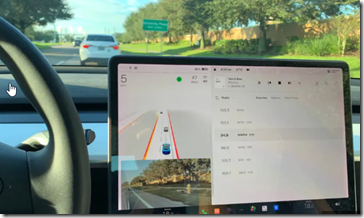
I thought that was pretty cool, but when I did this, the entire left side display jumped a bit to raise the car from the bottom of the screen to a point above the camera view. A bit jarring and annoying.
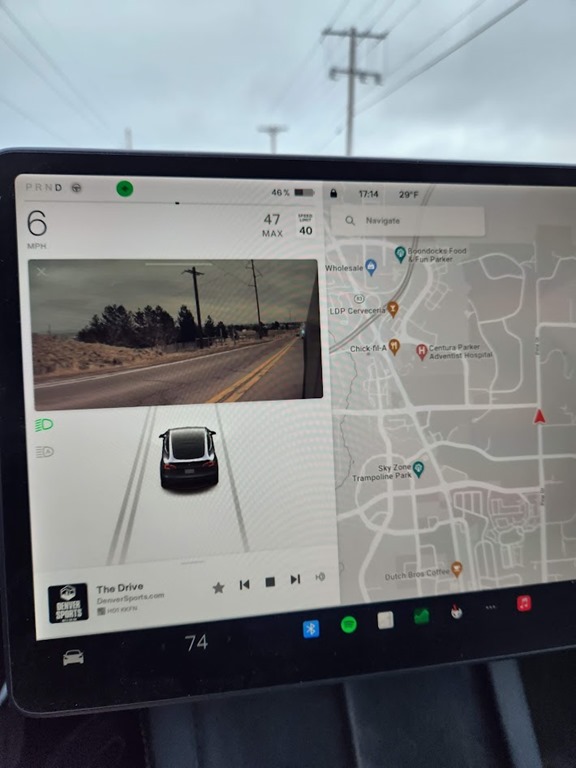
A few months later, another software update fixed this. I could still get the camera view, but I could also move it around, to allow me to choose where it appears. I picked this spot:
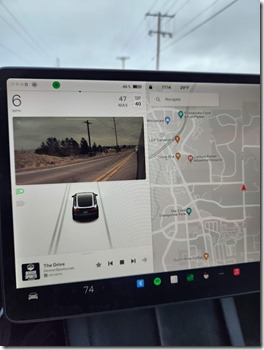
This allows me to see the view, but not have the car in the UI jump around when I signal.
Music Controls
I love music, and I love streaming Spotify in the Tesla as I drive around. It’s not a connection to my phone, but an app that logs into my account and streams independent of my phone.
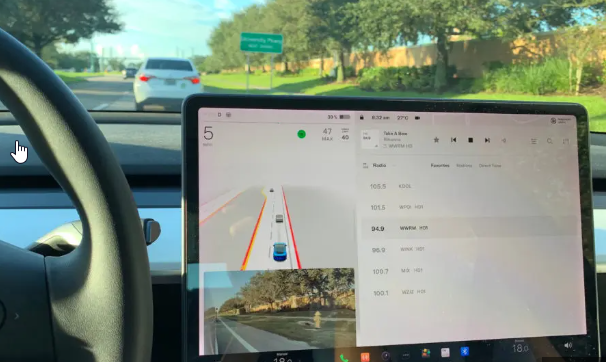
However, when I first got the Tesla, the controls for music were on the far side of the (wide) screen.
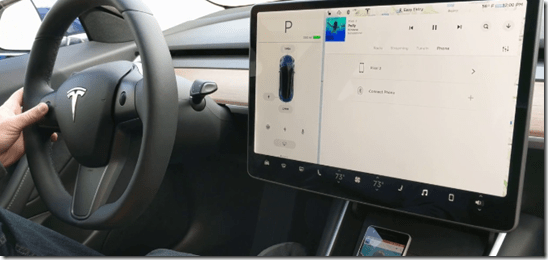
It’s not a long stretch, but I do lean forward and right slightly to reach the next or previous buttons. I know I can use the steering wheel control, but that doesn’t always come to mind.
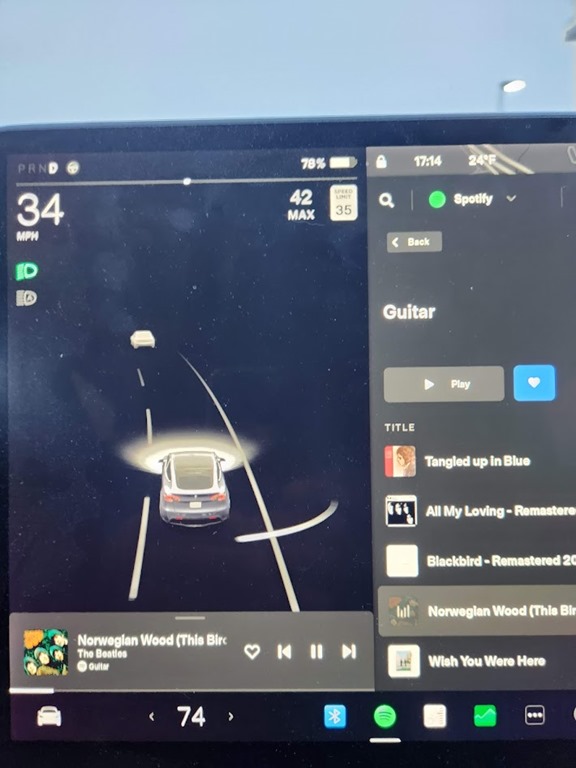
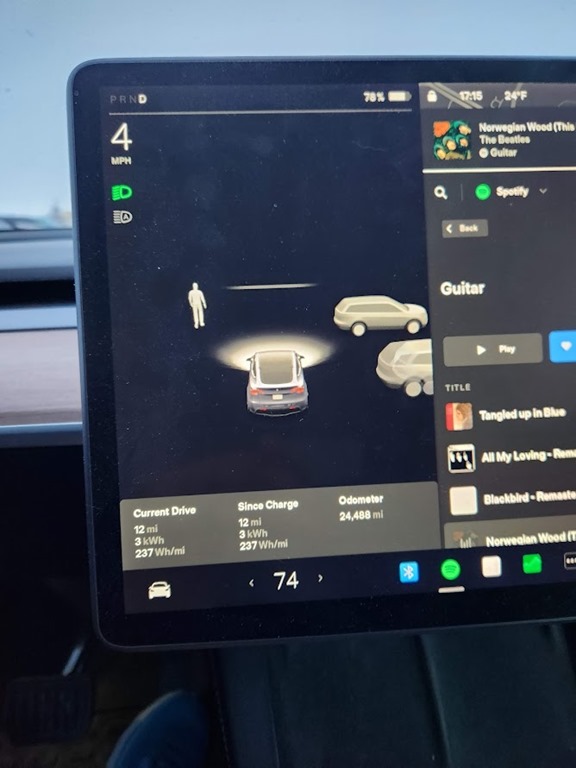
One thing that I appreciated was moving the controls to the driver’s side of the car, which you can see below.

What’s more, they added 3 cards for trip info and tire pressure to this same place. If I swipe left, I get the odometer trip stuff.
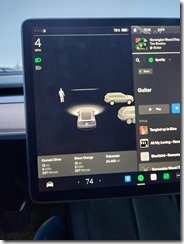
Small changes, but these made a nice difference in how I work with the controls as I drive the car around.
Customized Dock
Another change made to the UI and functionality was setting 2 levels of steering wheel heat. When I got the car, I could only turn on steering wheel heating or off. Now I have two levels of heat, which is pretty cool. I mostly use the lower level, but I can use the high level when it’s really cold.
However.
Getting to this means opening up the climate controls and then finding the steering wheel in the center. I have to press this twice to get from off->high->low. Not easy to do if I’ve started driving, and it’s distracting.
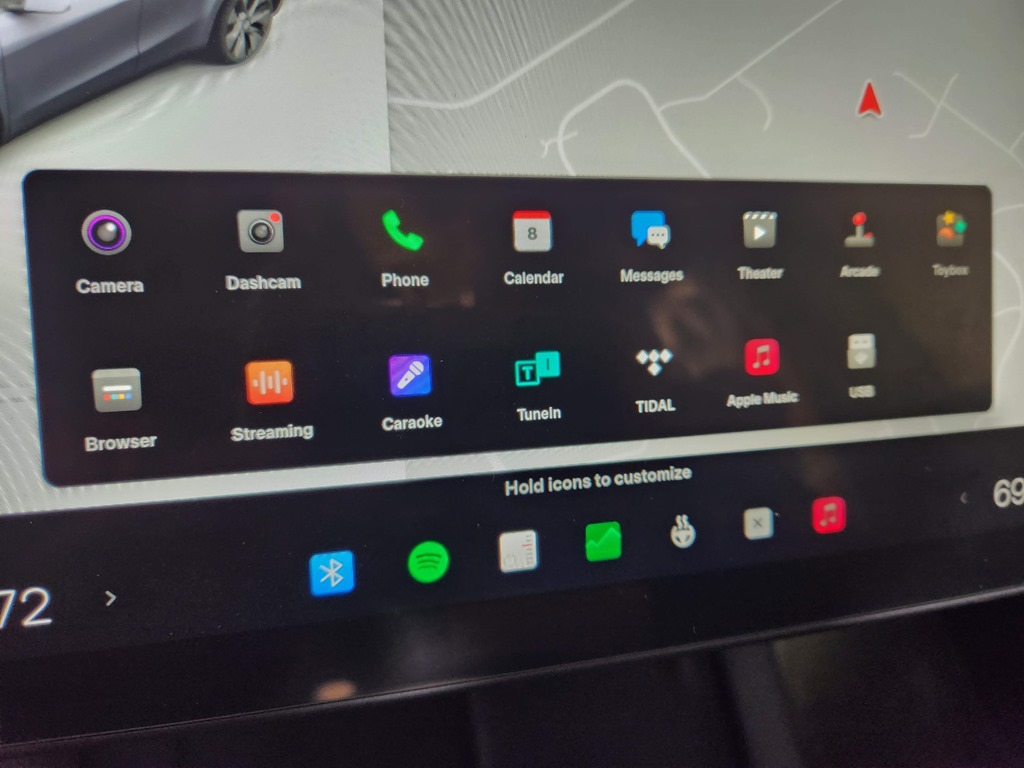
I can add this to the dock, along with other controls, which is cool. If I open the list of items, I see this:
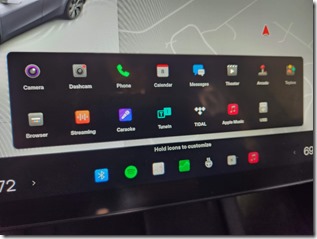
These are all the items I can select.
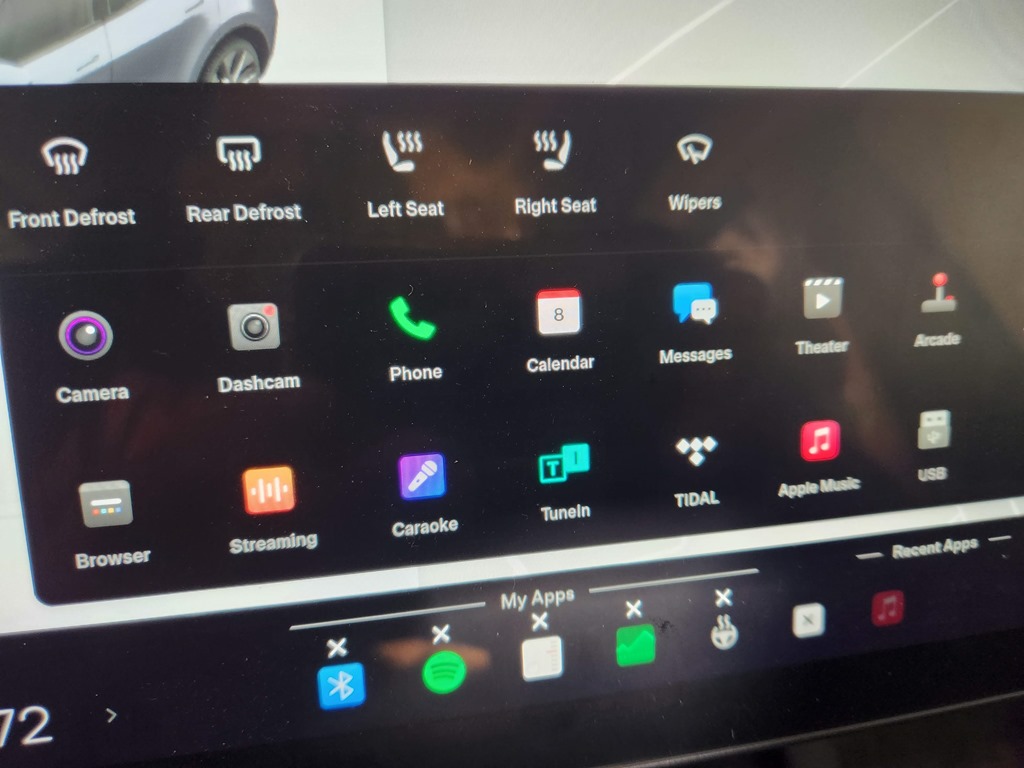
Now, if I long press, I can edit, and then more controls appear.

If you look at the bottom, I’ve added the steering wheel heater, which is one of the 5 most used items for me. Now I can turn it on and off without having to open a larger menu.
A super useful item, especially for people that want to quickly control wipers. Not an issue in Colorado, but in other places, I know some people get annoyed they can’t turn these on with a button. They can, the left stalk button, but a screen button makes some people happier.





 Voice of the DBA