
This is a series on SQL Data Generator, covering some interesting scenarios I’ve run into. If you’ve never tried it, SQL Data Generator is a part of the SQL Toolbelt. Give it a try today with an evaluation today.
I was mocking up some test data and wanted to limit my list of values to specific items. In this case, I was modeling the game, Rock Paper Scissors. In my modeling, I had a field for the value played by someone. In this case, I used a text field in a quick model, but I wanted only those three values in the list.
However I wanted a lot of data and used SQL Data Generator to put a few thousand rows in the table. In doing this, I needed to customize the pattern for this field.
TLDR; Use (Rock|Paper|Scissors)
My table was simple, a player, a game, the play, and a win. The schema looked like this:

In data generator, I selected a first name for the first column, and then noticed the default data generation preview.

Random text, which isn’t what I need. This comes from this mask.
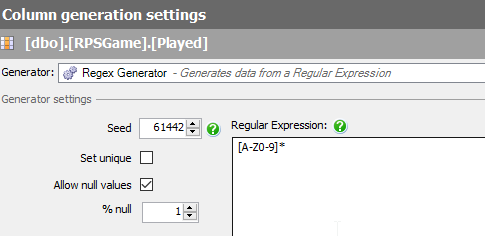
This is a Regular Expression, and will use random letters to fill the field. What I want is specifics. To do this, I need to specify the values I want. If I replace the middle values with Rock, I get this:

Not really what I need. This is randomly choosing values. What I want is a literal, so I’ll change the brackets to parenthesis.

This gives me Rock in places, repeats or NULL in others.
To specify an OR, I use the | operator. This allows me to choose one of two options.

Or three

Removing the * removes the matching multiple times.
If I have a domain of specific values (say for a lookup table or limited entries), using a custom regular expression can allow you to generate useful, but specific, test data.




 Voice of the DBA