

Awhile back I was working in SSMS and saw this window.
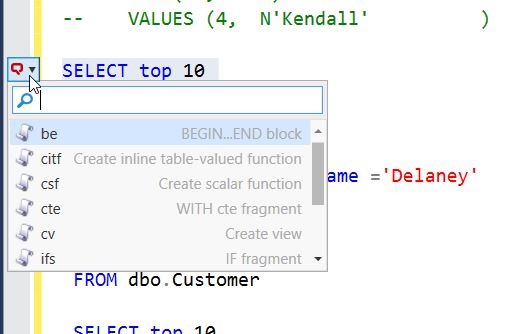
It threw me off since I was trying to write some code and hadn’t expected it. I clicked Escape, Enter, a few things and was getting frustrated when it disappeared.
I ignored it until I saw the window again and then investigated. I’m glad I did because I was able to answer a question from someone else recently that didn’t know how to get rid of it.
Tl;Dr CTRL will make it appear or disappear.
When I am working with SQL Prompt, it’s in the background. I usually just depend on it to pop up some code or give me information. This means when I have a cursor, there’s no sign of SQL Prompt. Notice this below.

As soon as I select an area, as little as one space, I get a small SQL Prompt window in the left sidebar. As you can see in the image below, this has a down arrow on it.
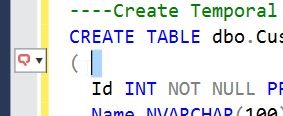
I can click on this, but being a keyboard person whenever possible, I accidently discovered that CTRL will expand this, as shown below.

What threw me initially is that not all my snippets are in this list. Only those that have the $SELECTEDTEXT$ token inside them. These are handy snippets that I want to use to encapsulate text.
For example, let me surround a simple query.
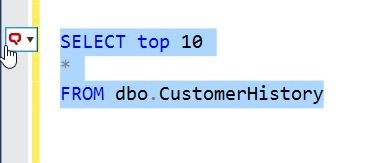
I see the SQL Prompt icon and can click CTRL to open the list. If I type “cv”, I get the Create View snippet.
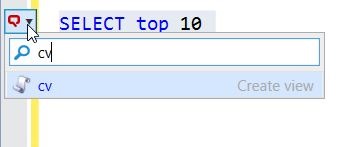
Once I then hit tab, I get the snippet with my query inside.

This is especially handy with things like TRY..CATCH, where I can write the TRY part and then quickly surround it with the structure.
Once you get used to this, and learn not to habitually tap the CTRL key (as I do), you’ll find this list of snippets handy. And if you don’t like them, just tap CTRL and get rid of the list.


Comments
4 responses to “What’s the little popup window in #SQLPrompt?”
this way of using the little popup window, with the $SELECTEDTEXT$ token, opened my eyes yet a little further concerning sql prompt; what a great flexible tool. It make me develop nearly as fast as I can think!
LikeLike
It’s pretty amazing. I have found it makes my coding faster, especially for certain tasks that I repeat often.
LikeLike
I’m using the popup not for inserting snippets, but for options like
– Format SQL
– Unformat (removes all line breaks e.g. in a IN condition)
– add commas / quotes
– comment / uncomment
LikeLike
I just saw those items from another Redgate person last week. They are cool I tend to use the shortcuts for these, but it’s nice to know they’re in the little window.
LikeLike