
Another post for me that is simple and hopefully serves as an example for people trying to get blogging as #SQLNewBloggers. This is also a part of a basic series on git and how to use it.
In a few previous posts I’ve looked at getting going with git, and in this post we continue by looking at how we can get some information about the actions we’ve taken.
If we want to see what has happened in our repo, lots of clients will show a list of changes, but from the command line we use a simple “git log”. When I do this, I see the reverse chronological view of commits.
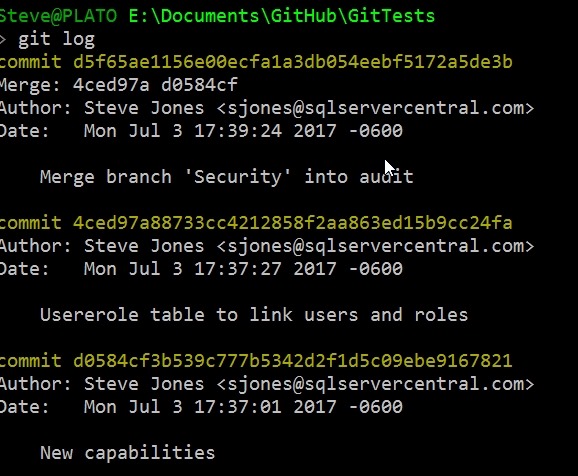
There are a lot of options for the log command, but there are a few I use often.
Limit Entries
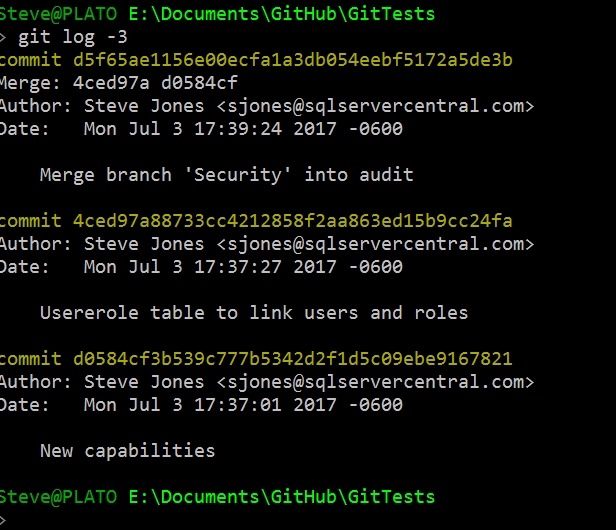
I often use a –n, where n is a number, to limit what’s returned. For example, I’ll use –3 to show the last 3 commits.
I also like the –p option, which will show differences. As you can see here, I added the UserRoles.SQL file, putting in new lines.

At times, I like the –decorate option, which lets me know which branch was affected. This is helpful if I’m moving around on branches and I get confused. That does happen.

There are lots of search options, and I use them at times, but rarely, so I’m usually searching for the documentation to know the dates or patterns. I do look at the –committer= syntax with my name. That lets me find my changes among others.
I also like to keep things small, so using the –pretty=oneline option is handy.

Now I can easily see what I’ve done lately.
There are lots of ways to look at history, and certainly a client makes things easier, but I’d say that you should learn the command line, just in case there’s some issue and your client doesn’t display it properly.
Last thing, when you run git log and end up with a colon prompt, you’re in the less utility (I think, been a long time since Unix). To get out just type:
q




 Voice of the DBA
Valuable information! Looking forward to seeing your notes posted. The information you have posted is very useful. Keep going on, good stuff. Thank you for this valuable information. I have enjoyed reading many of the articles and posts contained on the website, keep up the good work and hope to read some more interesting content in the future.
LikeLike
Thanks, trying to keep track of things I do and learn. Glad they’re interesting to others.
LikeLike