
Another post for me that is simple and hopefully serves as an example for people trying to get blogging as #SQLNewBloggers.
Just a quick one today, but a tip I hope I remember. While working on a script, I wanted to just get backup files in PoSh. I tried this:
Get-ChildItem -Path $BackupPath -File -Include *.bak
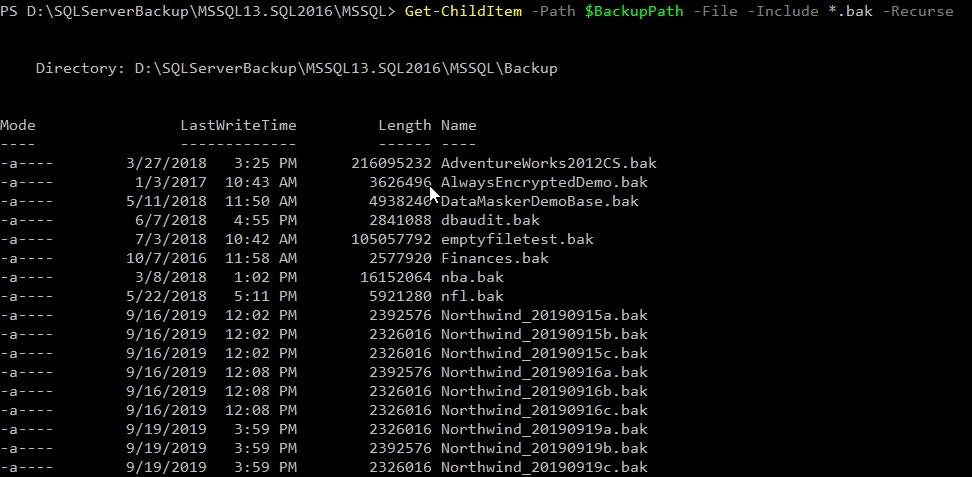
That got me this:

Nothing.
Why not? Apparently, you need the –Recurse parameter, even though there are no subdirectories in this folder. A bug, IMHO, but who knows. In any case, adding the parameter makes things work. Thanks, SO.
SQLNewBlogger
This was a quick 5 minute thing. After researching and testing for 10 minutes, and finding the solution, I wrote this up.
You could do that with anything you get working.




 Voice of the DBA
From Microsoft https://docs.microsoft.com/en-us/powershell/module/microsoft.powershell.management/get-childitem?view=powershell-6:
When the Include parameter is used, the Path parameter needs a trailing asterisk (*) wildcard to specify the directory’s contents.
So for example, Get-Childitem -Path C:\Test\* -include P*.pdf
or more briefly Get-Childitem -Path C:\Test\P*.pdf
Cheers
LikeLike