
One of the things a customer asked recently about Redgate Data Modeler was how to set a FK constraint between two tables. The tool seemed to make it easy, but they encountered a few errors. Here is how this worked for me.
This is part of a series on Redgate Data Modeler.
Adding a Constraint
This might make more sense in the video walkthrough, but here’s the text version. I want to add a constraint to my model that links the Organization and User tables shown below. This is a 1 (Organization) to many (User) FK.
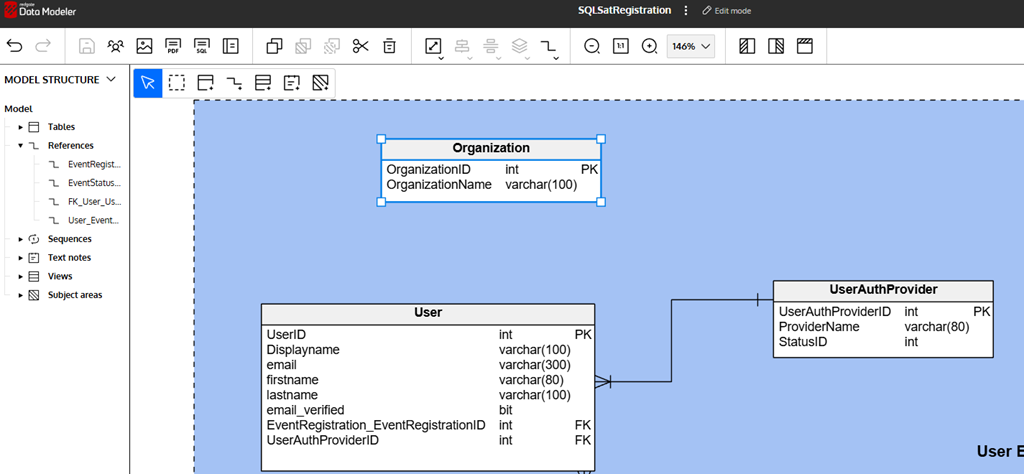
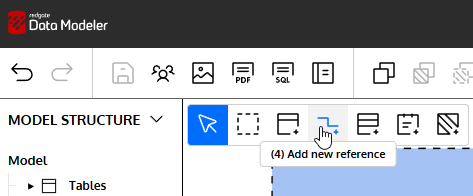
I don’t have a good FK yet in the child table (User), but that’s OK. I’ll click the Add new reference icon in the upper left of the design surface.
Once I do this, I can click on the Organization table and drag to the User table. That will give me this view. Note that this defaults as a 1:n relationship, so you want to start with the parent. There also is a new “Organization_OrganizationID” column added as a FK.
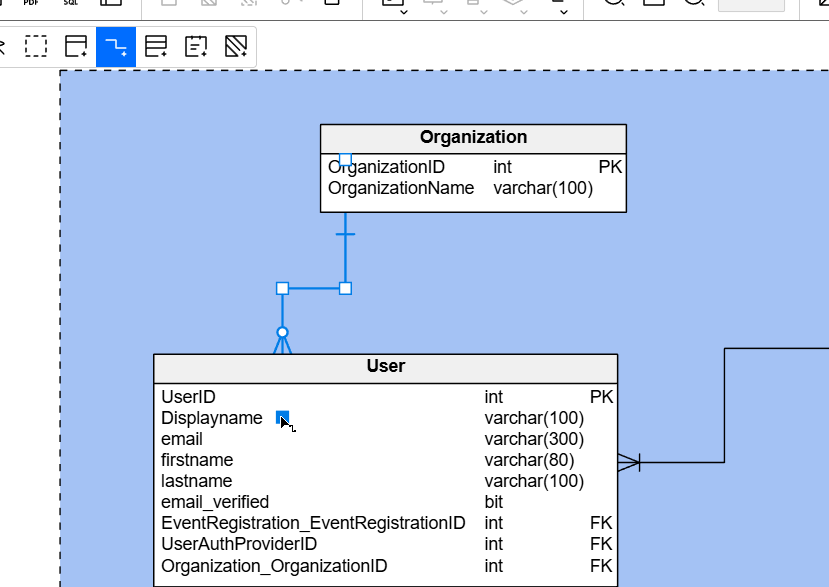
That’s not a bad pattern, especially with modern Intellisense, where I don’t need to type everything out. This lets me know where the join should be. However, for many of us, we prefer having something simpler, like OrganizationID as the column in the child.
If I want to change this, I can look to the right for the Reference Properties. Note the default name below is User_Organization, which I definitely don’t like.
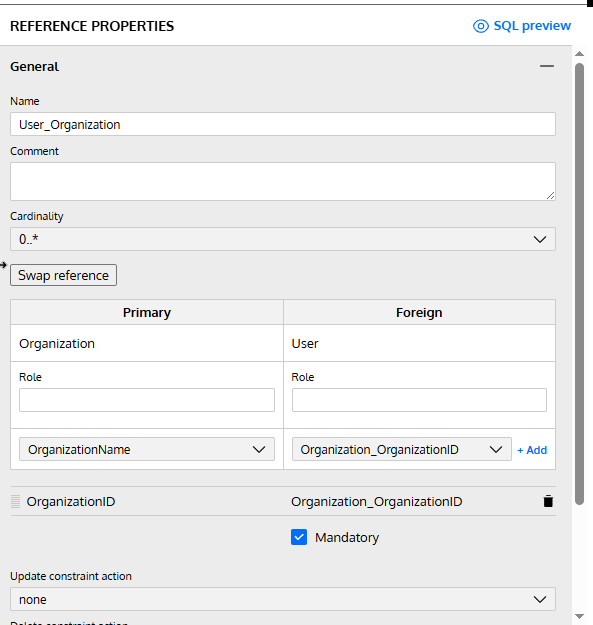
I can adjust the name to meet my standard, which I’ll do. I can also adjust the FK column, but I’ll need to go to the child table, User, to do this. If I rename that column there, I see this.
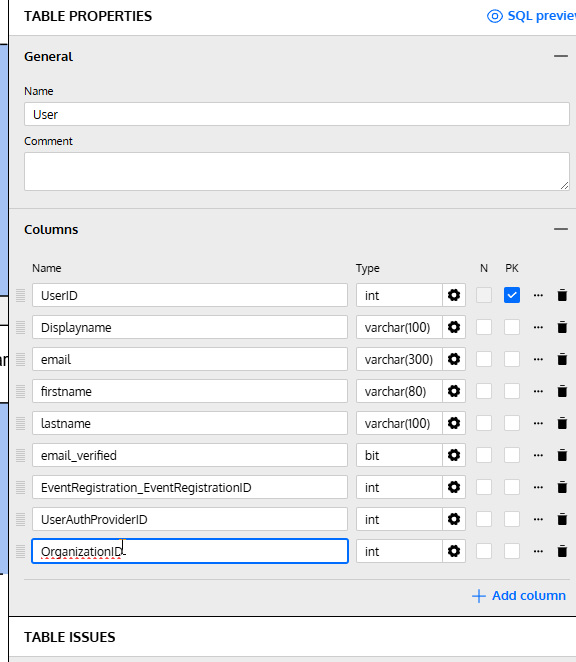
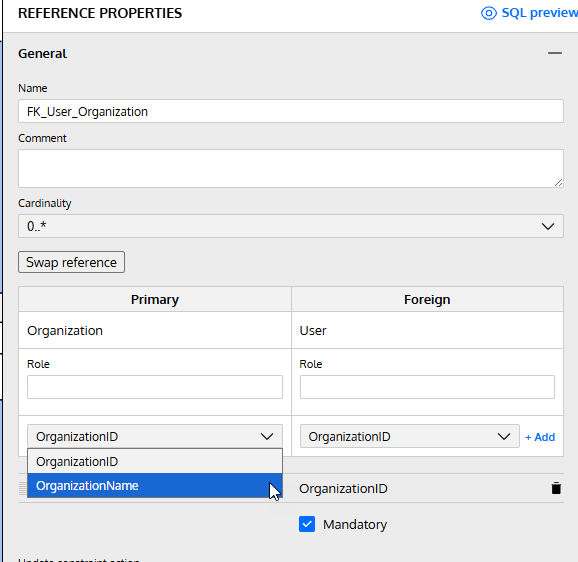
When I click back on the reference, I see this. My change for the FK table is there, but the Primary has defaulted to OrganizationName. Fortunately, there’s a drop down where I can change this.
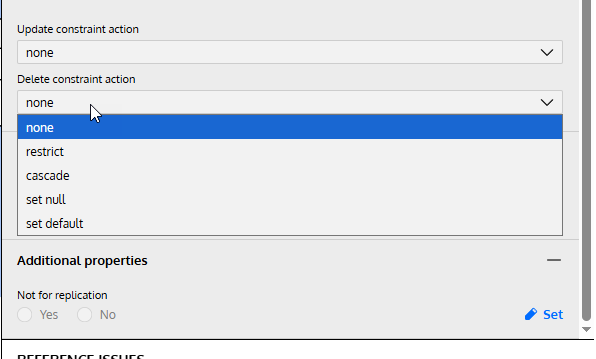
Below this, I have other properties. There’s a color (if you care), but also I can set cascading actions. See the drop down below and the options. These can be set for update or delete. There is also the additional property to set this as not for replication.
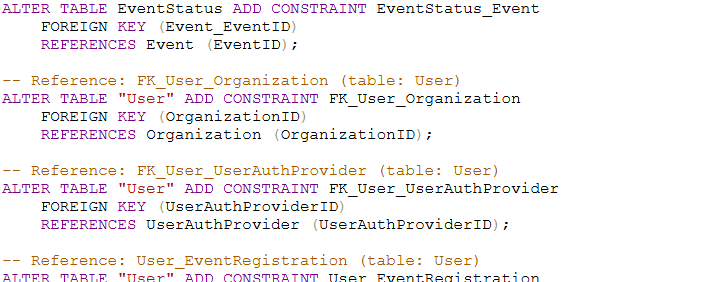
Once I do this, the changes are saved. If I generate the SQL script, I can see my FK exists inside the script. You can see the relevant portion below.
Summary
Setting accurate FK constraints is an important part of data modeling. I certainly see the reasons why some people don’t like FKs, but if you set them, you want them to be accurate. Redgate Data Modeler supports this, but it’s not as straightforward as I like. Hopefully that changes over time.
I don’t know that the names matter that much, but in case you are concerned about naming, you can customize this.
Give Redgate Data Modeler a try and see if it helps you and your team get a handle on your database.




 Voice of the DBA