
One of the things a customer asked recently about Redgate Data Modeler was how to adjust a FK constraint between two tables. The tool seemed to makes this easy, and this post will show you how.
This is part of a series on Redgate Data Modeler.
Altering a Constraint
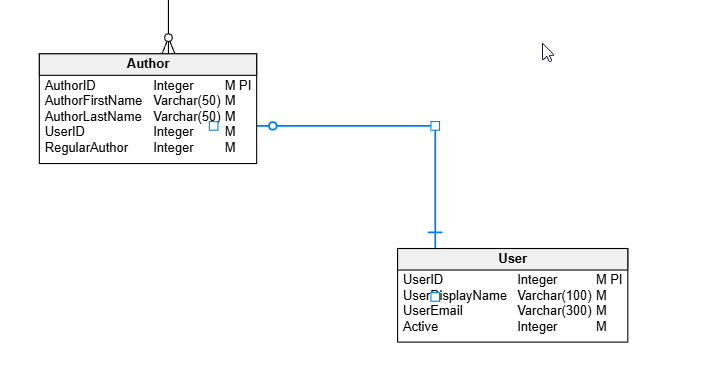
In a previous post, I looked at adding a FK. Let’s do things a little differently here. Let’s change a constraint to better reflect the relationships between entities. In this case, let’s look at a part of my model. I have the User and Author entities linked as shown below. Note that we have a User with a 1:many relationship to Author.
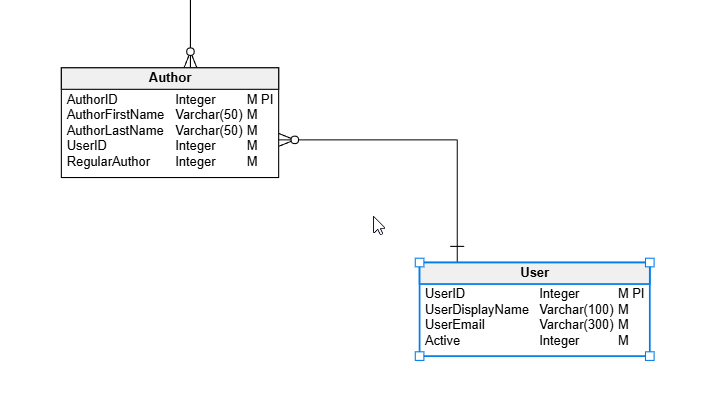
This isn’t correct. A User cannot be a part of multiple authors. This is, logically, a 1:1 relationship. Each Author is related to one and only one User. Each User can be an author, but only one Author. So let’s fix this.
If I click on the relationship, it turns blue and highlights.
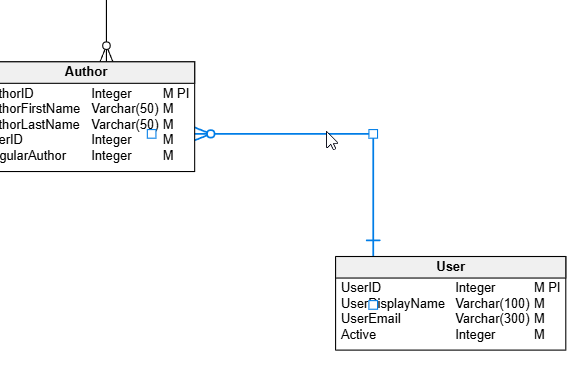
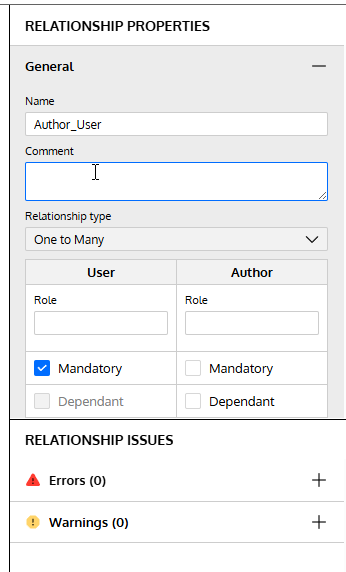
On the right side, the properties pane displays the relationship properties. Note that there is a relationship type below the comment.
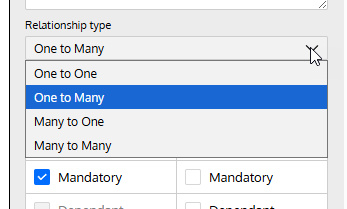
If I click the drop down, I can change this to whatever cardinality makes sense.
I’ll choose one to one. When I do that, I can see the diagram changes.
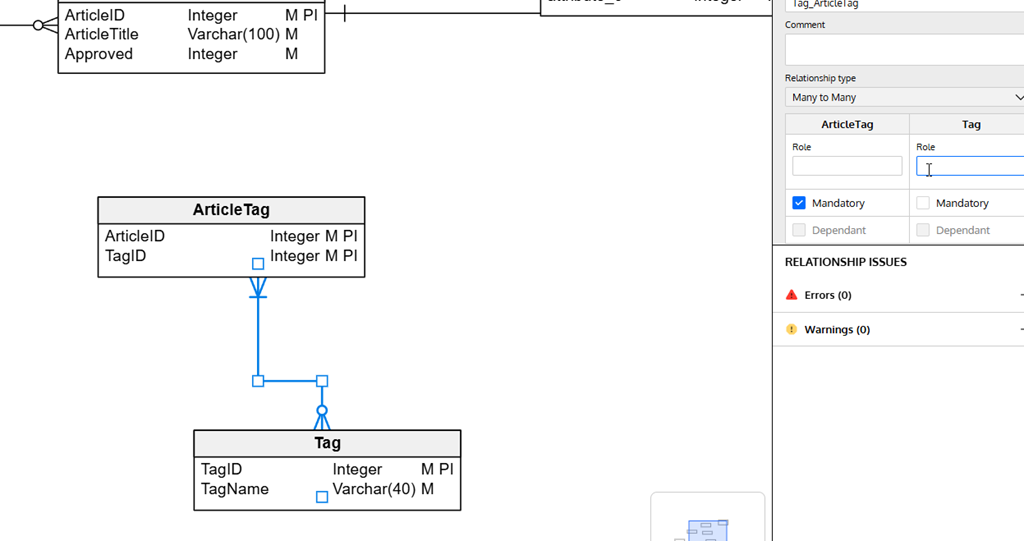
I can also change this for other entities. Here I have a One to Many, but this is really a many to many relationship. So I need to change it.
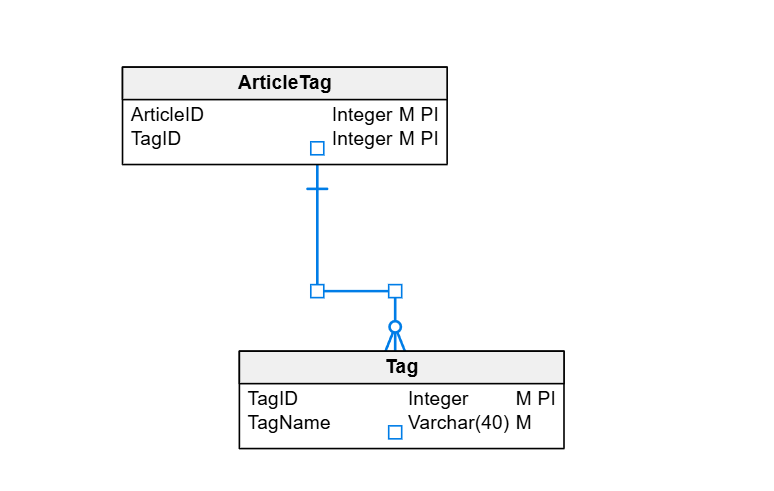
I can adjust the properties in the drop down and you can see both the diagram and the right properties pane match.
Summary
We may model our entities incorrectly, either because of incomplete information or simple mistakes. In any case, if you need to change cardinality in a relationship, it’s easy to do in the relationship properties.
Give Redgate Data Modeler a try and see if it helps you and your team get a handle on your database.
Video Walkthrough
Here’s a short video of my working with Redgate Data Modeler and changing cardinality.




 Voice of the DBA