Finding duplicates was an interview question for me years ago, and I’ve never forgotten it. Recently I got asked how to easily do this and delete them, so I decided to write a couple of posts on the topic. This one looks at simple, single column IDs. The next one will look at more complex situations.
Another post for me that is simple and hopefully serves as an example for people trying to get blogging as #SQLNewBloggers.
A Simple Scenario
Like many people, I like identity fields for primary keys. However, lots of people build tables like this:
CREATE TABLE PurchaseOrder
(
     poid INT IDENTITY(1, 1),
     purchaseordernumber VARCHAR(20),
     podate DATETIME,
     active INT
)
GO
No nullability, and no PK constraint. People think an identity prevents duplicates. Run the query above and then the script below.
INSERT INTO PurchaseOrder
(
     purchaseordernumber,
     podate,
     active
)
VALUES
('PO-2023-00001', '2023-01-15 09:30:00', 1),
('PO-2023-00002', '2023-01-22 11:45:00', 1),
('PO-2023-00003', '2023-02-05 14:20:00', 1),
('PO-2023-00004', '2023-02-18 10:15:00', 0),
('PO-2023-00005', '2023-03-03 16:30:00', 1),
('PO-2023-00006', '2023-03-17 08:45:00', 1),
('PO-2023-00007', '2023-04-02 13:10:00', 0),
('PO-2023-00008', '2023-04-15 15:25:00', 1),
('PO-2023-00009', '2023-05-01 09:50:00', 1),
('PO-2023-00010', '2023-05-14 12:05:00', 1),
('PO-2023-00011', '2023-06-01 14:40:00', 0),
('PO-2023-00012', '2023-06-15 10:35:00', 1),
('PO-2023-00013', '2023-07-02 16:55:00', 1),
('PO-2023-00014', '2023-07-17 08:20:00', 0),
('PO-2023-00015', '2023-08-03 11:30:00', 1),
('PO-2023-00016', '2023-08-18 13:45:00', 1),
('PO-2023-00017', '2023-09-04 15:10:00', 1),
('PO-2023-00018', '2023-09-19 09:25:00', 0),
('PO-2023-00019', '2023-10-05 12:40:00', 1),
('PO-2023-00020', '2023-10-20 14:15:00', 1)
GO
SET IDENTITY_INSERT dbo.PurchaseOrder ON
GO
INSERT INTO PurchaseOrder
( poid,
     purchaseordernumber,
     podate,
     active
)
VALUES
(19, 'PO-2023-00021', '2026-01-15 09:30:00', 1),
(14, 'PO-2023-00022', '2026-01-22 11:45:00', 1)
GO
SET IDENTITY_INSERT dbo.PurchaseOrder OFF
GO
Now if we select all the rows from this table, we might think things are fine. After all, all the purchaseordernumber fields are unique.
Checking Duplicates
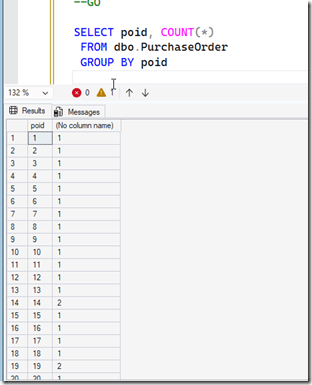
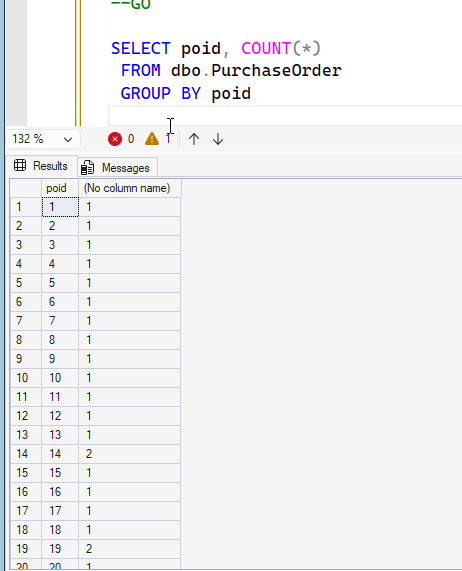
I’ll run this query. Notice I use a GROUP BY on the poid to list these together with a count. In the image, we see some counts that are greater than 1, which indicates a duplicate. We are grouping, or putting all the rows with the same value together.
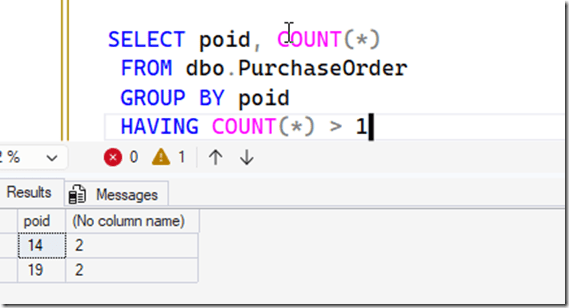
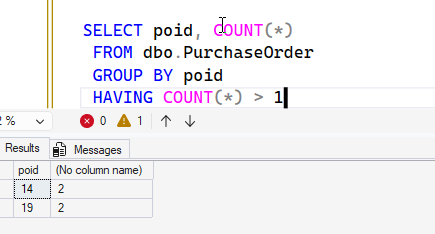
I often will add a HAVING clause to this, which lets me filter the grouped items. When I do that, I just see two items.
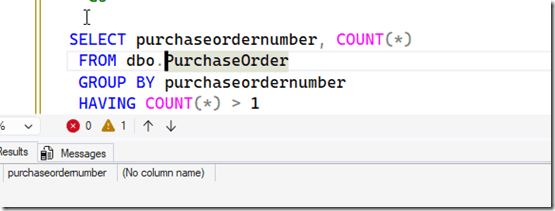
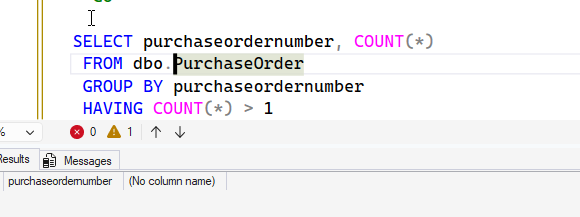
Notice if I change this to purchaseordernumber, I don’t get duplicates. This is because those are unique.
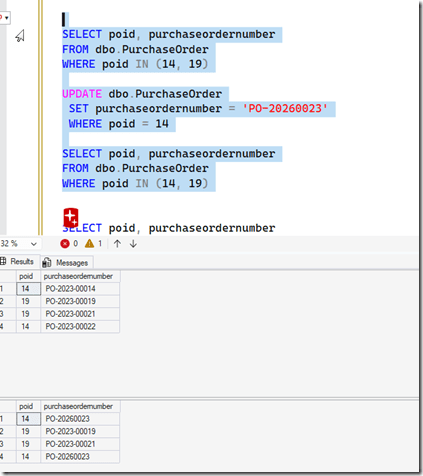
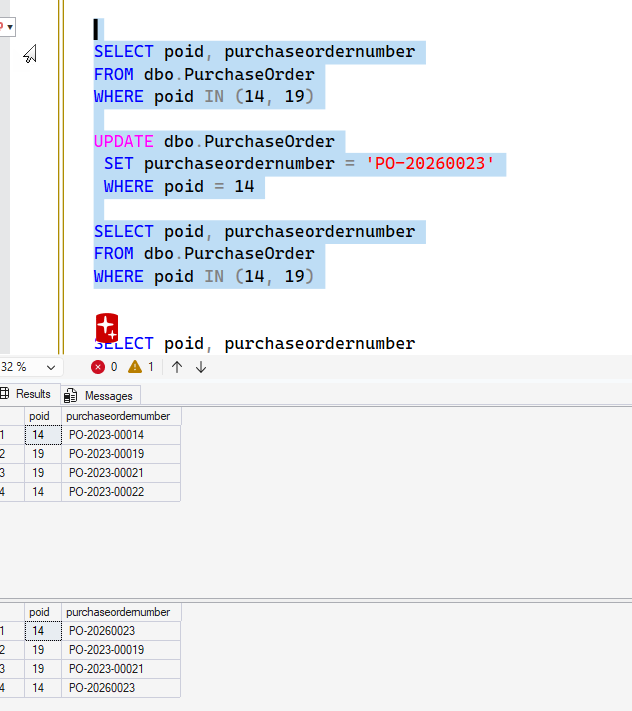
However, a lot of people often build software that edits using the underlying key, so they can edit the PO number. Let’s do that. I’ll change the PO number for id 19. First we’ll get the current values, and then re-query.
If we look below, we see separate purchase order numbers, but when we try to update one of them, we get two changed. Because we have duplicate hidden surrogate ID keys.
We want to fix this, so what can we do?
What we want to do is find the duplicate 14s and 19s (and others) and change them.
Fixing the Issue
While trying to fix this, I realized that one can’t update an identity field. That actually makes the fix really, really simple.
Since I want to give the rows new poid values, I need to find those rows which are duplicates and then re-insert them into the table. I also need a way to delete the old duplicate values as well.
This can be tricky, as the purpose of an identity (usually) is to ensure there are not duplicate rows. It’s possible every field in the row is duplicate, which could be an issue. In this case, I’d likely just copy the data back in and delete all the “old” rows, which were the same.
In my case, the purchaseordernumber is different, so we can use that with the date to decide which is a duplicate and which row we keep.
SQL New Blogger
This is a little longer post, and it somewhat got away from me, but this isn’t an easy thing to write about, nor is it short. Easy to mess this up.
This post took me about 45 minutes to write. The code part wasn’t long, but I had to think about how to frame the issue with test code and explain that. SQL Prompt made the coding easy once I knew what I wanted. I built this over 3-4 days, working on it at 5-10 minutes at a time.
That’s a great way to tackle complex topics.
You could do this and impress an interviewer. Highlight this post in your resume/LinkedIn/etc.







 Voice of the DBA