Game Night at the PASS Summit

Games Night is back at the Summit, this time on Wednesday night in a large space for 200 people plus to enjoy some fun with friends and colleagues. This is special to me as Andy Warren and I organized and hosted the first one, and since then it’s been an event at a few of the Summits. Now it’s the main event Wednesday after the Exhibition Hall party.

Bring a game, or come learn a new one. Be sure to add this to your schedule and spread the word. The more people, the more fun we’ll have.

Hope to see you there.

Update: I have a list of games:

7 Wonders
Apples to Apples
Brain Games
Carcassone
Catan
Catan extension pack
Chess
Clue
Codenames
Dominion
Dominoes
Exploding Kittens
Fluxx
Generic card decks
Jenga
Dominoes Mexican Train  
Rummikub/Rummy Cube
Mile Borne
Monopoly
Munchkin
Pandemic
Pay Day
Phase 10
Risk
Scrabble
Sequence
Stratego
Taboo
Ticket to Ride
Trivial Pursuit
Uno
Posted in Blog | Tagged , | 1 Comment

Finding Object Dependencies in SQL Doc

I had a customer recently ask if they could find out which objects are dependent on others using SQL Doc. This post shows how to do that.

Using SQL Doc

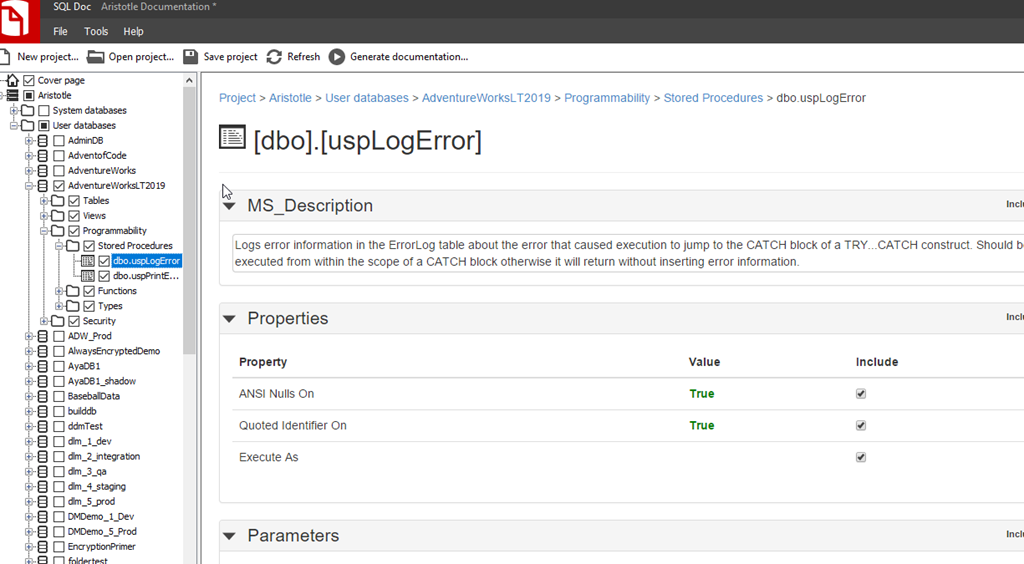
In the SQL Doc application, you can dive down into the various objects in your database. As I’ve shown below, I navigated on the left side down to a specific object.

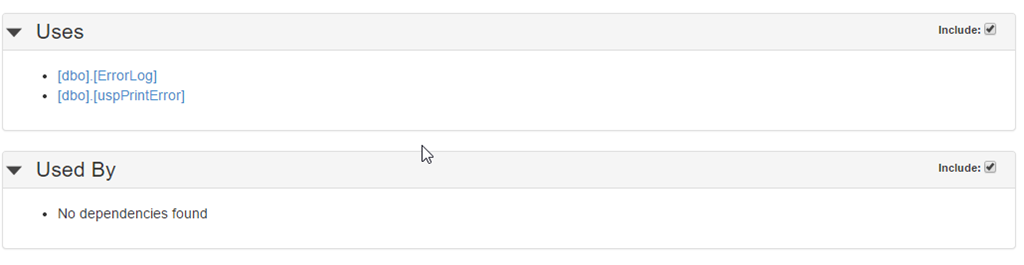
2023-10-18 13_03_42-SQL Doc - Aristotle Documentation _

This gives me the basics of this object, but I can scroll down and see more. The lower part below the script shows what this object depends on (Uses) and what other objects depend this one (Used By). In this case, this object depends on dbo.ErrorLog and dbo.uspPrintError.
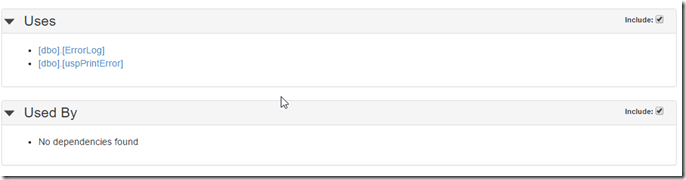
2023-10-18 13_05_18-SQL Doc - Aristotle Documentation _

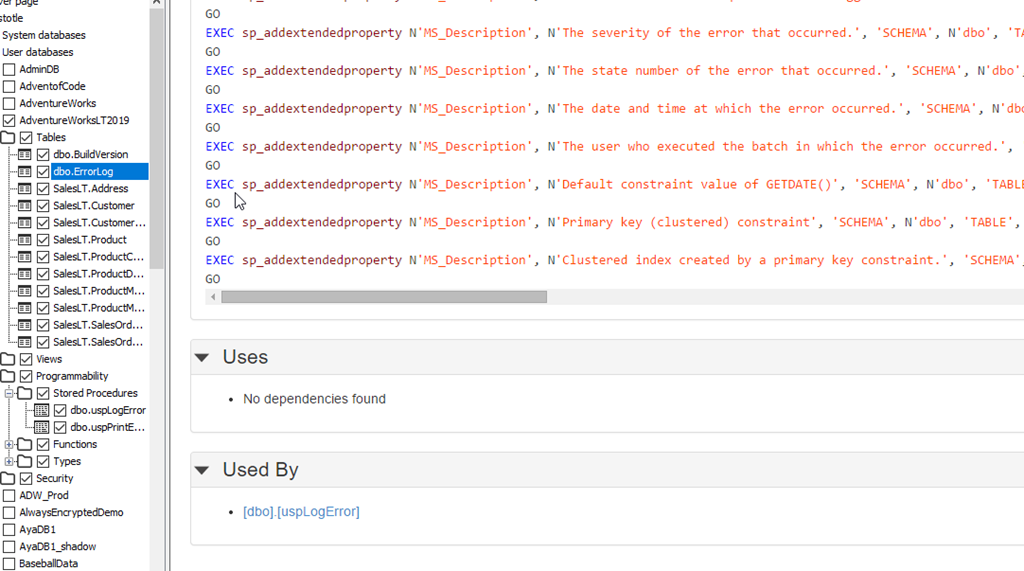
The reverse of this can be seen in these objects. If I look at dbo.ErrorLog, then I see this proc (dbo.uspLogError) listed.
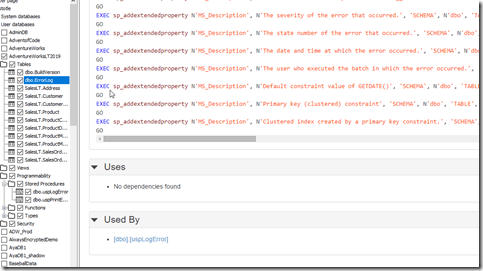
2023-10-18 13_05_32-SQL Doc - Aristotle Documentation _

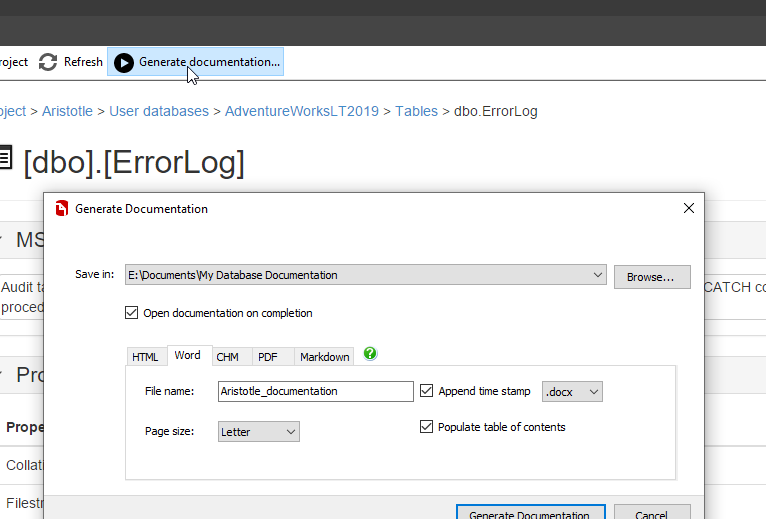
This is really a preview of documentation, not the docs themselves. While you can edit the MS_Description at the top, this isn’t the tool I’d expect most users to use. Instead, you ought to click Generate documentation at the top and choose the type you need.
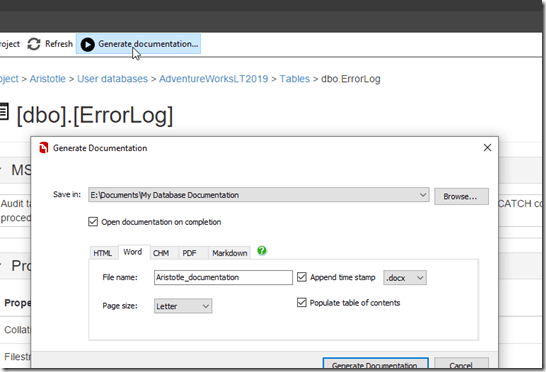
2023-10-18 13_08_18-SQL Doc - Aristotle Documentation _

Or better yet, use the command line and ensure this is regenerated after every release.

Searching the Documentation

Once the documentation is generated, it’s in static text files. These might be Word or some other format, but they are files in your machine.

If you want to search something, then you would use that search facility. A few examples below:

Word

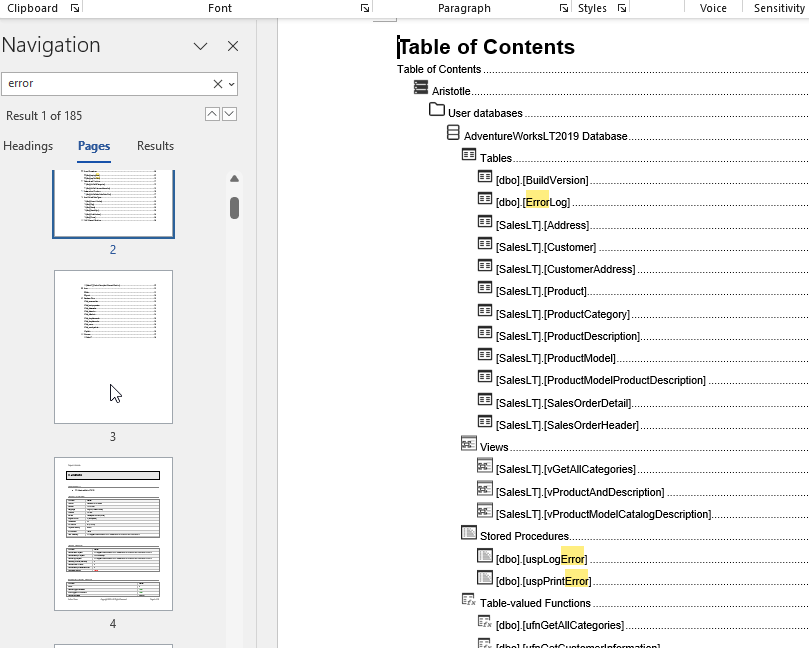
In Word, as you can see, if I hit CTRL+F, I can search for something, like Error. That gives me a lot of results.
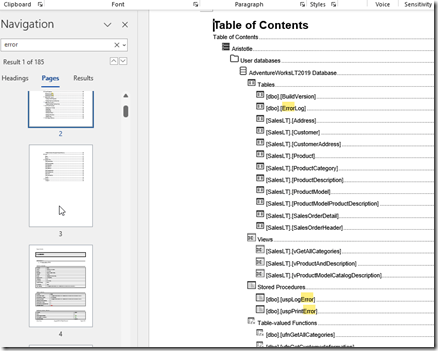
2023-10-18 13_09_43-Project Llama Overlay

Not the easiest thing to search, but seeing this results in the TOC let’s me scroll down to jump to a page.

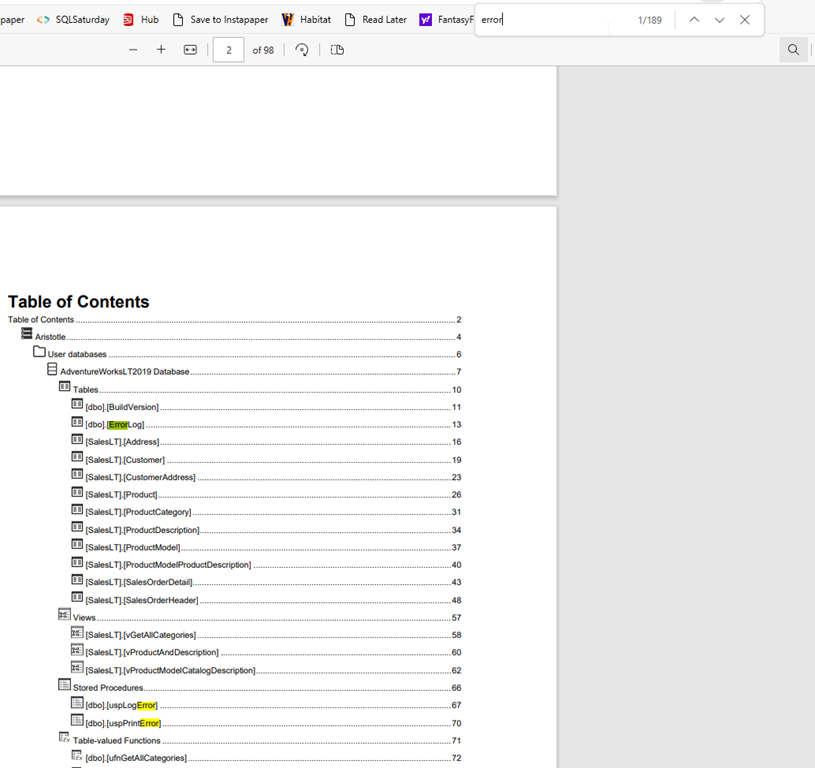
PDF

If I generate a PDF, this often renders in some application. For example, by default, this opens in a browser for me. If I want to search for “error”, I can again, CTRL+F and enter the term.
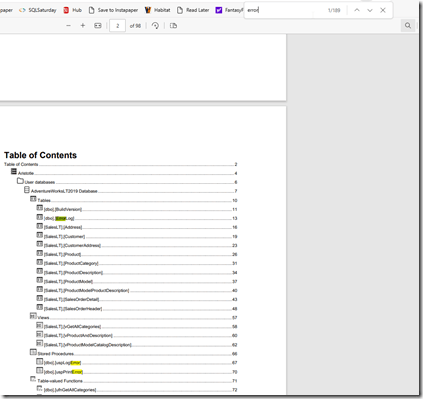
2023-10-18 13_12_29-Aristotle_documentation-2023-10-18T13-12-01.pdf and 20 more pages - Personal - M

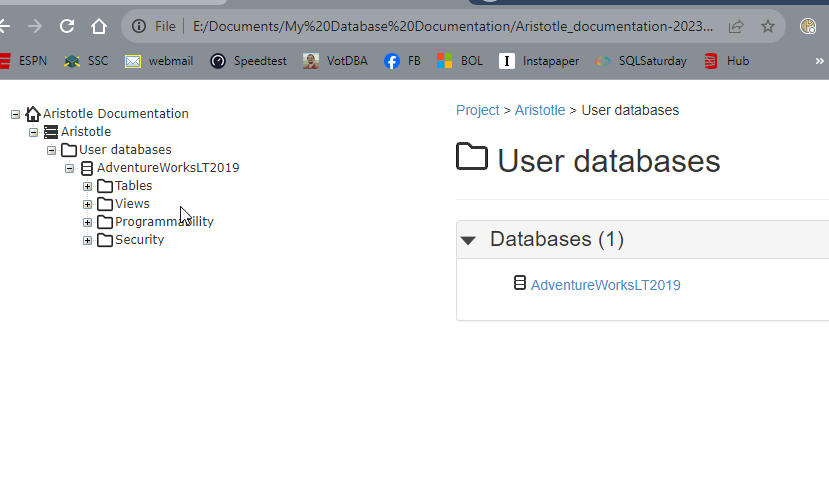
HTML

The HTML docs open in a browser, but they’re not directly searchable. There isn’t a place to click search.
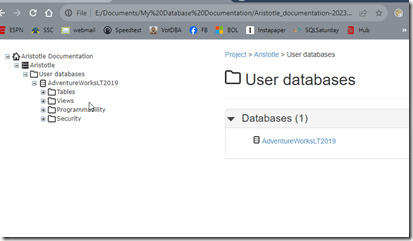
2023-10-18 13_13_37-User databases

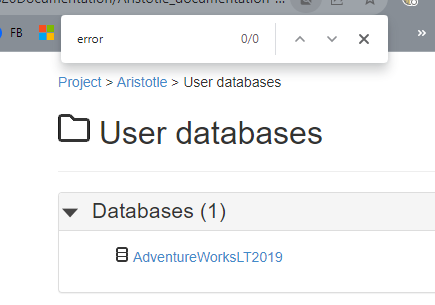
If I use CTRL+F, it doesn’t work because the docs for each object are in separate files.
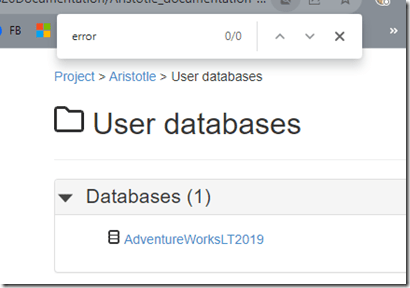
2023-10-18 13_13_57-User databases

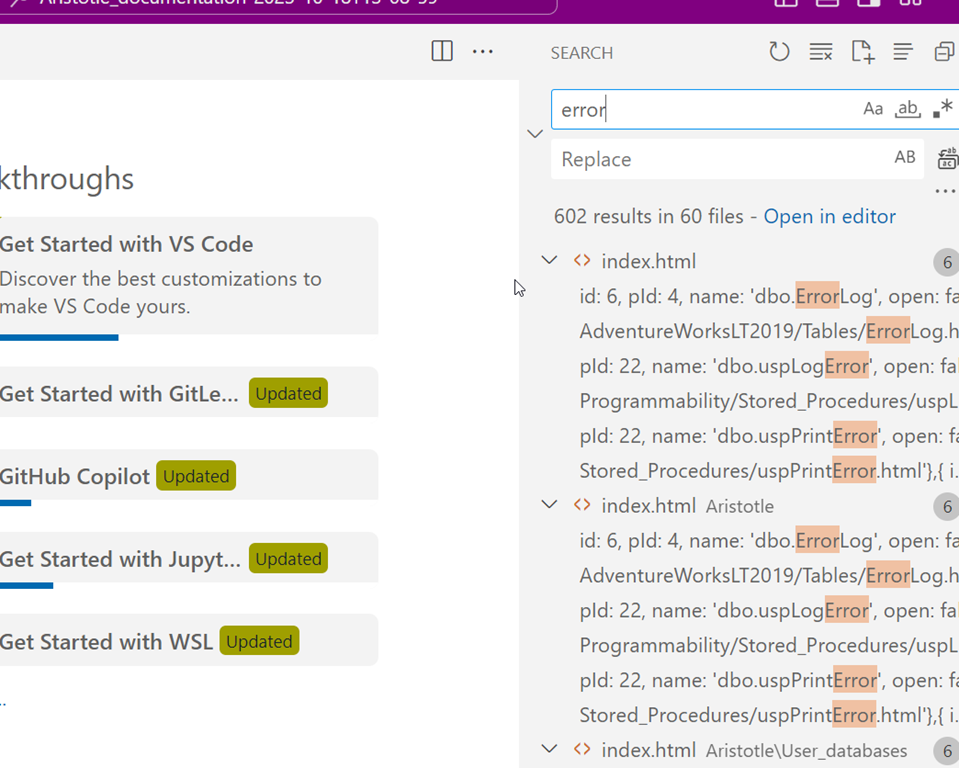
However, I can do some searching in the files if I use something like Visual Studio code to open the entire folder. It’s not the prettiest search, but it works.
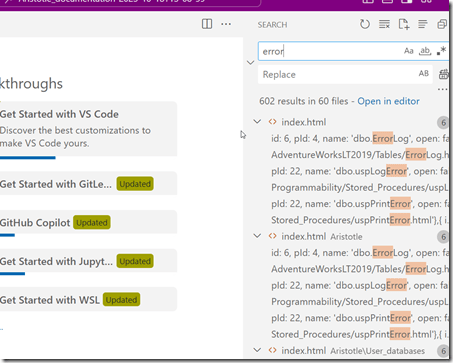
2023-10-18 13_16_18-Welcome - Aristotle_documentation-2023-10-18T13-08-59 - Visual Studio Code

Recommendations

I’d recommend you do two things.

  1. Ensure that this is regenerated automatically with every deployment. Either to QA or prod, your choice. Depends on how your developers use docs.
  2. Pic a searchable format, either Word or PDF.

SQL Doc is one of those utilities that can help a team share information, especially to report writers or others that might need to understand what fields are available and what they are used for, but don’t know the databases that well.

One thing to think about is a layer of abstraction for non technical people where you only generate docs for views that have well named columns for people to use in reports.

Posted in Blog | Tagged , , | 1 Comment

Republish: Not Useless Features

I’m in San Francisco as part of the Database DevOps Rocks Tour. I’ve had fun taking pictures for the events and managed to make 4 of the previous events. This is my 5th and the 6th for me is Seattle in a couple weeks.

One of my favorite shots

IMG_5839

I’m lightly pointing at San Fran, but I think I was motioning a car to go around.

In any case, you get Not Useless Features as a republish.

Posted in Editorial | Tagged | 5 Comments

Adding a Foreign Key in the CREATE TABLE statement–#SQLNewBlogger

I had someone ask this question recently and had to double check the syntax myself, so I thought this would make a nice SQL New Blogger post.

Another post for me that is simple and hopefully serves as an example for people trying to get blogging as #SQLNewBloggers.

Defining a Foreign Key

Most people define a foreign key like this:

ALTER TABLE [dbo].[OrderLine]  WITH CHECK ADD  CONSTRAINT [FK_OrderLine_Order] FOREIGN KEY([OrderID])
REFERENCES [dbo].[Order] ([OrderID])
GO

This assumes I’ve added a table called dbo.Order with a PK of OrderID.

However, I can do this in the CREATE TABLE statement, like shown below. I add a new section after a column with the CONSTRAINT keyword. Then I name the constraint, which is always a good practice. I can then add the FK keyword, the column and the references that connects this child column to the parent column.

CREATE TABLE dbo.OrderLine
( OrderLineID INT NOT NULL CONSTRAINT OrderLinePK PRIMARY KEY
, OrderID INT
, Qty INT
, Price NUMERIC(10,2)
, CONSTRAINT FK_OrderLine_Order FOREIGN KEY (OrderID) REFERENCES dbo.[Order](OrderID)
)
GO

Easy to do and this keeps my code clean.

Note that if I script this out in SSMS, I’ll get this:

CREATE TABLE [dbo].[OrderLine](
[OrderLineID] [int] NOT NULL,
[OrderID] [int] NULL,
[Qty] [int] NULL,
[Price] [numeric](10, 2) NULL,
CONSTRAINT [OrderLinePK] PRIMARY KEY CLUSTERED
(
[OrderLineID] ASC
)WITH (PAD_INDEX = OFF, STATISTICS_NORECOMPUTE = OFF, IGNORE_DUP_KEY = OFF, ALLOW_ROW_LOCKS = ON, ALLOW_PAGE_LOCKS = ON, OPTIMIZE_FOR_SEQUENTIAL_KEY = OFF) ON [PRIMARY]
) ON [PRIMARY]
GO

ALTER TABLE [dbo].[OrderLine]  WITH CHECK ADD  CONSTRAINT [FK_OrderLine_Order] FOREIGN KEY([OrderID])
REFERENCES [dbo].[Order] ([OrderID])
GO

Nothing wrong with that, but knowing both syntaxes is a good idea. Plus, if you know this is a child column, define it right away.

SQL New Blogger

This is a post that took me about 15 minutes to write. I had to create and drop the tables a few times and verify I had the syntax correct, and then explain and format things.

This is a core skill for a DBA or developer. You ought to know how to define a FK and use them where appropriate. Write your own post to show how to build a FK for some scenario that you work with in your job, or in a project.

Posted in Blog | Tagged , , | 2 Comments