Alert Filtering in SQL Monitor

SQL Monitor has improved a lot over the last couple of years. We have multiple teams building features and addressing issues, and each month when we have a readout of changes, I’m impressed. Since we update the produce every week or two, customers are seeing these enhancements regularly.

Recently I saw a demonstration of the alert filtering improvements and I wanted to share a few thoughts.

Lots of Alerts

If I go to monitor.red-gate.com, there are a lot of alerts raised across our test systems. While each individual card shows the current alerts, there are more behind the scenes. I’ll write about the cards another time, but in this post, let’s just look at the Alerts tab.

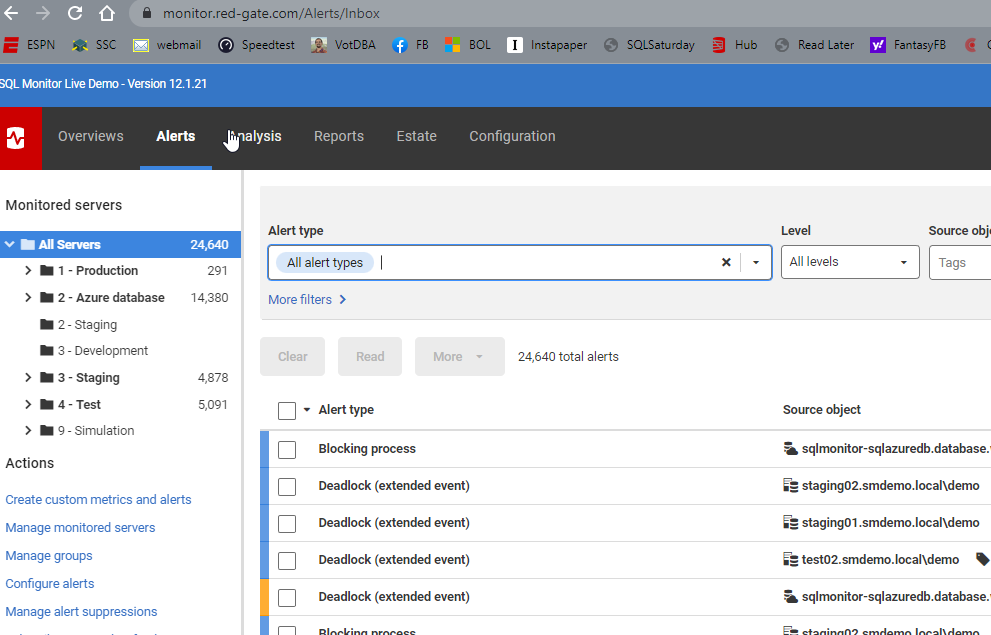
You can see in the image there are 24k+ alerts, and they are distributed across a variety of systems. The left side shows the groupings for databases and a count of alerts.  The main section of the screen shows lots of alert types listed, the source database, etc.
2022-06-21 11_23_21-Alert Inbox

One thing I like is the use of color and visual cues. Above, most of these alerts are low level, and bordered on the left in blue. A mid level alert is shown here in yellow. This helps me to triage and decide what to do.

Filtering

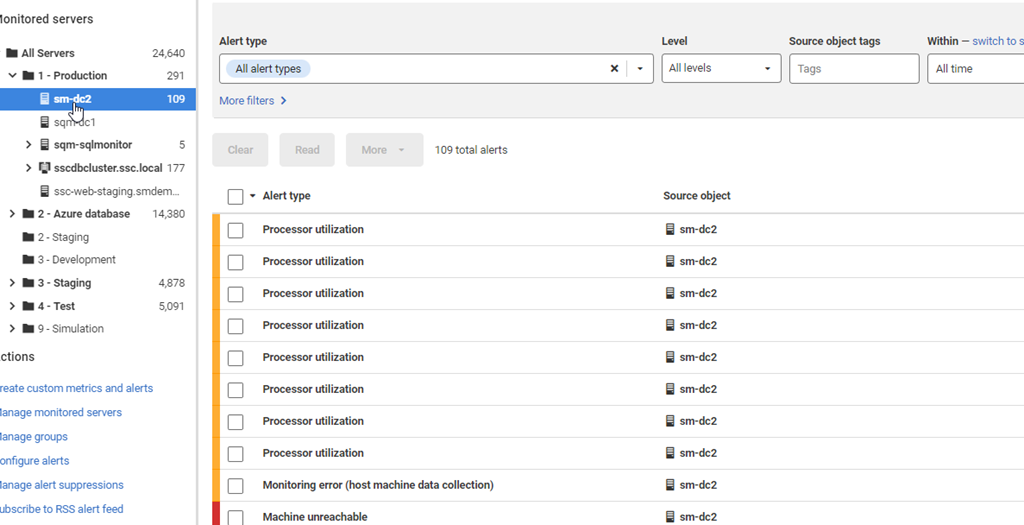
While I can click on the server groups on the left and limit the views to a group (or a server), there are still a lot of alerts. The Production group shows 291 below.

2022-06-21 11_26_49-Alert Inbox

The sm-dc2 shows 109 itself when selected.
2022-06-21 11_26_56-Alert Inbox

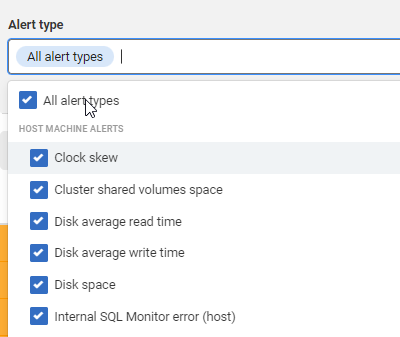
One of the newer filtering options is that I can click the dropdown at the top of the screen for Alert Type and then limit what I see. The default is all alert types.
2022-06-21 11_28_20-Alert Inbox

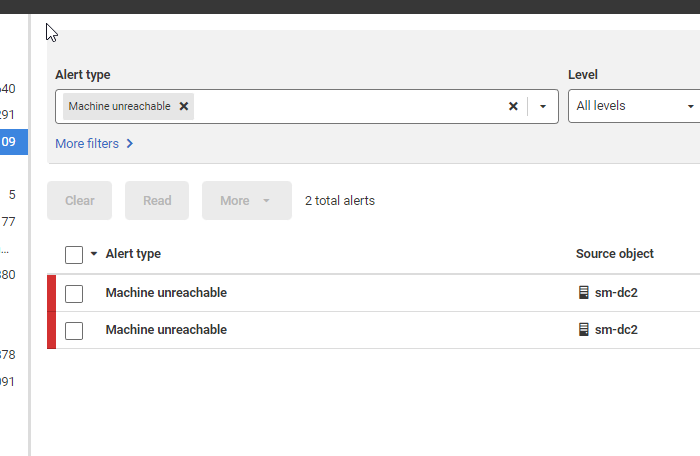
However, I can uncheck that and pick just one type, like Machine Unreachable.

2022-06-21 11_28_58-Alert Inbox

Now I only see a couple of alerts.

2022-06-21 11_29_44-Alert Inbox

I can also filter by the alert level, tags, a timeframe, alert property, or alert status.  All of this let me focus in on specific aspects of what might be wrong with a database. Using Filters is a good way to more quickly determine what might be happening on a database and how frequently I have these issues. From there, I can use my own skills and understanding of the database to determine what might be causing alerts to fire.

If you give SQL Monitor a try, I’m sure you’ll find it valuable for managing and monitoring your estate, helping you to quickly detect and respond to issues. Download an eval today and give it a try.

Posted in Blog | Tagged , , | Comments Off on Alert Filtering in SQL Monitor

Accounting for Typos

When I watched Star Trek as a kid, I was amazed by the technology. Talking to the computer, the touch screens, the handheld communicators. We have most of those devices now, without the space travel. Hopefully that will start to change with all the efforts being made by various organizations.

One of the things that always bothered me was the chance for mistakes. A mis-spoken (or mis-heard) command to a computer that didn’t verify things as a human might. The chance to hit the wrong part of the screen as the starship moved. It seemed as though soft buttons would have allowed more mistakes than hard ones. Certainly humans make mistakes with physical switches, but I think I make more mistakes trying to hit a part of the screen in my Tesla than using one of the (few) buttons or wheels to change something. Interestingly enough, my 23 year old decided on a slightly older car because it had more physical buttons and fewer soft ones.

We are human. Frail and faulty. We make mistakes. Some are small (I ran a SELECT query on the wrong database), some are bigger. A mistaken copy paste error sent US$36 million away. That is the type of mistake that could happen to any of us, though hopefully not at this scale of financial loss.

This type of mistake is a main reason why I think DevOps and automated flows for development, testing, and even for production updates are a good idea. This doesn’t prevent human error, but it does serve to limit it and reduce silly mistakes. Often these types of errors are caught when we force someone to work through a bit of a process. An easy and quick process, but still a process.

In the case in the article, you would hope that someone looking to make changes would write an update that can be tested in a second environment before applying to the production blockchain. Perhaps with some idempotent wrapper and a pre-check that verifies the target. That might seem like overkill, but it’s the type of care that most of us take when we know we aren’t going to be the one executing the code. If you submitted a script to a DevOps process, you’d want to be sure the process running your code made the proper decision of whether to run the code or stop because of some error.

We won’t prevent all errors, but a lot of automation and light DevOps process is designed to limit simple, silly human errors because we are tired, distracted, or otherwise unfocused. I am a proponent of having humans design systems and processes, but then letting the computer handle the drudgery of following the process over and over on a regular basis.

Steve Jones


Listen to the podcast at Libsyn, Stitcher, Spotify, or iTunes.

Posted in Editorial | Tagged | 1 Comment

Daily Coping 27 Jun 2022

I started to add a daily coping tip to the SQLServerCentral newsletter and to the Community Circle, which is helping me deal with the issues in the world. I’m adding my responses for each day here. All my coping tips are under this tag.

Today’s tip is to create a playlist of uplifting songs.

I listen to a wide variety of music, primarily on Spotify. I have lots of playlists, but for this tip, I decided to make a new one. I went through a number of existing playlists and grabbed some of the songs I love listening to that put me in a good mood and make me smile.

Enjoy.

Uplifting Songs

Posted in Blog | Tagged , , | Comments Off on Daily Coping 27 Jun 2022

The Effectiveness of Solar Estimation

We added a solar system to the ranch as a way to hedge against future costs as well as require less energy from the utility. I don’t plan to, or think, that everyone can get away from using utility power, but this is a way to control our finances for the future better, as well as reduce the load on the utility.

When we designed the system, the company (Namaste) provided us with production estimates for each month of the year. I wrote about this in a database design post, but I wanted to update how things are going.

The estimate for May and June were:

  • May – 1556.81kWh
  • June – 1779.63kWh

Pretty specific, but based on our house, the system, and weather patterns, this is what they came up with. I have a real time tracking system, which I back up in my database, so I can keep a running total.

For May, we had unusually dry, hot weather. Not good for the land or ranch, but good for power. We ended up producing 1830.28kWh. This was a surplus of 273kWh, or 5.4 extra days of power.

June is still going, but as of the 20th, we had produced 1263kWh compared with a running total estimate of 1186kWh. It was interesting because the first half of June was mostly negative with some cloudy (and a little rainy) weather. Since the 12th,however, we’ve been on a sunny streak and have been building a surplus.

I don’t know what this means for costs this year as we are supposed to have a surplus of power in the May-October time period and then draw more in the winter months. However, our power bills have been near the minimum charge for a connection to the utility. So far, I think we’ve made a good financial investment, but time will tell. I’ll continue tracking and hopefully continue to see positive results.

Posted in Blog | Tagged , | 3 Comments