Migrating a Large Database

I have upgraded lots of SQL Servers from one version to the next, and for the most part, the process has been smooth. That’s not always the case, and there have been some long nights where the Operations staff had to scramble to fix things, script out old logins, call Microsoft support, and perform various data exports and imports to get a new instance running. I’ve been a part of quite a few of those teams.

Most of my upgrades were with relatively small databases, at least small for that time period. However, I have upgraded a few “large” databases in the past. We had a 400GB database on SQL Server 6.5 in 1999 that was a challenge to move to SQL Server 7. I also upgraded an 800GB database in 2001 from 6.5 to 2000 for our Financial team, which involved a lot of stress.

I haven’t upgraded a 1TB database, much less a 4TB one, but I know this can be very time-consuming to move all that data. Even with much faster hardware and networks these days, working with that much data can require a decent amount of downtime. That’s not very acceptable these days, especially for applications that are used by customers all around the world and all around the clock.

I found an interesting upgrade story from a SaaS provider that runs PostgreSQL. I don’t use that platform, but I found the write-up of their process to be aligned with some of my experiences with SQL Server. They delayed upgrading an old version of PostgreSQL and then had the desire to move to as current a version as possible and delay future upgrades (again). I’ve certainly experienced that. Their goal was also to minimize downtime, as their customers are constantly connecting.

The plan for the upgrade made sense to me. Use replication to move most data and then minimize downtime. That’s a technique that can work in SQL Server, though we’d be more likely to use log shipping to simulate this. They also trimmed and cleaned some data, removing the need to upgrade some of the tables. That’s something many of us might be able to do every year in some databases, especially for large logging tables where older data might rarely be read. I’d even think about moving that data to another database and using a synonym to access it if it were needed. That’s just a good idea for general DR planning.

I also appreciated them creating a runbook and testing the process multiple times in staging. Their big takeaway here: practice over and over with a realistic workload. They created some problems for themselves by not using a real enough workload. That ought to be something your organization does on a regular basis to test your software and ensure new code performs well. Using the same process for upgrades is a bonus.

Large upgrades are stressful and often they are “big bang” deployments where you can’t go back to the old system. Practice as much as you can, make sure you have backups, and then be ready to adapt to whatever challenges come up. Plan ahead, and be prepared for a long night. If you do, you’ll likely have success. If you don’t, I am fairly sure something will go wrong and you’ll regret not thinking ahead.

Steve Jones

Listen to the podcast at Libsyn, Stitcher, Spotify, or iTunes.

Posted in Editorial | Tagged | Comments Off on Migrating a Large Database

Daily Coping 27 Apr 2022

I started to add a daily coping tip to the SQLServerCentral newsletter and to the Community Circle, which is helping me deal with the issues in the world. I’m adding my responses for each day here. All my coping tips are under this tag.

Today’s tip is to spend less time sitting today, get up and move more often.

The other day we did stretching and breathing. Today I’m going to do more walking. I am setting some reminders to take 5 minutes to walk a bit and move my body around other tasks. I might do 5 minutes of yoga a few times as well, maybe holding a few poses and just getting my heart pumping harder.

2022-04-18 16_28_02-Calendar - steve.jones@red-gate.com - Outlook

Somewhere in here I also need to get to the gym and lift a bit as well, but this will be a bit of movement.

Posted in Blog | Tagged , , | Comments Off on Daily Coping 27 Apr 2022

Daily Coping 26 Apr 2022

I started to add a daily coping tip to the SQLServerCentral newsletter and to the Community Circle, which is helping me deal with the issues in the world. I’m adding my responses for each day here. All my coping tips are under this tag.

Today’s tip is to focus on eating a rainbow of vegetables.

Today is my medium carb day, which means I have these meals:

  • yogurt with berries and nuts
  • fruit smoothie
  • ground turkey with rice and broccoli
  • fruit smoothie
  • turkey meatloaf with vegetables and quinoa

I vary these slightly, but the general idea is the same. I’m going to aim to get a variety of vegetables today with different colors. I’ll add some tomatoes and yellow squash to lunch, and then skip the quinoa and use some corn and different colored peppers with meatloaf, adding some zucchini to the meatloaf.

That’s a bit of a rainbow.

Posted in Blog | Tagged , , | Comments Off on Daily Coping 26 Apr 2022

Search and Replace Three Part Names with SQL Compare

A customer had an interesting challenge in their codebase recently, and I thought this would make a good post. This involves SQL Compare and three part names.

This is part of a series I have on SQL Compare from Redgate Software. It’s an amazing piece of software that you should try if you haven’t. Download an eval today.

The Scenario

A customer was using SQL Compare and they wanted to update the database name in a script to point to a new database. They had objects in a development database pointing to another development database. What they asked was: “How can we search and replace across all objects to change db1.dbo.mytable to db2.dbo.mytable?”

There are a couple ways that you can attack this problem, but I’ll show you what I think works best.

Ensuring Three Part Names Appear

There is a switch in a SQL Compare that allows you to include or exclude three part naming in the scripts. This is the switch that says “Ignore Server and Database Names in Synonyms”.

I don’t have that checked, and when I look at my comparison, I see this. There are two synonyms in these database, which you can see in the image, point to different targets.

2022-04-19 16_43_59-SQL Compare - E__Documents_SQL Compare_SharedProjects_(local)_SQL2017.SimpleTalk

If I have this option checked, as shown here:

2022-04-19 16_45_19-(local)_SQL2017.SimpleTalk_1_Dev v localhost.SimpleTalk_1_Dev.scp

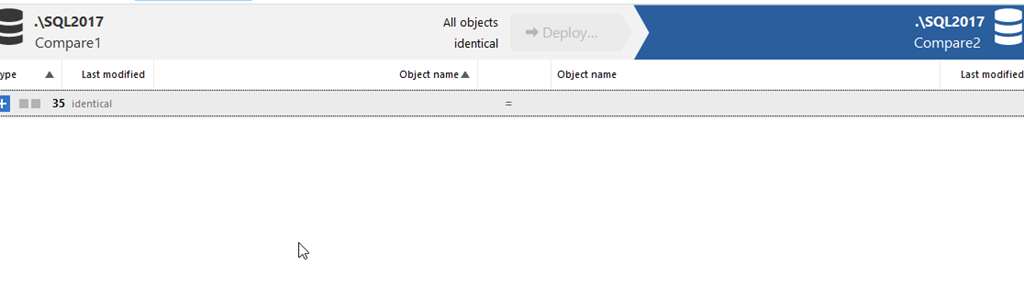
Then nothing appears.

2022-04-19 16_45_31-SQL Compare - E__Documents_SQL Compare_SharedProjects_(local)_SQL2017.SimpleTalk

Make sure you don’t have this option checked. I’ll fix that first.

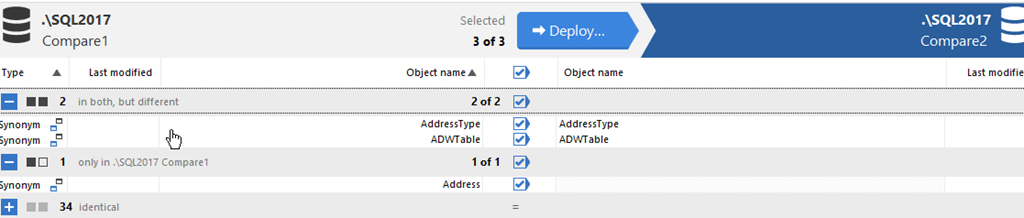
Next, I’ll add a couple more synonyms to show a few differences and then re-run the compare. Now I have 3 objects, 2 of which are different, one doesn’t exist in the comparison database.

2022-04-19 16_49_11-SQL Compare - E__Documents_SQL Compare_SharedProjects_(local)_SQL2017.SimpleTalk

Generate the Script

I want to generate a script. I’ll do that by pressing the “deploy” button. I’ll change the option from deploy to generate script. This will open in SSMS.

2022-04-19 16_50_34-Deployment

I click the “Open in editor” button and SQL Compare generates the script and opens SSMS. Warning, it opens a new version of SSMS, not the existing one I have open. Grrr.

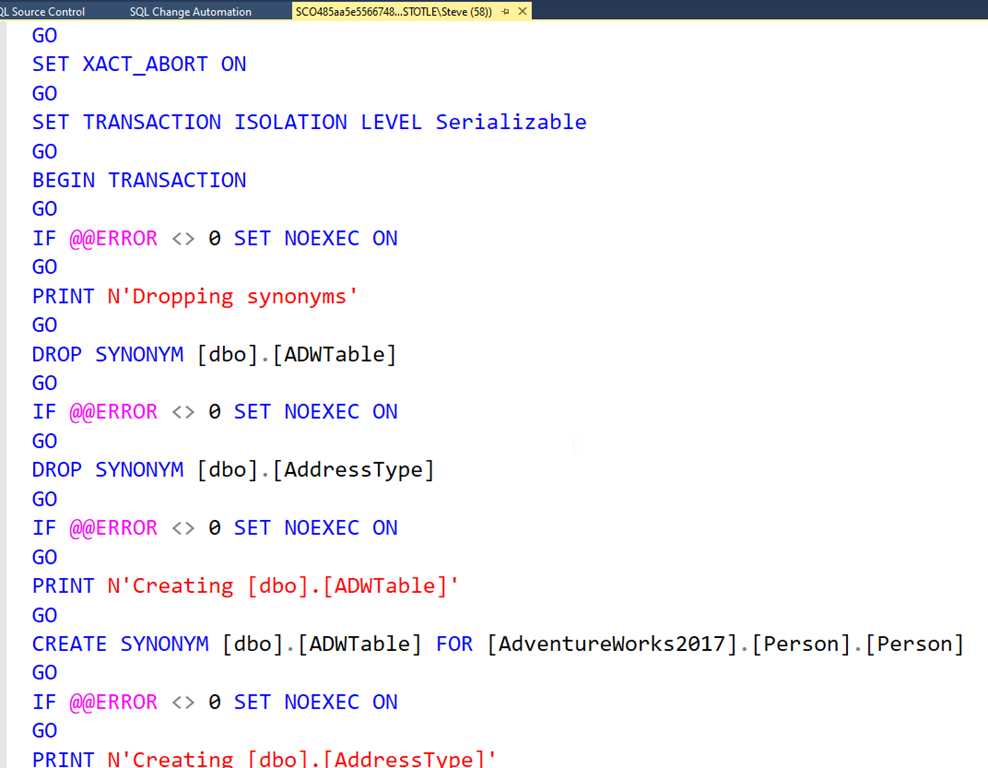
I see my script here, which is good.

2022-04-19 16_53_29-SCO485aa5e5566748149e0e8259930b6af0.sql - (local)_SQL2017.Compare2 (ARISTOTLE_St

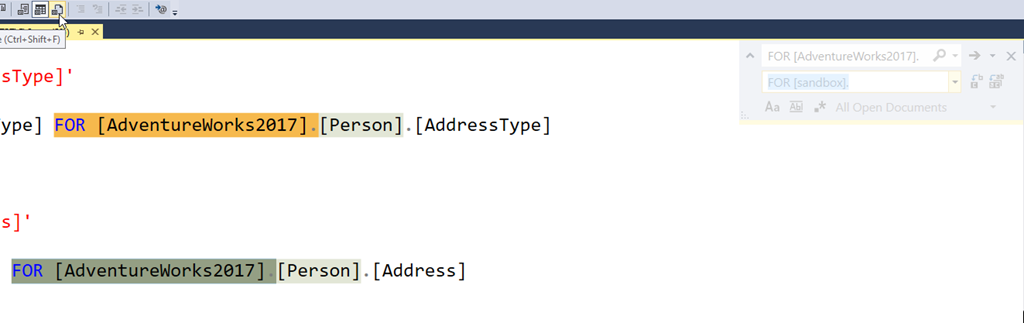
I can search and replace now, looking to change the database name. Hard to see in the image below, but I’m searching for this:

FOR [AdventureWorks2017].

and replacing it with:

FOR [sandbox].

2022-04-19 16_54_56-SCO485aa5e5566748149e0e8259930b6af0.sql - (local)_SQL2017.Compare2 (ARISTOTLE_St

This will set the synonyms to the new target in the dev environment. In this case, I’m changing from AdventureWorks2017 to Sandbox.

The last thing to do if this script is to set up a new database is to remove the synonym drop statements. We can’t alter synonyms, so we need to drop them. That will be an error in this script if the synonyms don’t exist. Since this runs as a transaction, the entire thing will fail.

This shows a simple way to help create a script that can be used to refresh a dev environment with the proper schema settings when synonyms or other three part naming is in use.

Posted in Blog | Tagged , | Comments Off on Search and Replace Three Part Names with SQL Compare