
Another post for me that is simple and hopefully serves as an example for people trying to get blogging as #SQLNewBloggers. This is also a part of a basic series on git and how to use it.
As I work more and more with Git, I find myself learning little tips and tricks that are helpful. One of those tricks is adding a remote to my local repo so that I can sync with it, and start collaborating with others. In many cases, I find myself pulling from a remote repo and pushing back, and much of the work is done for me. However, if I create a local repo, how do I get this to a remote service?
Certainly some tools like VS or GitHub for Windows/OSX/etc help, but I like to understand the process myself, so I spent a few minutes practicing.
First, I create a new repo with some documents. This is basic git stuff that you should understand, but if not, I’ve written a few posts on git basics. Here’s the first steps I took in another post.

Create a Remote
The next step is to have a remote git repo, which is really a remote git init spot. For this post, I’ll make on at Github, but the process is similar anywhere. In my repositories list, there is a new button.

I click that and get a form. In my case, I’ll name this to match the repo on my local machine. Life is easier if you match names, but you don’t have to.
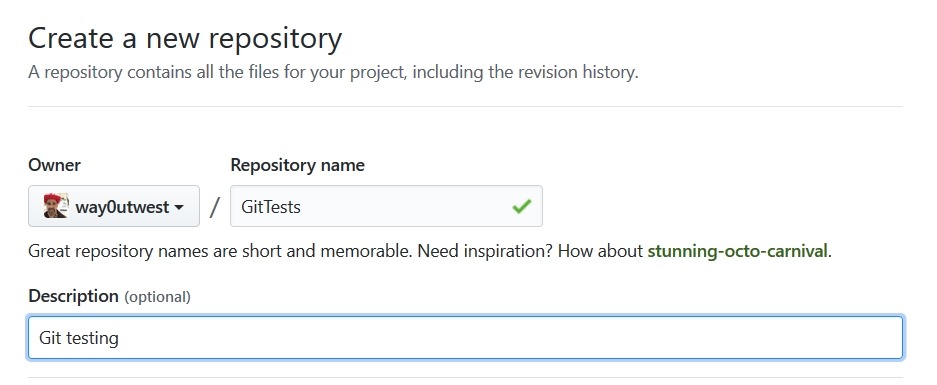
Once I do that, Github guides me along. I get a page with quick setup.
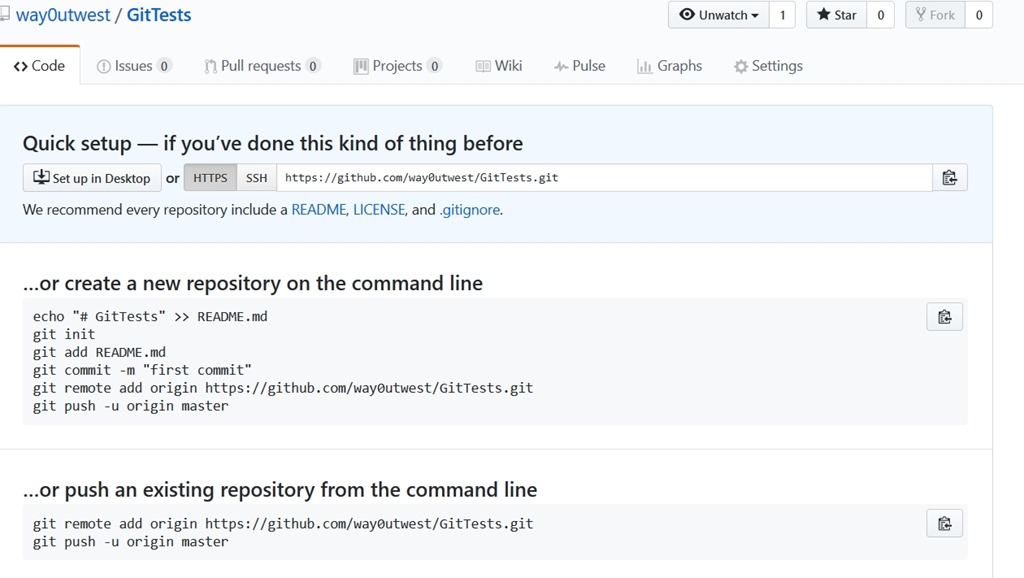
In my case, I want to push things from an existing repo on my machine. Again, tooling may do this for me, but from the command line, I need to add a “git remote”. I’ll use the “add” option, and I specify a name and URL. These are shown near the bottom of the image. I’ll run these locally.
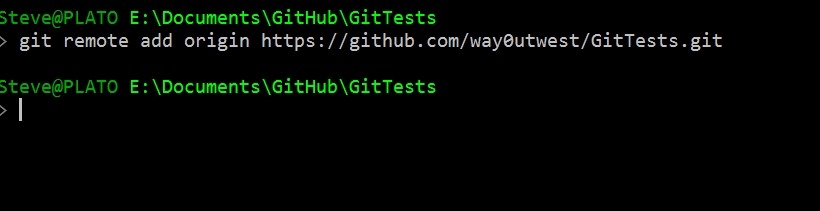
Once I do this, my local git repo has a remote repo (called origin) that it can send code to (push) and get code from (pull). Git manages conflicts and versions and all that.
If I try to just push, what I’ll find is I don’t have enough config.

My push needs to specify the remote and then the branch. Let’s do that.
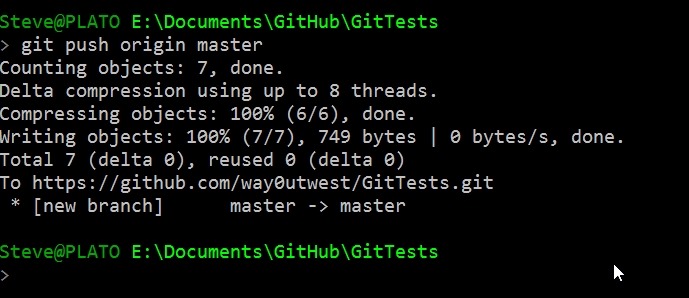
Once I do this, 7 objects got pushed, which includes some of the .git stuff. If I go to Github and look at the repo, I see this under Code.

I’ve connected my local repo to a remote, and copied my code up. Now I can push/pull as I make changes (or others do) to keep my local copy in sync with the remote.
I’ll look at other flows in a future post.
SQLNewBlogger
This was a fairly quick post, about 10 minutes, as I connected up the local stuff to the remote. I’ve done this before and learned some of this the hard way, but this post allows me to organize my thoughts and be sure I understand what’s going on.
I did end up spending a few minutes looking at the git docs to be sure I was describing things correctly.




 Voice of the DBA